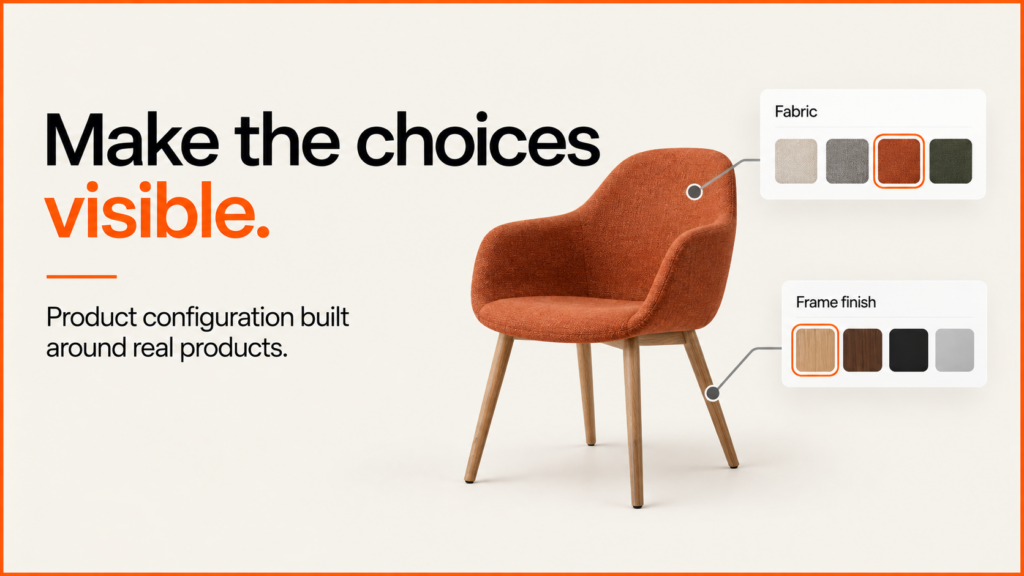
I build 3D product configurators that run in a web browser. They are for manufacturers, retailers and sales teams. Customers try out materials, parts and options, and only valid combinations are allowed. Then they send you a clear specification, or carry on to your online shop.
The work joins three things: your product rules, your visual assets and the systems behind the sale. My Praxis delivery history and MMU research project show the experience behind this approach.
Discuss your product rangeTry a working demonstration
What a product configurator does
A product configurator lets a customer build their own version of a product on screen. They choose options such as materials, finishes and components. The screen updates as they choose.
A 3D product configurator shows the product as a model. The customer can turn it and look at it from different sides. Rules sit behind the model. They stop the customer picking a combination that cannot be made or sold.
At the end, the choices go somewhere useful. That might be a basket, a quote request or a specification sheet. This works best for products with many options, where customers need help to see how the choices fit together. My terms of business cover scope, payment and who owns the finished work.
Configurator work you can inspect
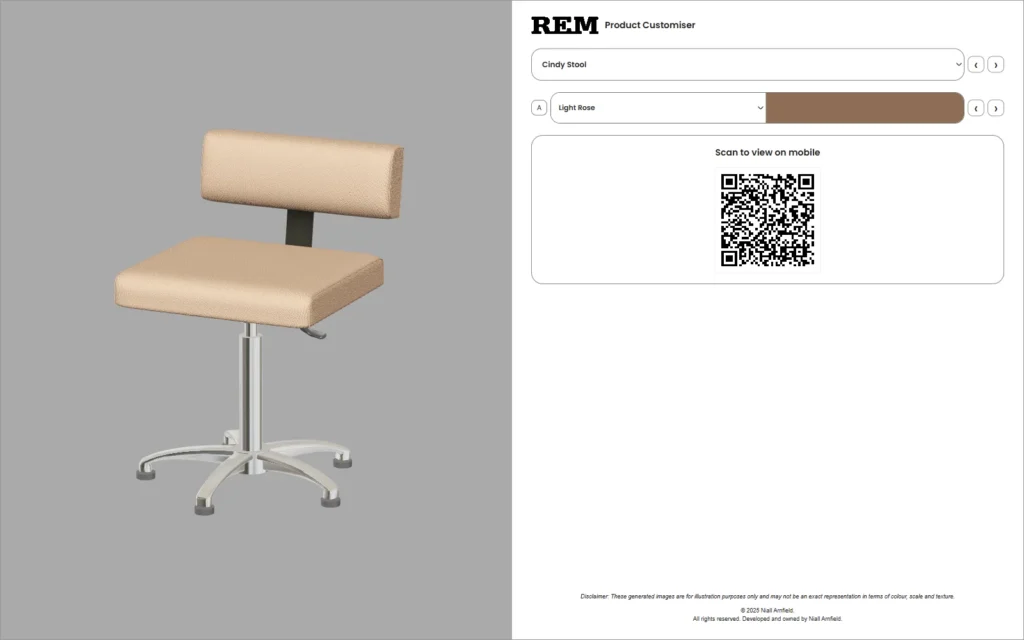
Praxis Digital 3D, 2021–2025. I developed a browser-based configuration platform. More than 20 UK businesses in different industries used it. The working Praxis demonstrations let you rotate real product models and change single material regions. They show an older REM deployment, which is one use of the wider platform.
Applied research at Manchester Metropolitan University. My earlier KTP project produced an image-based configurator, released in 2019. The research case study links the way the assets were made, the original dissertation and the partner assessments. It is a separate project from the later real-time 3D platform.
“We used game development expertise to make this possible.”
Dr Anthony Bukowski, Manchester Metropolitan University — 2019 KTP partner statement.
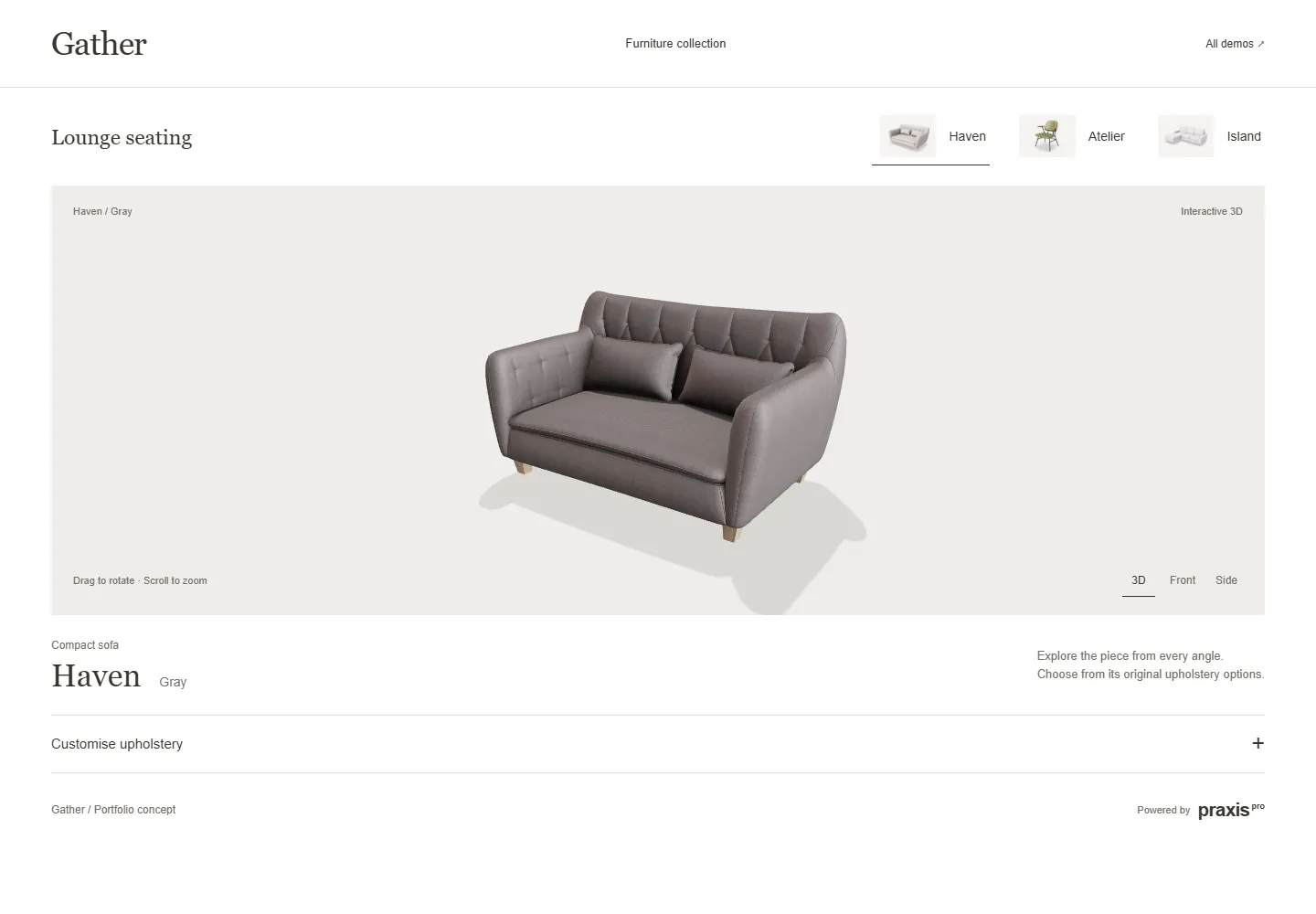
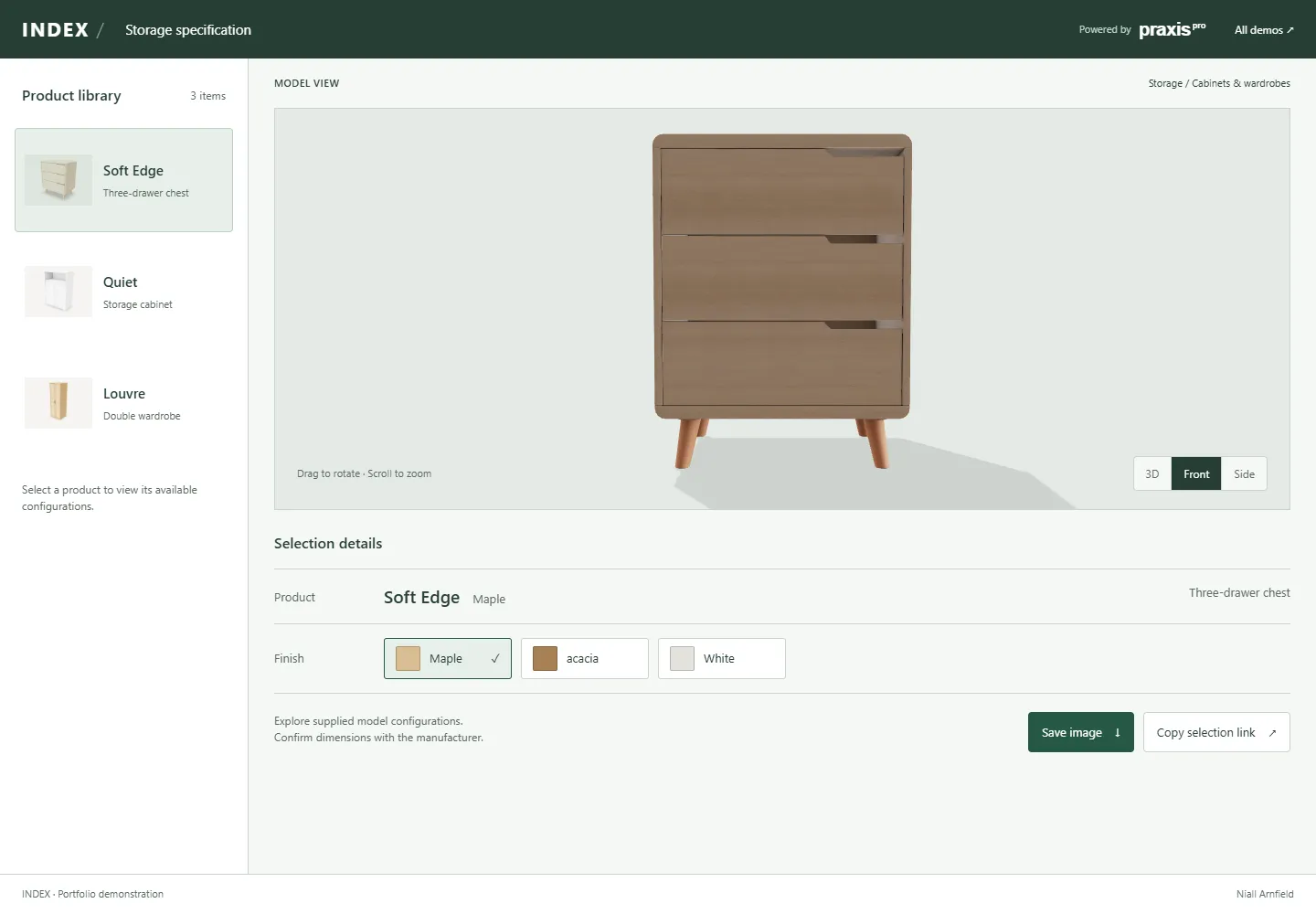
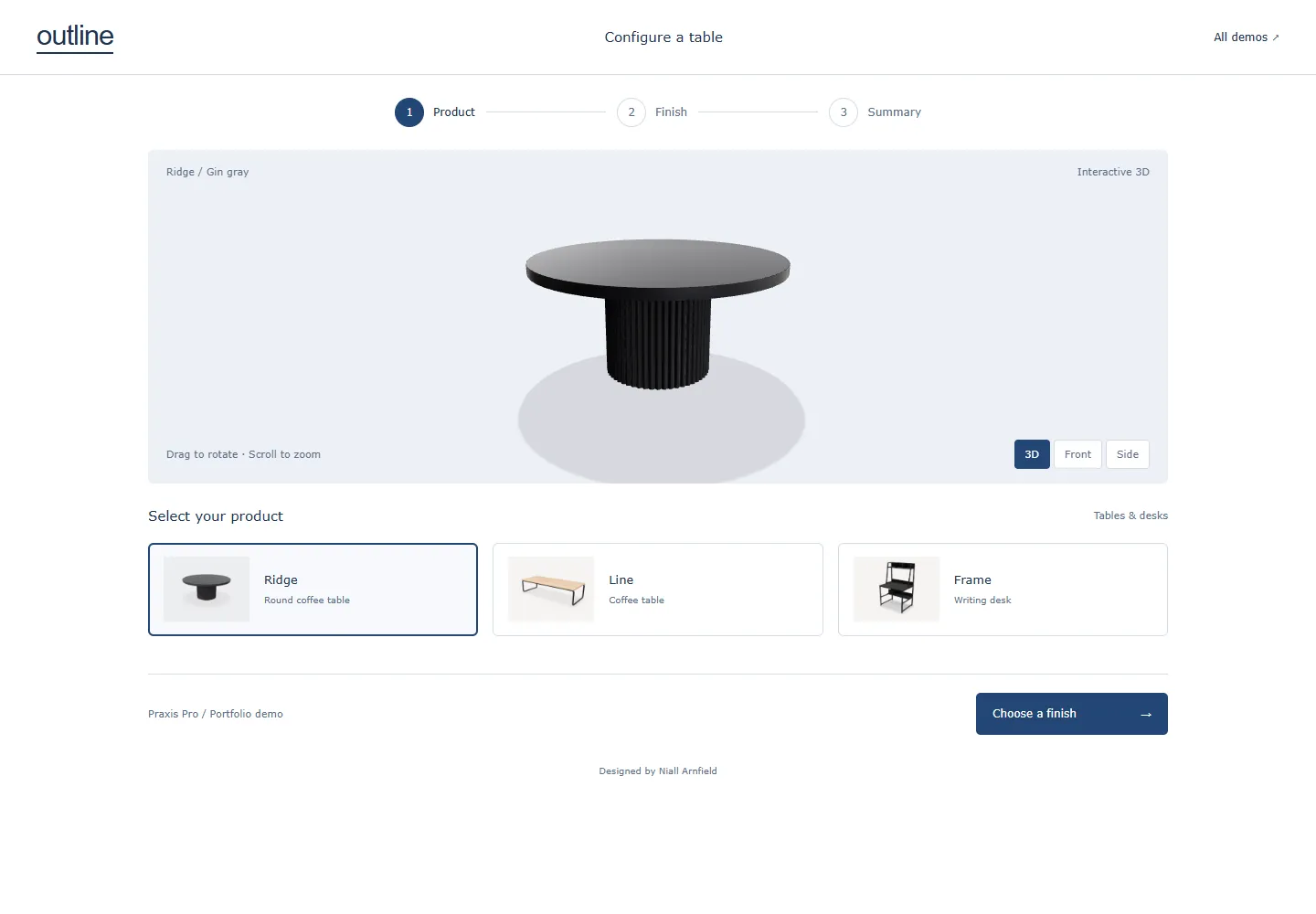
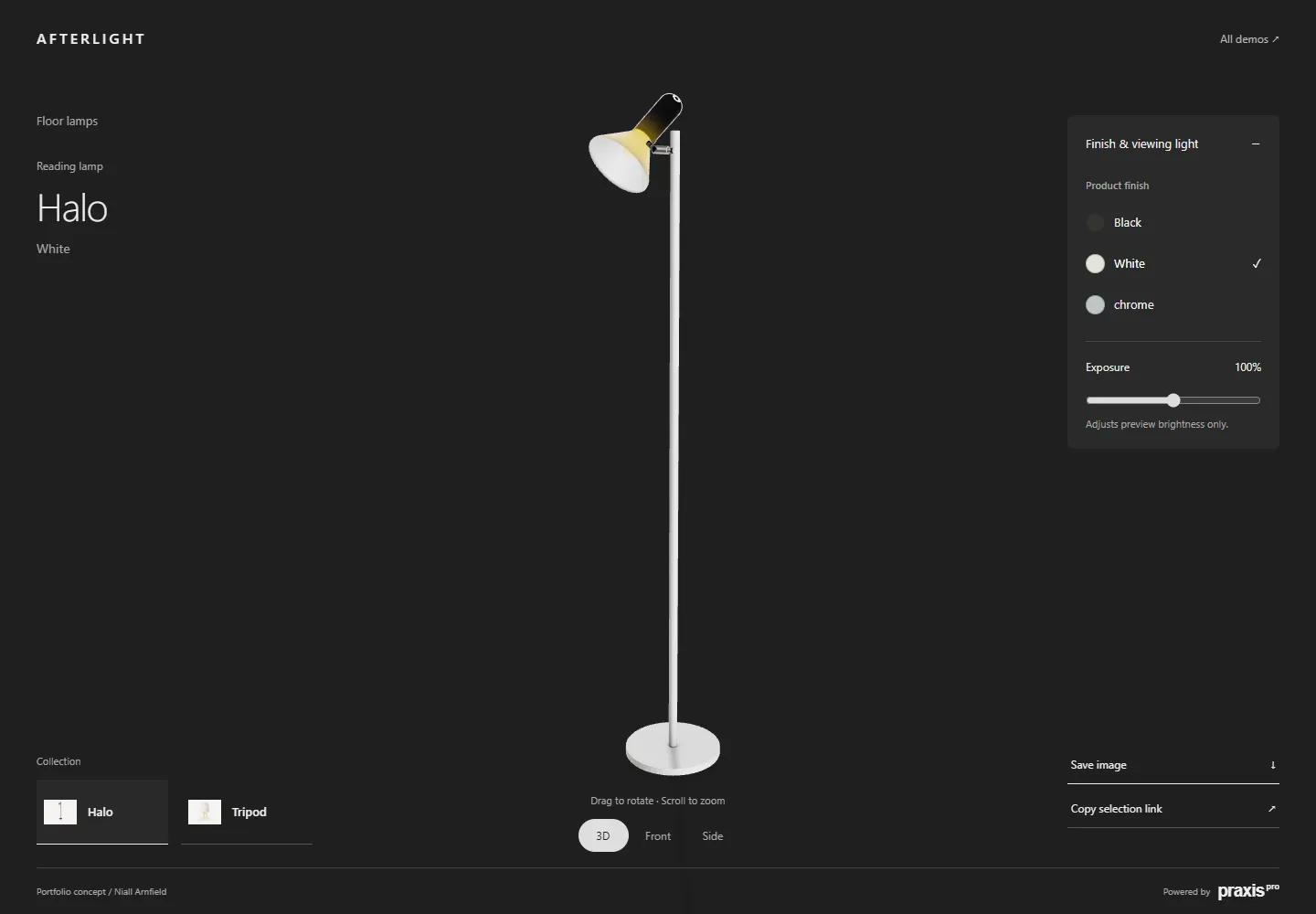
Different products need different interfaces. Explore four independent Praxis concepts for seating, storage, tables and lighting. These portfolio demonstrations show how layouts and product choices can change. They are separate from the client deployments above.
A configurator built around the buying system
The 3D view is only one part of the job. A configurator that works in real use needs three layers that connect to each other:
- Product rules. These cover valid options, dependencies, exclusions, dimensions, stock and the inputs to pricing.
- Customer experience. This means clear labels on the controls and useful visual feedback. It also covers loading and failure states, behaviour on mobile and a route through the task that everyone can use.
- Link to the sale. The finished choice is identified correctly and passed to Shopify, WooCommerce, a quote, a CRM, a PIM, an ERP or another agreed system.
I work on all three layers, so you do not end up with a nice demo that stands alone. We agree which system owns each field. We agree how invalid combinations are blocked. We agree what the customer can do when 3D is not available. We also agree how your staff can trace a configuration once it becomes an enquiry or an order.
Good fit and poor fit
| A configurator is worth exploring when… | A simpler product page may be better when… |
|---|---|
| Customers need to see how several options work together. | Customers only choose one or two familiar variations. |
| Invalid combinations cause errors in quoting, ordering or production. | Every combination is valid and easy to explain. |
| What the product looks like has a real effect on the buying decision. | The visual differences are small, or photos already show them clearly. |
| A finished configuration can feed a basket, a quote or a specification. | Staff still have to type the result in by hand. |
| Your business can own the product rules and the asset workflow. | Nobody will own the rules, prices and assets after launch. |
If your product data or rules are not ready, we do not have to start with a full build. The first step can be a focused discovery and a prototype.
How a project moves from brief to launch
-
Discovery and evidence
We work out who the buyer is and which decision is hard for them. We pick one typical product. We list the source systems and decide the main action you want the customer to take. Anything we do not know is written down. It is not hidden inside a fixed build estimate.
-
Rules and prototype
I build enough of your real option logic to show up invalid combinations, asset problems and risks in the integration. The prototype joins the rule model, the interface and the planned handoff to your platform.
-
Production system
Once you approve the approach, it becomes a working build and an asset pipeline that you can maintain. It stays clear who owns products, prices and stock. That way the visual layer does not turn into a second catalogue.
-
Integration and QA
I connect the final configuration to the basket, quote or business workflow we agreed. Testing covers the devices you target, speed, accessibility, failure states and the route that does not use 3D.
-
Release and ownership
At handover I document how to deploy, how to update products, how monitoring and analytics work and who is responsible for what. Your team should be able to make an agreed routine change without needing the people who built it.
Start with one representative product
Send me the current product page and one example product. Add its option rules and any CAD or visual assets you have. I will help you see whether the next useful step is discovery, a narrow prototype or a full delivery scope.
Product configurator guides
Pick the decision you need to make. Each guide has practical checks or a worked resource that you can bring to a project discussion.
Plan the project
- Readiness scorecard: find the missing foundations.
- Project brief and worksheet: define the product and the buying journey.
- Costs and scope: compare everything a delivery needs.
- Build or buy: judge suppliers with the same acceptance tests.
- ROI worksheet: keep measured inputs apart from assumed benefits.
- Quote request or checkout: choose where the result goes.
Prepare and test the build
- Preparing 3D models: agree structure, finishes and asset checks.
- Product-data checklist: set identifiers and owners.
- Implementation guide: connect the controls to the receiving system.
- Configuration-rule testing: check valid choices and conflicts.
- Launch acceptance register: record release evidence, recovery checks and open decisions.
- Made-to-measure configuration: try editable dimensions, dependent rules and a downloadable specification.
- Mobile interface design: compare four working layouts and test the selection journey.
- System integration: check requests and retries with a working HTTP example.
Operate and improve
- Performance budgets: measure assets and agree loading tests.
- Saved configurations: restore selections and deal with choices that are no longer available.
- Retailer rollout: share product technology while you control ranges, branding and release adoption.
- Catalogue maintenance: test product updates and see how they affect older selections.
- Configurator analytics: tell apart interaction, loading and qualified enquiries.
Applications across product categories
A 3D furniture configurator can help customers compare upholstery, finishes and parts. Storage and equipment may need dimensions and rules about which parts fit together. Products where the material matters may need samples as well as the screen preview. The same platform can support different interfaces and different sales workflows. Salon furniture is one use of my wider web development work.
Try four working portfolio demonstrations: seating, storage, tables and desks, and lighting. Each one has its own buying journey and uses original demonstration products. These concepts show what the interface can do. Live pricing, stock and order integrations are scoped separately. The product visualisation guide explains the difference between still images, interactive viewing and valid product configuration.
If customers also need to arrange products in a room, compare room planners and product configurators before you decide what the first release should include.
Product configurator software and technical scope
| Approach | Suitable starting point | What to check |
|---|---|---|
| Existing configurator software | Your rules and workflow fit the platform you can buy. | Who owns the assets, how the catalogue updates, how it integrates and how you export. |
| Custom browser-based configurator | Your interface or product logic needs its own build. | Rules you can maintain, speed on real devices and a complete link to the sale. |
| Image-based configuration | A fixed set of views shows the choices well enough. | Whether the views cover every combination, and how much asset work that takes. |
A real-time 3D web configurator updates the product view as choices change. It still needs clear labels on the controls and efficient assets. It also needs a useful still preview and another route when 3D is not available. The customer can use it in a browser without installing a CAD application. That does not replace engineering approval where your product needs it.
Product rules and sales data should each have a named owner. The system that receives the order must check the chosen options, the current price and the stock before it accepts the order. Read the quote or checkout guide to choose the right handoff.
What drives cost and delivery time?
Five things drive the cost and the timescale: the number of product families, how complex the options are, how much 3D asset preparation is needed, what you need to integrate and how you will handle updates later. Start with one representative product and be open about what you do not yet know. The configurator cost guide explains these choices. It does not assume that every project needs the same platform or licence.
Want to compare working journeys first? See product configurator examples: five demos reviewed for choices, rules and conflicts.
Common questions
Does a product configurator need 3D?
No. Image-based choices or guided questions can be enough. Use real-time 3D when it clearly helps the customer understand shape, materials or combinations.
Can it work with Shopify or WooCommerce?
Yes, with an integration scoped to the platform and your product model. You need to define how a selection maps to an item you can sell, or to a quote. You also need to decide where the final check happens.
The Shopify configurator integration guide shows how product choices map to variants and descriptive cart properties. It has an offline code example and a checklist for testing on a live store. The WooCommerce integration guide shows configuration references kept through cart and order storage.
How long does a configurator project take?
It depends on your product families, your rules and your assets. I give you a timescale once we have scoped the work together. The cost guide lists what changes the effort.
What should we prepare?
Bring an example product, its valid and invalid options, the assets you have and the action you want the customer to take next. The project brief turns these into a starting point you can review.
Discuss a configurator for your product range. How I handle your details is set out in my privacy policy.
Related guides
- More sector guides: bike configurators and garden room configurators.
- Sector guides: furniture and sofa configurators and fitted wardrobe configurators.
- Live examples: the Babylon.js retro appliance, WebGPU watch, React Three Fiber sofa, PlayCanvas salon backwash and Three.js desk lamp demos.
- Also see the guides to kitchen configurators and what a product configurator is.