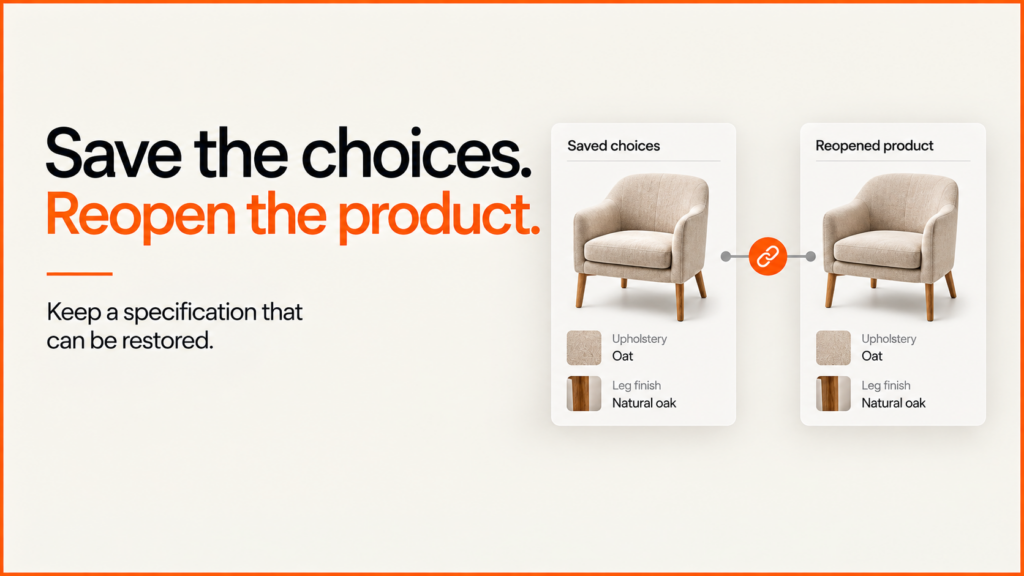
A saved product configuration lets a customer come back to the choices they made. They can share it with a colleague or send a clear spec to your sales team. What matters most is what happens when the link opens. The product and options must still make sense.
Discuss your product rangeTry the demos
A screenshot is useful for a conversation, but it does not preserve editable choices. A shareable configurator link can restore them. For an order or a quote, the system that receives it must also check the current specification, stock and price.
Try a saved selection
The Gather seating demo offers a small, working example. It is my own portfolio concept with demo products. It is not a real shop or an ordering service.
- Open the Atelier chair in Oat. The link identifies the product and finish.
- Open Customise upholstery, choose another finish and select Copy selection link.
- Reopen the copied address. The selected product and finish return. The camera starts at its default view.
The storage, table and lighting demos work the same way, each with its own layout. The links save product and finish IDs. They do not save an account, customer details, price, camera angle or lighting.
When a link cannot be restored
An old or edited link may refer to an option that no longer exists. Silently substituting a default can make the customer think their original choice was restored correctly.
During testing of these demos, an unknown product identifier originally opened the first product without an explanation. The revised viewer now preserves the incoming address, shows a review notice and identifies the fallback preview. The visitor can confirm that selection or choose a replacement before copying a new link.
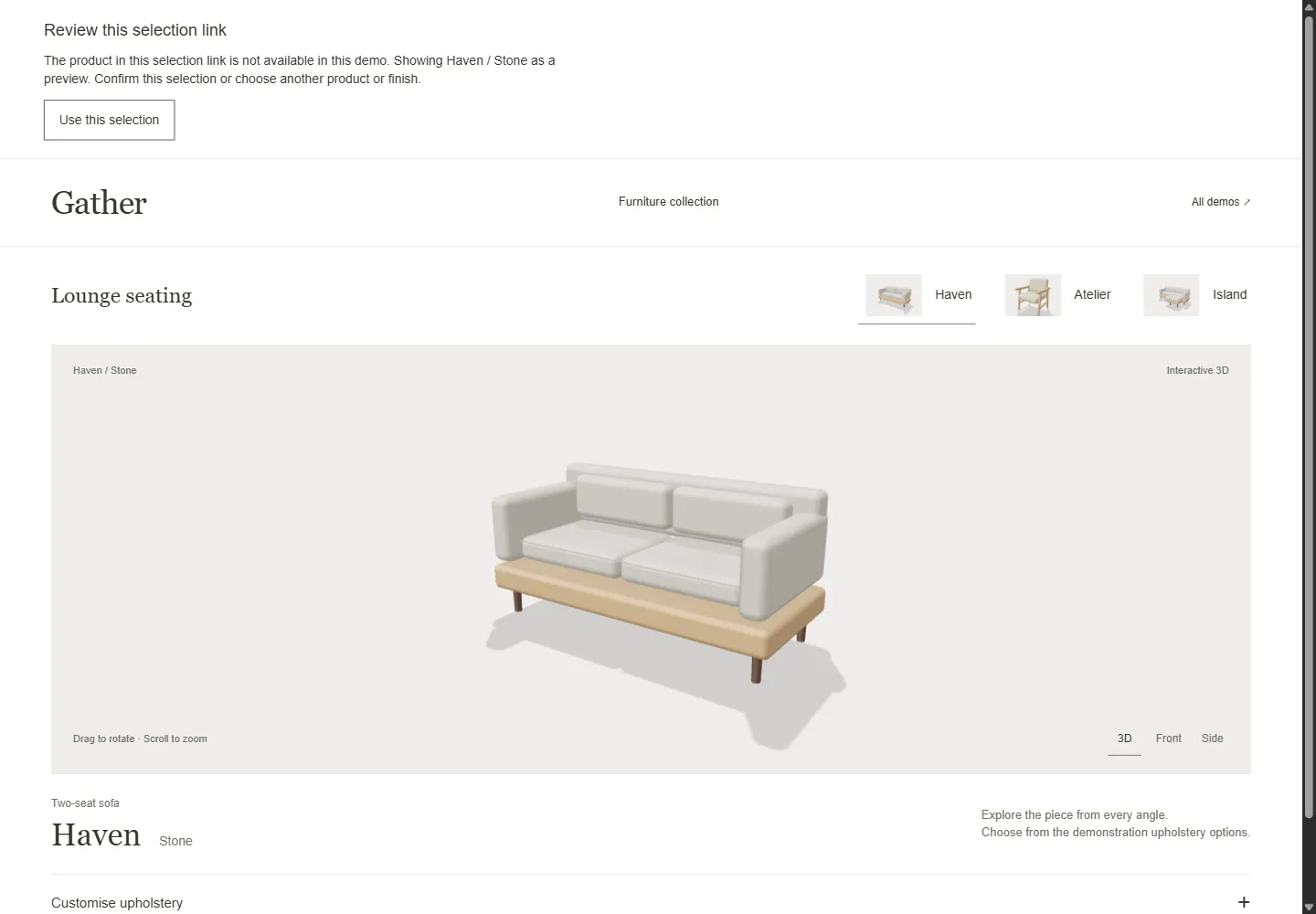
Try an intentionally unavailable selection. This is a demonstration of the review behaviour. It does not represent a discontinued customer product.
| Incoming choice | Expected response |
|---|---|
| Valid product and finish | Restore both choices without a warning. |
| Unavailable product | Explain the issue and label the fallback preview. |
| Unavailable finish | Keep the recognised product and request review of its finish. |
| Missing or repeated fields | Request review rather than guess which choice was intended. |
| Confirmed replacement | Create a valid selection address and enable copying it. |
The code that reads a saved selection has twelve edge-case checks. It was also tested in the browser on all four layouts, on phone-sized screens and with the keyboard. These checks show how the demo behaves. They do not prove more sales or full accessibility compliance.
Choose the saving method around the task
| Method | Useful when |
|---|---|
| Screenshot | Someone needs a visual reference. Include a written specification for precise choices. |
| Public selection URL | A small set of public product identifiers can recreate a selection. |
| Stored configuration record | A longer specification needs a stable reference, revision history or controlled access. |
A public URL is readable and editable by its recipient. Keep personal information and private commercial details out of it. The application should resolve identifiers against its catalogue rather than trusting a product name or price supplied in the address.
A stored record can preserve a catalogue version and a snapshot of the original choices. That requires decisions about access, retention and what happens when the catalogue changes. As one implementation example, Threekit’s save-configuration API accepts a product ID and product version and returns a reference that can retrieve the saved configuration. The appropriate approach depends on your system; the portfolio demos here use public URL parameters instead.
Agree what happens when the catalogue changes
Stable identifiers are a starting point, not a complete history. A renamed finish may keep its identifier; a changed material specification may need a new version. An old choice might remain viewable while becoming unavailable to order.
Decide what the app should do. It could restore the old specification, suggest a checked replacement, or explain that the setup is no longer offered. Never quietly reuse an old ID for a different product. The demos check whether today’s IDs exist. They do not keep an archive of past catalogues.
Before a quote request or checkout, validate the current combination again and make any changes visible. A saved selection is an input to that process, not an approved order. See the quote request versus checkout guide for the next step in the customer journey.
The catalogue maintenance guide turns that policy into a release procedure, with a tested finish-withdrawal example and an editable checklist.
Put saving and sharing in the development brief
Decide which fields to keep, who will get the link and how long it should keep working. In your tests, include products that are no longer sold, repeated fields, a model that fails to load and confirming with the keyboard. Developers can use URLSearchParams to read query parameters, including repeated values; checking those values against the catalogue is still the app’s job.
The product-data checklist helps define identifiers and option relationships. The rules-testing guide covers wider configuration checks.
For a project discussion, send an example product, its choices and the details your team needs to receive. See product configurator development or ask about saved configurations.
In trade buying, a saved selection often goes to a manager for sign-off. The B2B checkout and approvals guide shows how to record what was approved.
To see a shareable modular selection, try the React Three Fiber sofa demo.