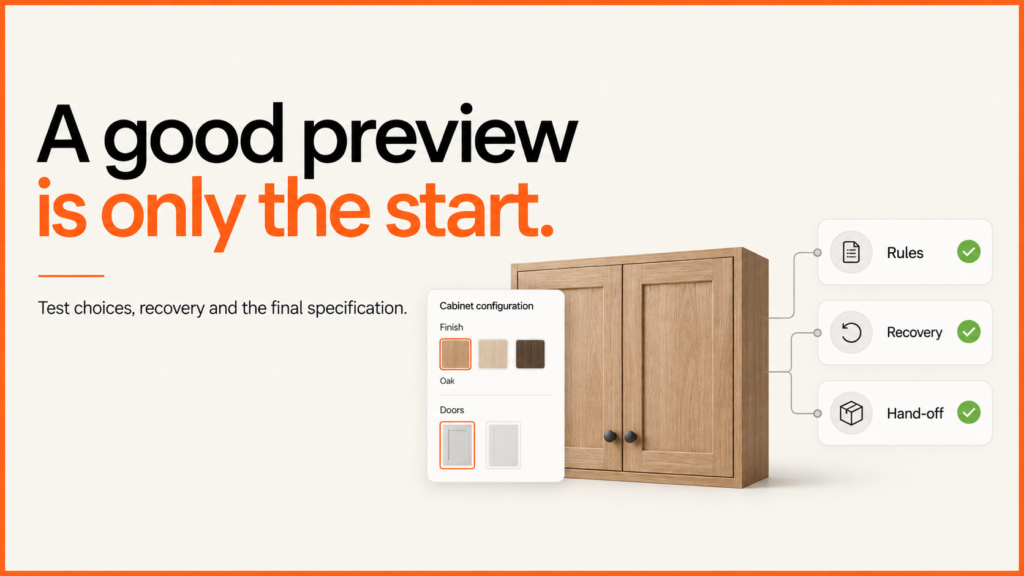
Product configurator acceptance testing should prove that a customer can complete the agreed task and that the business receives the correct result. Agree those conditions before approving a release: which products, which customer journey, which output, and who can accept each result.
Discuss your product rangeTry the demos
A useful launch checklist includes ordinary selections, invalid choices and recovery when something fails. The downloadable register below gives a buyer and developer somewhere to record the expected result, actual evidence and unresolved decisions.
Agree what you are accepting
Choose a representative product and identify the release being tested. Record its catalogue, model and application versions, the test environment and the intended devices. Add a known valid configuration and an invalid one supplied by the product owner.
Define the end of the journey precisely. A copied selection link, a received sales enquiry and a paid order are different outcomes. If the first release ends at an enquiry, accepting it does not certify a checkout that has not been built. The configurator brief helps agree this scope before development.
Check the complete result of an action
During testing of my seating demonstration on 23 September 2026, I deliberately interrupted one model request in the browser. The error state appeared and retrying loaded the chosen product. But the successful changed selection was missing from the event stream. The surrounding page also continued displaying its earlier failure message.
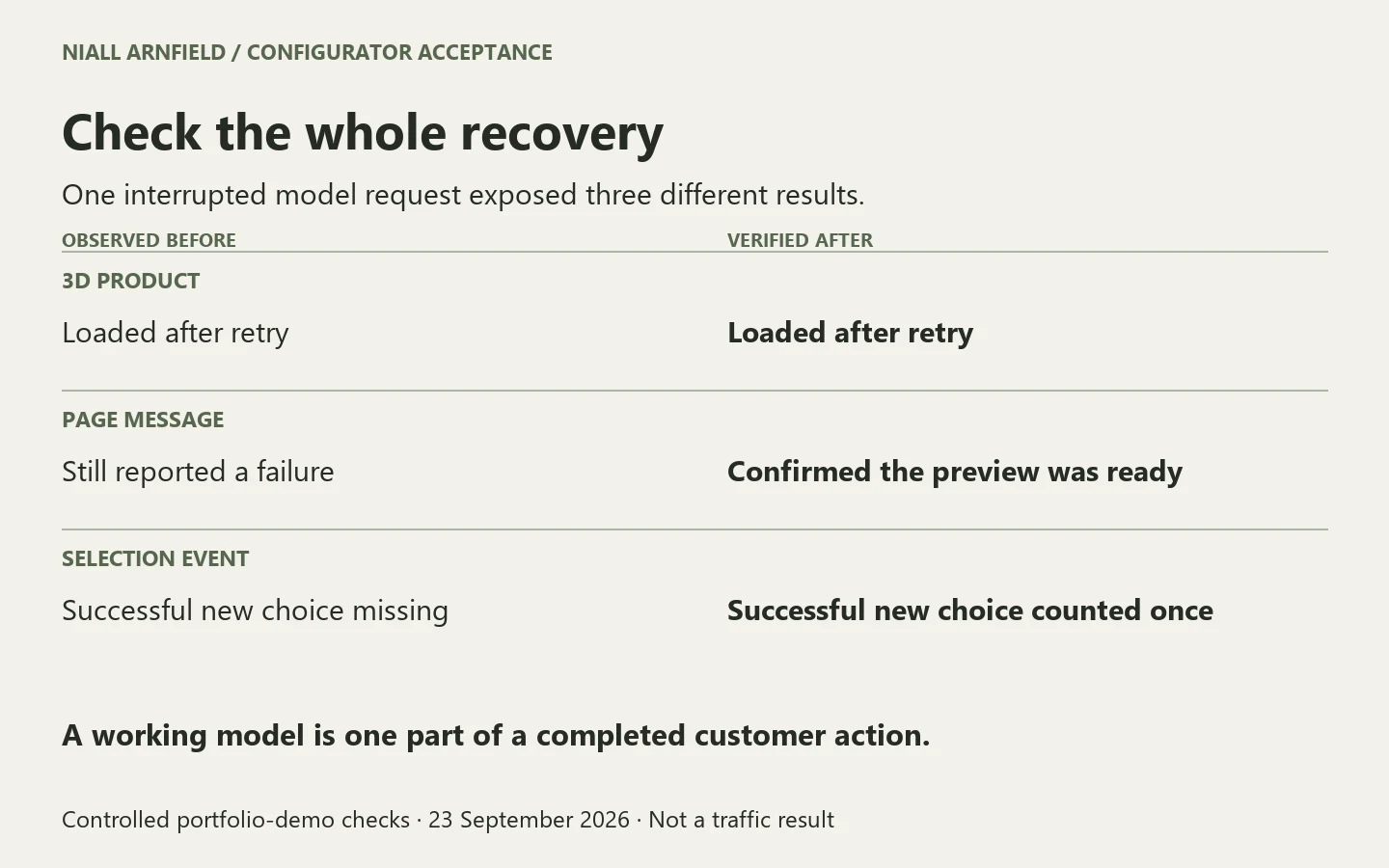
The 3D view had recovered; the full interaction had not. I corrected both behaviours, then checked product changes, finish changes and repeated choices across the four portfolio demonstrations. The final checks verified that recovery cleared the message, a successful new selection counted once, and repeated readiness signals did not become repeated analytics events.
These were controlled browser checks of original demonstration products. They establish those behaviours, not a customer conversion increase, Google Analytics ingestion, physical-device coverage or acceptance of a commercial order system.
Build a checklist around consequences
| Area | Evidence to request |
|---|---|
| Product selection | The visible model, selected labels and stored identifiers agree for the approved example. |
| Invalid choices | A prohibited combination is rejected with a useful explanation. Direct inputs receive the agreed validation too. |
| Failed download | A controlled model failure produces a usable recovery route. Retry clears the error and restores the correct selection. |
| Old saved link | A renamed or unavailable choice is handled according to the agreed policy, with any required review made explicit. |
| Business handoff | The receiving system confirms the correct identifiers and agreed output. An on-screen success message alone is insufficient. |
| Usability and measurement | Agreed interaction, accessibility, device and consent checks have dated results and clear coverage limits. |
Use the dedicated guides for configuration rules, saved selections and system integration when defining the expected behaviour. Acceptance brings those decisions into one release record; it should not create a second, conflicting set of rules.
Record evidence someone else can check
For each case, write the starting state, action and expected result before testing. Afterwards, record what happened, where the evidence is, the environment and the date. Keep “not tested” separate from “passed”. A screenshot can establish a visible state; a receiving-system record establishes a different part of the journey.
Assign a person to unresolved failures and a deadline for the next check. If an exception is acceptable, record who accepted it and why. A developer can demonstrate that a price calculation matches the supplied example, but the business still needs to confirm that the example is commercially correct.
Agree which failures block launch. Incorrect product identity, an invalid accepted configuration or a lost required handoff will usually need a different response from a minor presentation issue. Decide this against your actual service and obligations, rather than allowing a total test count to make the decision.
Test the rules, not just the final selection
A configurator should stop a customer specifying something you cannot supply, so test the rules themselves as well as whether a model rotates or changes colour. Start with a rule a product specialist can approve, give it an identifier and an owner, and record whether a conflict should block the selection, offer a compatible alternative or require staff review. “R01: double doors require the wide cabinet” is easier to trace than a disabled control whose reasoning lives only in front-end code.
A small catalogue can be tested exhaustively. A cabinet with two widths, two door options and two finishes has eight nominal combinations, of which six are valid. Larger catalogues need deliberate coverage of boundaries, dependencies and high-risk interactions. Sampling is practical, but a passing sample does not prove every combination is valid, so keep a regression case for each defect you find.
| Trigger | Expected behaviour | Evidence to keep |
|---|---|---|
| Unknown product or finish | Reject the identifier; do not guess a replacement. | Submitted state and returned error. |
| Changed catalogue version | Require review against current choices. | Old and current versions, and the review result. |
| Altered browser price | Calculate from authoritative data and flag the disagreement. | Submitted amount and independently calculated amount. |
| Width-only change that breaks R01 | Keep the last accepted selection and explain the conflict. | State before and after, plus the interface feedback. |
| Broken catalogue reference | Refuse the invalid catalogue. | Validation error and the corrected record. |
Test changes as well as end states. Start with a wide cabinet and double doors, then choose the narrow width: the change should be rejected, the previous selection should stay intact, and the written summary and visual product should still describe the same accepted state. A coordinated change to narrow width and single doors should succeed. Keep rejection and commercial review distinct. An unknown option needs correcting, while a valid selection whose price has changed needs a current price and an explicit review.
Have the product owner approve known configurations and amounts, then test the implementation against those. If the same faulty rule generates both the result and its expected answer, a green test can mislead. Then repeat the checks at the receiving boundary, because browser checks help customers recover but do not protect the order system from altered requests. Revalidate identifiers and rules on the server and resolve current prices and availability there. A runnable example pack with a fictional catalogue, a combination matrix and 32 checks demonstrates the method; it does not certify a production configurator.
Keep a keyboard regression case
A correct selection can still leave a visitor unable to continue. In one of my table configurator demonstrations, replacing the product buttons after a choice sent keyboard focus back to the page body. The corrected interface keeps the chosen button focused while the model loads. Repeat checks like these whenever the selection interface changes.
| Action | Expected result |
|---|---|
| Activate a product with Enter | The chosen button keeps focus while the preview updates. |
| Activate a finish with Space | The finish stays focused and its selected state agrees with the summary. |
| Continue to the next step | Focus moves to the new section and hidden controls leave the tab sequence. |
| Preview finishes loading | A status region names the selected product and finish without moving focus. |
These checks establish specific behaviours in one browser. They do not replace screen-reader testing or a full accessibility assessment.
For a worked example with a fictional parts rule, see the bike configurator guide.
Download the acceptance register
Download the configurator acceptance register. The pack contains a printable, editable HTML worksheet with twelve proposed scenarios, a blank release decision and a short account of the observed recovery example. The proposed scenarios are not pre-passed tests of your system.
Open the worksheet locally and use Print → Save as PDF to keep completed answers before closing it. It does not save automatically or send information anywhere. Add your own product, pricing and integration evidence, and run failure tests only in an authorised environment.
Related guides
- Keep the accepted cases for later catalogue and software changes, alongside a recoverable release and a named person responsible for rollback. If you are commissioning a new configurator, discuss the development scope with a representative product and the business outcome you need to accept.
- The salon backwash demo has a rule you can test with this matrix.
- Acceptance testing is the final stage of the process described in how to build a 3D product configurator.
- The Three.js desk lamp demo includes a recorded walkthrough of three option states and one product rule, as a worked example.
- The React Three Fiber sofa demo records rejected and accepted paths for its chaise rule, as a second worked example.
- The WebGPU watch demo records a blocked combination (gold case with rubber strap) as a third worked example.