A desk lamp you can configure in the browser. Explore the product options, see how a configuration affects the demonstration price, and share the result.
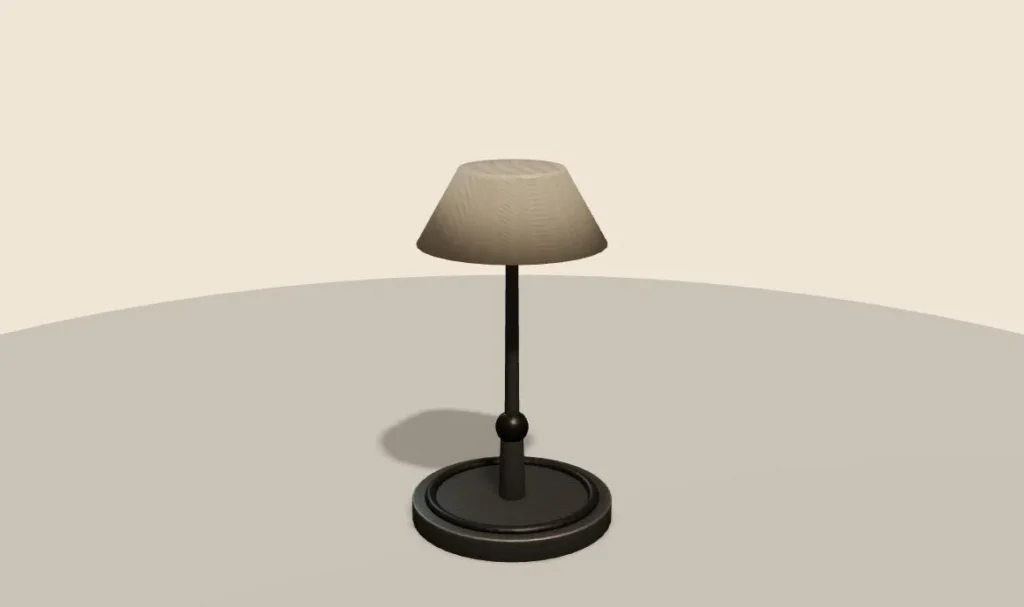
The interactive viewer loads when you choose Explore in 3D.
This is a demonstration product, not a client catalogue or an offer for sale. Explore product configurator development for your own range.
- ArmShort, Medium or Long
- ShadeLinen, Ink or Coral
- AccessoryNone, Inline dimmer or USB charging port
- RuleUSB charging needs the medium or long arm
How this demo works
This Three.js desk lamp demonstration puts arm, shade and accessory choices beside an interactive product preview. It is a demonstration catalogue, not a real product offer. The useful lesson is how a small set of choices can remain visible in a summary while the visitor explores the model.
Start with the product state
Choose Explore in 3D above. The viewer loads on demand rather than immediately on the surrounding page. Its interface identifies WebGL and Three.js and offers drag-to-orbit and scroll-to-zoom instructions.
The initial selection is Medium arm, Linen shade and no accessory. Arm choices are Short, Medium and Long; shade choices are Linen, Ink and Coral; accessories are None, Inline dimmer and USB charging port. The summary repeats the selected labels rather than leaving the visitor to infer them from the picture.
A recorded option walkthrough
| Selection checked | Displayed demonstration price | Observed summary |
|---|---|---|
| Medium / Linen / None | £185.00 | Initial state |
| Long / Linen / None | £207.00 | Arm updates to Long |
| Long / Linen / USB charging port | £233.00 | Arm and accessory remain explicit |
| Short / Linen / USB charging port | Not offered | “USB charging needs the medium or long arm for cable routing.” |
These are interface observations from 13 October 2026. The amounts belong to the fictional demonstration and are not market prices, manufacturing quotes or evidence of conversion improvement.
Keep appearance and commercial meaning together
An arm choice changes the product’s physical story; a shade choice changes its appearance; an accessory adds another specification. A real build should document the effect of each option on geometry, materials, price and fulfilment. They should not all be treated as interchangeable colour swatches.
Three.js provides scene and rendering building blocks. The product policy and commercial hand-off belong to the surrounding application. The live demonstration is a way to examine that boundary, not proof of a connection to a merchant’s cart.
Review the assets at the extremes
For a lamp range, inspect the shortest and longest offered arm configurations from useful angles. Check visible joints, the shade orientation and camera framing. A change that looks acceptable in one front view may reveal a gap or an awkward proportion after orbiting.
Review each exported part and its naming convention before adding option logic. The local GLB viewer can help inspect a supported model. The material lab explains basic surface controls without claiming that a particular shade is physically accurate.
What to look for when you try it
Start by turning the lamp. Drag to spin it and look at it from the side and from above. A good 3D view should feel smooth, and the lamp should stay in frame as you move it.
Next, change one option at a time. Watch two things: the model and the summary. Both should change together. If the picture shows one thing and the summary says another, a buyer will not trust either.
Then try to break it. Pick the short arm and look for the USB port. It is not offered with that arm. Notice how the demo handles that clash. A good configurator explains the rule, rather than quietly dropping a choice the buyer made. A real range can have dozens of rules like this one, and each needs a clear, short message that says what to change.
Finally, copy the share link and open it in a new tab. The same lamp should come back. That is how a buyer sends a choice to a partner, or how a sales team picks up where the buyer left off.
Extend the acceptance register
The recorded walkthrough checks option labels and displayed amounts for three states, plus the one product rule: the USB port is not offered with the short arm. A production acceptance register should also cover narrow screens, keyboard use, failed asset loading, a restored share link and a modified submission. Retain the expected and observed values for each state.
The demo exposes Request a quote and Copy share link controls. Their presence should not be treated as evidence of a completed checkout integration. A real implementation needs a defined quote or order record and confirmation that selected identities reach it accurately.
Try the rule in the demo above, compare the other product journeys, or use the configurator brief to specify a real range. Discuss implementation through configurator development. This walkthrough and its recorded test states were prepared from the live demonstration.