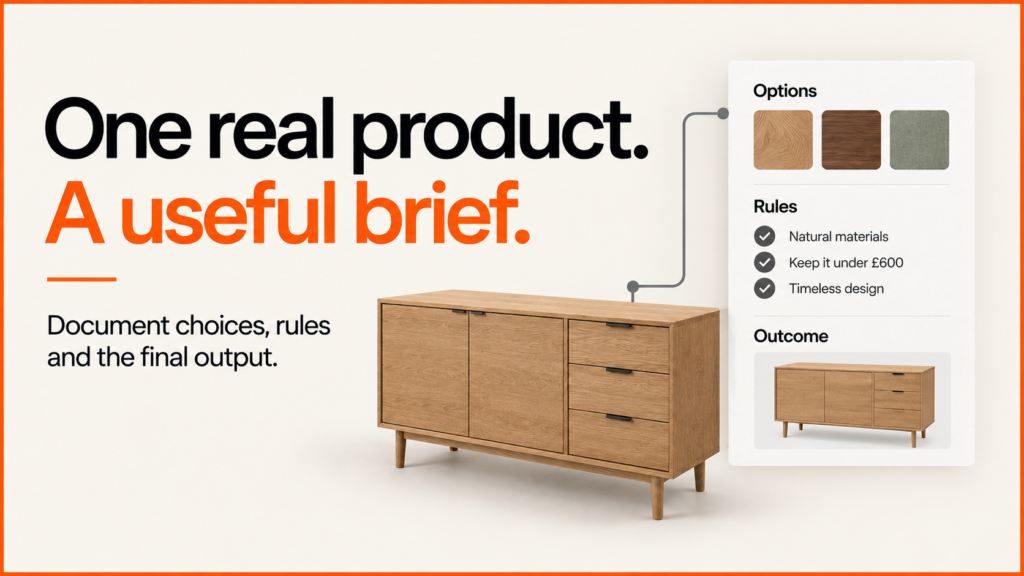
A useful 3D product configurator brief starts with one real product and the decision your customer needs to make. Give a developer the available choices, the combinations that are allowed and what should happen when someone finishes. This template helps you prepare those inputs; for delivery scope and project examples, see my 3D product configurator development service.
Discuss your product rangeTry the demos
- This guide helps you assemble a brief that suppliers can estimate against. If you are still deciding whether your product data and business process are ready, start with the configurator readiness scorecard.
- For the technical implementation, see the guide to product states, assets and configurator hand-off.
- Download the editable project brief — a plain-text worksheet you can open in your usual document editor.
Choose a representative product
Use a representative product family, including an awkward combination. A pilot built around the easiest item may leave the expensive problems undiscovered.
Write a single sentence: “This configurator helps [customer] choose [product] by making [decision] clearer, then sends their selection to [next step].” The next step could be a basket, a quote, a saved design or a specification for your sales team. Choose the main outcome before choosing a rendering engine.
For a made-to-order cabinet, the job might be to compare sizes and finishes, then request a quote containing the chosen options. Here is a completed example to adapt. It is an illustrative project brief, not a client case study or a product offer.
Read a completed cabinet configurator brief
- Customer and decision
- A trade buyer needs to choose a cabinet size, door arrangement and finish before asking the sales team for a quotation.
- Pilot scope
- One cabinet family, two approved widths and three approved finishes. Include the narrow product that cannot use the double-door arrangement, so the prototype exercises a real compatibility rule.
- Source information
- A product table with stable identifiers, dimensions and allowed options; reference photographs; permission to use the assets; and a named person who approves the product rules.
- Customer output
- A readable selection and a structured record containing the product and option identifiers. The buyer can review it before submitting an enquiry. No live price or stock promise is included in this pilot.
- Failure and alternative route
- If the 3D model does not load, the buyer can still choose supported options with labelled controls and review the same selection summary.
- Acceptance and evaluation
- The supplier demonstrates the valid, invalid and changed-selection cases below on the agreed devices. Commercial evaluation follows separately, using accepted enquiries and sales-team assessment of specification completeness.
Compare the storage specification demo and the guided table configurator when deciding how choices should be presented. These portfolio concepts illustrate interface patterns; the rule and integration checks in your brief still need their own implementation.
Document valid and invalid choices
Provide identifiers, option names and the source of truth for pricing and availability. Include a valid selection, an invalid selection and what happens when the customer changes an earlier choice.
On small screens, scroll the table sideways to compare the columns.
| Test | Product rule | Expected behaviour |
|---|---|---|
| Valid | The wide cabinet supports a double-door option. | The customer can select it and sees the matching preview and summary. |
| Invalid | The narrow cabinet does not support double doors. | The interface explains the restriction and prevents an invalid request. |
| Change | A customer changes a wide, double-door cabinet to the narrow size. | The interface explains the conflict and asks for a valid door choice. |
| Quote | Sales needs the product identifier, size, doors and finish. | The enquiry includes a readable summary and stable option identifiers. |
A screenshot alone does not capture the rules. Ask each supplier to explain how the same configuration remains valid in the interface and in the system receiving the request.
For customer-entered dimensions, try the working made-to-measure cabinet example. It demonstrates a different rule set with editable width, height and depth. Use it to discuss units, increments, dependent options and invalid-size recovery in your own brief.
List the assets you can supply
List your CAD files, existing models, product photographs, dimensions and finish references. Name their owners and record permission to use them. Separate “file exists” from “ready for the web”.
Ask for a sample conversion using the representative product. Compare its shape and materials with approved references, then test its download size and interaction on the target devices. Khronos describes glTF as a runtime 3D asset delivery format; using a suitable format is one part of preparation, not a guarantee that a model will load quickly or look correct.
Get asset preparation priced separately from software development. Also ask what it will cost in time and effort to add the next product or finish.
Map the complete buying journey
Describe where visitors arrive, which options appear first, how restrictions are explained and where the final selection goes. Name the systems involved and who can provide test access. Do not put passwords or API keys in the brief.
Include what should happen when a model fails to load, a price cannot be retrieved or someone returns to a saved configuration after the catalogue changes. A usable fallback is part of the experience you are commissioning.
Prepare data and acceptance evidence
Use the product-data checklist to gather stable IDs, rules and asset references. The rule-test matrix shows how to turn a compatibility requirement into an expected result.
Define acceptance checks
Replace “fast”, “accessible” and “works with our shop” with acceptance checks. Specify devices and connections, loading behaviour, keyboard operation, option validation and the data that must reach the next system.
WCAG 2.2 provides testable accessibility criteria, including keyboard access, focus and control labels. Ask how the complete configuration task will be tested and how customers can make the same core choices without manipulating a 3D scene.
Keep delivery acceptance separate from commercial evaluation. A pilot can pass its functional tests before you have enough evidence to judge its effect on enquiries or sales. Record the baseline, success measure, review period and person responsible for that evaluation.
For the release decision, use the configurator acceptance register to record expected results, actual evidence and unresolved launch blockers.
Ask for a demonstration you can check
- Change an earlier choice and confirm the summary remains valid.
- Reload a saved selection and verify that the same product and options return.
- Complete the essential choices with a keyboard and through the non-3D alternative.
- Trace one selection into the receiving quote or order system, including its identifiers.
- Change a product rule in the agreed source and show how the update is tested and released.
A supplier should explain which of these checks belong to discovery, the pilot and the production release. A polished demonstration is useful evidence of the interface; it does not, by itself, establish the integration or operating process.
Separate costs and ownership
Share your intended launch window, budget range and decision-makers. Ask each proposal to distinguish discovery, asset work, development, integration, testing and ongoing support. A missing input should appear as an assumption or a separate discovery task.
When proposals arrive, put their figures into the configurator cost calculator so build, assets, internal time and ongoing costs are compared on the same basis.
Agree who owns and maintains the code, product rules, assets and deployment process. Request a demonstration of a routine update, such as changing a finish or adding a product, as part of handover.
Resolve the detailed decisions with the guides to configurator costs and scope, preparing 3D models and quote versus checkout workflows.
Comparing a platform with a bespoke build? The supplier-evaluation worksheet turns the brief into a shared set of acceptance tests, with evidence and unresolved requirements recorded separately.
If a term in your brief is unfamiliar, check the 3D commerce glossary, which pairs each term with a build-review question.
Discuss your brief
You do not need a finished specification to start a useful conversation. A representative product, available files and a clear customer problem are enough to identify the next decision.
Discuss your configurator brief, or explore my 3D product configurator development service and earlier MMU configurator research.
If your team is new to configurators, share this short guide to what a product configurator is before the brief.
Add sharing to your brief early. The guide to saving and sharing configurations lists what to decide.