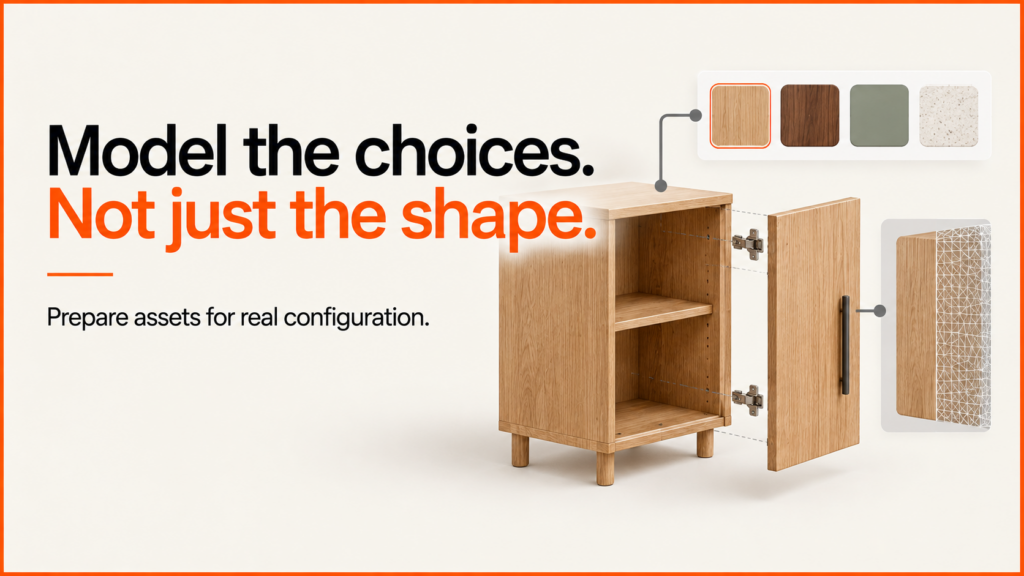
A 3D model for a configurator has to do more than look good in a render. Its sizes, parts and material edges must match the choices a customer can make. It also has to load fast and feel smooth on the phones and laptops your customers use.
Discuss your product rangeTry the demos
Start with one typical product and approve it first. Agree how it is built before you order the whole range. Otherwise a small naming or modelling mistake gets repeated on every model.
What to give the artist or developer
| Input | What it establishes | Common gap |
|---|---|---|
| Dimensions and reference photographs | Shape, proportions, construction and visible detail. | A single marketing image hides the back or underside. |
| CAD or existing source model | A starting point for geometry and component relationships. | Manufacturing detail is too heavy for the intended browser experience. |
| Option and compatibility list | Which parts, sizes and finishes can change independently. | The asset includes one fixed assembly with no usable separation. |
| Material references | Colour, roughness, grain direction, stitching and finish variation. | Swatches were photographed under inconsistent lighting. |
| Rights and approval owner | Permission to use the files and responsibility for product accuracy. | Possessing a model is mistaken for permission to redistribute it. |
Keep the original authoring files as well as the delivery files. A web export is useful for display; it may not preserve the editable construction history needed for a later product change. Specify both deliverables in the asset brief.
Separate the parts customers can change
For an illustrative cabinet, the body, doors, handles and feet have different responsibilities. A finish may affect the body and doors while leaving the handles alone. A door style changes geometry. A width change may require a different assembly rather than stretching the entire object.
| Identifier | Role | Acceptance check |
|---|---|---|
cabinet_body_800 |
Body geometry for the approved 800 mm version. | Measured width and component positions agree with the reference. |
door_pair_slab |
A replaceable door assembly. | Changing doors leaves no previous assembly visible. |
finish_oak_natural |
A finish mapped to explicitly named surfaces. | Grain direction is consistent; metal parts remain metal. |
handle_brushed |
A separately controlled handle finish. | The material changes without affecting neighbouring surfaces. |
These names demonstrate a contract, not a universal naming standard. Store a mapping from business option IDs to asset IDs. Do not make the order system depend on an artist’s temporary object name.
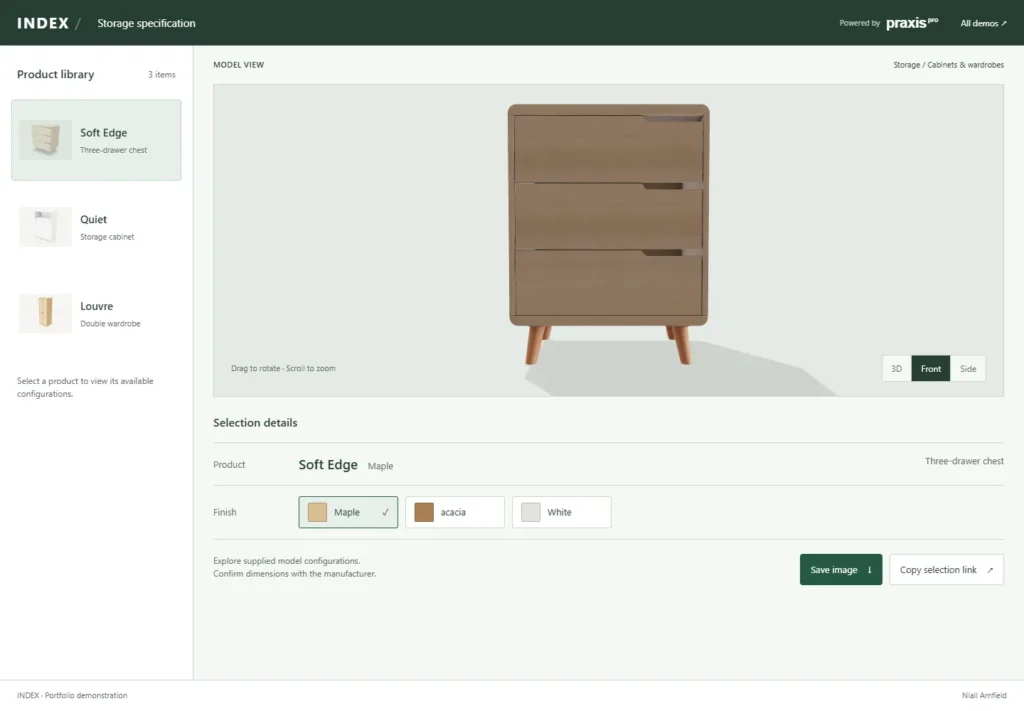
Choose the delivery format for the actual viewer
glTF is built for sending 3D models to apps and browsers. GLB packs it into a single binary file, which is common on the web. Before you accept an export, check which materials, extensions and compression your viewer supports. A valid file does not prove every feature will show correctly.
For Shopify product media, the current documentation lists GLB and USDZ support. A file that uploads is not the same as a file that loads fast. A product-media viewer also won’t handle your option rules or cart on its own.
Budget textures as well as geometry
Record the download size, texture sizes, number of materials, scene detail and time until the product can be used. A small compressed download can still use a lot of memory once it is unpacked. Khronos’s KTX artist guide explains the distinction between file compression and textures that remain compressed in GPU memory.
Compare the original and the smaller version at the distances customers will look from. Look at logos, stitching, reflections, thin edges and repeated patterns. Shrinking every texture to the same size can spoil the surfaces that matter and keep detail nobody sees.
There is no single polygon count that proves a configurator will run well. Test the whole scene and interface on the agreed device range, including repeated option changes. Use a static preview and a usable written selection while the viewer loads or when it cannot run.
Approve one asset through the full workflow
- Check scale, orientation, origin and visible dimensions against the references.
- Exercise each independent option and at least one incompatible combination.
- Compare finishes under the intended lighting; explain that screen appearance is not a physical colour guarantee.
- Test loading, repeated changes, close/reopen behaviour and a failed download.
- Confirm the selected identifiers arrive unchanged in the quote or basket summary.
- Archive the source, export, catalogue version and approval notes together.
The Khronos asset-creation guidelines are a useful reference for the people making the models. Your own sign-off notes should add the facts about your products that general guidelines can’t give.
For the wider project, use the brief template and implementation guide. If you already have models, ask about preparing them for a working configurator.
Connect the assets to product data
The product-data preparation checklist shows how product IDs, options and model files link up. Use it before making the rest of the range, so display names don’t end up being used as order codes by mistake.
For AR on Apple devices, read USDZ and AR Quick Look for ecommerce. The glossary explains the key techniques one by one: UV mapping, texture atlases, level of detail, draw calls, baked lighting and the wider 3D asset pipeline.
Related reading: Three.js ecommerce examples and kitchen configurators.
Choose the visualisation output first
Related guides
- How you prepare the models depends on what customers need: still images, a 3D view or a full configurator. The 3D product visualisation guide compares these before you pay for a whole range of models.
- Before you sign off the range, agree how the models should load and behave on the devices you support. The 3D configurator performance-budget guide has measured examples and a worksheet you can edit.
- For one industry where 3D models carry a whole range, see salon furniture websites and configurators.
- Small products need close-up detail. The WebGPU watch demo shows a case, dial, hands and strap built as separate parts.
- Large textures slow a configurator down on phones. The KTX2 texture compression guide shows how to compress them before upload.