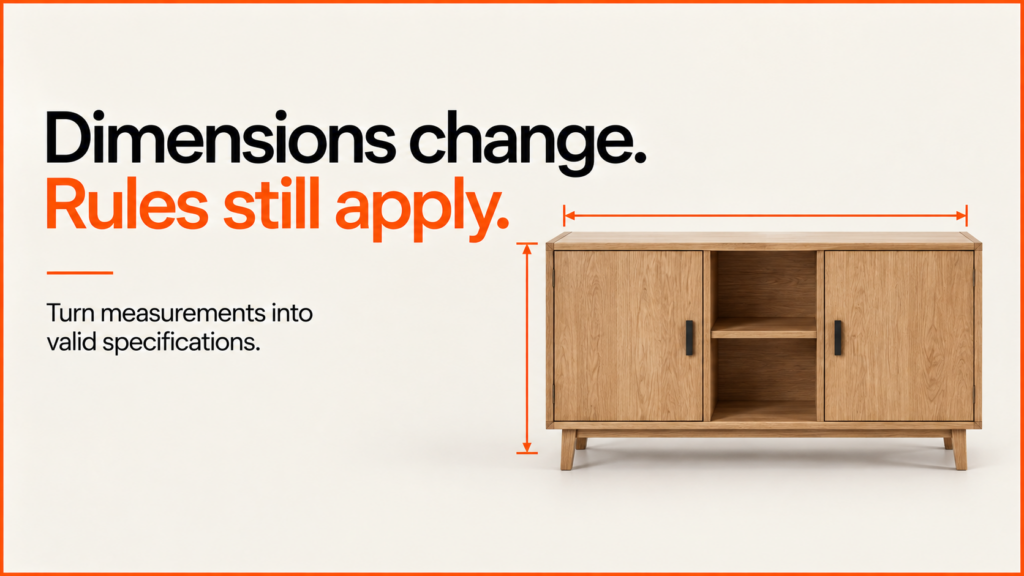
A made-to-measure product configurator turns customer dimensions into a valid product specification. A model that stretches is not enough. Width, height and depth can change gaps, part sizes, which options are allowed and what gets sent to sales or the workshop.
Discuss your product rangeTry the demos
The working example below shows that relationship in a small cabinet. It uses a 2D drawing that updates with the sizes, so the measurements and inside spaces are easy to check. The same checked spec could drive a 3D preview. The drawing itself is not sign-off for production.
Try the cabinet dimension example
Change the width to 1000 mm and choose Update preview. The example requires a centre divider above 900 mm, so it explains the conflict and retains the previous valid drawing. Add the divider and update again to see the new bay widths and panel dimensions.
Size a simple cabinet. See what changes.
Original demonstration geometry. The limits below illustrate configuration rules; they are not structural or manufacturing approval.
Front and side elevations · all dimensions in mm
Enable JavaScript to change dimensions. This tool does not send your settings to a server.
Example specification
Illustrative panel dimensions
| Part | Qty | Length × width × thickness (mm) |
|---|
The default is 800 × 1000 × 350 mm with two shelves and no divider. It produces a 764 mm clear bay width and approximately 309.3 mm clear height per opening. These are geometric results from the demonstration’s fixed 18 mm panels, not recommended construction dimensions.
Define the dimension contract before building the controls
| Decision | Why it matters |
|---|---|
| Units and measurement reference | State whether a value is overall width, internal clearance or an installation opening. Do not treat them as interchangeable. |
| Minimum, maximum and increment | A range alone does not say whether every millimetre, 25 mm step or predefined size is supported. |
| Dependent options | A wider unit may change the allowed supports, doors or compartments. The actual rule must come from the product’s requirements. |
| Allowances and tolerances | Manufacturing and installation allowances need explicit definitions. A visual outline does not supply them. |
HTML number inputs can communicate minimums, maximums and steps; MDN explains those attributes. Links between options still need your own rules. In this example, a height and a shelf count can each be fine alone, but together leave too little space between shelves.
Derive the components from the accepted dimensions
Keep the board thickness fixed and separate from the sizes a customer can change. If you just scale the whole model, the panels, fittings and other details get thicker too. A parametric model works out each part from the agreed build rules instead.
For the demonstration, clear height is calculated after subtracting the top, bottom and shelves. A centre divider reduces the width available to each bay and doubles the number of shelf pieces. The back thickness is deducted from the side-panel depth. The visible drawing, text summary and JSON export all use the same accepted result.
A real cabinet may use a different back position, joints, shelf supports, doors or tolerances. Don’t use this example’s maths in production until an engineer has checked it. Use the product-data checklist to record the correct sizes, IDs and rules.
Reject invalid combinations without hiding the customer’s work
Explain which input is unsupported and how to recover. Keep the previous valid preview clearly labelled while new values are checked. The example disables export when changes are unapplied or invalid, focuses the first invalid field and provides a text specification alongside the drawing.
31 focused checks passed, followed by enumeration of all 56,100 supported input combinations. The rules accepted 37,576 and rejected 18,524. For every accepted one, the checks confirmed that each panel has a real size, and that the openings plus the panel thickness add up to the overall size.
Those are arithmetic and rule checks, not 56,100 browser tests or physical products. Separate Chrome checks covered keyboard recovery, retained valid state, reset and the actual exported JSON. Mobile emulation fitted without horizontal overflow. Structural strength, physical-device use and assistive-technology behaviour remain outside these results.
Sector guide: garden room and garden building configurators.
For tables specifically, the table configurator guide covers base rules that depend on size, fixed sizes versus made-to-measure, and how the order is passed on.
Doors and windows bring their own measurement and survey questions; the door and window configurator guide covers them.
See also: kitchens. A real store: ProSalonFurniture.
Connect the specification to the receiving system
A real build needs an agreed output with a version number. It should hold the units, overall sizes, chosen options, product ID and which rules applied. The system that receives it must check the choice is still on sale and valid, then work out the real price.
Checks in the browser help people fix mistakes. They can’t protect the system that takes orders. OWASP’s input-validation guidance separates the shape of an input from what it means for your business, and explains why the server must check it too. See the working receiving-system example for that part.
Download the complete source and reproducible tests. The demonstration makes no requests to a pricing, checkout or manufacturing service. For a real project, send one representative product, its dimension rules and the output your team needs. The configurator brief helps organise those inputs before expanding the range. The glossary entry on parametric models explains how one model can cover many sizes.
Related guides
- For the wider build process, see how to build a 3D product configurator.
- The salon backwash demo shows a part that only works with one base.
- For a worked sector example, see the fitted wardrobe configurator guide, which covers bay rules, measurement tolerances and cut lists.
- Salon chairs and backwash units are a good example of a range with many finishes and parts. See salon furniture websites and configurators.
- For the basics, see what a product configurator is.
- The React Three Fiber sofa demo shows a simple modular rule: a chaise needs at least three seats.