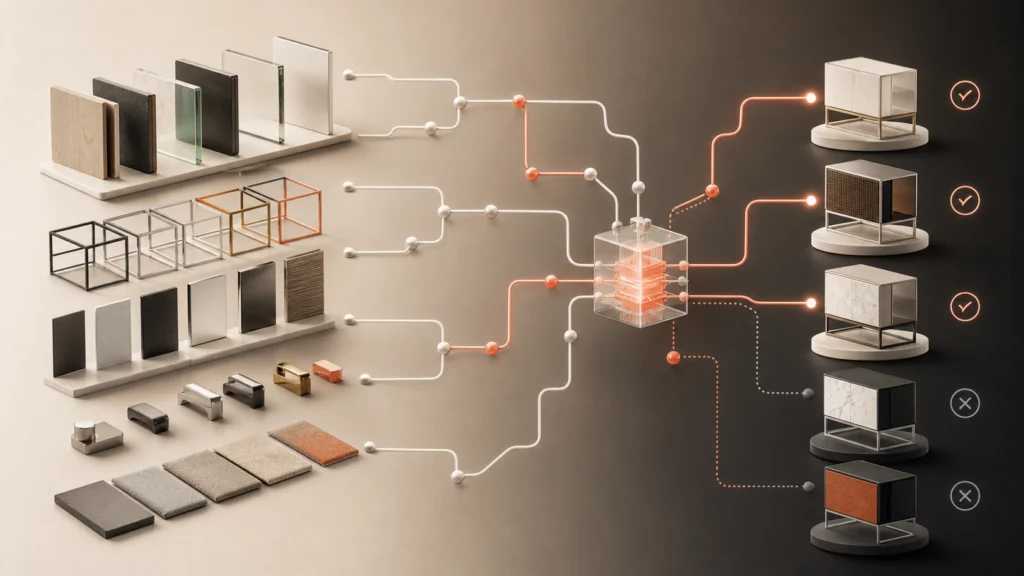
A wardrobe configurator lets a customer design a fitted wardrobe online: choose the size, the doors, the inside layout and the finish, then see a price. Fitted and built-in wardrobes are made to measure, so the tool has to cope with real rooms, not just standard products.
Discuss your product rangeTry the demos
I’m Niall Arnfield, an independent designer-developer based in Manchester, working across the UK. I build 3D product configurators and connect them to ecommerce and ordering. This page explains what a fitted wardrobe configurator needs to do well, and what makes it harder than it looks.
What a wardrobe design tool covers
A built-in wardrobe design tool usually handles four layers of choice:
- Overall opening. Width, height and depth of the space.
- Bays. How that width is divided into units.
- Interior. Hanging rails, shelves, drawers and any specialist fittings.
- Exterior. Door style, door operation, colours and handles.
Each layer depends on the one before. Change the width and the bays change. Change the bays and the interior options available to each one change. That chain of dependency is the real work, and it is why a basic product page with dropdowns rarely copes.
Bay width rules
Most wardrobe ranges are built from bays with minimum and maximum widths. A door may only be allowed within a certain width range. A drawer unit may need a minimum width to fit its runners. A rail has to span a sensible distance.
The configurator takes the opening width and divides it into valid bays, then rechecks every interior choice against the new bay size. If a customer widens the wardrobe so a bay is too wide for its door, the tool should split the bay or adjust the layout, and say what it did. The rules themselves come from your product and production teams. My job is to encode them so they are applied consistently.
Internal layouts: rails, shelves and drawers
The interior is where customers spend their time and where mistakes are expensive. Good internal layout design means:
- Sensible starting layouts, so no one begins with an empty box.
- Drag or tap placement of rails, shelves and drawers within each bay.
- Limits that stop impossible combinations, such as too many drawers for the height.
- A clear count of what has been added, because each item affects the price and the cut list.
A clean 2D elevation can be easier to use than a heavy 3D scene for this step. I often combine the two: a simple front view for editing, and a 3D preview for the finished look.
Doors: sliding vs hinged
Sliding and hinged doors follow different rules. Sliding doors depend on track length and overlap, so the number of panels relates to the opening width. Hinged doors need clearance to swing, and the width of each door affects stability and hinge choice.
The configurator should apply the correct rules for the door type chosen, and show how it works in the preview. Door styles, panels, mirrors and glass inserts add further options. Materials and finishes matter too. Each carrier board, laminate or veneer may have its own availability and price band.
Measurement capture and tolerances
This is the part customers get wrong most often. A wardrobe is built to fit an opening, and walls are rarely square. The configurator can help in a few ways:
- Ask for measurements at more than one point, such as the top, middle and bottom of the width.
- Use the smallest figure as the working dimension.
- Explain how to measure, with simple diagrams.
- Flag the tolerance your fitters can work to, so the customer knows a survey will confirm the final size.
Whether the customer measures or a surveyor visits is a business decision. Many firms use the online design as a starting point, then confirm everything on site. I would build the tool to support that honestly, rather than imply an online measurement is final.
Sloped ceilings and awkward spaces
Loft rooms and under-stairs spaces are common sources of work for wardrobe companies, and they are the hardest to configure. A sloped ceiling means each bay has a different maximum height. The tool needs to capture the slope or the heights at each side, then limit the interior to what fits.
Not every business wants to offer sloped designs online. A reasonable approach is to support simple cases and send complex ones to a survey request. That keeps the tool dependable and the sales team busy only with the jobs that need them.
Made-to-measure pricing
Pricing a made-to-measure wardrobe usually combines several things: a price per bay or per width, the cost of the doors, interior items and finishes, and sometimes fitting. The formula is yours, and it needs to be exact. I would keep the pricing rules in a clear table that your team can update without developer help.
My guide to made-to-measure product configurators goes deeper into pricing and measurement. The guide to product configurator product data covers how to organise the underlying data.
Generating a cut list or quote
Once the design is complete, the configurator can produce two useful outputs:
- A quote for the customer, showing the design, the specification and the price.
- A cut list or parts list for production, with panel sizes, quantities, materials and fittings.
The cut list is generated from the same rules as the design, so the factory receives what the customer saw. Whether it goes to your production software as a file, an email or an order record depends on your systems. My integration guide explains the choices. Before launch, acceptance testing should check that the cut list matches the design across a spread of layouts.
Materials and finishes in more detail
Wardrobe materials affect more than looks. A board thickness changes the usable internal width. A heavier door puts extra load on its track or hinges. Some finishes only come in certain board sizes, which changes how panels are cut and how much waste there is.
The configurator should hold these facts alongside each material, so that choosing a finish quietly applies the right thickness, edge banding and hardware. That is also what lets the cut list stay accurate. It is the kind of detail that is easy to miss in a design brief and expensive to fix later.
The customer journey
A fitted wardrobe is a considered purchase, so I design the journey in stages. It starts with the space: a few measurements and a choice of layout. The customer then picks doors and finish, then fills in the interior, and finally reviews a summary with a price.
At the end, they usually either book a survey or request a formal quote, rather than paying in full. The tool should make that step easy: save the design, send it by email and let your team open exactly the same configuration. If your business takes a deposit online, that can be added, but it is a decision for you and your finance setup.
Related reading: door and window configurators, table and desk configurators and garden building configurators.
See an example
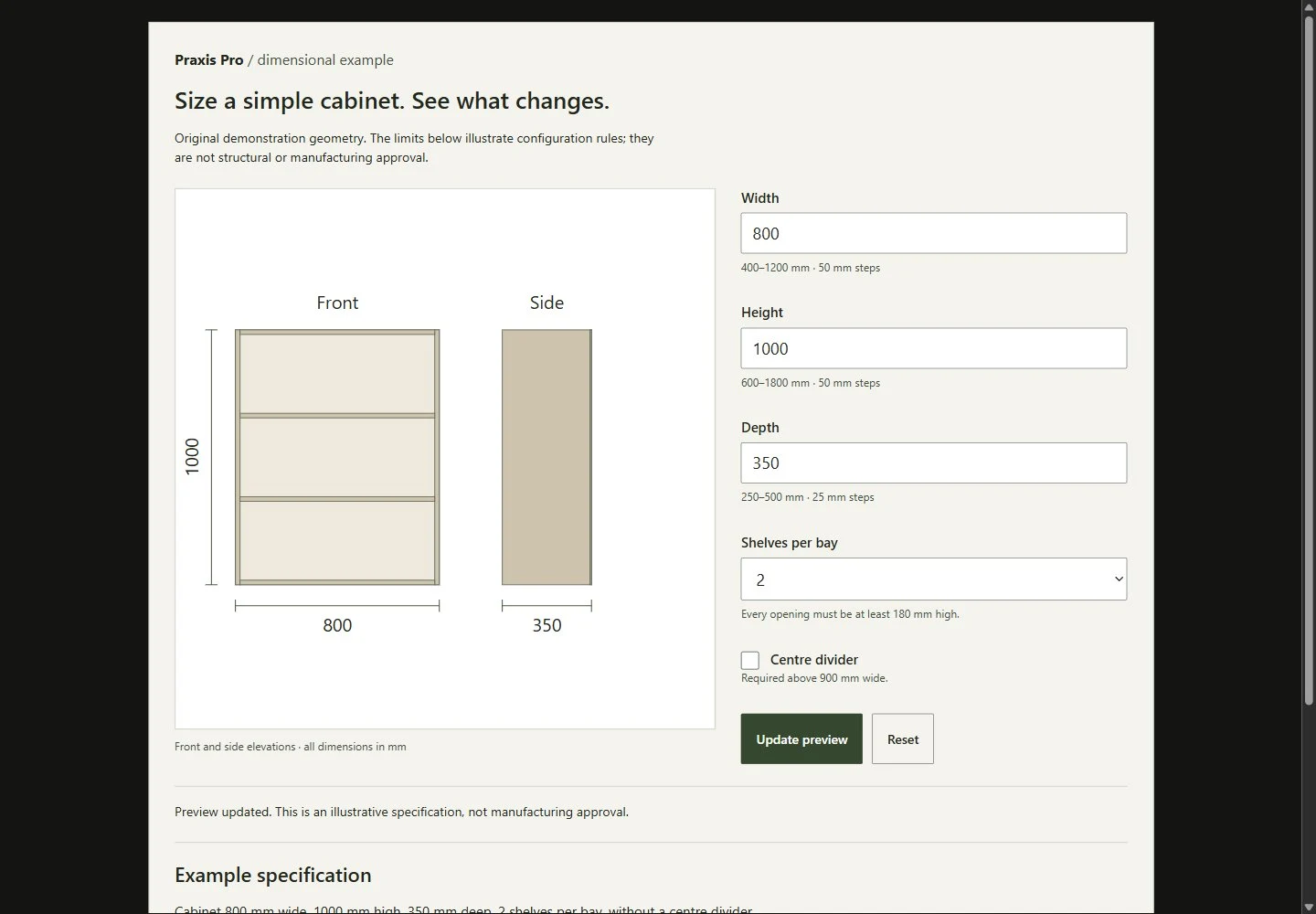
The storage product configurator demo shows cabinets and product specifications working in a live example. It is a demonstration of the approach, not a wardrobe client project, but the rules and specification logic are closely related.
If you are planning a wardrobe configurator, get in touch with a description of your range and how orders are taken today. You can also read about my product configurator service. You will work with me directly.
Related: kitchen configurators and furniture configurators.