
Web design and development with one person responsible for the design and the build. I help businesses turn their content, products and services into websites people can understand and use. You work directly with me from the first review through implementation, launch and handover.
The work can be a new website, a redesign or a focused improvement to an existing site. My ecommerce work and product configurator development combine visual design with the systems behind the customer journey.
Discuss your websiteBrief an ecommerce project
A direct design and development partner
This is a good fit when you need someone to understand the business problem, design the interface and carry it through into a working website. We define the scope around your users, content and operating team, including any specialist input the project requires.
A larger agency may suit a project that needs several disciplines running in parallel. For a focused build or improvement, direct access to the person doing the work makes decisions and technical trade-offs easier to discuss.
See the work across a complete website
For Soinvogue, I designed and developed a custom WordPress ecommerce theme in a six-week solo project. The Soinvogue case study shows 11 page-type comparisons, from brand discovery and product browsing to the basket and checkout.
For interactive product experiences, the Praxis case study explains the wider configurator work. It is the same approach used in a different way: join up what the customer sees, the facts they need and their next step.
What I can deliver
A scope tied to customer tasks
Review the existing site, audience questions and available search or enquiry evidence. Define what a visitor needs to accomplish, what your team must manage and how the completed work will be checked.
Clear pages and content relationships
Give each page a purpose, organise navigation and identify content to keep, improve or combine. The worked internal-link map shows how a service, guide and project example can support different decisions.
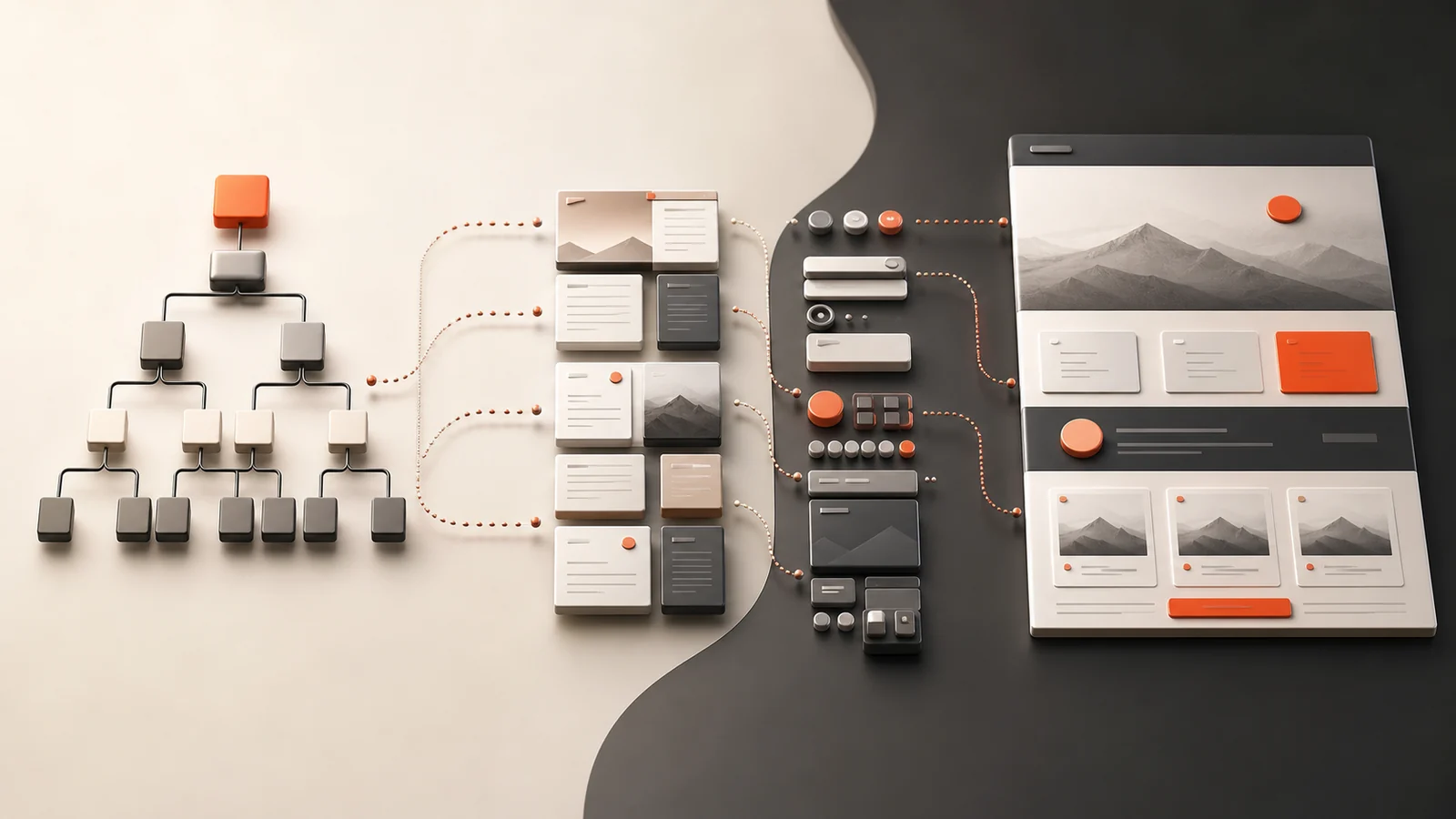
A coherent interface across screen sizes
Design layouts, reusable components, forms, errors and interaction states around real content. Include keyboard use, focus and readable instructions during development. The W3C accessibility introduction explains why testing needs to go beyond visual appearance.
An editing system your team can use
Choose the CMS and editing controls around the work you do. Agree page types, reusable content, permissions, preview and publishing responsibilities, then demonstrate routine tasks with the people who will maintain the site.
Implementation and connected workflows
Build the templates and the agreed features. Be clear about who owns the data and what happens when something fails. A link to a CRM, catalogue or enquiry system needs input checks, helpful error messages and a way to recover, not just a demo that works.
Performance and release checks
Test representative pages and customer tasks, including content, forms, redirects and measurement. Use the Core Web Vitals guidance with lab tests you can repeat and any real-visitor data you have. A single score does not prove the complete experience.

Accessibility audit and remediation
An accessibility review checks whether people can understand and use the site with a keyboard, a screen reader, zoom or other assistive tools. An automated score finds some problems. It can’t show that every key journey works. The scope should list the pages, journeys, test methods and target standard. A quick scan should never be called certification.
- Agree the standard: state the WCAG version and conformance level, such as WCAG 2.2 AA, and list the pages and complete processes included. A sample review is a sample review and does not support a claim about every page.
- Choose a representative sample: shared navigation, a service or category page, a product page, forms, search, dialogs and any account or checkout journey, plus unusual interfaces such as a 3D configurator.
- Combine methods: run automated checks for the problems a tool can find. Then test with a keyboard and assistive tools on the agreed devices. Read tool results with care. A clean scan only means the tool found no failures on what it saw. It does not mean the site complies.
- Write reproducible findings: page or component, steps, observed behaviour, affected users, requirement and a proposed fix. Group repeated faults by shared component, since one missing form label may affect many pages.
- Verify the whole interaction: after fixing a dialog, check opening, navigation, closing and where focus returns. Keep a remediation log with dates, retest results and visible owners for unresolved issues.
Cost follows the number of distinct templates, interactive features and test environments more than raw page count. A small site with a complex configurator can need more testing than many simple articles.
How the project moves from brief to release
| Stage | What we establish |
|---|---|
| 1. Scope | Priorities, exclusions, acceptance criteria and decision owners. |
| 2. Plan | Page structure, content responsibilities and technical dependencies. |
| 3. Prototype | A representative customer task with realistic content. |
| 4. Design | Components, responsive layouts and important interaction states. |
| 5. Build | Working templates, editing controls and agreed connections. |
| 6. Verify | Recorded checks, unresolved issues and a release decision. |
| 7. Handover | Live verification, documentation, training and support ownership. |
If URLs change, the release needs a redirect map and checks of the public destinations. Google’s site-move guidance is a useful reference. Agree backups and recovery before deployment, including how any new orders or enquiries will be preserved.
What affects cost and timing?
Template complexity, content readiness, integrations, migration volume and testing depth all affect the work. Access, approved content and timely decisions affect the schedule. A proposal should make those dependencies and the first useful delivery clear.
Avoid choosing a platform before understanding the requirements or leaving content, accessibility and migration until the end. Keep ownership of accounts, source and support explicit.
When comparing proposals, check the actual deliverables, exclusions and acceptance evidence. The agency and independent-developer selection guide covers that decision in detail.
Prepare the part of the project you need
- Website design guide and templates — structure and reusable page examples.
- Website design costs — understand the scope behind a proposal.
- Website redesign — plan changes to an existing site.
- Accessibility review — assess important journeys and remediation.
- Website maintenance — agree ongoing responsibilities.
Common project questions
Design and development: what is included?
Design covers layout, look and how things respond. Development builds those choices and connects the CMS and agreed services. The proposal sets the scope for each.
Will I work directly with you?
Yes. I handle the agreed design and development. We identify any additional specialist input and its owner before committing to the work.
How will I assess the result?
Use agreed customer tasks, working prototypes and recorded checks. To claim a sales gain, measure before and after.
Can we keep the current CMS?
Yes, if it still fits your needs and can be supported. A review can show whether a few targeted fixes are enough before you think about moving.
What happens after launch?
Verify the live journeys, hand over documentation and editing responsibilities, and agree monitoring and support. Further work follows the evidence and your priorities.
Recent redesign work you can inspect page by page: Velune footwear storefront, ProSalonFurniture salon furniture store and Second Core refurbished gaming hardware, each with before-and-after comparisons.
Talk through your website
Send the current site, the people it serves and the main problem you want to solve. Include any timing constraints and important system connections. Review selected work or arrange a conversation.
Arrange a conversationReview selected work
For existing WordPress sites that load slowly, see WordPress speed optimisation.