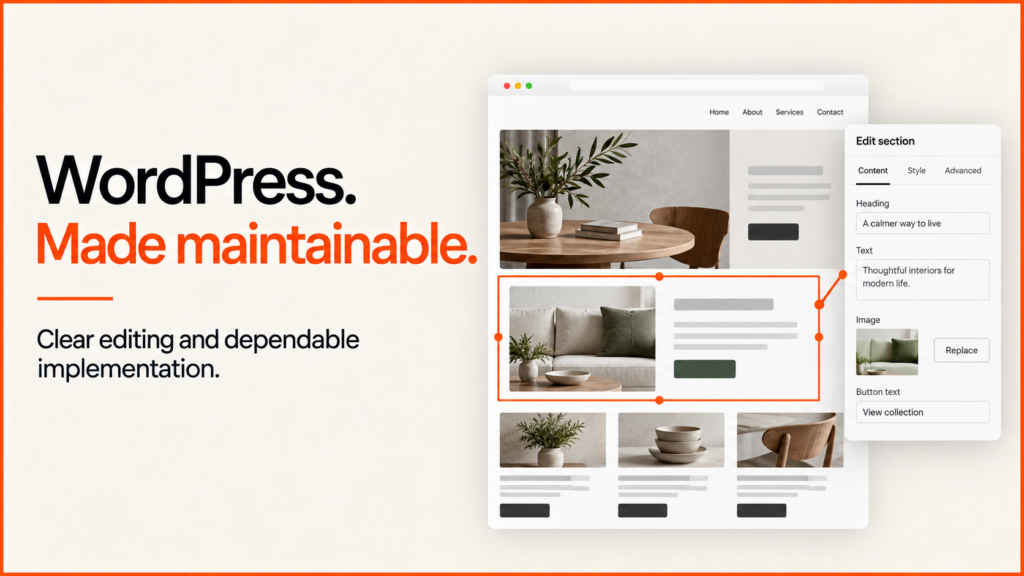
I develop WordPress websites and WooCommerce stores for businesses. These businesses need a clear way to edit content. They also need reliable connections to other systems and a build that is easy to maintain. My work covers custom themes, reusable components, migrations and focused improvements to existing sites.
Start with the customer journey and the people who will run the website. I can review the current build. I can find what can stay, and plan the design, content and engineering together. For the wider practice, see my ecommerce and website experience.
Discuss your WordPress projectPrepare an ecommerce brief
When to hire a WordPress developer
Specialist development helps when a site has needs that a standard theme and normal editor settings cannot meet cleanly.
This may include:
- a custom marketing or ecommerce design;
- reusable page sections with editing options that you control;
- changes to WooCommerce products, baskets or checkout;
- connections to a CRM, booking platform, stock system or external API;
- an old theme that is slow or unstable;
- plugin clashes, or features that grew with no owner;
- an accessibility or technical SEO need that must still work after content edits;
- a move from another platform, or from an unsupported WordPress build;
- ongoing help with releases, maintenance and incidents.
You may not need custom development for a small brochure site. That kind of site has normal pages and no unusual connections to other systems. A well-chosen theme, a short list of plugins and careful settings can be the right answer.
The developer’s first job is to tell the difference.
What a WordPress developer should deliver
Discovery and scope
The project starts by finding out who uses the site. It also asks what they need to do, and who will run the site after launch.
A useful discovery phase covers:
- the main user journeys and the points where visitors take action;
- content types, page templates and navigation;
- who can edit, and how content gets published;
- forms, ecommerce and links to third-party services;
- analytics, consent and measurement;
- accessibility and browser needs;
- moving the site, redirects and search visibility;
- hosting, releases and who owns support;
- acceptance tests and launch limits.
The result should show which needs are confirmed and which are assumptions. “Flexible pages” is not a requirement you can test. “Editors can reorder approved sections without changing brand typography or spacing” is one.
Theme and block structure
WordPress supports block themes and classic themes. Projects also use a mix of the two. The right choice depends on the existing site, the needs of editors, the design system, the integrations and how the site will be supported.
The WordPress Theme Handbook describes block themes as the modern approach. It also explains that classic themes still use PHP-based templates. For a business project, the more important point is how duties are split. Themes display content. Plugins should hold features that must survive a redesign.
That split prevents a common failure. If forms, product logic or core business data live inside a theme, a design change can break the feature. It can also make the data unreachable.
A build that is easy to maintain usually defines:
- shared design values and styles;
- a small set of page and content templates;
- reusable blocks or patterns;
- which settings editors may change;
- which layout rules stay locked;
- where custom features live;
- how code moves between development, staging and the live site.
WordPress provides block locking controls. They can stop blocks from being moved, removed or customised. The official block-locking guidance helps when editors need freedom. It also helps prevent accidental damage to key layouts.

Choosing plugins and custom features
Every plugin becomes part of how the site runs. It may add value. But it also adds updates, compatibility checks, data ownership questions and ways the site can fail.
Before installing one, ask:
- Does WordPress or your current setup already offer this feature?
- Is the plugin still updated, and does it work with the supported setup?
- What data does it store? Can you export that data?
- What happens if the licence runs out or the plugin is removed?
- Does it change the public site, the database, scheduled tasks or requests to outside services?
- Who will test its updates?
- Is a small custom build safer than a large plugin?
Custom code is not automatically better. It makes sense when the need is specific, the owner is clear and the upkeep cost is understood.
WooCommerce and connected systems
For ecommerce work, your website is part of a larger system that handles sales. Products, prices, tax, stock, payment, email, fulfilment and customer data all need named owners.
A developer should write down the data that moves between WordPress and each outside service. Each connection needs a set sign-in method, a plan for what happens when it fails, logs, test environments and a way to roll back.
The visible customer journey matters too. A connection can work correctly and still create a poor checkout. It can also create a form that is not accessible, or a confusing error.
Performance
Performance work starts with measurement. It is not a promise to install a cache plugin and get a perfect score.
The review should find out what each page loads, when it loads, and which code controls it. Common sources of avoidable slowness are oversized media, duplicate libraries and third-party scripts. Plugin files that load on every page can also slow a site down. So can complex visual builders. So can database work that does not belong in the main page request.
The fix may involve:
- better image formats and image sizes that fit each screen;
- simpler templates and component CSS;
- loading scripts and styles only when needed;
- removing or replacing plugins that overlap;
- cache and hosting settings;
- tidying the database and scheduled tasks;
- changes to fonts, animation or embedded third-party content;
- testing on real devices after release.
Measure the whole page and the customer journey. A lab score helps with diagnosis. But it does not replace real visitor data or checkout testing.
Security and maintenance
No developer can promise that a WordPress site will never be attacked or compromised. What a developer can do is reduce avoidable risk. A developer can also put a response process in place.
Secure development includes validating input and escaping output. It also means using permissions and nonces correctly. Protect secrets, limit access and keep dependencies current.
The WordPress theme security guidance covers common risks. These include cross-site scripting, SQL injection and cross-site request forgery.
Running the site securely also needs:
- backups you have tested, with a written restore route;
- a named owner for WordPress, theme and plugin updates;
- user accounts that have only the access they need;
- removing unused plugins, themes and accounts;
- monitoring and alerts that suit the site;
- a named contact for incidents, and a clear route to escalate them;
- a set time for maintenance, and a plan to roll back significant updates.
Security is an ongoing shared job. The site, the host, the administrators and third-party services all share it.
Quality assurance and handover
Testing should follow the agreed journeys and templates. A general “looks good” check is not enough.
The testing plan may include:
- checks for page templates and reusable blocks;
- tests in the editor with real-length content;
- keyboard and screen reader checks;
- testing on different screen sizes and browsers;
- forms, emails and consent status;
- product, basket, checkout and account journeys;
- redirects, canonical tags and structured data;
- speed on typical devices;
- what happens when an API fails or data is empty;
- checks for backups, releases and rollback.
Handover is complete when the owning team can do normal tasks without the developer quietly fixing things in the background.

A practical WordPress development process
-
Audit the existing state
For a rebuild or repair, check the live site. Also check the hosting, theme, plugins, content model, analytics, search data and known incidents. Write down which system is the source of truth.
Do not assume the code repository, the staging site or the old handover document matches the live site. Check it.
-
Define the content and component model
List the page types, reusable sections and structured fields the site needs. Test the model with awkward real content, not with perfect placeholder text.
Decide which choices editors need. Decide which design rules should stay controlled. Too little control creates support tickets. Too much control slowly takes apart the design system.
-
Prototype the risky parts
Build the unusual connection, complex editor component, checkout change or speed-sensitive feature early. A homepage mock-up does not prove that the hardest need can be met.
Use the prototype to confirm the structure and the acceptance tests. Do this before you copy the pattern across the site.
-
Build in a controlled environment
Keep development away from the live site. Use version control, changes that can be reviewed, and settings for each environment. Do not place credentials in the theme or repository.
Build templates and components in priority order. Test them with content that looks like the real thing, and with realistic user permissions.
-
Migrate content and integrations
Map old content to the new model. Keep identifiers, URLs and redirects where they are needed. Compare record counts. Check samples from the first, middle and last items. Do not assume a successful import means it is complete.
Connect external systems using documented test accounts and a known plan for failures. Check the data at both ends.
-
Run acceptance testing
Test the agreed journeys, editor workflow, responsive layouts, accessibility, performance and search output. Record defects. Retest each fix.
The client should complete the acceptance tasks themselves. A developer showing the normal path is not the same as an owner proving they can use the system.
-
Launch and read the result back
Create backups and rollback points. Release the reviewed version. Clear the correct caches. Then inspect the live site.
Check response codes, forms, ecommerce, analytics consent, search directives, scheduled tasks and external integrations. Keep a written record that shows the final state.
-
Handover and maintain
Give the owner repository access, environment notes, deployment steps, guidance on the data model, editor training, licences, update ownership and support limits.
Agree what counts as maintenance, a defect, a content request and a new feature. This stops routine support from turning into an open-ended project.
Example: rebuilding a service and ecommerce site
Consider a UK supplier. Its WordPress site has service pages, a WooCommerce catalogue and several enquiry forms. The visual builder stores layouts in page content. Five plugins add form features that overlap. Product data is updated by hand in two places.
A responsible project would not begin by copying every existing page into a new theme.
It would first:
- find the service, product and enquiry journeys worth keeping;
- decide which data belongs in WordPress, WooCommerce or the other business system;
- replace the repeated form features with one workflow that has an owner;
- define reusable service and product templates;
- prototype the product data connection and email routing;
- move a sample set of typical content;
- test editor, customer and staff tasks;
- compare content and product records before launch.
The useful proof is operational. Owners can edit approved content. Enquiries reach the right destination. Products stay accurate. URLs work as planned. The live site matches the accepted build.
What affects cost and timing
The number of pages is rarely enough to estimate a WordPress project.
| Scope factor | Why it matters |
|---|---|
| Existing theme and builder | Proprietary or inconsistent structures increase migration work |
| Content model | Structured content is easier to maintain but needs deliberate design |
| Bespoke components | Each component needs editor, frontend, responsive and accessibility testing |
| Plugin stack | Overlap, licences and compatibility can change the architecture |
| WooCommerce | Products, checkout, tax, payment and fulfilment add critical journeys |
| External integrations | APIs introduce authentication, data mapping and failure states |
| Content migration | Volume, quality and redirects affect both effort and risk |
| Accessibility target | Clear requirements affect design, implementation and QA |
| Hosting and deployment | Managed and custom environments provide different controls |
| Internal approvals | Content, legal, brand and technical sign-off influence the schedule |
Ask for discovery, design, development, migration, testing, launch and ongoing support to appear in the proposal. A low estimate may have left one of these out.
Questions to ask a WordPress developer
- Will the project use a block theme, a classic theme or a mix? Why?
- Which features belong in the theme and which belong in plugins?
- How will editors create pages without breaking the design?
- How do you review and limit third-party plugins?
- What steps will you use for development, staging and the live site?
- How will sign-in details and settings for each environment be managed?
- Which browsers, devices and accessibility needs will you test?
- How will you check forms, emails, ecommerce and external APIs?
- What is your backup and rollback plan for launch?
- Which of these are included: the code repository, documentation, licences and training?
- Who owns maintenance after handover?
- How are security issues and urgent incidents handled?
Website maintenance and WordPress care plans
A useful maintenance plan keeps important customer tasks working as WordPress, the catalogue and the business change. Installing updates is only part of the job.
Recovery is also part of the job. So is checking enquiries or orders. So is having someone own the result when a release goes wrong. A brochure site with one enquiry form needs different care from a WooCommerce store that takes orders all day.
What website maintenance services should include
Keep preventive care separate from new development. “Website updates” could mean updating plugins, changing opening hours or building a checkout feature. So name the work and the allowance before you compare prices.
- Core, theme and plugin updates: a record of changed versions and checks. Agree which changes need staging and approval.
- Backups and recovery: a backup that completed, and a written record of a restore test. Agree how much recent content or order data you can afford to lose.
- Forms and commerce: a checked result for form submissions or the order path. Agree who checks delivery beyond the website.
- Content edits: published changes and review notes. Agree what counts as a small edit.
- Incidents: an owner, a record of the response and a recovery decision. Agree support hours and how issues are passed up.
Round-the-clock monitoring, unlimited edits and immediate response are not part of every plan. They need clear capacity limits and written contract terms.
A WordPress maintenance cycle
Record the installed versions, the active connections and a known working starting point. Back up the database and files before any change. Then decide whether to test on the live site or on a staging installation. Test what the update affects. For a form plugin, that means checking validation, spam handling, storage and delivery to the right recipient. For a commerce extension, it means a typical product and the allowed test order. An administrator seeing no error does not prove the customer journey works. Afterwards, view the public site while logged out. Confirm that caches show the new version. Keep the previous working state, with a clear rule for when to roll back.
A backup is useful only if you can restore it. Restoring yesterday’s database may bring the site back, but it can lose today’s enquiries or orders. So a busy store’s recovery plan must allow for newer data. Practise a restore. Know where the backup is kept, who can get it, what it contains and how the restored site is checked. The business should keep ownership of its domain, hosting, licences and recovery accounts.
What changes WordPress maintenance cost?
Packages are hard to compare. One may bundle hosting. Another may include development time. Ask for a breakdown of preventive work, monitoring, content allowance, incident support, hosting and third-party licences. Also ask what happens when the included time runs out.
A custom theme you inherited, an unsupported extension or an undocumented connection may need a first project to make it stable. That work should appear in the proposal. At handover, ask for the change history, a list of all dependencies, the backup steps, the known limits and who owns the paid licences. For slow pages, start with WordPress speed optimisation.
Choose the right engagement
Use a focused audit when the problem is unclear. Use a defined project when you can agree the scope and acceptance tests. Use ongoing support when the site has regular releases, connections to other systems or business changes that call for ongoing ownership.
The best starting point is usually a short conversation. Talk about the current site, the task it is failing at and the people who maintain it. Review my ecommerce and development work or send me the URL and the problem you need solved. I will tell you what I would check first. That includes saying when WordPress is not the right answer. How I handle your details is set out in my privacy policy.
Discuss your WordPress projectSee selected work
WordPress development and ongoing support
For a UK business hiring a WordPress or WooCommerce developer, the brief should cover both the public journey and how staff manage it. I work directly on the build. Content editing, connections to other systems and handover duties are spelled out.
- WordPress maintenance: updates, recovery and day-to-day checks.
- Speed optimisation: find the main cause of slowness before changing settings.
- WordPress SEO: check indexing, templates and who owns the content.
- SEO plugin selection: choose one clear system for each output.
For real examples of WordPress and WooCommerce redesigns, see ProSalonFurniture and Second Core. Both show before-and-after comparisons of the main page types.
Related reading: web design and development agency and Soinvogue ecommerce redesign.
Frequently asked questions
What does a WordPress developer do?
A WordPress developer designs or changes themes, blocks, plugins, connections to other systems and data processes. They should also plan for editing, speed, security, accessibility, testing, releases and upkeep.
Should I use a custom WordPress theme?
Use a custom theme when the design, content model or speed needs cannot be met cleanly with an existing option. A standard theme may be better for a normal site with a limited budget and no unusual features.
What is the difference between a theme and a plugin?
A theme controls how the site looks. A plugin provides features or behaviour that should stay if the design changes. Keeping that line clear makes future redesigns safer.
Can a WordPress developer work with WooCommerce?
Yes, but WooCommerce work needs experience with ecommerce. Product data, prices, tax, stock, payment, checkout, email and fulfilment must be tested as one sales journey.
How long does a WordPress project take?
It depends on the content model, reusable parts, connections to other systems, moving the content, approvals and testing. A good schedule follows discovery. It names the assumptions, dependencies and tasks the client must do.
Who maintains the site after launch?
Agree this before development starts. Maintenance may sit with an internal team, the original developer, a hosting provider or a separate support partner. Updates, backups, monitoring and incident response still need named owners.
Related guides
- If your project is mainly a store, see my WooCommerce developer page. It covers themes, product configurators, B2B pricing and connections to other systems.
- If your WordPress site works but looks dated, read about website redesign before starting again from scratch.