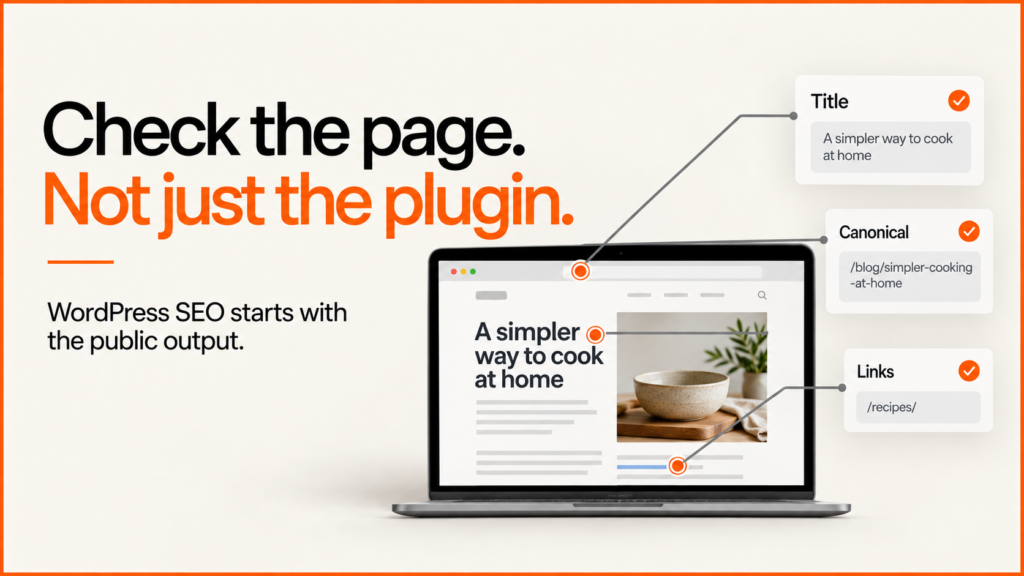
WordPress SEO depends on the page the website produces, not just the settings saved in an editor. A theme, plugin, page builder and cache can each change that output. Start with a small set of representative URLs and inspect them as a public visitor.
This checklist is designed for a site owner or developer preparing a focused review. For implementation help, see my WordPress development work or the technical SEO audit service.
Choose the right sample
Include the homepage, a service page, a normal article, an archive and any important product or custom content type. Add a paginated archive, a search result and a page with embedded interactive content if the site uses them. Different templates often have different problems.
Record each page’s intended purpose and whether it should be an acquisition page. A policy page does not need a commercial keyword forced into its heading. An internal search page should not automatically compete with a carefully written category page.
Inspect the rendered search essentials
| Check | What to inspect | Failure worth investigating |
|---|---|---|
| Title and main heading | The public document title and visible H1 | The theme replaces a useful title with a generic phrase |
| Description | Rendered metadata and the actual page promise | Every service inherits the same description |
| Canonical and robots | Public head markup and response headers | A production page still points to a staging domain |
| Internal links | Real anchors between relevant pages | A key service is reachable only through a script-driven action |
| Structured data | All markup sources on the final page | Theme and plugin output conflicting entities |
Google can use several signals when generating a search title. Its title-link guidance recommends descriptive, concise titles that accurately reflect the page. Repeating a keyword in every component is not a replacement for that clarity.
Give each responsibility one owner
Decide which component controls metadata, canonical URLs, sitemaps and structured data. A custom theme may already provide some of those functions. Installing an SEO plugin without checking the existing implementation can create duplication.
On a demonstration article, imagine that the theme declares an Article entity while a plugin declares a second Article with a different author and image. Both blocks can be valid JSON while disagreeing about the page. Inspect their contents, not only whether a validator accepts the syntax.
Use the WordPress SEO plugin comparison to define requirements before changing tools. Back up metadata before switching and verify a sample after migration; a successful import message is not the complete acceptance check.
Compare SEO plugins against your requirements
The best SEO plugin is the one that reliably handles the responsibilities your site needs, works with your theme and gives editors useful controls. A longer feature list or a greener content score does not show that. This is a comparison of documented capabilities, not an independent speed or ranking benchmark.
Write the requirements first. List the page types you publish and the controls their editors need. A small service site may only need dependable titles, descriptions, canonicals and a sitemap, while a multilingual WooCommerce shop adds product markup, custom archives and a harder migration. Identify what the theme or another extension already supplies, and keep one owner for each output.
- Yoast SEO: editorial guidance, metadata, XML sitemaps and structured data. Does its editing workflow help your actual contributors?
- Rank Math: SEO configuration, content analysis and structured data. Which modules are necessary, and who maintains their settings?
- SEOPress: titles, descriptions, sitemaps and further controls. Does the edition you plan to use cover your outputs and integrations?
Check official listings for edition boundaries, current prices and compatibility, because a feature in a promotional comparison may not be in the edition you install.
Run a small acceptance test
Choose one service page, one article and one product or custom content type, and record the expected title, description, canonical and visible entity information. Configure the candidate in a test environment and compare the rendered output. Include an archive and an intentionally non-indexable utility page, then check the generated sitemap uses production URLs. Ask an editor to change a title too: if the interface leads them to stuff keywords or alter a canonical they do not understand, adjust roles or guidance before rollout.
Treat plugin scores as prompts, not outcomes. A content score is not a Google ranking, and padding paragraphs to satisfy a light in the editor makes the page worse.
Plan a plugin change like a data migration
Before switching, back up existing metadata and settings and note which fields import automatically and which need manual mapping, including custom post types, redirects, breadcrumbs and structured data. Afterwards, compare a representative sample with the baseline for missing descriptions, changed canonicals and duplicated markup. If a product’s custom description fails to migrate the page still returns 200, so an uptime check will pass. The acceptance test has to inspect the field that could have been lost.
A plugin cannot choose the right commercial page for every query, supply product expertise, repair a slow integration or guarantee indexing or AI citations. Those need content, architecture and development work around it.
Make widgets useful to readers and crawlers
A WordPress SEO widget is useful when it improves navigation or understanding. A related-articles block can connect a guide to the next practical task. A table of contents can help somebody jump to a decision. Neither needs to repeat a list of search phrases.
For related content, use a normal anchor with meaningful text, for example <a href="/wordpress-developer-uk/">Plan WordPress maintenance</a>. Keep the destination relevant and test it publicly. Google’s link guidance explains crawlable anchors and useful link text.
Avoid large sitewide blocks linking every page to every other page. Choose the relationships that help the current reader, and keep the main service, explanation and detailed checklist distinct.
Review archives and content ownership
Check whether categories provide useful discovery or simply reproduce a short list of posts with no clear purpose. Review tags before multiplying them: a tag archive with one article is not automatically a valuable landing page.
Assign each important search intent to a preferred page. The service explains the offer, a guide teaches the method and a case study supplies evidence. These can support each other without all using the same title and introduction.
Running a shop on WordPress? My WooCommerce SEO service covers the store-specific issues this checklist does not: filters, variations and Product schema.
Measure and release changes carefully
Record the affected URLs, old output, intended change and verification method. After deployment, check the public response, metadata, links and key interaction. If the page has a heavy visual or slow controls, investigate performance alongside its search presentation.
Use Search Console query-to-page evidence to choose what to improve next. An impression for an unrelated place name is not evidence that the business needs an office page there. Compare complete reporting periods and retain the date of each change.
Request a WordPress SEO review with the site URL, the pages that matter commercially and any recent theme or plugin changes. That context makes the first checks much more useful.