
A B2B checkout should make the next business action clear. A buyer may have the right products in a basket but still need an approved account, a colleague’s permission, a delivery quotation or confirmation of payment terms. The interface needs to preserve that work and explain who acts next.
Discuss your projectSee selected work
Start by separating four decisions: who is buying, who may approve the purchase, whether the seller has accepted the order and what remains to be paid. A single “Success” message cannot reliably describe all four.
The short version
Trade buyers do not shop like the public. The person filling the basket may not be the person who pays. Someone else may need to sign it off. The seller may need to check the account first. And the bill may be paid later, on terms.
So a trade checkout has more than one finish line. Each step needs its own clear message. Tell the buyer what has happened, who acts next, and what they can still change. Never show “Order complete” when it is really waiting for a manager, or not yet paid.
The rest of this guide walks through three common cases, the states to plan for, and how to handle things that go wrong.
Identify the buying account before applying its rules
The person signing in, the company paying and the branch getting the goods may all be different. Check which account and site the user is buying for before you show restricted products, agreed prices or delivery options for that account.
In Shopify’s B2B model, for example, the company location is linked to catalogue, pricing and checkout settings. That is how Shopify models it. It does not mean every company’s approval process is already covered. Map your real roles and permissions before you choose how to build it.
A buyer changing location should see any relevant changes to price, availability and delivery before submitting. If the pricing source is unavailable, explain what can still be done. Do not quietly substitute an unrelated price and present it as the customer’s agreed terms.
Three trade checkout journeys to work through
A new customer whose account is awaiting review
Consider a fictional distributor that only permits approved trade accounts to order. A new applicant can prepare a product list, but the account is still pending. The next action is an account request or saved enquiry, with a reference and an explanation of what happens next.
The important test is what survives that handoff. Keep permitted product choices and contact details together so the applicant does not need to rebuild the request after approval. Whether unapproved customers can see prices is a separate business decision.
A branch buyer who needs a colleague’s approval
In a second example, a staff member can fill a basket, but a buying manager must approve it. “Send for approval” should create a request you can trace. It should hold the products, quantities, quoted prices, delivery address and any purchase-order number.
Record which version was approved. If quantity, price or delivery changes afterwards, apply the agreed review rule rather than treating the earlier approval as permission for every later revision. A typed PO number helps reconciliation; entering one alone does not prove that the purchaser is authorised.
A repeat customer who can order on agreed terms
An approved customer reorders standard products for an approved site. The system checks today’s products, prices and stock, then saves the order. The confirmation can show an order number, delivery details and the payment status.
An order accepted on payment terms is not always paid. Shopify’s payment-terms documentation illustrates how due dates and deposits can be configured separately. Confirm the exact policy and how the platform behaves for your project. A saved card or an invoice does not mean the money has been collected.
Separate approval from order acceptance
| State | What the customer needs to know |
|---|---|
| Buyer approval pending | The request reference, which colleague must act and whether the requester can revise or withdraw it. |
| Seller review pending | What has been submitted, what still needs confirmation and how the seller will respond. |
| Order accepted | The receiving system’s order reference and the products, amounts and delivery details it actually recorded. |
| Payment outstanding | The amount and agreed payment status, without implying the order is paid or ready for dispatch. |
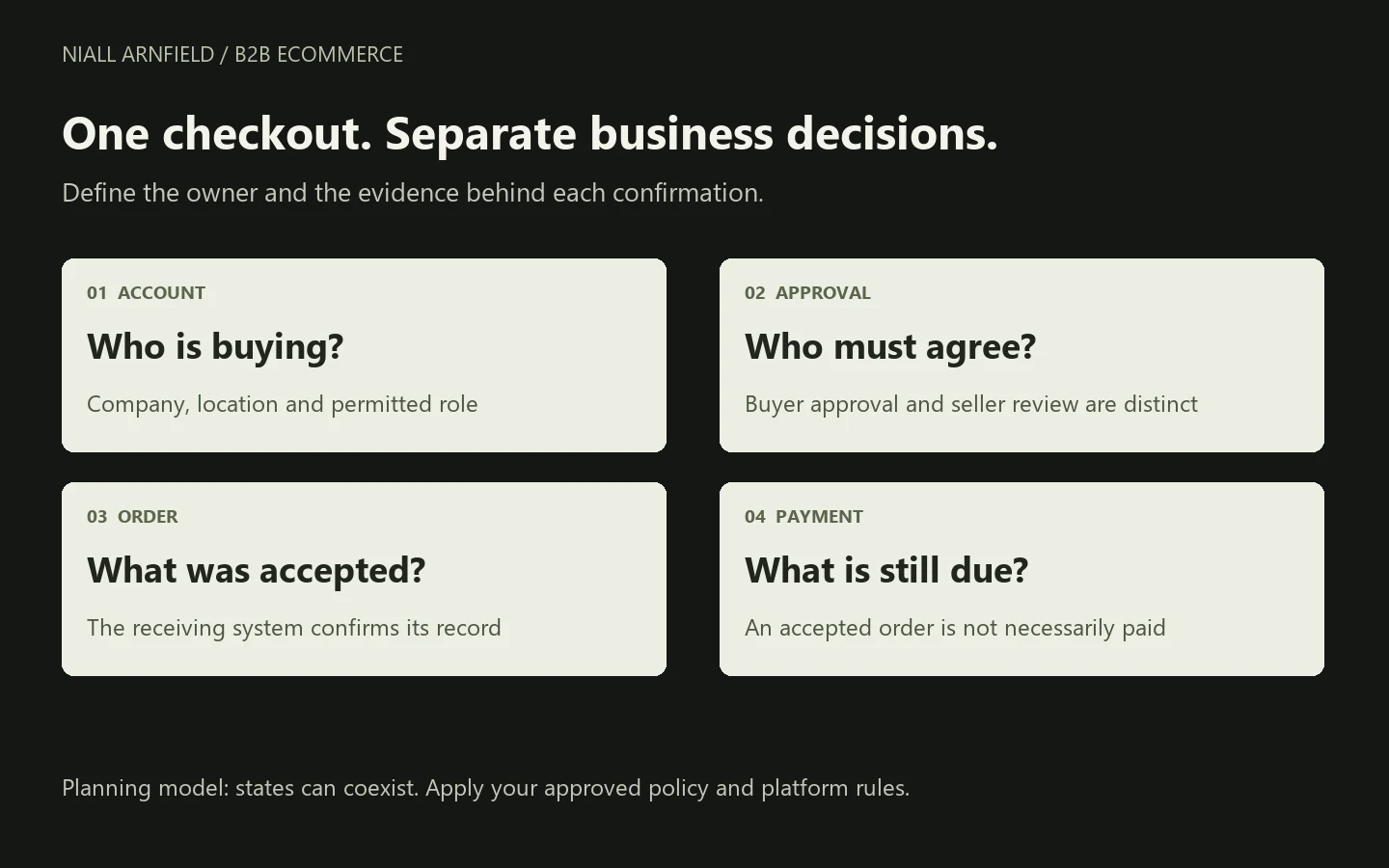
These states can coexist: an accepted order may still have a balance due. Buyer-side approval is also different from seller-side review. Shopify’s draft-for-review checkout setting sends a company’s order into the merchant’s review process; do not assume that this supplies the customer’s internal purchasing-manager workflow.
For a product that still needs specification or price review, the quote-versus-checkout guide helps choose the handoff. Keep that decision separate from who is permitted to submit it.
Give exceptions an owner and a recovery route
A missing account rule, expired quote or changed stock position should produce an actionable response. Preserve the valid parts of the request, identify what needs review and route it to someone who can resolve it.
A submission timeout is different: the order may have been recorded even though the browser did not receive confirmation. Check the original submission’s outcome before encouraging another order. The system-integration guide explains request identity and retries with a bounded HTTP example.
For repeat orders, test changed pack sizes, discontinued products and altered addresses. Copying a previous basket is a convenient starting point; its historical price or approval should not silently override the current rules.
Search visibility for trade catalogues is covered in B2B ecommerce SEO.
Related reading: Soinvogue ecommerce redesign.
Use the checkout scenario matrix before choosing features
Download the B2B checkout planning pack. It contains 12 worked scenarios and a blank responsibility worksheet. Each scenario identifies the starting condition, intended action, next owner, required record and a failure to test. The examples are planning material, not results from a live client system or an implemented approval engine.
Walk through them with sales, finance, operations and the developers. Swap the example rules for your own agreed policy, then show it working on the chosen platform. Keep any untested cases clearly marked as open.
The B2B platform guide covers procurement, while the ecommerce brief captures the wider scope. For implementation, explore B2B ecommerce development or send an example of a trade order that currently needs manual intervention.
Approval steps and account roles affect checkout completion, so they belong in any ecommerce conversion rate optimisation review of a B2B store.
For how a trade buyer can send a selection to a colleague, see the guide to saving and sharing configurations.