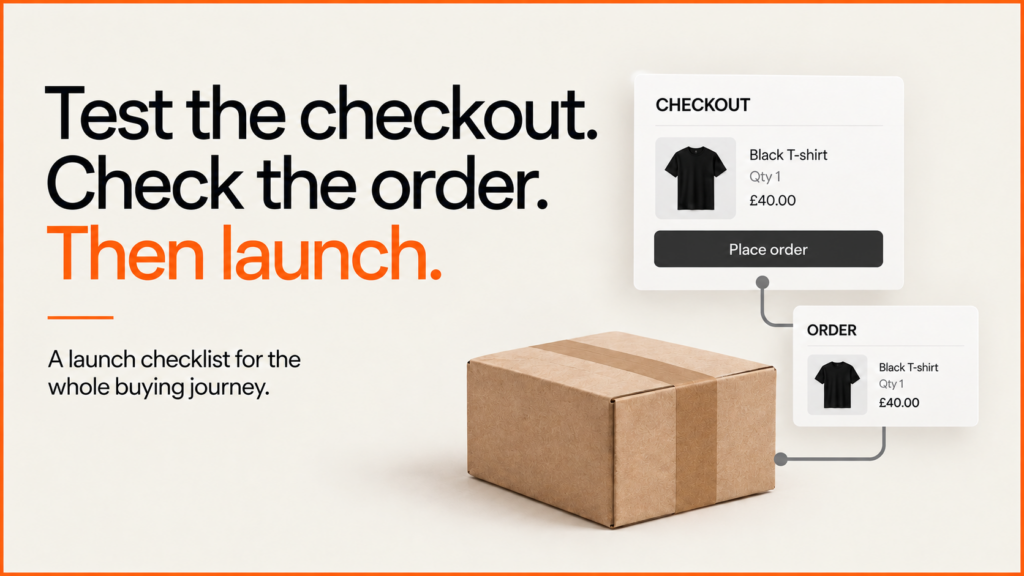
An ecommerce website is ready to launch when a customer can complete the purchase and the business can fulfil the right order. A convincing storefront is only one part of that. Prices, discounts, delivery, payment state, stock and confirmation need to agree across the journey.
Discuss your projectSee selected work
This ecommerce launch checklist starts with a worked WooCommerce checkout test, then gives you a release register to adapt to your store. It separates observed results from the checks that still need an owner, an appropriate environment and evidence.
A checkout tested through to the saved order
On 23 September 2026, I ran a guest checkout in an isolated local shop using WordPress 7.1.2, WooCommerce 11.1.2, the classic checkout and Twenty Twenty-Five. The product and buyer were fictional. WordPress external requests and email were blocked; offline bank transfer collected no money.
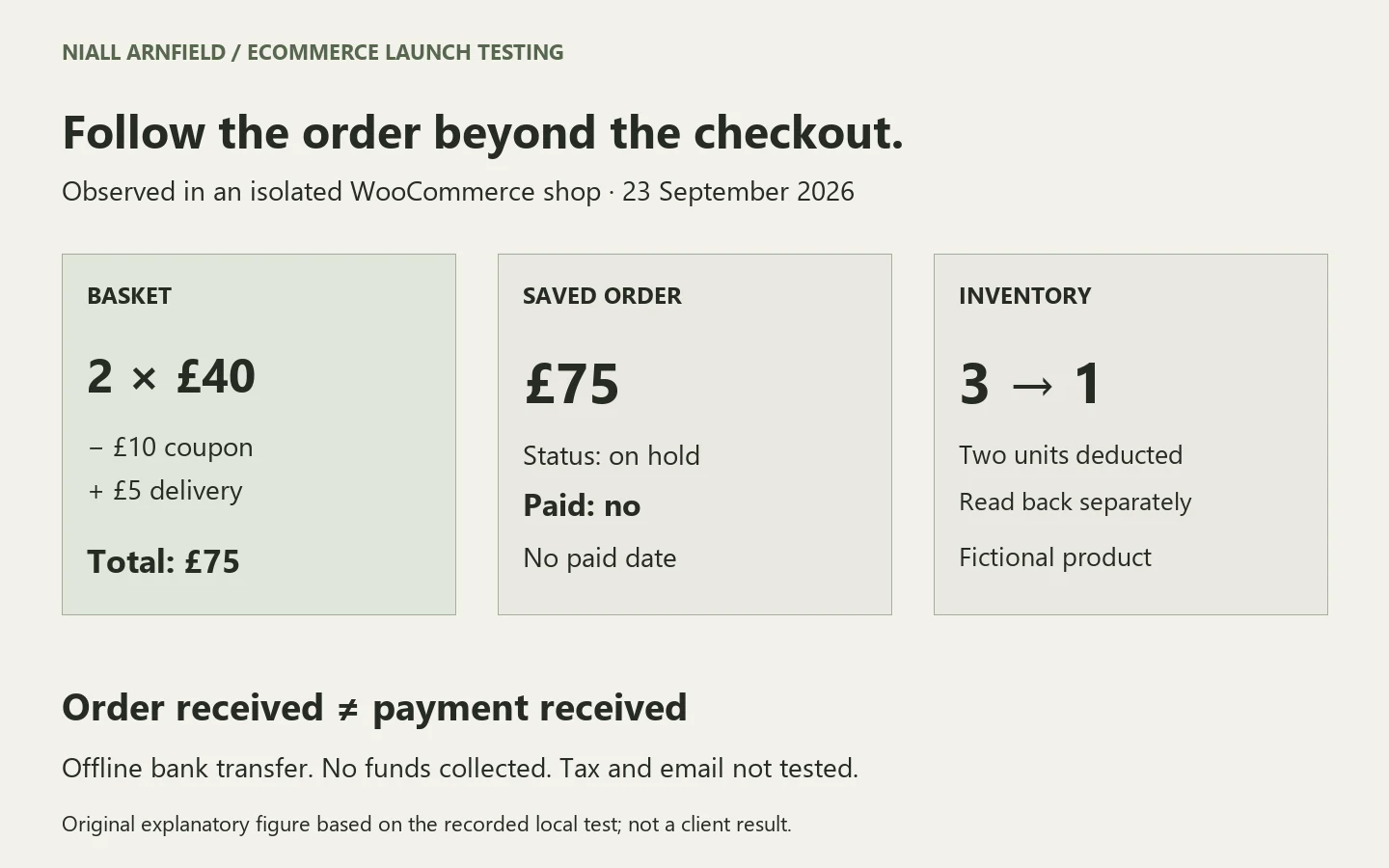
The fixture had three units in stock at £40 each, a £10 basket coupon and £5 delivery. I added two units through the product page, used the cart and completed the browser checkout. I then reopened the saved order through WooCommerce in a separate PHP process.
| Test | Observed result |
|---|---|
| Two products added | Quantity 2; product subtotal £80. |
| Invalid coupon | Rejected with an explanatory error; total remained £85 including delivery. |
| Valid coupon | £10 deducted; £5 delivery retained; total £75. |
| Empty checkout submitted | Seven required-field errors appeared. Completing those fields allowed the journey to continue. |
| Saved order read back | One matching order: quantity 2, £10 discount, £5 delivery and £75 total. |
| Payment and inventory | Order on hold, unpaid, with no paid date. Stock reduced from 3 to 1. |
“Order received” did not mean “payment received”. The confirmation page and stored order agreed on £75, but the payment status remained unpaid. A release check should record both the customer-facing confirmation and the operational state.
This exercise verifies one desktop browser journey in that environment. It does not establish card payment, refunds, email receipt, tax correctness, fulfilment, mobile compatibility or the behaviour of another theme or extension. Taxes were disabled for this fictional fixture. Those are separate launch tests.
Choose representative purchase journeys
Start with the store’s actual selling rules. Select a simple product, a product with variants and any materially different journey: trade accounts, subscriptions, downloads or a configured item. Write the expected outcome before testing. “Checkout works” is too broad to resolve a disagreement.
Include recovery: an invalid discount, missing address, unavailable item, rejected payment and interrupted return from the payment provider. Confirm that the customer knows what happened and whether to try again. Check for duplicate orders and charges where the integration supports retries.
For configured products, verify the chosen specification reaches the order. The WooCommerce configuration-reference example tests that separate data path. For trade buying, use the B2B checkout guide to identify account and approval requirements.
Use a release register with evidence and owners
| Area | Evidence to retain |
|---|---|
| Catalogue | Approved product samples, variant selection, availability and the price carried into the basket. |
| Totals | Expected and actual discounts, delivery and applicable tax for agreed addresses and boundary cases. |
| Payments | Provider-supported test results, rejection and cancellation handling, matching order status and authorised refund checks. |
| Operations | Saved order details, stock changes, notification receipt and the handoff used by the fulfilment team. |
| Customer access | Guest and account journeys, keyboard use, readable errors and checks on the actual target devices. |
| Release | Production URLs, search access, consent-aware measurement, monitoring, named support and a recovery plan. |
Use pass, fail, blocked and not tested as distinct outcomes. A blocked payment test needs a named dependency; a screenshot of a thank-you page cannot close it. The downloadable register leaves results blank so proposed scenarios cannot be mistaken for completed tests.
Keep product data checks and URL changes next to this list. The product-data checklist covers whether records are right. The migration SEO checklist covers redirects and keeping your search traffic.
Keep testing isolated from real operations
WooCommerce’s testing-order guidance warns that test orders can send emails and show up in analytics. Other connected tools may treat them as real orders too. Test on a separate staging site, using each provider’s own test mode. Switch off or control fulfilment, outgoing messages and linked systems first.
My offline example does not replace testing with your payment provider. If you need a real payment and refund on the live site, agree it with the account owner first. Note the store version, settings and site you tested on, so a staging result is never passed off as a live one.
Related reading: web design and development agency, Velune footwear storefront redesign and ProSalonFurniture website design.
Make the release decision explicit
Give each open problem an owner and decide what it means for launch. A wrong total, a broken checkout or missing order details should stop that journey going live. Agree who can stop the launch, and how new orders will be kept safe if you need to roll back.
Download the ecommerce launch test register and observed example. The pack contains 12 proposed scenarios, the bounded local order results and instructions for recording evidence. It is a starting point for acceptance, not certification that a store is ready.
For a new build or a substantial release, explore ecommerce development services. Bring your platform, representative products and the operational systems behind each order. The project brief helps define that scope, or discuss the release you need to test.
Related guides
- After launch, conversion rate optimisation uses the same order and event data to find where customers drop out of the journey.
- If the launch moves URLs, the website migration case study shows how to map old pages to new ones and test the map before go-live.
- For WordPress and WooCommerce launches, pair this list with the WordPress SEO checklist.
- Launching on WordPress or WooCommerce? Check page speed with WordPress speed optimisation.