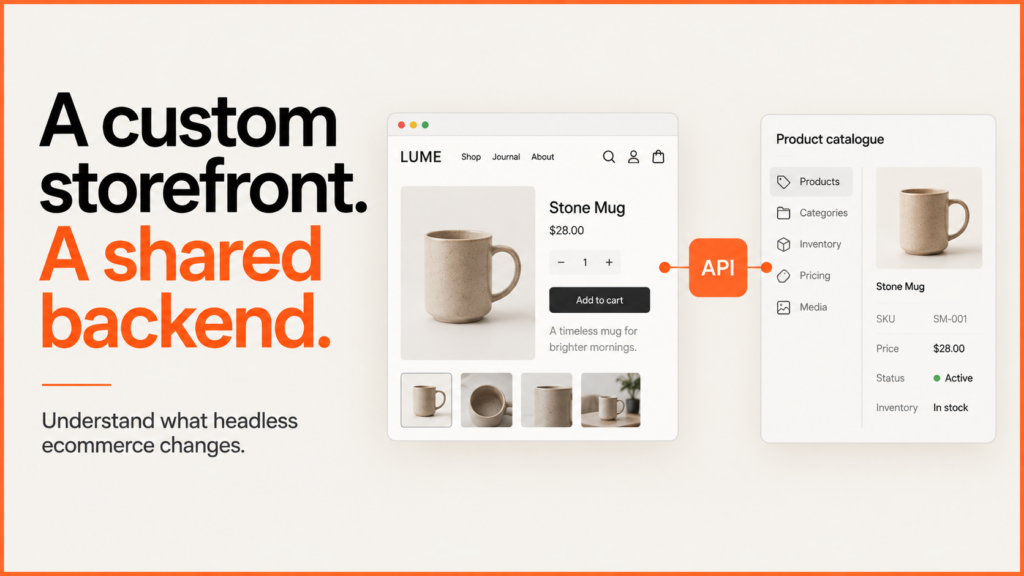
Consider headless ecommerce when a separate storefront solves a key buying or publishing need your platform cannot meet well. It also gives you another app to run. Before you commit, name the customer task. Show the limit. Agree who will maintain the replacement.
Discuss your projectSee selected work
I start with the smallest setup that can reliably do the job. That could be a better theme, an embedded product configurator or a full custom storefront. The right answer depends on what the website must do.
What headless ecommerce changes
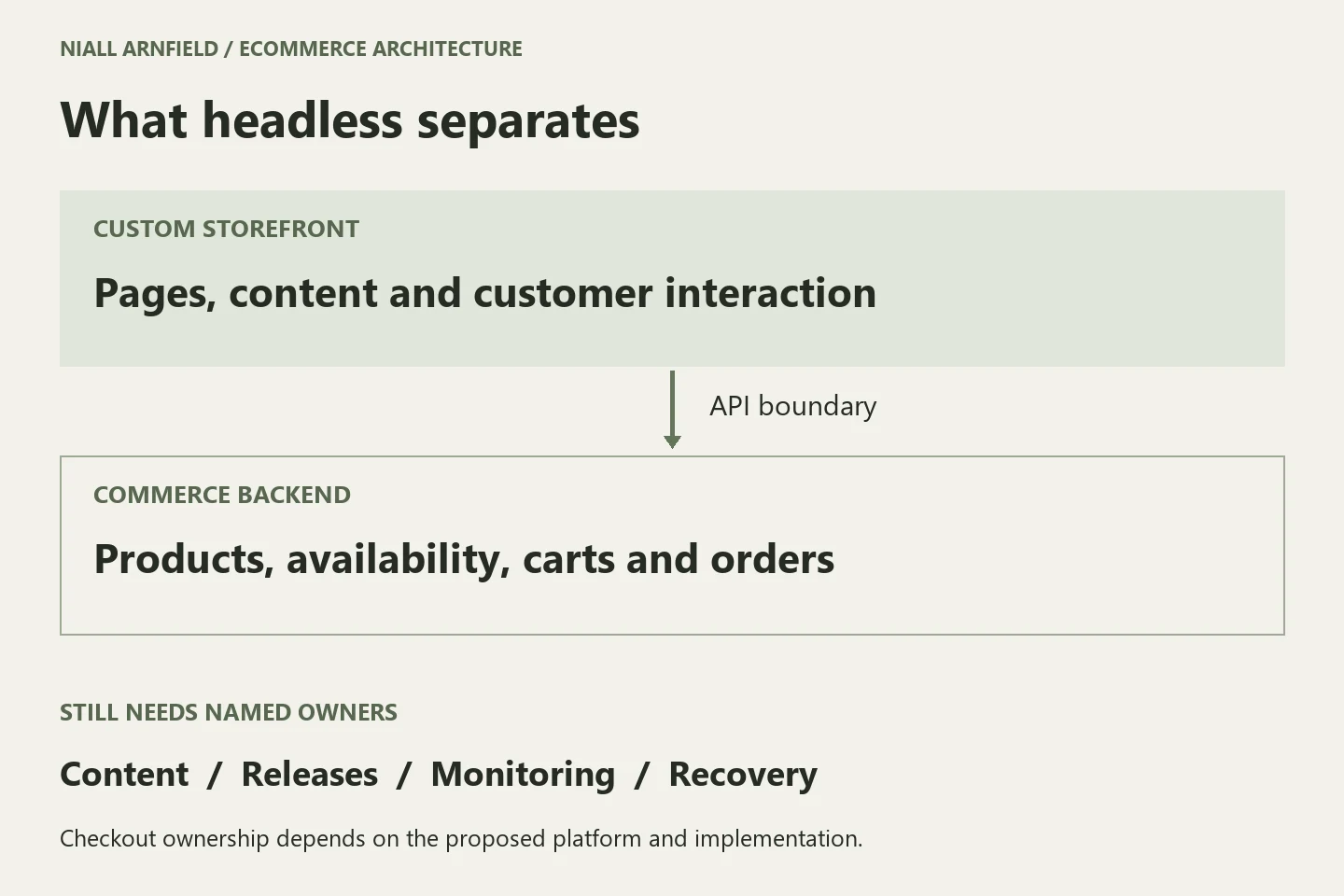
A standard storefront uses the platform’s own theme. A headless storefront splits that display layer from the commerce backend. It talks to the backend through APIs. Product records, stock, cart actions and orders still need one main home.
With Shopify custom storefronts, customers can browse and build a cart on a separate front end. They then use Shopify Checkout. Shopify documents Hydrogen and other build options. A separate front end does not remove checkout limits by itself. It also does not supply every integration.
For WooCommerce, the Store API offers the product, cart and checkout actions that customers use. Its cart-token mechanism helps link a cart across headless requests. Payment methods, extensions and customer sessions still need setup and testing in the proposed stack.
Compare three routes before rebuilding
| Route | When to investigate it |
|---|---|
| Improve the theme | Your catalogue and checkout fit the platform. The problem is presentation, navigation, content or avoidable loading cost. Demonstrate the required changes in the existing storefront first. |
| Add a feature | One part of the journey needs custom behaviour, such as product configuration. Keep the established storefront and connect that feature to validated product and cart data. |
| Build headless | The required experience spans the storefront, or several channels need a shared commerce backend. Prove the API coverage, editorial workflow and support arrangement before committing. |
A browser-based product configurator does not automatically require a headless rebuild. For example, a retailer’s customers need to choose compatible furniture finishes. The retailer may embed that feature and keep its existing product pages. A business that needs several very different storefronts may have a stronger case for a split. These are illustrative requirements, not client results.
Name the duties that move
Ask the proposed team to show how an editor changes a campaign. Ask them to preview it and undo a mistake. Confirm where product information is edited. Confirm how fast a price or stock change appears. Decide what the customer sees if the commerce API is down.
List each third-party dependency: search, reviews, subscriptions, account access, promotions, consent and analytics. For each required feature, record its supported integration route. Also record a working demo. An app that works in a theme is not enough proof. It does not show that the headless journey works.
Assign an owner for storefront hosting, releases, dependency updates, monitoring and incident recovery. Include these in the running budget with the commerce platform. Compare proposals over the same period and scope. Leave unknown costs open. Do not record them as zero.
Prove performance and search behaviour
A headless build does not guarantee a faster site. Test typical product and collection pages. Use real images, third-party features and consent choices. Compare the same devices, network conditions and customer tasks. Set a performance budget to keep added features under control.
Google’s JavaScript SEO guidance covers links that bots can follow, rendering, canonical URLs and clear status codes. Include these in the project scope. Key product information should be available through a dependable rendering plan. A screenshot that looks complete does not prove that search engines can find every product.
Where URLs change, keep a separate migration and redirect plan. Write down a rollback route. It must cover content and catalogue changes made after launch, as well as the storefront code.
Related reading: Magento and Adobe Commerce configurators and BigCommerce and WordPress configurators.
Decide with one typical journey
Download the headless architecture decision worksheet. It is a printable, editable HTML worksheet. It has ten responsibility areas, eight demo tasks and a decision record. It opens locally without uploading your project information. The fields are blank for your team to complete. No integration tests or cost estimates are shown as finished evidence.
Start with one real product and one hard purchase. Show discovery, product options, cart changes, checkout hand-off and store editing. Record unresolved key requirements before approving the full build. A working happy path helps. Recovery matters too. Test what happens when a product changes or a dependency fails.
Related guides
- If you are choosing a commerce backend, read Shopify versus WooCommerce. If you need help deciding how much custom work is worth it, discuss your ecommerce project. Bring the current site and the customer journey it cannot yet support.
- Whatever you choose, measure the result. Conversion rate optimisation starts with knowing which journeys actually complete.
- A headless rebuild often changes product and category paths. The website migration case study shows a simple, testable way to map the old routes to the new ones.