Finish, handle and which way the door hangs. Explore the product options, see how a configuration affects the demonstration price, and share the result.
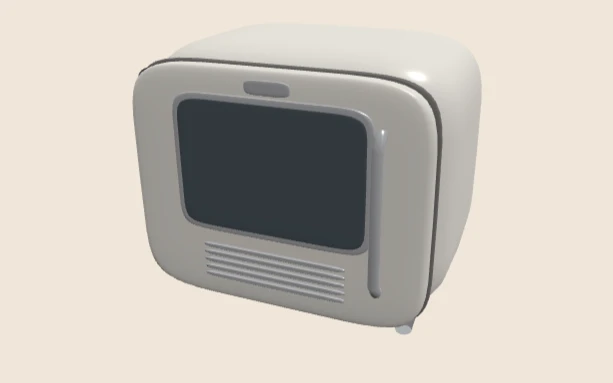
The interactive viewer loads when you choose Explore in 3D.
This is a demonstration product, not a client catalogue or an offer for sale. Explore product configurator development for your own range.
- BodyCream steel, Matte black or Brushed copper
- HandleBar or Knob
- DoorHinge left or Hinge right
- EngineBabylon.js on WebGL
How this demo works
This Babylon.js countertop appliance demonstration presents body finish, handle style and door hinge side as separate choices. It is a useful small example of combining appearance changes with a component and orientation decision.
The model is a simplified demonstration product. Its amounts are fictional values, not a real appliance offer, supplier quote or performance result.
Open the preview and read the initial state
Choose Explore in 3D above. The loaded interface identifies WebGL and Babylon.js, with orbit and zoom instructions. The initial summary is Cream steel body, Bar handle and Hinge left, with a displayed demonstration price of £429.00.
The other body choices are Matte black and Brushed copper; the alternative handle is Knob; the door can also be Hinge right. Separating these groups helps a visitor understand what each choice changes.
A recorded finish and handle walkthrough
| State checked | Observed result |
|---|---|
| Cream steel / Bar / Hinge left | Initial summary; £429.00 demonstration amount |
| Brushed copper / Knob / Hinge left | Both changed labels remain in the summary; combination available; £468.00 demonstration amount |
The observations were recorded on 13 October 2026. They establish the visible behaviour of those states in this demo, not the availability or price of a real manufacturer’s product.
Assign a meaning to each choice
A body finish can update material settings. A handle may require different geometry. A hinge-side choice concerns the arrangement or orientation of a component. A real asset specification should say exactly which parts, material slots and transforms each option controls.
Keep stable option identities behind the readable labels. A translated “Brushed copper” label should not change how the commercial system identifies the finish. A saved specification should retain its intended meaning even if display copy is later edited.
Do not use the render as a physical specification
The demonstration is deliberately simplified. A production appliance experience might need approved dimensions, accurate handles, panel gaps, doors and interior views. Those requirements need source assets and review; a material swap on a simple shape does not provide them.
Metal appearance also depends on the environment it reflects. Review recognisable finishes under the intended viewing conditions, then compare the export in the final renderer. The material lab explains why metalness, roughness and surroundings work together.
Extend the test register
The recorded walkthrough covers a default state and a combined finish-and-handle change. Add a hinge-side review, each handle against each finish, restored saved state, keyboard use and a failed asset request before accepting a real deployment.
Compare the accepted summary with the specification sent to the commercial system. Browser rendering does not establish price validity or stock. The visible Request a quote and Copy share link controls need their own end-to-end acceptance checks; no real order or quote transmission is claimed here.
What loads when you open the demo
Nothing 3D loads until you choose Explore in 3D, so the page itself stays light. When you open the viewer, the browser fetches the Babylon.js application and one product model.
The model is a single GLB file of about 164 KB. It holds the body, door, window, grille, both handle options and the feet, and each part has a stable name. The app changes the body and door finish by name. It shows either the bar or the knob handle, and it moves the handle to the other side of the door when you change the hinge.
The application script is the heavy part. It is about 5.4 MB before compression and about 1 MB as it travels over the network, because this build includes the whole Babylon.js engine. A production build should import only the modules it uses, which should cut the download a lot. I have not measured that smaller build yet, so I am not giving a figure.
What I would change for a real range
- Load only the Babylon.js modules the viewer needs.
- Add the real dimensions to the summary, so the image is not the only size cue.
- Use photographed finish samples, checked under the same light as the product photos.
- Keep a still poster image until the visitor asks for 3D, as this page already does.
The appliance is a fictional product. It shows the method, not a supplier’s catalogue.
Try the finishes in the demo above, compare the three-engine furniture demonstration, or document a real range with the project brief. Discuss implementation through configurator development.