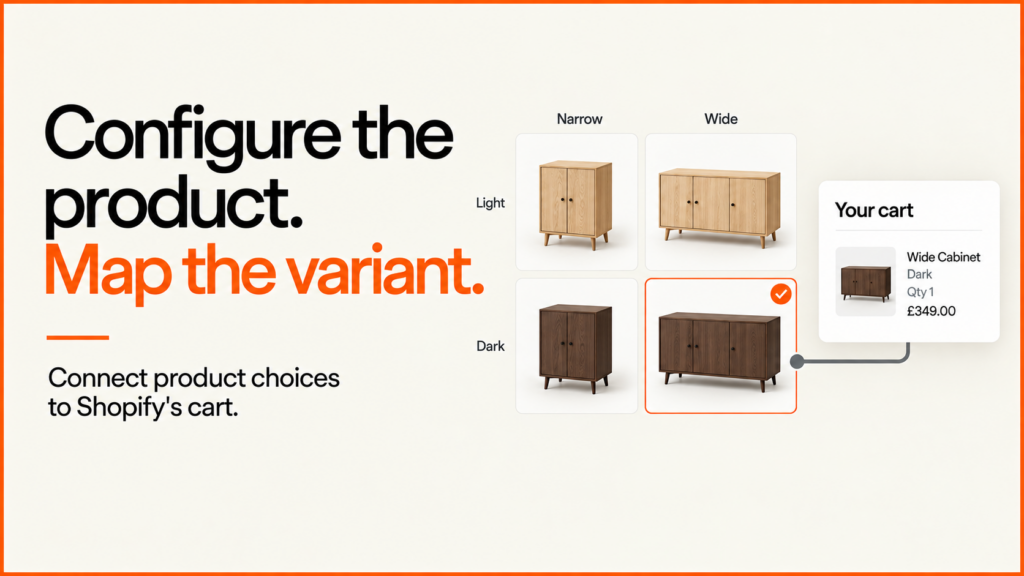
A Shopify product configurator needs more than an “Add to basket” button. The customer’s choices must turn into something the store can sell. They also need to reach the team who fulfil the order.
Discuss your product rangeTry the demos
The best place to start is a small mapping exercise. Which choices change the variant you sell? Which ones describe the customer’s request? Which ones need a separate pricing or approval step? I answer those questions first. Only then do I connect a 3D interface to checkout.
Discuss a product configurator integration or use the worked example below to prepare your catalogue decisions. If you want the wider picture first, read my guide to the 3D product configurator.
What a Shopify product configurator needs to do
A configurator shows choices and lets the customer build their own version of a product. A Shopify store sells set items. The integration has to bridge that gap.
It has three jobs. First, it turns a valid selection into one item the store can sell. Second, it passes on any extra detail that staff need. Third, it keeps rules and prices in a system you can trust. Whatever the customer does on screen, the store should hold a record it can check.
None of this needs a clever trick. It needs clear ownership. Your catalogue says what can be sold. Your rules say what is allowed. The configurator only helps the customer move between the two.
Choose the connection for your storefront
Many shops use a Shopify-hosted theme. Here the Ajax API handles cart actions in the browser. Shopify treats this as different from a custom storefront. It documents a route that respects the shop’s language and market, through window.Shopify.routes.root. To add the 3D view itself to an Online Store 2.0 theme, see adding a 3D viewer with a theme app extension.
A custom storefront uses a different connection. This is often called a headless build. There, the Storefront API’s cart-line input names the item being bought. It also takes a quantity and descriptive attributes. Do not copy a theme example into a headless app without checking how that app is built.
Some configurators run in an embedded frame. If yours does, give the host page a narrow message format. Check where each message came from. Check the selection itself. Then let the storefront handle the cart. The total shown in the frame is only a display. It should never be taken as an instruction to charge that amount.
Variants and line-item properties have different jobs
A variant is one sellable version of a product. It has its own variant ID, which is a number the cart uses to know what is being bought. A line-item property is a small piece of extra text attached to one cart line. The two do different jobs. If your options exceed Shopify’s variant allowance, see how to get past the product variant limit and option apps compared with a custom build.
| Choice | Example treatment | Question to resolve |
|---|---|---|
| Finish and cabinet width | Map a valid combination to a catalogue variant | Does the ID represent the correct purchasable item? |
| Project reference | Descriptive line-item property | Where will staff see it, and is it non-sensitive? |
| Made-to-measure surcharge | Approved pricing architecture or quote route | Which trusted system validates and prices it? |
| Camera angle | Viewer state | Does fulfilment need this at all? |
Shopify’s Cart API reference sets out variant IDs and quantities for additions. Properties carry the extra line information. Two lines with the same variant but different properties stay on separate lines. When you edit a line later, use the right line identity. Updating properties replaces the whole property object.
In my example, a property holds a project reference. It is not a way to add a surcharge. Remember too that the visitor can edit anything the browser sends. Hiding fields or adding a prefix to a name does not make the data trustworthy or secret.
A four-variant cabinet example
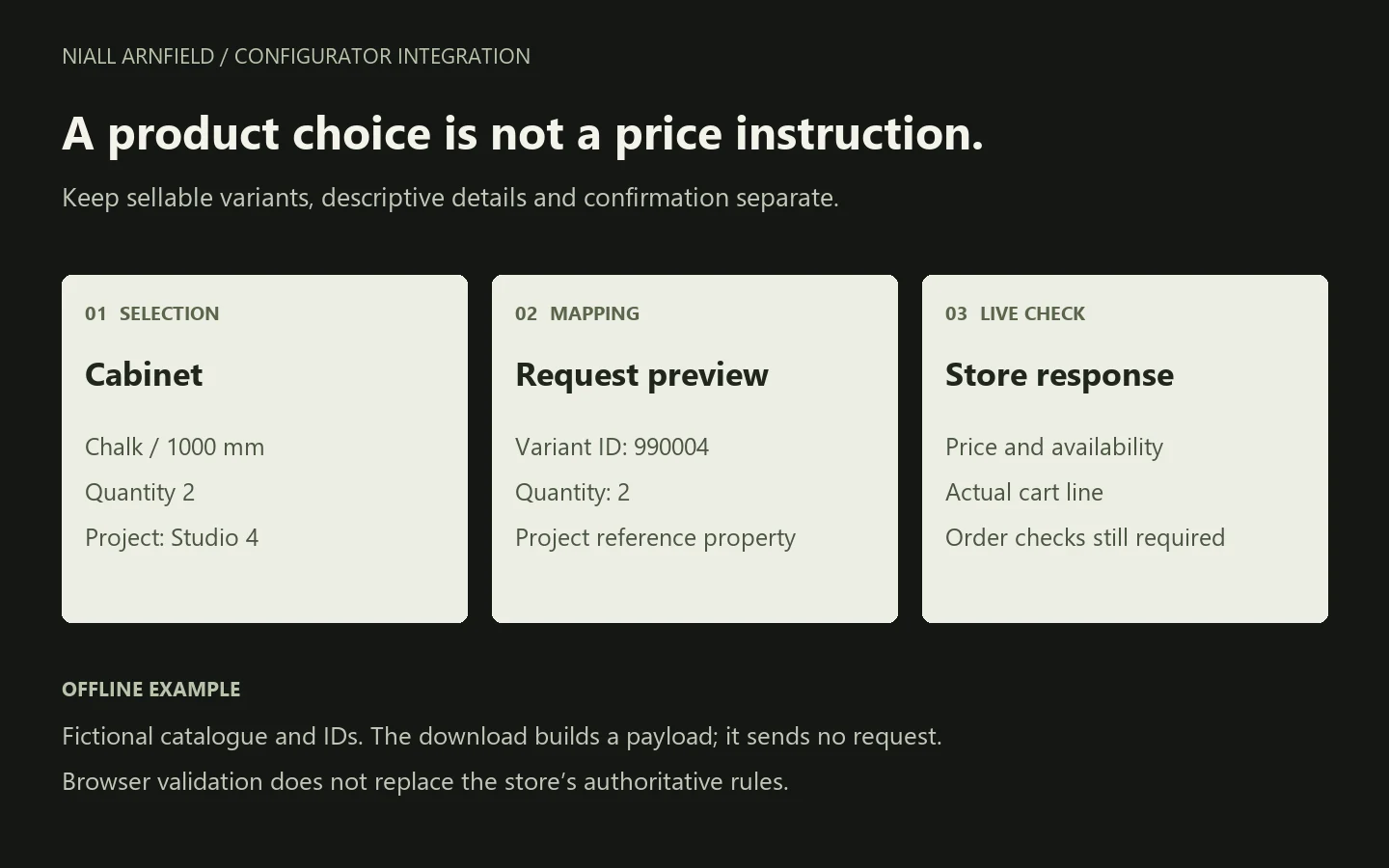
My sample cabinet comes in Oak or Chalk. Its widths are 800 or 1000 mm. Each of the four allowed combinations has a fixed fictional ID. Say the customer picks Chalk, 1000 mm, quantity two and the project “Studio 4”. That produces this request body:
{
  "items": [{
    "id": 990004,
    "quantity": 2,
    "properties": {
      "Example configuration": "Cabinet / chalk / 1000 mm",
      "Project reference": "Studio 4"
    }
  }]
}
The downloadable JavaScript module builds that description without making a network call. It rejects an unsupported width, an unknown finish and an invalid quantity. It also rejects unexpected fields and reference characters that are not allowed. The quantity and character limits are example policies. They are not Shopify limits.
33 offline checks passed for the mapping, input handling, locale paths and independent returned objects. These checks do not establish live variant availability, prices, cart behaviour or order delivery. The pack includes the source, the tests and their output. It also has a separate twelve-point store acceptance worksheet. Those checks remain unperformed.
Download the offline mapping example and acceptance worksheet. Run node test.mjs with Node.js. No packages or credentials are needed. Replace the fictional catalogue before you consider any real implementation.
Confirm what the store actually accepted
Plan for the response as well as the request. Keep the selection visible while an addition is pending. Stop accidental repeat submissions. If the add fails, show the customer a useful way to recover. A timeout leaves you unsure what happened. Check the current cart before you send the same addition again.
Test these cases:
- Two configurations of the same variant.
- Changes to quantities.
- Unavailable stock.
- Changed market prices.
- The information that reaches fulfilment.
Also decide what happens if the catalogue changes between selection and purchase. A correct request format proves none of these outcomes by itself.
Rules that protect the sale need a proper enforcement point. Shopify documents a Cart and Checkout Validation Function API. Confirm current eligibility and the actual rule coverage before you choose that route. The offline example does not use it. Some options need review or bespoke pricing. For those, a quote-first journey may suit better.
Scope a small complete integration
Bring a representative product family and its valid combinations. Add who owns price, your stock rules and the record fulfilment needs. Start with one end-to-end path that you can test properly. Then grow the catalogue. The configurator cost guide lists what changes the effort.
The configurator data guide helps you organise the source records. You may also need an ERP, CRM or quoting link. For that, use the receiving-system integration example. Those decisions sit beside the storefront cart mapping. They do not replace it.
Working with WooCommerce instead? Its cart-to-order integration example uses a tested PHP extension to keep configuration references. It has separate classic and HPOS results.
I led development of the Praxis Digital 3D configurator platform, used by 20+ UK businesses from 2021 to 2025. I build browser-based configurators around the buying journey and the systems behind it. Talk through your products and storefront and we can define the smallest complete integration worth testing.
For theme work around the configurator, see Shopify developer UK.
Planning where the option data lives? See Shopify metafields for configurable products.
If you only need a static model rather than a full configurator, see the Shopify 3D models and AR guide. The glossary entries on line-item properties and product variants explain the two Shopify building blocks in more detail.
Related reading: Magento and Adobe Commerce configurators and BigCommerce and WordPress configurators.
Shopify product configurator FAQ
Can Shopify handle a product configurator?
Yes, in the right shape. Shopify sells items, so each choice has to resolve to a sellable item or to extra detail on a cart line. Simple options map well, such as a finish and a width. Choices that change the price in new ways need more care. Highly custom products may need a quote route instead.
Do I need an app?
Not always. A custom build can use the cart routes described above. An app may save time if its rules and workflow fit your products. Check who owns the data, how the catalogue updates and how you can export your work if you leave.
How do custom prices work?
A custom price needs an approved pricing route. That could be separate variants, a quote, or a checkout customisation that your plan supports. A line-item property does not change the price. Check Shopify’s current documentation for what your plan allows.
Can variants cover every option?
Only for small ranges. Each valid combination can become a variant, as in the four-variant cabinet. Shopify limits variants per product, and those limits have changed over time. Check Shopify’s current limits before you plan a large range.
For trade accounts, a configured order may also need approval or payment on terms. See the B2B checkout and approvals guide.