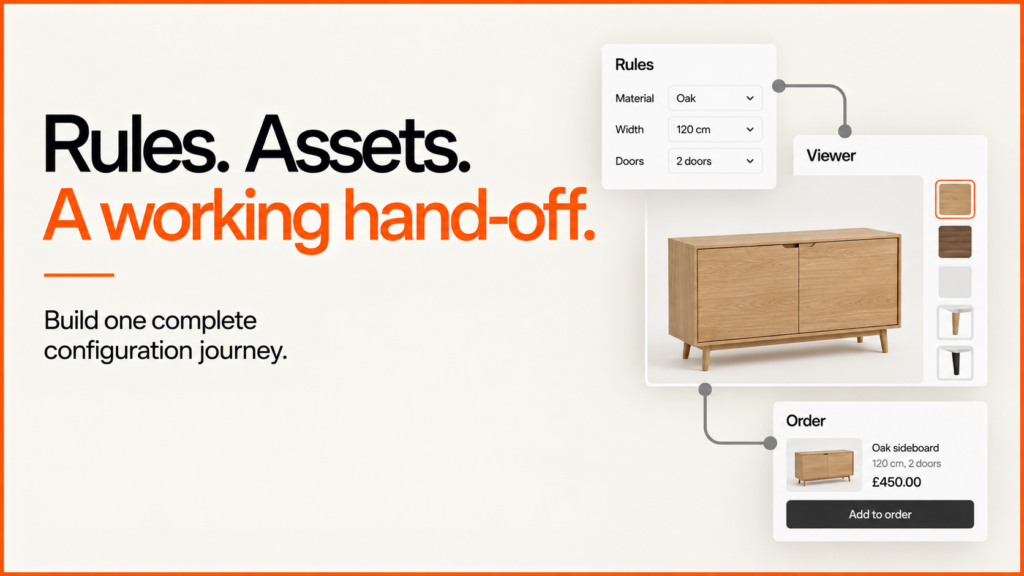
Build a 3D product configurator around one valid product selection. The controls edit that selection. The viewer shows it. The receiving system checks it before it creates a quote or order. Prove the full path with one representative product before you expand the catalogue.
Try the demosDiscuss your product range
Below is an implementation pattern for a made-to-order cabinet. It has two widths, two door options and two finishes. The cabinet and its rules are illustrative. The Praxis case study shows separate examples of my delivered browser-based configurator work.
Separate the three layers
| Layer | Responsibility | Must not decide |
|---|---|---|
| Product state and rules | Identifiers, selected options and valid combinations. | How the scene happens to name or colour a mesh. |
| Interface and viewer | Labelled controls, previews, selected states and feedback. | The authoritative selling price or whether an order is accepted. |
| Quote or commerce service | Revalidate submitted identifiers against current rules, availability and pricing. | Whether an unverified browser total is trustworthy. |
A finish selection should update the viewer and the written summary from one state. Do not read a material name back from the canvas to build an order. Doing that turns presentation details into part of the business contract.
Make invalid selections testable
In this example, double doors need the wide cabinet. If only the width changes, keep the last valid selection. Explain the conflict. Changing width and doors together can succeed.
The following JavaScript checks the small catalogue. It does not depend on a rendering engine. Its catalogue version also shows when a saved selection is old. A real catalogue needs its own rules. It also needs a clear migration or review process.
// Illustrative cabinet rules, not a client catalogue or production checkout.
export const catalogue = Object.freeze({
  id: 'cabinet-demo', version: '2026-09-example',
  widths: Object.freeze(['narrow', 'wide']),
  doors: Object.freeze(['single', 'double']),
  finishes: Object.freeze(['oak', 'white'])
});

export function validate(selection) {
  if (!selection || typeof selection !== 'object' || Array.isArray(selection)) {
    return ['A selection is required.'];
  }
  const errors = [];
  if (selection.productId !== catalogue.id) errors.push('Unknown product.');
  if (selection.catalogueVersion !== catalogue.version) errors.push('Review this selection against the current catalogue.');
  if (!catalogue.widths.includes(selection.width)) errors.push('Choose a listed width.');
  if (!catalogue.doors.includes(selection.doors)) errors.push('Choose a listed door option.');
  if (!catalogue.finishes.includes(selection.finish)) errors.push('Choose a listed finish.');
  if (selection.width === 'narrow' && selection.doors === 'double') {
    errors.push('Double doors require the wide cabinet.');
  }
  return errors;
}

export function choose(current, changes) {
  const proposed = { ...current, ...changes };
  const errors = validate(proposed);
  return errors.length
    ? { accepted: false, selection: current, errors }
    : { accepted: true, selection: proposed, errors: [] };
}
For example, choose(current, { width: 'narrow' }) rejects a change from a wide, double-door cabinet. choose(current, { width: 'narrow', doors: 'single' }) accepts the coordinated change. Show the returned errors next to the related controls. Never silently swap in another product.
This sample checks one configuration task. It does not handle pricing, stock, authentication, persistence or a production order API. Also validate submitted data on the receiving server.
Map options to approved assets
Give each product option a stable identifier. Document what it changes on screen. A finish may select a material. A door option may switch a mesh. A size may select a different model. Scaling one mesh works only when it keeps the real product proportions and construction.
| Product choice | Visual mapping | Acceptance check |
|---|---|---|
| Narrow or wide | An approved model for each width. | Dimensions and proportions match the product references. |
| Single or double doors | Named door components with explicit visibility. | No incompatible door assembly remains visible. |
| Oak or white | A material applied to the intended surfaces. | Handles, glass and other unaffected parts retain their materials. |
glTF is a runtime asset-delivery format. It can carry scene structure, meshes, materials and textures. Preparing a GLB file still needs checks. Check scale, geometry, texture size, material boundaries and visual accuracy. Test one representative exported asset before you process the whole range.
Keep controls independent of the canvas
Use labelled form controls for the options. Add a readable configuration summary. Show visible feedback when a change is rejected. Update all of these through the same selection function that the 3D interface uses. A person should be able to choose a valid product without dragging a model.
WCAG’s keyboard criterion is a useful starting point for testing this task. Keyboard support alone does not prove full accessibility. Also check names, selected states, focus, error messages and zoom. Check the alternative path too, for when the viewer is unavailable.
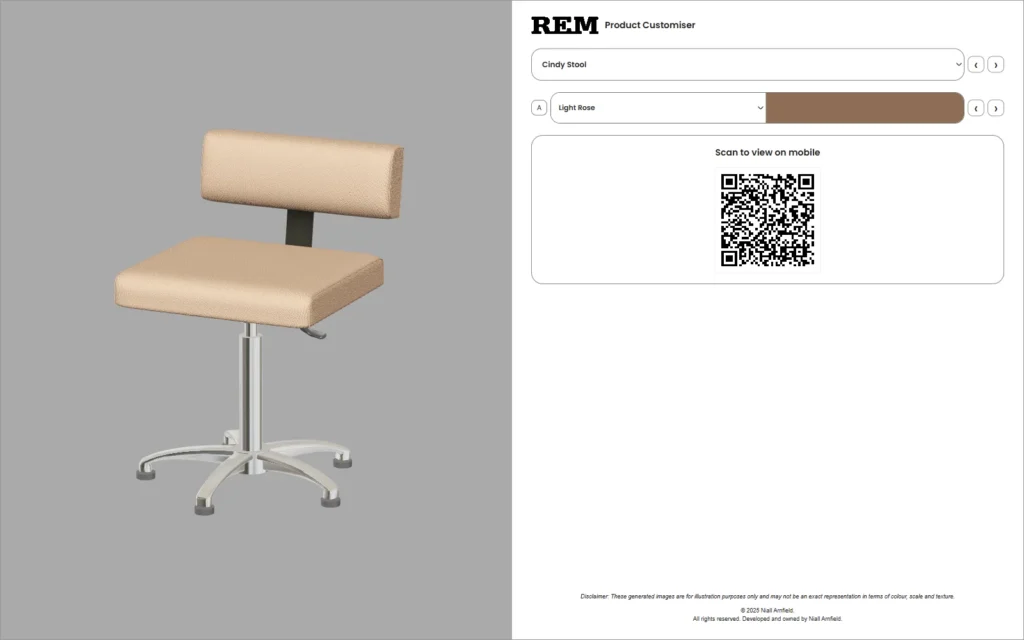
See how this separation looks in the seating configurator demo and the storage specification demo. Their controls differ. Both sit around the same kind of browser-based 3D viewer.
Load the viewer when it is useful
Show the product information and a static preview first. If interaction is optional, an explicit “Explore in 3D” action can start the renderer and the selected product’s assets. Keep the written selection available while they load.
Show failed assets and graphics-context loss as visible states. Browsers expose a WebGL context-loss event. Use the renderer’s recovery approach, or offer a retry and the non-3D route. Keep the user’s selection outside the scene. Then rebuilding the scene does not discard their choices.
Measure the whole page on target devices and connections. File size, texture memory, rendering work and other page scripts are separate costs. A fast desktop demo is not proof of mobile performance.
Validate the commercial hand-off
Send stable product and option identifiers with the catalogue version. Treat every browser field as untrusted input. The server must apply current rules. It must also get authoritative prices and availability before it accepts the request.
If a saved selection uses an old catalogue, explain which choice needs review. Return a useful error. Do not accept a configuration that can no longer be supplied. A quote workflow can keep the requested specification for staff review. It should not show an unverified price as a confirmed offer.
For a reusable set of expected outcomes, use the configurator rules test matrix and executable fixtures. The catalogue-data checklist explains the identifiers and checks behind these tests.
Set a performance budget before you build
Decide three things early. First, what must work before any 3D code loads. Second, what the browser downloads when the visitor opens the viewer. Third, what happens when they change a finish. Keep the product information and enquiry route on the surrounding page. That keeps the 3D session optional, not a dependency.
| Stage | Record | If it fails |
|---|---|---|
| Before opening 3D | Page usability, preview image, layout stability and any unrequested viewer downloads. | Remove the unintended loading or reserve the missing layout space. |
| Open the viewer | Click to usable product, resource transfer and visible loading feedback. | Inspect script, model, texture and decoder work separately. |
| Change a choice | Input to correct visible result, and agreement with the written specification. | Reduce unnecessary reloads and make pending or invalid states clear. |
| Keep using it | Repeated switches, camera interaction and memory behaviour. | Investigate rendering work, retained resources and scene complexity. |
| Close or fail | Cleanup, focus, retry and access to the ordinary product journey. | Repair recovery before expanding the catalogue. |
If the viewer loads only after a visitor asks for it, zero viewer or model requests before that click is a concrete pre-launch check. Other limits need a baseline. Choose a representative product, a supported device and a network condition. Then agree warning and release-blocking thresholds. Record the device, browser, viewport, connection, cache state and exact configuration with each result. Repeat the task several times.
Count the application as well as the model. In my demonstrations, the shared script was larger than the first model in every case. Decoded textures and rendering add costs that file size does not show. If transfer dominates, review geometry, textures and when assets are requested. If decoding or rendering dominates, a smaller download may not help. See the Core Web Vitals guide for the difference between lab observations and real-user data.
Design the mobile layout around the decision
On a small screen, customers need to find the options. They need to see what changed. They need to reach the next action without losing their selection. Choose a structure that suits the catalogue.
| Layout | Useful when |
|---|---|
| Expandable options | The product should lead, with a small set of choices available when needed. |
| Specification panel | Customers need to compare named configurations and see the selected details together. |
| Ordered steps | Choices have a meaningful sequence and a separate review step explains the next action. |
| Viewer-led controls | Visual inspection matters, with a clear line between product options and preview settings. |
- Keep the chosen finish visible outside any collapsed section. Closing that section should not hide the current decision.
- Let customers go back and correct a choice. They should not have to restart. Show what the final action will do.
- Label preview settings, such as exposure or background. This stops customers mistaking them for options they can buy.
- Give controls readable names, a visible selected state and enough space between targets. WCAG 2.2 sets a 24 by 24 CSS pixel minimum. That minimum is not a reason to make frequent controls cramped.
- Offer preset views as an alternative to dragging the camera. Decide what happens when a model fails. Decide too what happens when an old link points to a withdrawn option.
Test the full task on real devices, not only in emulation. Choose and revise. Inspect and navigate. Keep or submit. Then check keyboard use, slower connections and the actual commercial destination.
Test the complete task
- Test every combination in the small pilot catalogue. Include coordinated changes.
- Try an invalid selection through the interface. Then send it directly to the receiving endpoint.
- Check that the written summary, the visual result and the submitted identifiers match.
- Interrupt asset loading. Confirm that the non-3D choices still work.
- Reopen a saved selection after a catalogue change.
- Ask the owning team to add a finish. Then repeat the relevant checks.
These checks show whether the system behaves correctly. More enquiries or sales need separate measurement against a dated baseline. A working viewer does not prove commercial uplift.
Use the configurator project brief and worksheet to collect your product inputs. For implementation across your catalogue and sales systems, see my 3D product configurator development service. You can also discuss a representative product.
Plan the product and commercial workflow
- For the rendering choice, read the Three.js, Babylon.js and PlayCanvas comparison. It explains the implementation and material-pipeline decisions behind three working examples. Their results reflect those setups. They are not a universal engine ranking.
- For the inputs behind this implementation, see preparing 3D models for configurators. The guides to quote versus checkout and costs and scope cover the buying and delivery decisions. They go into more detail.
- For five working demos reviewed side by side, see product configurator examples.
Related reading: bike configurator guide, table and desk configurators, Three.js ecommerce examples and build or buy a product configurator.
Implementation pattern or a delivered configurator?
This guide explains how to build the system. For a scoped project, look at the 3D product configurator development service and the Praxis examples. For the visual production decision, use the product visualisation guide.
To see these patterns working, try one of the demos:
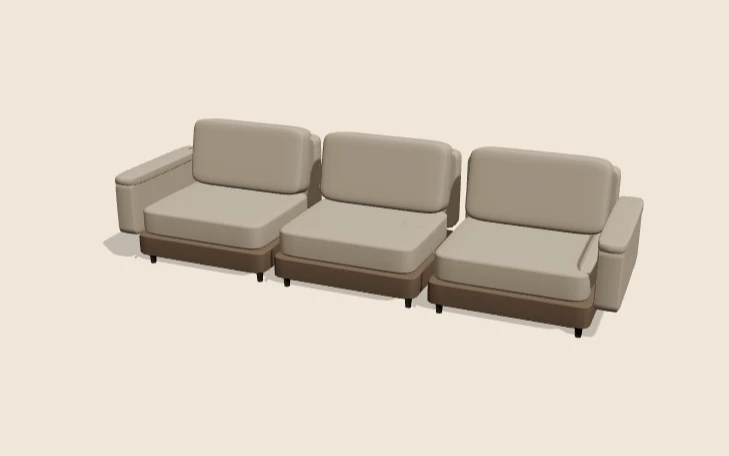 Modular sofa demoA chaise needs at least three seats.
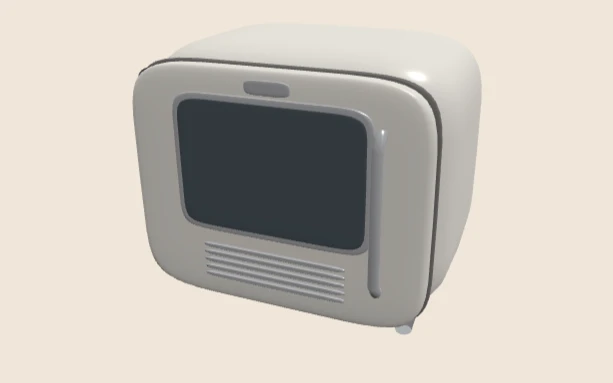 Retro appliance demoOne choice moves the handle to the other side of the door.
 Salon backwash demoA rule that keeps a choice and explains the clash.
 Three.js desk lamp demoA small working example of these ideas.
Read next
- New to the topic? Start with what a product configurator is. It covers 2D, 3D and AR types, and examples by industry.
- For an industry example, see salon furniture websites and configurators.
- Heavy 3D pages can score badly in a lab test but fine for real users, or the reverse. See Lighthouse vs Core Web Vitals.