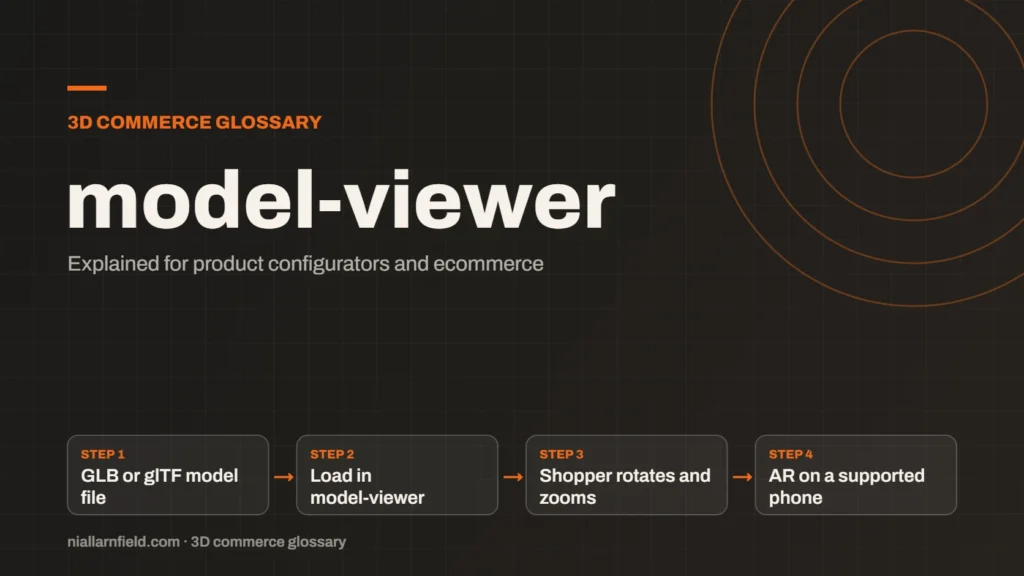
model-viewer is Google’s open-source web component for showing 3D models on a web page. You point it at a GLB or glTF file, and it handles rendering, camera controls and an optional augmented reality (AR) launch.
Discuss your product rangeTry the demos
What model-viewer is and what it is not
The model-viewer element is a custom HTML element, so a web page can use it much like an image or a video. Google builds and maintains it. The project is published under the Apache 2.0 licence, and its source code sits in a public GitHub repository that anyone can read.
Its job is display. It loads a model, lights it and lets the shopper rotate and zoom with a mouse or a finger. It does not decide which options are valid for a product. That logic lives in your own script or in your configurator platform, and the element simply shows the result.
You add it to a page with a script tag or an npm package. The src attribute points at your model file. Models in glTF and GLB format are supported, so the same files covered on what a GLB file is work here without conversion.
- GLB or glTF model file
- Load in model-viewer
- Shopper rotates and zooms
- AR on a supported phone
How it fits a product configurator
When I build a configurator on a product page, model-viewer is often the quickest route to a working 3D view. It gives the shopper a stable, tested viewer without a large engine behind it. That saves development time on simpler products, and it keeps the page light.
Your own code still drives the options that the shopper chooses. When a shopper picks a finish or a size, a script changes what the viewer shows next. The element then redraws the model with the new state. This is the same pattern used by larger viewers, but with much less setup.
A full product configurator with many linked parts, rules and pricing may outgrow the element. Check the scope of the project before you choose a tool, because switching later costs time.
Augmented reality on phones
Add the ar attribute, and the element can show an AR button on supported devices. On Android phones with ARCore, the button uses Chrome’s WebXR support where that is available. If WebXR is not supported, it falls back to Google’s Scene Viewer app. Google’s guide says that the ar-modes attribute controls which path is used, as set out in the ARCore model-viewer guide.
iPhones and iPads use Apple’s AR Quick Look, which needs a USDZ file. You can supply your own with the ios-src attribute, and model-viewer can also try to build one from the glTF when you do not. A hand-made file gives you more control over the result. The USDZ and Quick Look notes explain how Apple’s AR viewer uses that file.
Test AR on a real phone, not only in a desktop browser. A desktop cannot show the AR button in the same way, so a desktop check tells you little about the AR experience.
When I use it, and when I would not
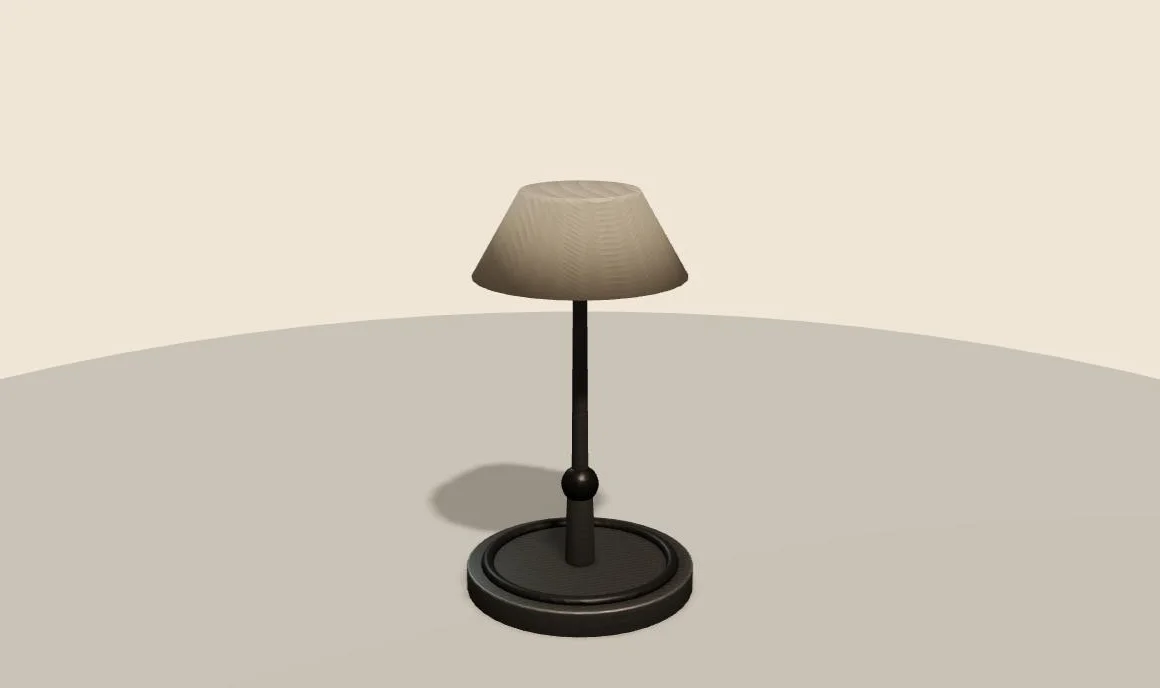
I reach for model-viewer when a product needs one clear 3D view and an AR button. A single lamp, a chair or a pair of shoes fits well. The setup is short, the result is predictable, and the code stays easy to maintain over time.
- Use it for one product, one viewer and a simple set of options.
- Use it when AR is a priority and you want the least amount of code.
- Skip it when you need custom scene logic, many moving parts or a custom render pipeline.
- In that case, a full engine such as Three.js or Babylon.js may suit you better. The comparison on Three.js, Babylon.js and PlayCanvas covers the trade-offs in detail.
Before any launch, I export a GLB and open it in the free GLB viewer. That quick check catches broken materials and oversized files before a shopper ever sees them on a live page.
For a team without a developer on hand, the element is also easier to hand over. Its attributes are simple to read, so a second developer can follow the page without a long handover. That makes it a practical choice for small product ranges.
Common mistakes and limits
The most common mistake is uploading a model straight from a CAD tool. CAD exports often carry very heavy geometry and large textures. The page then loads slowly on a phone, which damages the shopper’s first impression. Optimise the file first, and keep its size in view throughout.
- Never checking how the model looks in Quick Look on a real iPhone.
- Testing only on a desktop, when AR needs a real phone.
- Expecting the element to handle option rules or pricing on its own.
Good results come from a clean model and a clear plan for the options. The element is a viewer, not a configurator, and it works best when you treat it that way.
Related terms
- WebGL: WebGL is a web standard that lets a browser draw 3D graphics on a canvas, using the device's graphics chip.
- WebGPU: WebGPU is the newer web standard for using a device's graphics processor from a browser.
- Three.js: Three.js is a JavaScript library that makes 3D graphics on the web easier to build.
- Babylon.js: Babylon.js is a JavaScript engine for building 3D experiences in the browser.
- Scene Viewer: Scene Viewer is Google's viewer for 3D and augmented reality (AR) models on Android.
- WebXR: WebXR is a web standard for augmented reality (AR) and virtual reality (VR) in the browser, published by the W3C.
- Normal map: A normal map is an image that fakes fine surface detail, such as grooves and small bumps, by changing how light hits a surface.
- Roughness map: A roughness map is a texture that sets how blurry or sharp a surface's reflections look.
- Metalness: Metalness is a physically based rendering (PBR) value that says how much a surface behaves like metal.
- Ambient occlusion: Ambient occlusion is a shading effect that darkens creases, corners and contact points where light struggles to reach.
Browse all the definitions in the 3D commerce glossary.
Common questions
Is model-viewer free to use?
Yes. Google publishes model-viewer as open-source software under the Apache 2.0 licence, so you can use it on commercial sites. Read the licence text in the GitHub repository for the full terms before you build on it.
Which file formats does model-viewer support?
model-viewer supports glTF and GLB files. For AR on iPhone and iPad, Apple’s Quick Look uses USDZ. You can supply your own USDZ file with ios-src. Keep one master source file, then export the GLB and USDZ versions from it.
Does model-viewer work without AR?
Yes. The element displays and rotates a model in any evergreen browser. AR is an extra step that needs a supported Android phone or an iPhone or iPad.
Discuss your product rangeTry the demos
To add one to a WordPress site, see how to embed a 3D viewer in WordPress. On Shopify, see the theme app extension guide.