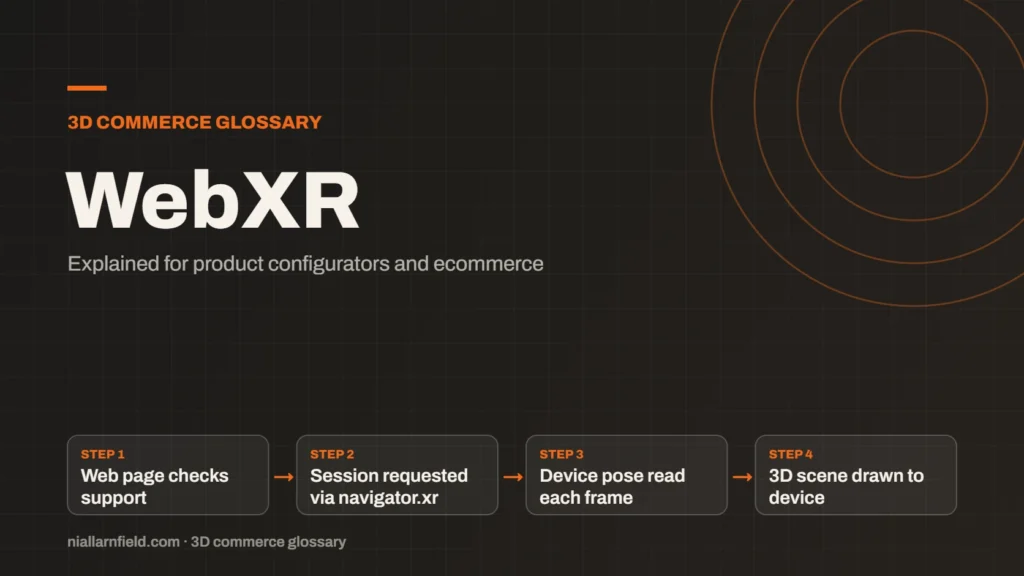
WebXR is a web standard for augmented reality (AR) and virtual reality (VR) in the browser, published by the W3C. It gives a web page access to device tracking, so 3D content can follow the real world.
Discuss your product rangeTry the demos
What the WebXR Device API provides
The WebXR Device API is the core of the standard. It lets a page check whether a session type is supported. The page then requests a session through navigator.xr. The full specification is on the W3C site, maintained by the Immersive Web Working Group.
A session gives the page access to the device’s tracking. On each frame, the page reads the viewer’s position and direction. It then draws the scene from that point of view. Tracked controllers can also be read as input, which is useful in VR but less common in product AR.
Each frame runs inside a loop that the browser drives. Your code should keep that loop light, because heavy work inside the frame callback can make the scene stutter. A shopper notices a stutter at once, and it can make a premium product feel cheap.
- Web page checks support
- Session requested via navigator.xr
- Device pose read each frame
- 3D scene drawn to device
Where the standard stands
The W3C publishes WebXR as a Candidate Recommendation Draft. A draft can still change before it becomes a full W3C Recommendation, so the details may shift.
Browsers adopt the standard at their own pace, and not every feature arrives everywhere at once. Check current support on each platform before you plan a feature. Do not assume that every shopper’s device offers the same capabilities.
For a client, the practical question is simple. Which shoppers can use the feature today, and what do they see if they cannot? Answer that before writing any AR code.
How configurators use WebXR
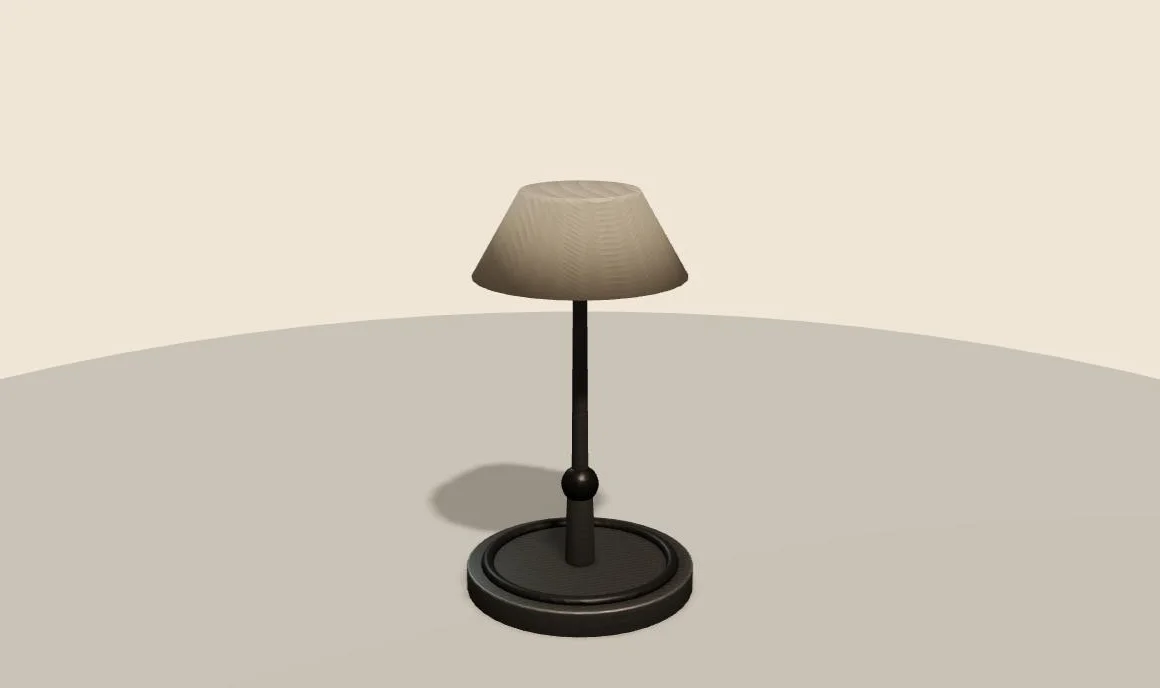
A product configurator can use WebXR to place a product in the shopper’s room. On Android, Chrome can open a WebXR AR session on ARCore-supported devices. The model-viewer component uses this path when its webxr mode is set, so one button can serve many phones.
WebXR is code, not a file. Your page must load the model, start the session and draw the scene each frame. The model file still matters, so use glTF or GLB as the model format, and keep it lean.
When I add WebXR to a configurator, I keep the 3D viewer as the default. The AR session starts only when a shopper asks for it. That keeps the page fast for everyone who never opens AR.
Why you may still need a second path
WebXR does not reach every shopper. Apple’s own AR route is AR Quick Look, which uses USDZ files. The AR Quick Look guide explains that route. Android shoppers may use WebXR or Scene Viewer, depending on the device and the setup.
Plan for at least two paths. Show a fallback 3D view for devices without AR support. This keeps the product usable on every screen. For Shopify stores, the same thinking applies, as covered in Shopify 3D models and AR.
A second path also protects the product page from failure. If an AR session fails to start, the shopper still sees the model and can keep browsing.
What to build first
Start with a plain 3D viewer that works on every browser. Then add a WebXR session as an enhancement. The page should never depend on AR to show the product. Shoppers who cannot open AR still need the price, the options and a clear view of the item.
Keep feature detection in one place. Check support before you show the AR button, and hide the button when the check fails. A clear fallback is far better than an error that a shopper cannot understand or fix.
Test the full sequence from start to finish. Open the page, tap the AR button, grant camera access, place the model and return to the normal page. Each step can fail, and each failure needs a clear message for the shopper.
Common mistakes
- Building for WebXR alone and forgetting shoppers without AR support.
- Starting a session without a clear user action. Sessions usually need a tap first.
- Ignoring performance. Phones have less processing power than desktops.
- Asking for camera access without first explaining why the camera is needed. Shoppers are far more likely to agree when the reason is clear.
- Forgetting that AR depends on the device’s sensors. Lighting, floor texture and movement can all affect tracking, so test in a real room.
Test every AR path on real devices before you launch the feature. A path that works on a laptop may still fail on a mid-range phone.
Related terms
- Scene Viewer: Scene Viewer is Google's viewer for 3D and augmented reality (AR) models on Android.
- Metalness: Metalness is a physically based rendering (PBR) value that says how much a surface behaves like metal.
- Ambient occlusion: Ambient occlusion is a shading effect that darkens creases, corners and contact points where light struggles to reach.
- UV mapping: UV mapping is the process of unwrapping a 3D model's surface onto a flat 2D plane.
- Texture atlas: A texture atlas is one image that holds several smaller textures.
- Level of detail (LOD): Level of detail, or LOD, means keeping several versions of the same model at different polygon counts.
- Draw calls: A draw call is a request from the CPU to the GPU to draw one mesh with one material.
- Instancing: GPU instancing draws many copies of one mesh in a single draw call.
- Rules engine: A rules engine is the logic inside a product configurator that decides which option combinations are allowed.
- CPQ: CPQ stands for configure, price and quote.
Browse all the definitions in the 3D commerce glossary.
Common questions
Is WebXR the same as AR?
No. AR is a kind of experience. WebXR is the standard that lets a browser offer AR and VR. It covers tracking, sessions and drawing. It does not supply the model itself, so your 3D file still needs careful preparation before it reaches the shopper.
Which browsers support WebXR?
Support varies by browser and device. According to Google’s model-viewer documentation, Chrome on ARCore-supported Android phones can run WebXR AR. Check current support tables for each browser you target, because they change over time.
Do I need WebXR for a product configurator?
Not always. A 3D viewer on the page may be enough for many shoppers. Add WebXR when your customers want to see products in their own space. Start with a strong viewer, then add AR as an extra layer on top.