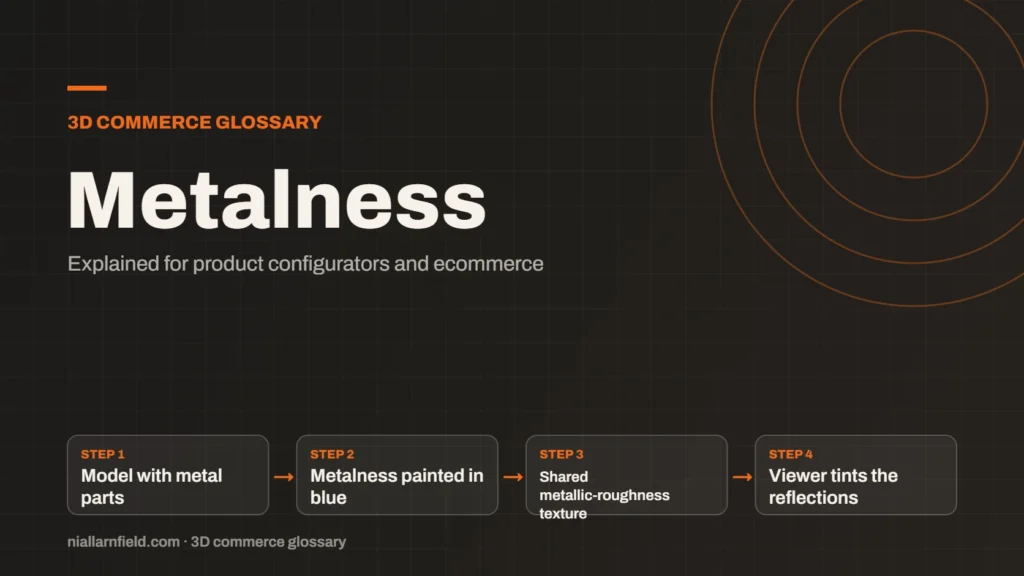
Metalness is a physically based rendering (PBR) value that says how much a surface behaves like metal. A metalness map stores that value per pixel, so one material can be metal in some places and not others.
Discuss your product rangeTry the demos
What metalness controls
Metals tint their reflections with their own colour, and they have no diffuse colour of their own. Non-metal surfaces such as plastic, wood or paint do the opposite, and they scatter light under their surface. The Khronos PBR guide describes this split as the choice between raw metal and a non-metallic, or dielectric, surface.
In glTF, metalness runs from 0 for non-metal to 1 for metal. Values in between suit transitions, such as dirt or corrosion on a metal surface. Most products use values close to the two ends, because most real surfaces are either metal or not.
Metalness is one of the standard inputs in my PBR guide, alongside roughness and the base colour. Together they describe how a surface reflects light, and each one answers a different question about the material.
- Model with metal parts
- Metalness painted in blue
- Shared metallic-roughness texture
- Viewer tints the reflections
How a metalness map is stored
A metalness map is a texture whose blue channel holds the value for each pixel. In glTF 2.0, that channel sits in the same texture as roughness, and the combined texture is called the metallic-roughness texture. Packing both values together means the viewer reads one texture instead of two.
three.js reads the same channel through its metalnessMap setting. The documentation says the blue channel alters metalness, and the map must use non-colour data. If you also set a scalar metalness value, the two multiply, so the result can fall below the map.
So set the number to 1 when you rely on the map. That way the map alone decides the value at each pixel. A number below 1 dims the whole map, which is rarely what you want for a finish that already varies.
Why metalness matters for configurators
Metal finishes are a common option in product configurators. Brushed steel, chrome and gold all look different from paint and from plastic. Getting metalness wrong makes a steel handle look like plastic, and a shopper notices straight away.
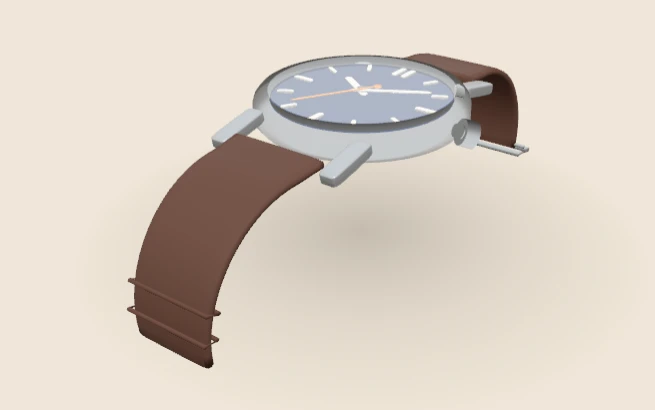
The WebGPU watch on my demos page offers case metal in Steel, Gold or Black DLC. Choosing between metal finishes is a clear example of this value at work. Each option needs its own correct reflection, or the shopper sees a fake finish.
- Pure metal and pure plastic need values at the ends of the range, 0 or 1.
- Use a map when wear reveals bare metal under a painted or coated surface.
- Keep the map at its real values, and do not guess a metal look by eye.
My product configurator work follows the same rule for every option. Each finish gets values that match the real material, not the closest-looking guess. That discipline keeps the page honest and the swatches consistent.
Common mistakes with metalness
The most frequent mistake is setting a mid-grey value on everything. A half-metal setting often looks muddy, and it rarely matches a real surface. Most real surfaces are either metal or not, so the value should usually sit at one end.
- Mixing up metalness and roughness. Metalness changes whether light is tinted, while roughness changes how blurred it is.
- Loading the map as colour. Like the other maps, metalness is non-colour data and should be loaded that way.
- Ignoring the scalar value. A metalness number and a map multiply together, so the result can be darker than you expect.
Test under a real environment light as well. Metal reads almost entirely by reflection, so lighting errors show up quickly. Checking a metal part against a plain grey backdrop is a quick way to spot a fault. A metal part that looks black in the viewer usually has nothing to reflect.
Limits of metalness maps
A metalness map cannot make a surface reflect what is not there. Metal needs an environment to reflect, such as a lighting setup or an HDR image. Without one, a metal part can look dark and dead, even with a correct map.
Real metal finishes are more complicated than a single value. Lacquer and clear coats sit on top of the base metal, and they change how it reflects. A single value simplifies those layers, and that is a fair trade for most product work.
I test each finish in the target viewer, because support for extra layers varies between engines. A finish that looks right in one viewer may need a simpler setting in another. Testing early saves rework later in the project.
Related terms
- Normal map: A normal map is an image that fakes fine surface detail, such as grooves and small bumps, by changing how light hits a surface.
- Roughness map: A roughness map is a texture that sets how blurry or sharp a surface's reflections look.
- Ambient occlusion: Ambient occlusion is a shading effect that darkens creases, corners and contact points where light struggles to reach.
- UV mapping: UV mapping is the process of unwrapping a 3D model's surface onto a flat 2D plane.
- CPQ: CPQ stands for configure, price and quote.
- SKU explosion: SKU explosion happens when every combination of options becomes its own stock item.
- Line-item properties: Line-item properties are custom key and value pairs attached to one item in a Shopify cart or order.
- Product variants: Product variants are versions of one product, such as a size or a colour.
- Parametric models: A parametric model is a 3D model defined by dimensions and rules rather than fixed geometry.
- 3D asset pipeline: A 3D asset pipeline is the set of steps that turns source files into models a web viewer can load.
Browse all the definitions in the 3D commerce glossary.
Common questions
What is metalness in a 3D material?
Metalness is a value from 0 to 1 that says how metal-like a surface behaves. Metal tints its reflections and has no diffuse colour of its own. Non-metal surfaces scatter light under their surface, which gives a painted or plastic look.
What is the difference between a metalness map and a base colour?
The base colour is the tint of the surface. Metalness decides how that tint behaves when light hits it. A brass handle needs a brass-coloured base and a high metalness value, and setting only one of them gives the wrong finish.
Should metalness be 0 or 1 for most products?
Most products use values at the ends of the range. Plastic, paint and fabric sit near 0, and solid metal parts sit near 1. Mid values suit worn edges and transitions, and they usually need a map to look right.