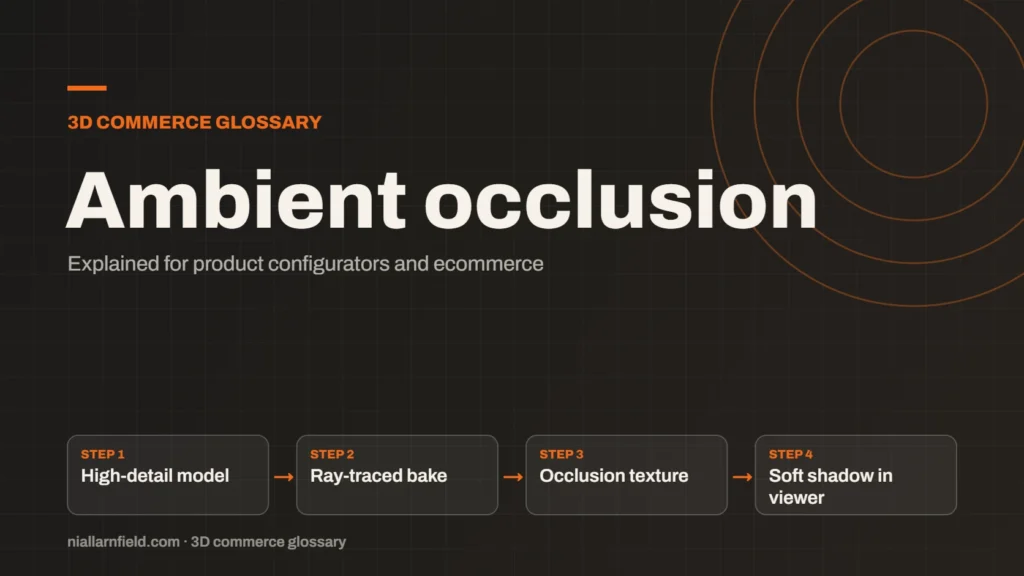
Ambient occlusion is a shading effect that darkens creases, corners and contact points where light struggles to reach. It adds soft shadows that make a model feel grounded. In a configurator, it is usually baked into a texture.
Discuss your product rangeTry the demos
What ambient occlusion shows
Light in a room reaches a surface from many directions at once. Parts that are hidden from much of that light look darker than open surfaces. The inside of a seam, where two parts meet, is one example. An open flat face is another, and it stays bright.
The Khronos PBR guide describes ambient occlusion as soft shadowing in crevices and where parts of a model intersect. It recommends baking the effect with a ray-traced renderer and storing it in an occlusion texture. That is the approach I follow for product models.
Occlusion is one of the standard maps in my PBR guide. It works alongside the base colour, normal and roughness maps. Each one adds a different kind of detail, and none of them replaces the others. Shoppers rarely notice one missing map on its own, but they notice when several are absent.
- High-detail model
- Ray-traced bake
- Occlusion texture
- Soft shadow in viewer
How ambient occlusion is baked
Baking means calculating the shadows once, ahead of time, and saving them as a texture. The viewer then reads the result, so it does little work at runtime. The bake usually comes from a high-detail model using a ray-traced tool.
In glTF 2.0, occlusion sits in the red channel of its texture. three.js reads it through the aoMap setting of its standard material. Check which UV set your export uses before you assign the map, or the shadows can land on the wrong parts.
The bake should stay subtle. A strong occlusion pass makes a clean product look dirty, and shoppers notice that straight away. Set the strength so the shadows support the form without drawing attention to themselves. Bake resolution matters too. A higher resolution gives crisper creases, but it costs more memory and a bigger download. A small contact shadow usually needs a modest size, so I match the size to how large the part appears on the page.
Why configurators gain from it
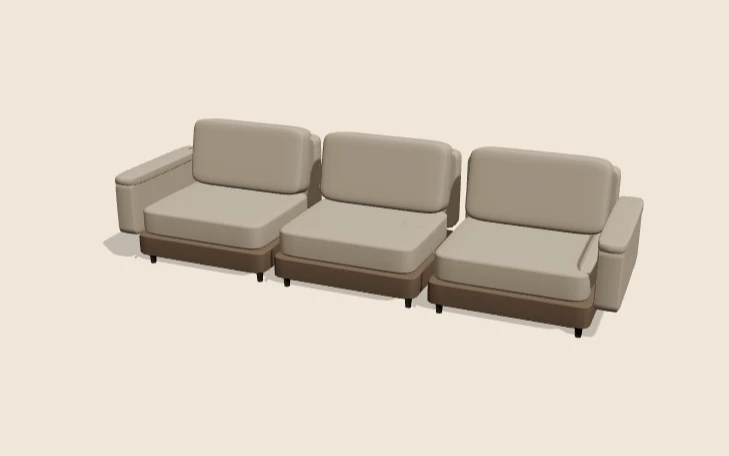
A product with many parts looks flat without occlusion. Seams, handles and joints appear to float on the surface. A soft contact shadow places the object in its space and makes its parts read as one piece.
This matters on the product page, where a shopper compares options at a glance. Baked occlusion gives a grounded look without a live shadow for every option, so the page stays quick.
- Baked occlusion adds one texture and very little runtime work.
- Contact shadows make models look placed in their space, not floating.
- One bake can serve several colour options that share the same shape.
When I prepare a model, I bake occlusion once and reuse it across colour variants. I explain the wider model preparation in my guide to 3D models for product configurators. This approach is part of how I build a product configurator that stays clear.
Common mistakes with ambient occlusion
The biggest mistake is treating occlusion as a real shadow. It does not move when the light moves, and it does not cast a shadow onto other objects. A light placed in a better spot will not fix a poor bake.
- Using the wrong UV set. A map on the wrong set lands in the wrong place, so shadows appear on the wrong parts.
- Over-darkening. three.js exposes aoMapIntensity, which scales the effect from 0 to 1. Turn it down before you accept a heavy bake.
- Baking from a messy source. Stray geometry or overlapping parts create dark blotches that are hard to remove later.
Also check the colour space. Like the other maps, occlusion is non-colour data. Loading it as colour darkens the wrong areas, and the error can be hard to spot by eye.
Limits of baked occlusion
Baked occlusion is static. It cannot respond to a moving light, a new background or a moved part. If the scene changes, the shadows stay where they were baked, which can look wrong.
It also works best on fixed poses. For an object that rotates or opens, the bake may look wrong from some angles. Real-time occlusion can adapt to change, but it costs far more to run on every frame.
I test the model from the views a shopper can reach. Where parts move, I either bake each state or accept a simpler look. A slightly flat finish is better than a shadow in the wrong place. Where a shopper can rotate the product, I also check the underside. Hidden creases can look too dark once the model is turned, and a quick test catches them.
Related terms
- Normal map: A normal map is an image that fakes fine surface detail, such as grooves and small bumps, by changing how light hits a surface.
- Roughness map: A roughness map is a texture that sets how blurry or sharp a surface's reflections look.
- Metalness: Metalness is a physically based rendering (PBR) value that says how much a surface behaves like metal.
- UV mapping: UV mapping is the process of unwrapping a 3D model's surface onto a flat 2D plane.
- Digital twin: In a product configurator, a digital twin usually means a 3D model that matches a real product's shape, materials and options.
- Configurator embed: A configurator embed is how a 3D configurator appears inside another website.
- glTF: glTF is an open standard for 3D models, maintained by the Khronos Group.
- KTX2 textures: KTX2 is a container format for textures, the images that give 3D surfaces their colour and detail.
- Draco compression: Draco is an open-source compression library from Google for 3D mesh data.
- Meshopt compression: Meshopt compression shrinks glTF geometry, morph targets and animation data.
Browse all the definitions in the 3D commerce glossary.
Common questions
What is ambient occlusion in 3D?
Ambient occlusion is a soft shading effect. It darkens creases and corners that receive less light from their surroundings. It adds depth to a model, but it is not a real cast shadow from a light source.
Is ambient occlusion the same as a shadow?
No. A shadow comes from a light that an object blocks. Ambient occlusion shows how much surrounding light a point can reach. Baked occlusion stays fixed, even when the lights in the scene change.
Does ambient occlusion slow a product page down?
A baked occlusion map adds one texture to download and read. Real-time occlusion calculations add work on every frame. For most product pages, a baked map is the lighter and more predictable choice.