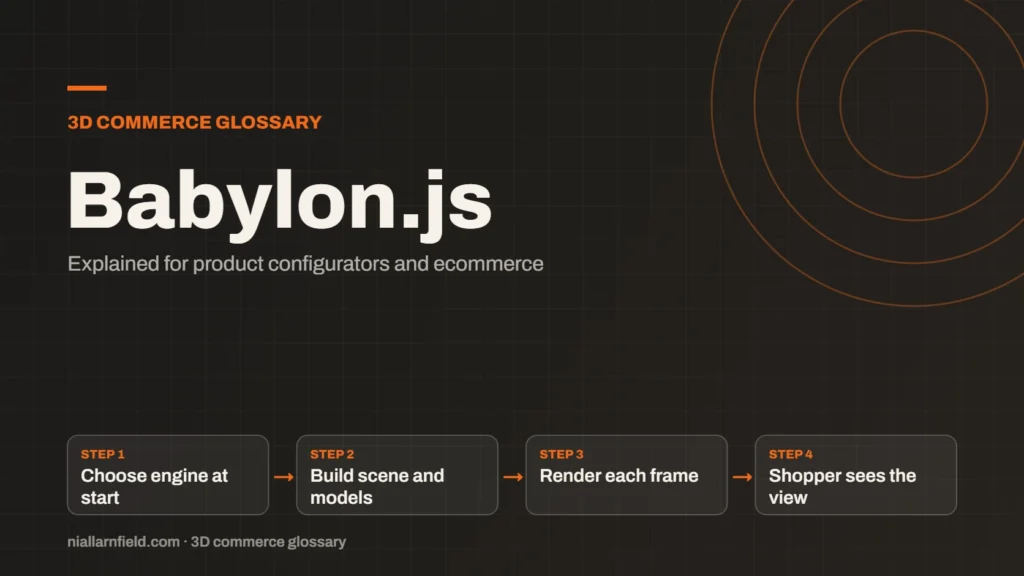
Babylon.js is a JavaScript engine for building 3D experiences in the browser. It can render with WebGL or WebGPU, and it suits interactive 3D scenes.
Discuss your product rangeTry the demos
What Babylon.js covers
Babylon.js is a full 3D engine for the web. An engine goes further than a library. It covers rendering, scenes, cameras, materials and input, and it gives you tools for building a complete experience. Developers use it for 3D web games and interactive experiences. It suits teams that want a complete toolkit, rather than a set of separate parts to assemble and maintain.
The project publishes a large set of documentation, and its pages describe engine setup, support for each renderer and the features you can use. That makes it easier for a team to move from a first test to a working viewer.
The engine also includes features that suit product scenes. Physically based materials model how light reacts to real surfaces, which helps metal and fabric look right. Cameras can orbit a product, and input can respond to clicks and touches. Those basics cover much of what a viewer needs, and you can check exported files in the free GLB viewer before they reach the scene. It opens GLB and self-contained glTF files locally in the browser, so you can spot problems early.
- Choose engine at start
- Build scene and models
- Render each frame
- Shopper sees the view
How Babylon.js handles WebGPU
Babylon.js has supported WebGPU since version 5.0. You opt in by creating a WebGPUEngine and calling its initAsync method. The engine is chosen when the app starts. Make that choice before you create the scene and its resources. The choice is also visible in the code, so a reviewer can see which route a build will take.
WebGL and WebGPU are supported side by side. Babylon.js does not present WebGPU as the only route. For a shop, this matters, because your viewer must work on many kinds of device. Plan the start-up code so the right engine is chosen every time. Keeping both routes working is a small ongoing cost, and it is worth paying for a wider audience.
Because the engine is set at start-up, your loading code must be clear. Create the engine, confirm that it started, and only then build the scene. If the start fails, show a plain message and offer a simpler view. That stops the shopper from seeing an empty page.
Why Babylon.js suits some configurators
Babylon.js includes a strong set of built-in tools for materials, cameras and interaction. A configurator that needs detailed lighting, reflections or many interactive parts can benefit from that. The built-in tools may save custom code that you would otherwise write yourself. Those tools can also give a designer clearer controls, which can cut back on small requests to the developer.
When you compare engines, look at the whole job. Check the model pipeline, the team’s skills and how you will handle mobile devices. For a side-by-side view, read my comparison of Three.js, Babylon.js and PlayCanvas. It covers the trade-offs in more detail.
For how a viewer fits into a wider shop, see my product configurator service. A small, rotating product view may not need a full engine at all. Weigh the size of the engine against the features you will really use. For a small team, a focused toolset can be the better choice.
Practical advice for a Babylon.js build
Decide on the engine early. Switching later means rewriting the start-up code and checking every material. Test both the WebGL and WebGPU paths on your target devices. Record which engine each visitor gets, so bugs are easier to trace. A short decision note in your project will help the next developer understand the choice.
- Set the engine choice in one place in your code.
- Use compressed textures sized for the viewer.
- Check the feature list for your engine version before you design a material.
- Test the fallback path on a device that lacks WebGPU.
Plan your asset pipeline before you model. Decide which file format you will export, how textures are named and how large each texture may be. Agreeing these rules early saves rework when a new product arrives.
Common mistakes and limits
A frequent mistake is adding every feature because the engine offers it. The engine offers a great deal, so a short list of required features is a useful first step. Each feature adds weight and testing work. Pick the effects that help the shopper decide, such as accurate colour and clear detail, and leave out the rest. Each extra feature is also one more thing a shopper’s device must handle.
Also check WebGPU support for each feature you want. Some features can be ready on one route before the other. Read the engine’s notes before you commit a feature to a live shop. Keep a short list of those gaps, and review it before each release.
Watch for version changes. A new major release can change how materials or cameras behave. Read the breaking-changes notes before an upgrade, and test a staging copy of the viewer first. A live shop should never be the first place a new version runs.
Related terms
- WebGL: WebGL is a web standard that lets a browser draw 3D graphics on a canvas, using the device's graphics chip.
- WebGPU: WebGPU is the newer web standard for using a device's graphics processor from a browser.
- Three.js: Three.js is a JavaScript library that makes 3D graphics on the web easier to build.
- PlayCanvas: PlayCanvas is an open-source 3D engine written in JavaScript, with its own visual editor.
- Baked lighting: Baked lighting calculates light ahead of time and stores the result in a texture, called a lightmap.
- Tone mapping: Tone mapping converts the wide range of light values in a 3D scene into the narrower range a screen can show.
- Environment map: An environment map is an image of the surroundings that a 3D scene uses for lighting and reflections.
- Rules engine: A rules engine is the logic inside a product configurator that decides which option combinations are allowed.
- CPQ: CPQ stands for configure, price and quote.
- SKU explosion: SKU explosion happens when every combination of options becomes its own stock item.
Browse all the definitions in the 3D commerce glossary.
Common questions
Is Babylon.js better than Three.js?
Neither is better in every case. Babylon.js is a full engine with many built-in tools. Three.js is a lighter library that leaves more choices to you. Choose by the scene, the team and how much you want to build yourself.
Does Babylon.js use WebGL?
Yes. Babylon.js supports WebGL, and it also supports WebGPU. You choose the engine when the app starts. Both routes are supported side by side, so you can plan for either one.
Is Babylon.js only for games?
No. Babylon.js is known for 3D web games, but it also builds interactive web experiences. Product viewers and configurators can use it too. Start with the features your scene needs, not the kind of project the engine is known for.