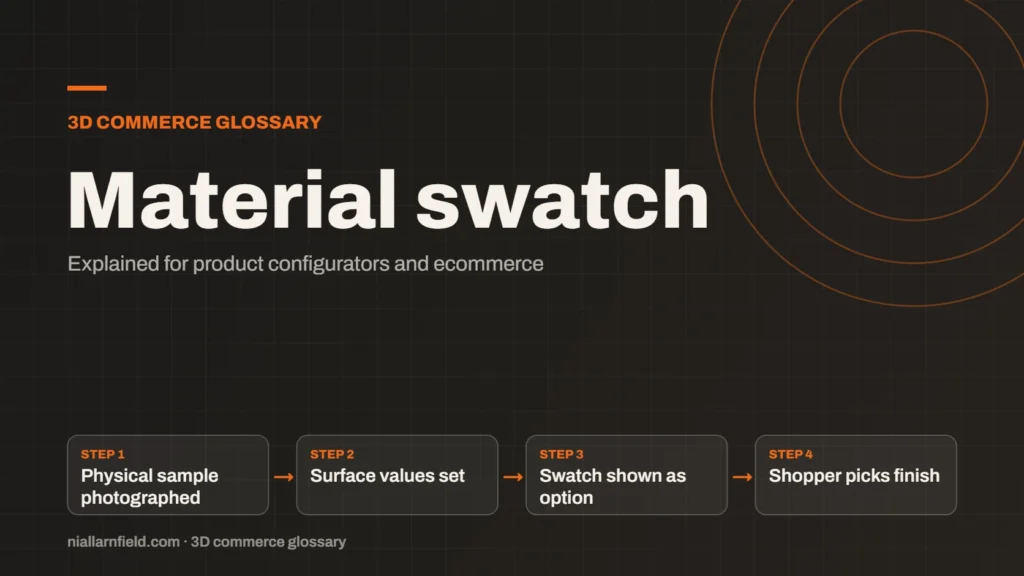
A material swatch is a sample of a finish, such as fabric, leather or metal, shown as a choice in a configurator. It lets a shopper pick a finish before buying. The screen colour only approximates the real sample.
Discuss your product rangeTry the demos
What a swatch does in a configurator
In a configurator, a swatch is the tile or dot a shopper clicks to change a finish. Behind it sits a material, made up of a colour, a texture and surface values such as roughness and metalness. The swatch is the picture of that material, and the model updates when the shopper chooses it.
Swatches make options easy to scan. A shopper can compare several fabrics in one row without reading a long list of names. The swatch also tells the shopper what the choice looks like before the model changes, which saves a second guess.
The three.js desk lamp on my demos page offers shade colours Linen, Ink and Coral. Each one is a simple choice of this kind, and the lamp shows the result at once. That instant feedback is what a good swatch should give a shopper.
- Physical sample photographed
- Surface values set
- Swatch shown as option
- Shopper picks finish
How swatches match physical samples
Most manufacturers already have physical samples in the showroom or the sample library. A swatch should match one of those samples as closely as the screen allows. I start by asking for a sample of each finish, and then I photograph it under the same light each time.
The screen colour is tuned to match that reference, not the fabric a shopper holds in their hand. Textures such as weave or grain need their own maps, because a flat colour cannot show the weave of a tweed. However carefully the colour is matched, the texture still needs its own work.
Materials like these use the surface values covered in my PBR guide. Roughness and metalness shape how the swatch catches light, so a matte fabric and a satin one differ on screen. Getting those values right matters as much as getting the colour right.
Why swatches matter for buying decisions
A shopper who cannot touch a sample relies entirely on the screen. A poor swatch can lead to disappointment after delivery, and disappointment is costly for both sides. Clear, accurate swatches build trust in the choice before the order is placed.
Swatches also connect to the rules of the configurator. A fabric may only come in some sizes, and the rules check that before the choice is offered. I design swatches with those limits in mind, so a shopper is less likely to pick a finish the factory cannot make.
- Use a physical sample as the reference, not a web image found online.
- Show a clear name next to each swatch, such as Oak or Navy, so shoppers can compare them.
- Show texture on textured finishes, rather than a flat colour that hides the real look.
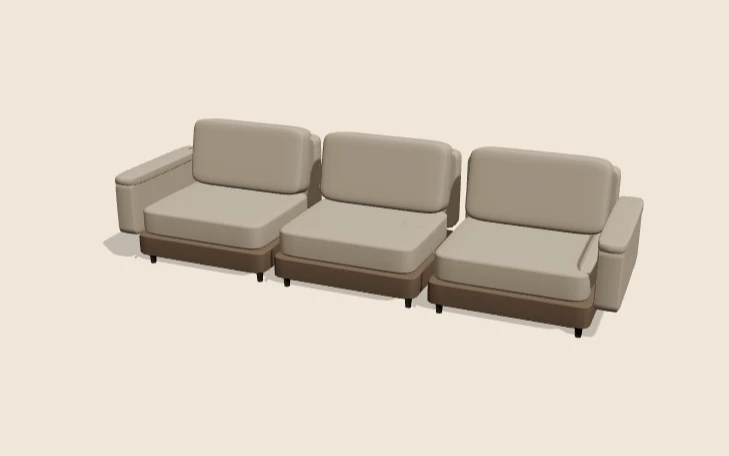
Furniture is where swatches matter most. My furniture configurator guide covers this in more detail, including how options interact. The product configurator service page explains how I set up the options themselves.
Colour accuracy and its limits
Screens cannot show every colour a physical sample can. The display sets the limit, and that limit varies between devices. The CSS color-gamut media feature reports whether a screen supports approximately sRGB, Display P3 or the wider Rec.2020 range.
Brightness, calibration and room lighting also change what a shopper sees. Two phones can show the same swatch differently, even when both are set up correctly. A swatch is a guide, not a promise, so the page should say so in plain words.
- State that screens vary, and offer a physical sample on request.
- Test vivid colours on both standard and wide-gamut screens before you publish.
- Use names that describe the finish, not just the colour, so the name carries meaning.
Limits of the on-screen swatch
A swatch can only show what the viewer can render. Fine weave, stitching and sheen take more work than a flat tile does. Some finishes look correct only under lights that the viewer does not control, and that is hard to fix. That is why I run the final test on the real device, not only in the editor.
I treat the swatch as a shop window and the physical sample as the proof. I test each finish across the devices a shopper will use. Where a colour is critical, I suggest the shopper orders a sample before they commit.
Swatch quality is a balance between accuracy and speed. Larger textures improve detail, but they slow the page down on a phone. I choose a texture size that looks right on a small screen and still loads quickly.
Related terms
- Normal map: A normal map is an image that fakes fine surface detail, such as grooves and small bumps, by changing how light hits a surface.
- Roughness map: A roughness map is a texture that sets how blurry or sharp a surface's reflections look.
- Metalness: Metalness is a physically based rendering (PBR) value that says how much a surface behaves like metal.
- Ambient occlusion: Ambient occlusion is a shading effect that darkens creases, corners and contact points where light struggles to reach.
- Babylon.js: Babylon.js is a JavaScript engine for building 3D experiences in the browser.
- PlayCanvas: PlayCanvas is an open-source 3D engine written in JavaScript, with its own visual editor.
- React Three Fiber: React Three Fiber is a React renderer for Three.js.
- model-viewer: model-viewer is Google's open-source web component for showing 3D models on a web page.
- Texture atlas: A texture atlas is one image that holds several smaller textures.
- Level of detail (LOD): Level of detail, or LOD, means keeping several versions of the same model at different polygon counts.
Browse all the definitions in the 3D commerce glossary.
Common questions
What is a material swatch in a 3D configurator?
A material swatch is a clickable sample of a finish, such as a fabric, leather or metal. Each swatch links to a material on the 3D model. Choosing it changes the surface on screen straight away, so the shopper sees the result at once.
Will the colour on screen match the real product?
Only roughly. Screens differ in colour range, brightness and calibration, so the match will never be exact. A swatch is a guide, so say that on the page and offer a physical sample where the colour matters most.
How do I make swatches match physical samples?
Start with a physical sample photographed under steady light. Tune the screen colour to that reference, then add texture maps for weave or grain. Check the result on several devices before you publish the swatch.