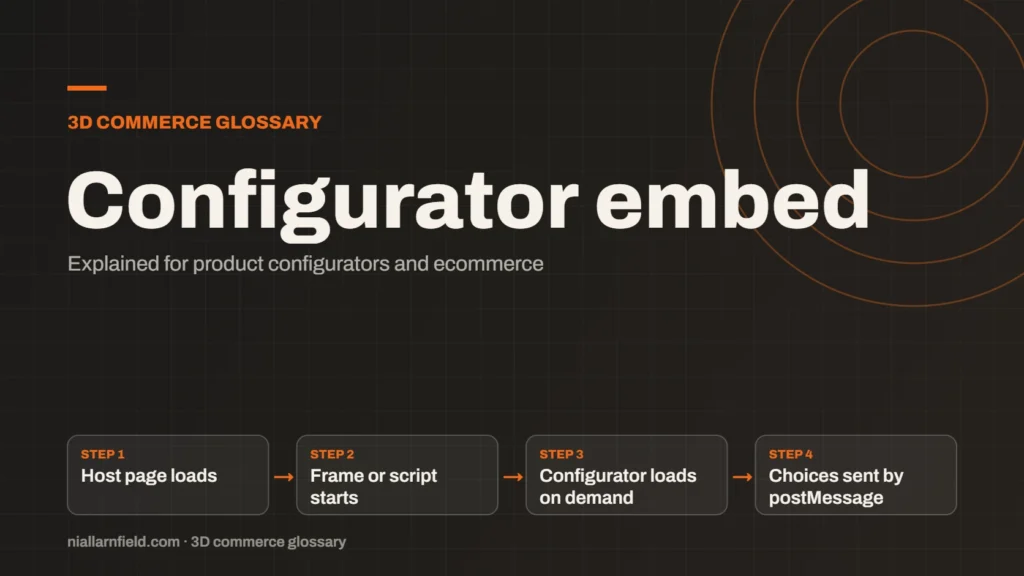
A configurator embed is how a 3D configurator appears inside another website. It is usually an iframe that loads the configurator from its own address, or a script that draws it directly on the host page.
Discuss your product rangeTry the demos
Iframe or script: the two main embed types
An iframe embeds a separate web page inside your page. The configurator runs in its own frame, so its styles and scripts stay apart from your theme. That isolation makes the embed easier to update. The MDN iframe reference describes the attributes you can set.
A script embed runs on the host page itself. It can share layout and styling with your site, which can feel more native. It also carries more risk. Theme CSS and other scripts can clash with it, and updates may touch the host site.
Choose by control and risk. An iframe suits a configurator you want kept apart from the host site. A script suits a tightly branded build where the host team owns both sides. Either way, keep the embed code in one place, so updates happen once.
- Host page loads
- Frame or script starts
- Configurator loads on demand
- Choices sent by postMessage
Talking across the frame with postMessage
An iframe on another origin cannot read the parent page directly. The window.postMessage method solves that. Each side sends messages, and the receiver decides what to accept. The MDN postMessage reference describes the details.
Use it to pass data both ways. The host page can send a product code or a starting configuration. The configurator can send back the chosen options, the total or a build code. The host page can then show the total without a page reload.
- Always check the origin of each incoming message before you use it.
- Use a specific target origin, not a wildcard, when the data matters.
- Validate the shape of the data, even when it comes from a trusted site.
Treat every message as untrusted input. A short check costs little. A missing check can let a broken page feed bad data into your basket or your quote.
Loading on demand
A 3D configurator can be heavy. Do not load it until the customer needs it. The iframe loading attribute can help. The default is eager, which loads the frame straight away. Set it to lazy and the browser waits until the frame nears the screen.
Lazy loading only applies when JavaScript is enabled, so test both states. For a heavy scene, you can also load the 3D files after a Customise button press. The customer sees a static image first, and the model loads only on request.
Measure before and after. Check how long the first useful view takes on a phone with a mid-range processor. A fast desktop hides problems that a phone shows at once. Also check the page with the embed switched off, to see the baseline.

How I set up an embed
When I set up an embed, I give the frame a fixed height. That stops the page jumping as the scene loads. I also add a title attribute, so screen readers can announce the frame.
I keep the embed address stable. A changing address breaks any links to the configurator from product pages. It also makes caching and testing harder. Old links keep working, and your analytics stay consistent.
Platform choice shapes the embed. The BigCommerce and WordPress guide covers those routes. If you want an embed built, the product configurator page explains what I offer. The demos show the 3D work I build.
Common mistakes
- Using a wildcard target origin for data that matters.
- Skipping the origin check on incoming messages.
- Combining allow-scripts and allow-same-origin in the sandbox attribute for same-origin content. MDN strongly discourages that pairing.
- Putting the whole product story inside the frame, where search engines may not read it fully.
A good embed feels like part of the page. It loads quickly, sends clean data and keeps the key product text on the host page. Test each of these before launch, not after.
Testing the embed before launch
Before launch, I test the embed on real devices. The checks below catch most problems that customers would otherwise find first.
- Load the page on a phone with a slow connection.
- Choose a configuration and confirm the host page receives it.
- Send a message from an unknown origin and confirm it is ignored.
- Turn off JavaScript and check the fallback content.
Related terms
- Rules engine: A rules engine is the logic inside a product configurator that decides which option combinations are allowed.
- CPQ: CPQ stands for configure, price and quote.
- SKU explosion: SKU explosion happens when every combination of options becomes its own stock item.
- Line-item properties: Line-item properties are custom key and value pairs attached to one item in a Shopify cart or order.
- HDRI lighting: HDRI lighting uses a high dynamic range image of an environment to light a 3D scene.
- Scene Viewer: Scene Viewer is Google's viewer for 3D and augmented reality (AR) models on Android.
- WebXR: WebXR is a web standard for augmented reality (AR) and virtual reality (VR) in the browser, published by the W3C.
- WebGL: WebGL is a web standard that lets a browser draw 3D graphics on a canvas, using the device's graphics chip.
- WebGPU: WebGPU is the newer web standard for using a device's graphics processor from a browser.
- Three.js: Three.js is a JavaScript library that makes 3D graphics on the web easier to build.
Browse all the definitions in the 3D commerce glossary.
Common questions
Is an iframe embed bad for SEO?
Not automatically. The problem comes from relying on the frame for your key text. Search engines may treat frame content separately from your page. Put the product description, specification and price on the host page as well, so the key facts are always visible.
Should I lazy load the configurator embed?
Usually, yes, when the embed sits below the fold. The browser waits until the frame nears the screen. Test on a phone and a slow connection, because the cost of a heavy scene shows most there, and it is the first thing customers notice.
Can the host page read the configurator’s choices?
Yes, if the configurator sends them with postMessage. The host page must check the origin, then validate the data shape before it uses any value. Never trust incoming data just because it arrives from a frame you own. Keep that check short and easy to review.