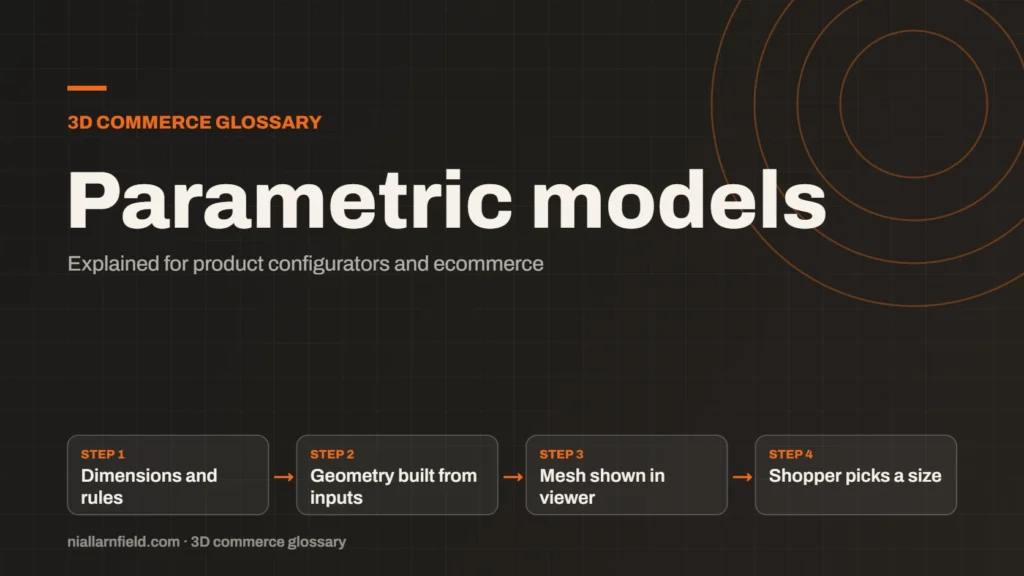
A parametric model is a 3D model defined by dimensions and rules rather than fixed geometry. Change a value, such as width or height, and the shape updates. In a configurator, one model can cover many sizes without a separate file for each.
Discuss your product rangeTry the demos
Fixed meshes compared with parametric models
Most 3D files store a fixed mesh. Every vertex in the mesh has a set position in space. A GLB file is a container for those meshes, along with their materials and textures, as the glTF 2.0 specification describes. The file itself does not hold the rules that produced the shape.
A parametric model keeps those rules. Width, height, depth and corner radius become inputs to the model. Code builds or adjusts the geometry when a value changes. The shopper sees the new size on screen without anyone exporting a new file.
This difference matters for a configurator. A fixed mesh gives one shape. A parametric model gives a family of shapes from one source, which is why it suits products sold to measure. Think of the difference as a recipe compared with a finished cake. A fixed mesh is the finished cake, and it can only be one size. A parametric model is the recipe, and it can be scaled up or down with care. Changing one rule then updates every size at once, which is faster than editing many files.
- Dimensions and rules
- Geometry built from inputs
- Mesh shown in viewer
- Shopper picks a size
Where parametric models suit a configurator
Made-to-measure products are the clearest case. A sofa, a shelf or a window frame can come in many sizes, and each size changes the proportions. Exporting a separate file for each size becomes expensive quickly, both in production time and in storage.
Parametric control keeps proportions correct and cuts the file count. For example, a shelf offered in 40 widths and 5 heights would need 200 separate exports if every combination were stored. A parametric model needs one source and a clear set of rules instead.
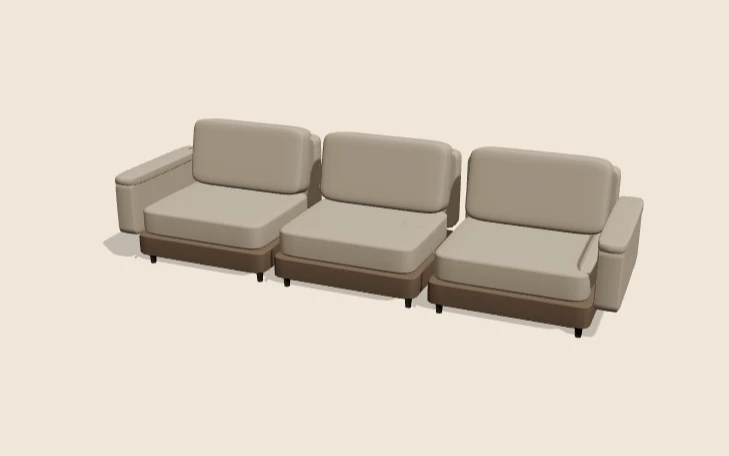
Rules also sit in code, not in the geometry. The modular sofa demo has a rule of this kind: a chaise needs at least three seats. Parametric models also help with product data. When a size is generated rather than stored, the product data can list the valid range. The shopper sees a size that exists, not a file that might be out of date.
What I do before building one
When I plan a parametric model, I start with the customer’s real choices. A model with too many inputs is hard to use and even harder to test. I keep the set small and clear, and I remove any input that does not change the buying decision.
- Decide which dimensions the customer really needs to change.
- Keep the number of parameters small, so the options stay understandable.
- Test the smallest and largest sizes for broken joints or overlapping parts.
- Store the rules next to the product data, so the front end and back end agree.
Document each rule in plain language as well as in code. The person who updates the product next year will thank you for it.
I also prefer to limit the range of each input. For example, a width limited to 600 to 1,200 millimetres is clearer than an open number field. Limits make the model safer to build and easier for the shopper to understand.
I keep parameters in the units the team already uses. If the factory works in millimetres, the model should too. Mixing units is a common source of errors, and those errors often appear only at the largest or smallest size.
Limits and common mistakes
Parametric models take longer to set up than one static file. They also need code that runs in the browser or on a server, and that code needs tests. For a product with few, fixed options, prepared variants are often cheaper and simpler to maintain. Parametric is not always the right answer.
A common error is a model that looks right at one size and breaks at another. Text may overlap, or a panel may pass through its neighbour at the largest setting. Test the full range before launch, not just the default size. The made-to-measure configurator guide covers that testing in more depth.
Plan for maintenance too. Someone must update the rules when the product range changes, so write them down clearly. A rule that only one developer understands becomes a risk once that developer moves on. The product configurator service page explains how such rules are built into a storefront.
Related terms
- 3D asset pipeline: A 3D asset pipeline is the set of steps that turns source files into models a web viewer can load.
- Digital twin: In a product configurator, a digital twin usually means a 3D model that matches a real product's shape, materials and options.
- Configurator embed: A configurator embed is how a 3D configurator appears inside another website.
- Babylon.js: Babylon.js is a JavaScript engine for building 3D experiences in the browser.
- PlayCanvas: PlayCanvas is an open-source 3D engine written in JavaScript, with its own visual editor.
- React Three Fiber: React Three Fiber is a React renderer for Three.js.
- model-viewer: model-viewer is Google's open-source web component for showing 3D models on a web page.
- Normal map: A normal map is an image that fakes fine surface detail, such as grooves and small bumps, by changing how light hits a surface.
- Roughness map: A roughness map is a texture that sets how blurry or sharp a surface's reflections look.
- Metalness: Metalness is a physically based rendering (PBR) value that says how much a surface behaves like metal.
Browse all the definitions in the 3D commerce glossary.
Common questions
Is a parametric model the same as a CAD model?
Not quite. CAD files often hold a parametric history, but a web viewer usually loads a mesh exported from it. A GLB file generally stores the result, not the rules that produced it.
Can a parametric model run on a website?
Yes, but the geometry must be built in the browser or on a server. The viewer then displays the resulting mesh. The shopper sees the result, and the rules stay in your code.
When should I use parametric models instead of variants?
Use parametric models when the number of sizes or combinations is large. Use prepared variants when the options are few and fixed. Both approaches can work, so pick the one that is simpler to test.