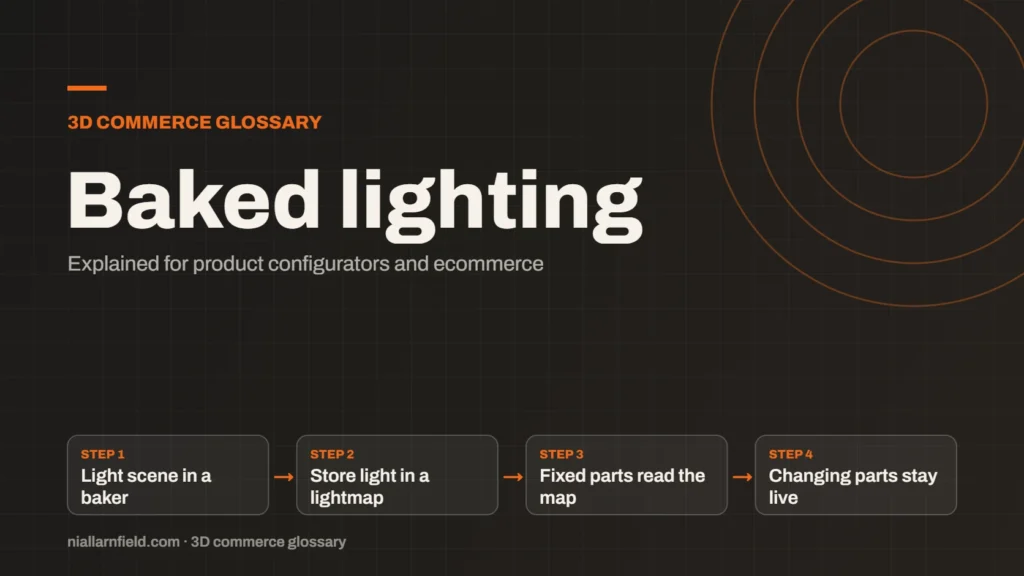
Baked lighting calculates light ahead of time and stores the result in a texture, called a lightmap. The viewer then reads that texture instead of working out the light on every frame. It is cheap at runtime, but it does not react to changes.
Discuss your product rangeTry the demos
What baked lighting is
Real-time lighting works out the light again on every frame. The engine checks each light, each surface and each shadow, and it repeats that work many times per second. That approach is powerful, but it costs a great deal of GPU time. Baked lighting does the hard work once, in a separate step, and saves the answer into textures that the viewer can read cheaply.
The saved texture is usually a lightmap. It holds the light that lands on each surface, including light that bounces from one surface onto another. Lightmaps can store precomputed indirect light, and static lights can be baked together with their direct light. In three.js, a material’s lightMap slot holds this texture. Soft shadows in creases and contact points are the kind of effect a bake captures well.
- Light scene in a baker
- Store light in a lightmap
- Fixed parts read the map
- Changing parts stay live
How it works in a product viewer
The steps are straightforward, although the setup needs care. I light the scene in a baking tool, run the bake, then load the resulting lightmap alongside the model. The viewer samples that texture for each surface it draws. Because the light is already stored, the viewer does not calculate it again on every frame.
A baked surface needs its own UV layout for the lightmap. Lightmaps usually get their own UV set, separate from the one used for colour textures. I create a clean second layout so the light lands evenly, with no overlaps and no stretched islands that would show as smudges.
Why it matters for product configurators
A configurator runs on a phone as often as on a desktop computer. Full real-time light and shadows across a dozen parts can strain a phone’s GPU. Baked lighting keeps the scene looking grounded while using very little runtime work. A lightmap is just a texture read, so the runtime cost is small.
For example, a cabinet sits in a studio setting. Its base, top and shelves never move. Baking the studio light onto those parts gives soft, believable shading. The shopper sees that shading at almost no extra cost per frame, and the product feels grounded in its space.
- Static furniture, housings and fixed frames suit baked light well.
- Product views with fixed lighting can look convincing at low cost.
- Mobile devices gain the most, because the runtime work stays small.
How I decide what to bake
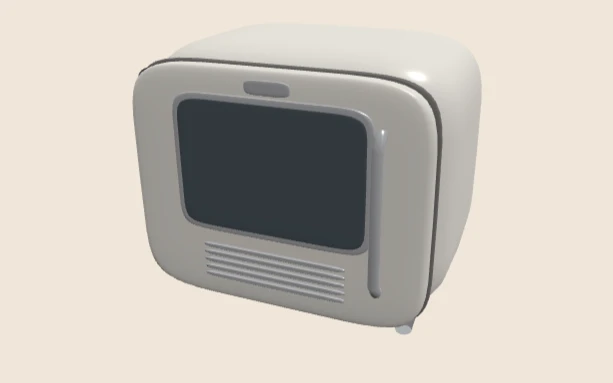
I split the model into static and changing parts before anything else. Anything fixed, such as a base or a housing, is a candidate for baking. Anything the shopper can move, resize or reshape is not a candidate. That split comes first, before I touch any bake settings or open the lighting tool.
The lamp demo on this site lets you pick a Short, Medium or Long arm. Imagine baking light with one arm length: the stored shadows would be wrong for the other two. In a case like that, I would bake only parts that never change and leave the arm to real-time light.
I then bake ambient occlusion, which darkens creases and contact points so that parts sit naturally together. I check the result in the viewer before I accept it. I also keep the bake settings in the project notes, so the result can be repeated. Every lighting change needs a fresh bake, so I keep the lighting plan as simple as I can. My guide to 3D models for product configurators covers the wider preparation steps.
Common mistakes and limits
- Baking parts that move, resize or change shape, which leaves stale shadows behind.
- Expecting a baked light to respond when a shopper changes a colour or a light setting.
- Skipping a clean second UV layout, which causes uneven or overlapping light.
- Forgetting that a lightmap does not provide reflections on its own.
Baking adds a step to every lighting change. Teams should agree on which parts are fixed before the work begins, because changing that later means a rebake. A slow bake can hold up a project, so the plan should stay simple and well documented. Reflections need a separate solution, such as an environment map or a reflection probe.
Baked lighting is not a replacement for real-time light. It is a tool for the fixed parts of a product, used alongside the live lights that a configurator still needs. For a full project, my product configurator service sets the balance between the two.
Related terms
- HDRI lighting: HDRI lighting uses a high dynamic range image of an environment to light a 3D scene.
- Tone mapping: Tone mapping converts the wide range of light values in a 3D scene into the narrower range a screen can show.
- Environment map: An environment map is an image of the surroundings that a 3D scene uses for lighting and reflections.
- SKU explosion: SKU explosion happens when every combination of options becomes its own stock item.
- Line-item properties: Line-item properties are custom key and value pairs attached to one item in a Shopify cart or order.
- Product variants: Product variants are versions of one product, such as a size or a colour.
- Parametric models: A parametric model is a 3D model defined by dimensions and rules rather than fixed geometry.
- 3D asset pipeline: A 3D asset pipeline is the set of steps that turns source files into models a web viewer can load.
- Digital twin: In a product configurator, a digital twin usually means a 3D model that matches a real product's shape, materials and options.
- Configurator embed: A configurator embed is how a 3D configurator appears inside another website.
Browse all the definitions in the 3D commerce glossary.
Common questions
Is baked lighting the same as a baked texture?
Not quite. A baked texture can store colour or surface detail. Baked lighting stores light and shadow only. Both are precomputed, but a lightmap is a separate texture that combines with the surface colour when the viewer draws the surface.
Can baked lighting work with a moving part?
Only in limited ways. A baked lightmap is fixed to the surface it was made for, so a moving part would carry stale light. Moving parts usually rely on live lights instead. Plan the model so that each part fits one approach.
Does baked lighting make a viewer faster?
It usually lowers the runtime work, because the viewer reads a texture rather than calculating light. The gain depends on the scene and the device. I measure the frame time on a phone before and after, then decide whether the bake is worth the effort.