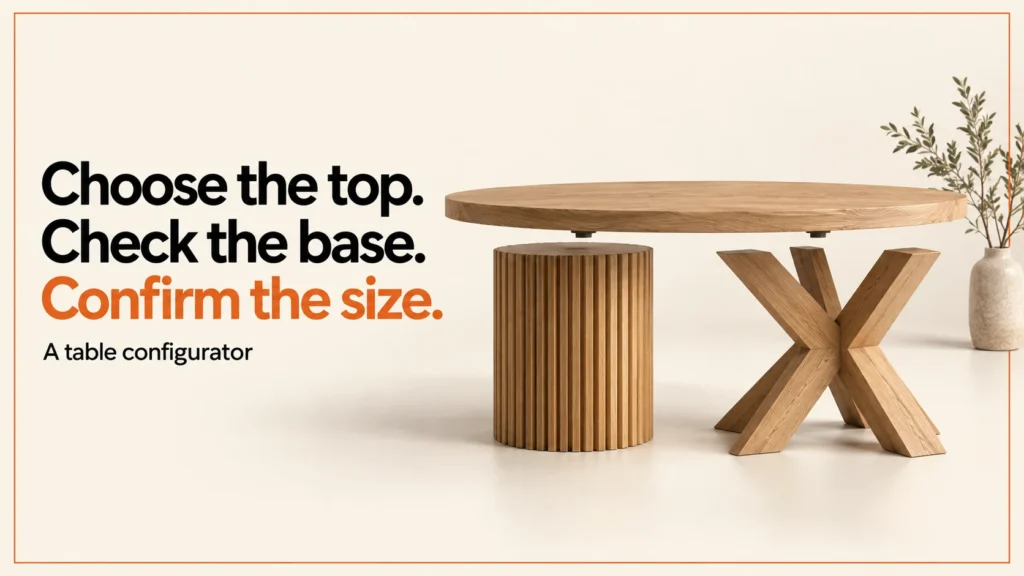
A table configurator lets a customer choose size, top, base and finish, then see a valid specification before they order or request a quote. I build these as an independent designer-developer based in Manchester, working across the UK. The hard part is not the screen. It is writing the range rules first, so every combination the form allows can really be made and sold.
Discuss your product rangeTry the demos
A table configurator connects size, top finish and base choice to a specification that can be ordered or quoted. Those options may look independent in a form, but they depend on one another in the actual range. A pedestal base may suit one width and not another. A top finish may affect which edges are offered. Start with the approved product rules, then make their effect visible when a customer changes a choice.
The miniature tool below uses a fictional range. It shows how that behaviour can work in practice. Its limits are examples only. They are not structural advice or manufacturing specifications.
Who uses a table configurator?
Table configurators suit any maker or retailer who sells tables in more than a few sizes and finishes. Common cases include:
- Furniture makers who build dining, coffee and desk tables to order and want customers to specify the details themselves.
- Retailers who stock one table design in many sizes and finishes, and cannot list every variant as a separate product.
- Workspace suppliers who offer desks with different top sizes, frames and cable routes, and need a clear quote for each choice.
- Made-to-measure studios who take a brief, check it against their own rules and turn it into a specification for the workshop.
In each case the configurator does two jobs. It helps the customer understand the choices. It also stops impossible requests from reaching the workshop or the checkout.
Which options customers usually choose
Most table configurators share a small set of options. The exact list depends on the range, but these five appear most often:
- Size. Width and depth, often in set steps. Length may also matter for dining tables.
- Top material. The surface the customer sees and touches most. Choices may include solid wood, veneer or laminate.
- Edge. The profile or finish along the top’s perimeter. It changes the look more than most people expect.
- Base. Pedestal, trestle, legs or a frame. The base often limits the size range, so it should be linked to the dimensions.
- Finish. Oil, lacquer, stain or colour. Some finishes are only offered on certain tops or bases.
A customer may treat the base as a style choice and then meet a size conflict. The configurator should explain that conflict at the moment it happens, not at checkout.
Write the range rules before modelling
Before I build a 3D model or a form, I write the rules in plain language. Each rule should say what is allowed, what is not, and why. For example: “pedestal bases are offered up to a set width” or “this finish is only available on the oak top”. I agree these with the maker before anything is built.
This order saves time. A model built on unclear rules has to be rebuilt once the rules change. A form built on guesses lets customers select options that the workshop cannot make. Writing the rules first also gives you a list to test against, which I cover below.
Keep the rules in one place. If the same rule lives in the form, the model and the order system, they will drift apart. One source of truth, with the other parts reading from it, is much easier to maintain.
Try a size-dependent base choice
The tool below is a miniature example. It has a width from 800 to 2400 mm and a depth from 600 to 1200 mm, in 50 mm steps. The top can be oak or laminate, and the base can be a pedestal or a trestle. In this fictional policy, the pedestal is only offered up to 1400 mm wide. The default size shows as valid.
Increase the width to 1600 mm while the pedestal concept is selected. The demonstration explains the conflict. Choosing the trestle concept resolves it. The application keeps the requested width rather than silently changing the customer’s specification.
The tool also shows the surface area in square metres. That number is a simple calculation from the chosen size. It is not a structural check, and it should not be treated as one.
Separate the dimensions, appearance and sellable identity
A table has three different kinds of information. The first is its dimensions. The second is its appearance: top, edge, base and finish. The third is its sellable identity, which is the product code, SKU or specification that the business orders, prices and tracks. Mixing these up is a common source of confusion in table projects.
| Choice | Visual effect | Commercial record |
|---|---|---|
| Width and depth | Change the top geometry or select an approved size model | Numeric values with units and range policy |
| Top finish | Update approved material and texture scale | Stable finish identifier |
| Base | Replace a part and its attachment layout | Approved component identity and compatibility |
| Final selection | A consistent preview and readable summary | Validated quote or order reference |
The table above shows how each choice maps to a visual effect and a commercial record. Use it as a checklist when you plan a new range.
For a fixed catalogue, combinations may map to existing variants. Each allowed combination becomes a product with its own identity. For made-to-measure work, the order may instead carry a validated dimensional specification. The price and the workshop instructions come from that specification. Decide which model the business uses before creating every possible combination as a new item.
Review the model at every offered size
A resized tabletop needs more than a changed bounding box. Check edge thickness, grain scale, base position and any visible construction details. A table that looks right at medium size can look wrong at the extremes. Grain that suits a small desk may look odd across a long dining top.
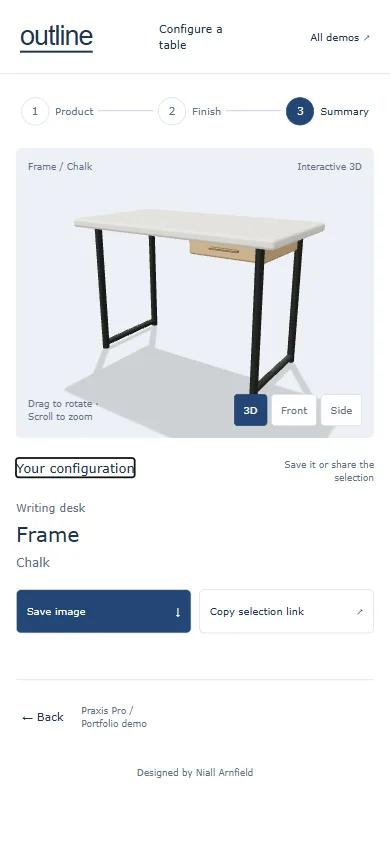
A camera that works for a compact desk may frame a long table poorly. Test the smallest and largest sizes in the visual preview, not only the default. Include extreme sizes in your asset and interface reviews.
Inspect source model exports in the free GLB viewer before they go into the configurator, at the smallest and largest sizes as well as the default. For a guided visual journey with finishes and a summary, try the separate table configurator demo.
Shopify and WooCommerce hand-off notes
Many makers sell tables through a store, so the configurator has to hand its data to the checkout. The details depend on the platform and the build, so treat these notes as a starting point, not a fixed recipe.
On either platform, the customer’s choice should arrive at the order intact. The size, top, base and finish should appear with the same names and units the customer saw. If they do not, the workshop builds something different from what was approved.
For wider platform work, see my Shopify development and WooCommerce development pages.
Common mistakes
- Building the model before the rules. The model then has to change every time a rule does.
- Letting the form allow impossible combinations. Show the conflict at the point of choice, and offer a route to a valid option.
- Changing the customer’s size silently. If a conflict needs a fix, say what changed and why.
- Ignoring the edge and finish. These options change the look and often the cost, so they belong in the rules too.
- Testing only the default size. Check the smallest, largest and most awkward combinations.
- Trusting the browser. Anything the customer submits can be changed. Validate it again before it is priced or made.
- Creating a product for every combination. A fixed catalogue may need that, but a made-to-measure range usually needs a specification instead.
Test the commercial hand-off
Acceptance checks should include a valid minimum-size choice, a maximum-size choice, a base conflict after a dimension change and a saved selection restored against an updated policy. Verify that the order or quote receives the same units and option identities shown to the customer.
Validate the submitted configuration in the commercial process. Browser controls improve usability, but a submitted value can be changed. Define how the final price is calculated, which system owns it and whether an unusual request goes to a human review.
A configurator is only one part of the buying journey. Before launch, check the wider store against an ecommerce launch checklist.
FAQ
What is a table configurator?
It is a tool on a product page that lets a customer choose options for a table, such as size, top, base and finish. It then shows a valid specification that can be ordered or quoted. Good ones explain conflicts as they happen, rather than rejecting a choice at checkout.
How much does a table configurator cost?
I do not publish prices on this page, because the cost depends on the range, the rules and the platform. The first step is a short brief that lists the options, the rules and the hand-off. From that, I can give a realistic scope.
Should I use fixed variants or made-to-measure?
Use fixed variants when a limited set of sizes and finishes covers what customers want, and each one can be stocked or made in a repeatable way. Use a made-to-measure specification when customers need sizes outside a fixed list. Some ranges use both, with the configurator choosing between them.
Can a table configurator work on Shopify and WooCommerce?
Yes, though the hand-off is different on each platform. I build and test the connection for the platform you use, and I check the order data it produces. Platform limits change over time, so I confirm them against current documentation before I build.
Related reading: bike configurator guide, door and window configurators, garden building configurators and kitchen configurators.
Next step
Document the options, rules and hand-off with the configurator brief. To discuss a range, see configurator development. If your tables are built to order, my page on made-to-measure product configurators covers that case. The policy, area calculation and demonstration tool on this page are original fictional examples.
If you sell tables in several sizes or finishes, send me a short description of your range and the rules you already apply. I will tell you what I would check first and whether a configurator suits the product. Contact me here.