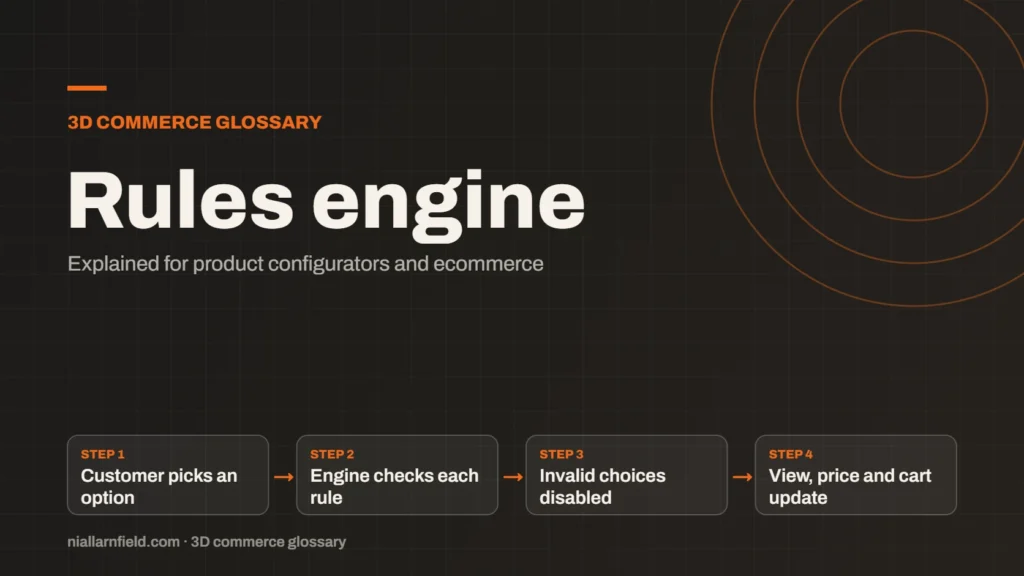
A rules engine is the logic inside a product configurator that decides which option combinations are allowed. It blocks invalid choices and can require other choices, so a customer cannot build something you cannot make.
Discuss your product rangeTry the demos
What a rules engine does
Every configurator has options, and many options depend on each other. A sofa has seat counts, fabrics and an optional chaise. A desk lamp has arm lengths, shades and accessories. A rules engine holds the links between these choices in one place, so the configurator checks them all in the same way.
My Three.js desk lamp demo shows the idea clearly. USB charging needs the medium or long arm, so the short arm should never allow that port. My React Three Fiber modular sofa works the same way. A chaise needs at least three seats, so a two-seat sofa cannot take one.
You can explore the live demos to see these links at work. Change one choice and watch what happens to the others. Some options will switch off, and others will stay put.
- Customer picks an option
- Engine checks each rule
- Invalid choices disabled
- View, price and cart update
How a rules engine works
A rule has a trigger and an effect. When the customer picks an option, the engine checks each rule that mentions it. It then hides, disables or changes other options. The 3D view, the price and the cart all read the same result, so they stay in step.
Most rules fall into a small number of types. Each type covers a different kind of link between options.
- Exclude: two options cannot be chosen together.
- Require: one option needs another to be chosen first.
- Default: the engine sets a sensible starting choice.
- Price: some combinations change the price or the lead time.
Keep the list short at first. Add a rule only when you find a real dependency. A long list is hard to read and hard to test, and every extra rule is one more thing to maintain.
Why rules matter for ecommerce
Without rules, a customer can build a product you cannot make. That leads to refunds, support emails and lost trust. A rules engine stops invalid choices at the moment the customer makes them, which is the cheapest place to stop them.
Rules also protect your catalogue. When you add a new fabric, you update the rules in one place, not on every page. A product manager can review the rules as a plain list. A developer can test the same rules with code.
Clear rules help speed too. Invalid options should not reach the cart, so checkout has fewer errors to fix. Staff also spend less time checking orders by hand before production starts.

How I write rules for a configurator
When I prepare a configurator, I write each rule as one plain sentence first. For example: the chaise needs at least three seats. Sentences like this are easy for the product owner to check. They also show gaps before any code exists.
Next, I turn each sentence into a test. I check the rule with valid and invalid combinations, and I check the edges too. Most bugs hide in pairs of options that nobody thought to test. The acceptance testing guide covers this step in more detail.
I also run the same checks in the browser and on the server. The browser gives instant feedback as the customer clicks. The server catches anything that slips through, such as an old page or a direct request. I keep rule names short and plain, so each one is easy to find. If you want help with this layer, my product configurator service covers it.
Common mistakes and limits
- Rules split across the front end, back end and product data, so they disagree.
- Rules that depend on an option the customer never sees.
- Circular rules, where option A needs B and B needs A.
- New options added without any rule review or testing.
Rules cannot fix a weak product model. Clear option names and clean dependencies come first. A rules engine works best when the product structure is already sound.
Platform limits matter too. Shopify’s variants help page says each product can have up to 2,048 variants and up to three options. A rules engine lets you handle combinations without storing every one as a separate item, but the store still needs a clear structure.
A checklist before launch
Before a configurator goes live, I run through a short checklist. It catches the problems that cause the most support contact.
- Every rule has an owner who can explain why it exists.
- Every rule has at least one valid and one invalid test.
- Impossible combinations never reach the cart or the quote.
- The 3D view, the price and the cart show the same result.
Related terms
- CPQ: CPQ stands for configure, price and quote.
- SKU explosion: SKU explosion happens when every combination of options becomes its own stock item.
- Line-item properties: Line-item properties are custom key and value pairs attached to one item in a Shopify cart or order.
- Product variants: Product variants are versions of one product, such as a size or a colour.
- Parametric models: A parametric model is a 3D model defined by dimensions and rules rather than fixed geometry.
- 3D asset pipeline: A 3D asset pipeline is the set of steps that turns source files into models a web viewer can load.
- Digital twin: In a product configurator, a digital twin usually means a 3D model that matches a real product's shape, materials and options.
- Material swatch: A material swatch is a sample of a finish, such as fabric, leather or metal, shown as a choice in a configurator.
- glTF: glTF is an open standard for 3D models, maintained by the Khronos Group.
- KTX2 textures: KTX2 is a container format for textures, the images that give 3D surfaces their colour and detail.
Browse all the definitions in the 3D commerce glossary.
Common questions
Is a rules engine the same as a configurator?
No. A configurator is the whole tool a customer uses, including the 3D view, the options and the price. The rules engine is one part of it. It decides which choices are valid. You can change the look of a configurator without changing its rules, and the reverse is also true, which keeps the two easy to manage.
Do I need a rules engine for a simple product?
Probably not. If every option works with every other, a plain option list is enough. Once options depend on each other, rules become useful. The more options you add, the more those links matter, and the more they need regular testing as the range changes.
Where should the rules live?
Ideally in one source that both the front end and the back end can read. Browser checks give instant feedback to the customer. Server checks stop bad orders from reaching checkout. Keeping both in sync takes discipline, so test both before each launch and after each change.