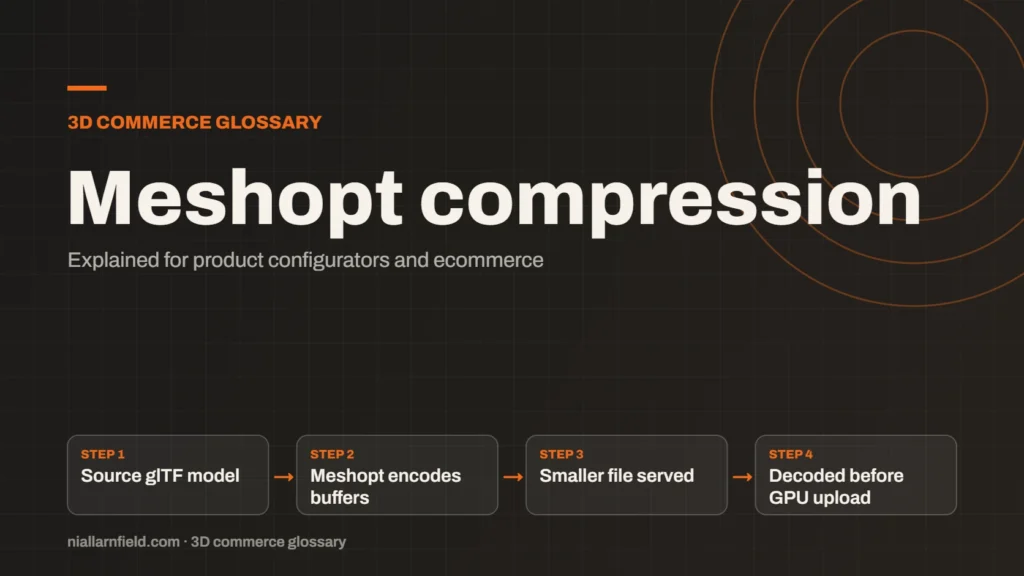
Meshopt compression shrinks glTF geometry, morph targets and animation data. It is based on the meshoptimizer library and is applied through the EXT_meshopt_compression extension.
Discuss your product rangeTry the demos
What meshopt compresses
Meshopt compression targets the data inside a glTF buffer. That includes geometry, morph targets and animation. It can also reduce other numeric data stored in buffer views, which is useful when a model carries a lot of numbers.
The method is based on the meshoptimizer library. The extension name, which tools write into the file, is EXT_meshopt_compression. A lightweight decoder restores the data at run time. The glTF Transform documentation describes the decoder and the encoder options in detail.
Check the breakdown of your own file before you choose a method. The split between geometry and textures differs from one model to the next. That split decides where the real savings come from.
- Source glTF model
- Meshopt encodes buffers
- Smaller file served
- Decoded before GPU upload
How it compares with Draco
Draco and meshopt both shrink geometry. They use different methods, and they suit different pipelines. Draco is widely known across web viewers, including three.js. The meshopt documentation highlights its fast runtime decompression as a key strength.
Pick one of them for each mesh, and make sure the viewer supports the extension in use. Test the file in the viewer you plan to launch with. The GLB guide explains the wider file structure that both methods sit inside.
For a configurator with many variant files, consistency matters. Pick one method for the whole product line, so every developer and tool follows the same rules. Mixed methods make problems harder to trace later.
Lossy, so keep the original
The glTF Transform documentation describes meshopt compression as lossy. That means repeated compression and decompression loses precision over time. Compression should therefore be the last step in your pipeline, after cleaning, retopology and texture work are finished.
Keep the uncompressed master file at all times, because it is your only lossless copy. Produce the compressed version from that master when you publish. This keeps future edits clean and avoids compressing the same data twice, which would compound the loss.
This does not mean the loss is always visible. A small change in a hidden part of a model may pass unnoticed. A change on a sharp label or a polished edge is far easier to see. Check the visible areas of the model first, because shoppers will notice those before anything else.

Why it matters for configurators
A product configurator is often loaded on a phone. A smaller file means the first view appears sooner, which helps a shopper stay on the page. Decompression happens before the data is sent to the GPU. So the main gain is download time, not frame rate.
For example, imagine a model that loads quickly on a desk connection but slowly on a weak mobile signal. Compression helps most in that case. The page should also show a loading state while the file arrives, so the shopper knows something is happening.
A shopper on a slow mobile connection feels every extra second. I therefore look at the first view on a throttled connection before I accept a compression setting. The test takes only a few minutes.
Setting up the pipeline
Most pipelines run the same steps in the same order. First, clean the model. Second, resize or bake the textures. Third, apply compression. Fourth, test the final file in every viewer you support. When I build a pipeline, I keep this order, because it prevents many surprises later.
The gltfpack tool can apply meshopt compression, according to the glTF Transform documentation. Run it as a command in your build step, so the result is repeatable. A repeatable build is easier to check than a manual export, and easier to hand over to a developer.
I compare the compressed file with the master for the first view on a desktop, then again on a phone. Both views should match. If they do not, I look for the cause before the file goes live.
Common mistakes
- Forgetting that the server can also compress the file with gzip or brotli, and not testing the combined size.
- Recompressing a file again and again. Each pass loses precision.
- Skipping the decoder check. Confirm the viewer supports EXT_meshopt_compression before launch.
- Trusting a single test. Compare file size, first view and visible detail, then record the results for each model.
Compression is not a substitute for a clean model. Start with well prepared 3D models, then compress the result as the final step.
Compression is one step among many, and it helps most when the earlier steps are right. A messy model still carries stray data after compression, because that data is stored in the file.
Related terms
- glTF: glTF is an open standard for 3D models, maintained by the Khronos Group.
- KTX2 textures: KTX2 is a container format for textures, the images that give 3D surfaces their colour and detail.
- Draco compression: Draco is an open-source compression library from Google for 3D mesh data.
- Environment map: An environment map is an image of the surroundings that a 3D scene uses for lighting and reflections.
- Rules engine: A rules engine is the logic inside a product configurator that decides which option combinations are allowed.
- CPQ: CPQ stands for configure, price and quote.
- SKU explosion: SKU explosion happens when every combination of options becomes its own stock item.
- Line-item properties: Line-item properties are custom key and value pairs attached to one item in a Shopify cart or order.
- Product variants: Product variants are versions of one product, such as a size or a colour.
- Parametric models: A parametric model is a 3D model defined by dimensions and rules rather than fixed geometry.
Browse all the definitions in the 3D commerce glossary.
Common questions
Is meshopt compression lossless?
No. The glTF Transform documentation describes meshopt compression as lossy. Keep your original model safe. Create compressed copies from that original, then compare them with the source before you publish anything to a live shop.
Should I use meshopt or Draco?
Either can work for a configurator. Check which extensions your viewer and tools support first. Then compare file size and visual quality on your own models. Choose the method that your loader and toolchain handle most reliably.
Does meshopt improve frame rate?
Not directly. Data is decompressed before it is sent to the GPU, so the draw work stays the same. The main gain is a smaller download, which helps the first load on slower connections and on mobile networks.