Shopify Markets can give each country or language its own URL. Shopify adds hreflang tags for those versions automatically, so search engines show the right one. This guide explains what Shopify adds, how to check it and where stores go wrong.
Discuss your Shopify SEOSee selected work
Why hreflang matters for multi-market stores
When one store sells in several countries, search engines need help choosing the right version of a page. Hreflang is a tag that names the language and region a page is for. For example, it can say that one page is English for the United Kingdom and another is French for Canada.
Without these tags, a shopper in Paris may land on the English UK page. The wrong currency version can also appear in search results. When I audit a multi-market store, I check hreflang early, because these faults are easy to miss. I cover this work in my Shopify SEO service.
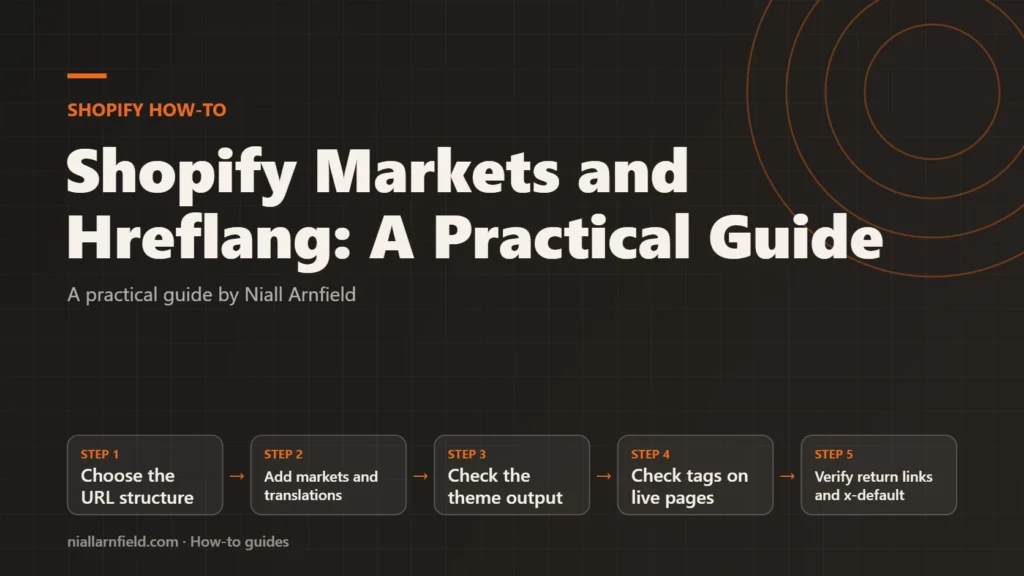
- Choose the URL structure
- Add markets and translations
- Check the theme output
- Check tags on live pages
- Verify return links and x-default
Choose your URL structure before you build
Shopify Markets gives each market one of three URL types. Your choice affects search visibility, so decide it before launch.
- Subfolders, such as yourstore.com/fr/. They share the authority of your main domain and are the simplest option.
- Subdomains, such as fr.yourstore.com. Some search engines treat these as separate sites.
- Country domains, such as yourstore.fr. They give the strongest local signal, but each needs separate registration.
Changing the structure later creates new URLs for every market, which means a full redirect plan that is slow and risky. For many stores that are just starting, subfolders are a sensible place to begin. For larger builds, see my Shopify Plus SEO work.
What Shopify adds for you
Shopify adds hreflang tags automatically, and it manages them as your markets change. It writes them for each market that has its own subfolder, subdomain or domain. Each tag holds a language code and an optional region code, such as en-GB or fr-CA.
Shopify also adds an x-default tag, which points at your primary domain. Google uses x-default as the fallback when no other version matches a shopper’s browser language or region. Shopify’s Markets SEO guide sets out how this works in detail. Automatic redirection can apply to customers once a market is active, but Shopify excludes known search engine crawlers from it. Crawlers therefore receive the content for the URL they requested, so every market version stays open to indexing.
Step by step
-
Add each market and its URL
In the Shopify admin, open Markets. Add each country or region as a market. Set up the domain or subfolder you picked earlier, and set its language. Keep the pattern consistent across markets, so the tags stay easy to read.
-
Translate content for each market
Hreflang tells search engines that a page is for French. The page must really be in French. Shopify’s Translate & Adapt app is one way to add translations. Translate products, collections and pages for every language you declare.
-
Check your theme has not removed them
Shopify adds the tags for you, so the main risk is a custom theme or app that removes or duplicates them. If a developer built or heavily changed your theme, ask whether it changes the head output. The next step shows how to check the live result.
-
Check the tags on a live market page
Run this command in a terminal, replacing the URL with one of your market pages. It prints each alternate link tag in the page.
curl -s https://yourstore.com/fr/ | grep -o '<link rel="alternate"[^>]*>'The output should list every market you have, plus an x-default line. You can also view the page source and search for hreflang. Re-check the page after any change to a market.
-
Confirm every version links back
Each market page must link to every other market, including itself. If the French page points to the English page, the English page must point back. Google’s guidance says each version must link to the others, or the tags may be ignored. Check each pair in the output from the previous step.
-
Check x-default and the shopper view
Confirm x-default points at your primary domain. If you want a country selector page as the fallback, that needs custom theme code, so ask a developer. Then browse from a different country. The page should show that market’s language and currency.
How to check it worked
Run the command for each market and compare the output. Every market should appear once, and x-default should appear once. Then check that the right market URLs are indexed in Google Search Console. Allow search engines time to recrawl the pages before you judge the result. Check the output again after you add each new market or language, because every new version adds tags to the set on each page.
Common mistakes
- Redirecting visitors by IP address: Forcing every visitor from one country to a local URL can trap shoppers and search engines. Shopify excludes known search engine crawlers from automatic redirection. Google suggests a fallback or country selector page instead.
- Untranslated content: A French market with English text sends mixed signals. Translate the pages, or do not present them as French.
- Duplicate tags from apps or custom code: Two sets of hreflang tags send mixed signals, so keep one source.
- One-way links: If only one version points to another, Google may ignore the tags.
If your theme is custom, ask a Shopify developer to review the head output, because errors often come from theme code. For a wider check, a technical SEO audit covers hreflang alongside crawling and indexing.
Related how-to guides
- Faceted Navigation SEO on Shopify: A Practical Guide: Shopify filters can create many near-duplicate URLs, and search engines waste time crawling them.
- Shopify Image Optimisation with image_url and image_tag: Large product photos slow Shopify stores, especially on phones.
- Product Option Apps vs a Custom Build on Shopify: Shopify apps can add product options quickly, but a custom build gives you full control over data and cost.
- Shopify Redirects at Scale for Bulk Migrations: Shopify lets you redirect old URLs to new ones, one at a time or by CSV import.
- Add a 3D Viewer with a Shopify Theme App Extension: A 3D viewer should load on product pages only, and only where the merchant places it.
- Optimise glTF for the Web: A Step-by-Step Guide: A heavy 3D model slows every product page it appears on.
- Shopify to WooCommerce Migration: Step-by-Step Guide: Moving from Shopify to WooCommerce means moving products, customers, orders and every old web address.
See all the Shopify, WooCommerce and 3D how-to guides.
Common questions
Do I need to add hreflang tags by hand on Shopify Markets?
Usually you do not, because Shopify adds hreflang tags automatically for markets with their own subfolder, subdomain or domain. Check them on each market page. You only need your own tags if your theme has a custom structure that changes the head output.
Should x-default point to my main store?
Shopify points x-default at your primary domain. Google uses it for shoppers whose language or region matches no version. If you want a country selector page as the fallback, that needs custom theme code, so ask a developer to add it.
Does hreflang fix duplicate content on its own?
No, hreflang cannot do that on its own, because it only tells search engines which version suits which audience. It is a signal, not a fix, so each market still needs its own useful content. Translated pages should read naturally in their language, not as a rough copy of the English page.