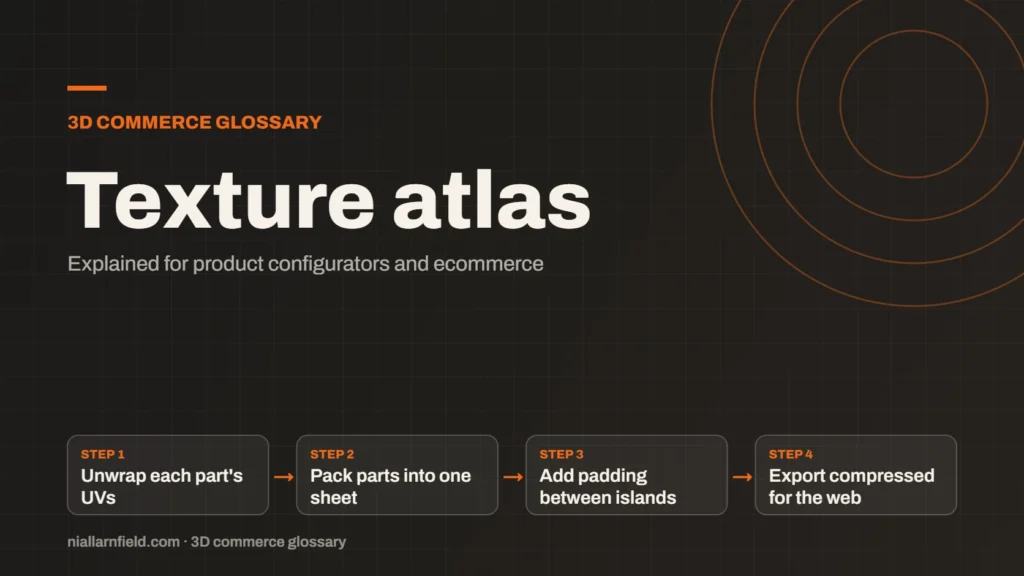
A texture atlas is one image that holds several smaller textures. Each part of a product points to its own patch of that image. The renderer then reads one sheet instead of many separate files.
Discuss your product rangeTry the demos
What a texture atlas is
Every texture a GPU reads has to be bound before a mesh can draw with it. Binding means telling the GPU which image to use next. For example, forty separate textures mean forty bindings, and each switch costs some work on the CPU and the GPU alike. A texture atlas packs those textures into one sheet, which cuts that switching down.
A sheet might be, for example, 2048 by 2048 pixels. The right size depends on the devices you target. A sheet that a laptop handles easily may be too heavy for an older phone, so I check the limits before I settle on a size.
An atlas is not the same as merging geometry. Merging joins meshes into one shape. An atlas only combines the images those shapes use. The two ideas often work well together, but each solves a different part of the cost.
- Unwrap each part's UVs
- Pack parts into one sheet
- Add padding between islands
- Export compressed for the web
How UV coordinates link a model to its atlas
A mesh uses UV coordinates to decide which part of a texture covers each surface. Each vertex stores a pair of values, usually called U and V. Across the texture, those values normally run from 0 to 1. Each part of a model therefore needs its own region of the sheet, and the coordinates must point to that region exactly. If two parts overlap in the sheet, one will show the other’s colours.
The glTF format stores these coordinates alongside the geometry. A packed sheet travels with the model in one standard file. Any compliant viewer can read it, which keeps the atlas portable across tools, engines and hosting setups.
Why it matters for product configurators
Configurators swap parts all the time. A shopper changes a fabric, a finish or a trim, and the viewer must switch to the matching texture straight away. A tidy atlas keeps those swaps quick and the download small, which matters most on a mobile connection.
- Fewer texture bindings, so the GPU spends less time switching between images.
- Parts that share one material can often merge into fewer draw calls.
- One compressed sheet can replace several files on the network.
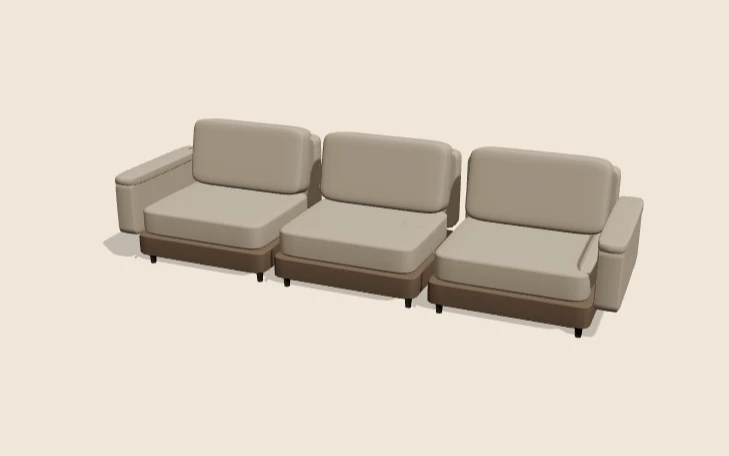
For example, a sofa’s fabric swatches could sit on one sheet. Each cushion maps to a different patch of that sheet. Changing the fabric then means pointing at a different patch of the sheet, not downloading a separate file for each fabric. The shopper sees the change at once, and the page stays responsive on a phone.
The same sheet can also serve several views. A close-up of the fabric and a wide shot of the whole sofa can both read from one image, so the viewer does not need extra files for each camera position.
How I pack an atlas for a configurator
I start from the UV layout, not from the textures themselves. Each part gets its own UV island, which is simply the group of coordinates for that piece. I group parts that share a material and that change together. The shade options for a desk lamp, for example, belong on one sheet, while the metal base gets its own.
I leave a gap around each island. This padding stops colour from one patch bleeding into its neighbour when the GPU filters the texture. Mipmaps need it most. A mipmap is a smaller copy of the texture that the GPU uses for objects far from the camera, and bleeding shows up clearly at those smaller sizes.
Once the sheet is packed, I export it. For the web I prefer KTX2 with compression, because it keeps the file small and the GPU load light. The Khronos KTX format stores the texture and its mip levels in one file. After transcoding, it stays block-compressed in GPU memory, as the KHR_texture_basisu extension describes. My full process is in the guide to 3D models for product configurators.
Common mistakes and limits
- Too little padding, which shows seams when the camera zooms in close to a part.
- One huge sheet that a phone cannot load, or that exceeds the device’s maximum texture size.
- Parts that need a repeating pattern, which do not pack cleanly into a single sheet.
- Re-exporting the whole sheet for one small colour change, which slows the artist’s loop.
Atlases are not a fix for everything. They help most when many small textures cause the slowdown. Measure frame time on a real phone before and after packing, so you know the gain is real rather than assumed. A slow configurator often has several causes at once, so an atlas alone rarely fixes it. Profile the scene first, then change the one thing the numbers point to.
For the wider picture, see my 3D product configurator page. Work of this kind sits under my product configurator service.
Related terms
- Level of detail (LOD): Level of detail, or LOD, means keeping several versions of the same model at different polygon counts.
- Draw calls: A draw call is a request from the CPU to the GPU to draw one mesh with one material.
- Instancing: GPU instancing draws many copies of one mesh in a single draw call.
- Material swatch: A material swatch is a sample of a finish, such as fabric, leather or metal, shown as a choice in a configurator.
- Baked lighting: Baked lighting calculates light ahead of time and stores the result in a texture, called a lightmap.
- Tone mapping: Tone mapping converts the wide range of light values in a 3D scene into the narrower range a screen can show.
- Environment map: An environment map is an image of the surroundings that a 3D scene uses for lighting and reflections.
- Rules engine: A rules engine is the logic inside a product configurator that decides which option combinations are allowed.
- CPQ: CPQ stands for configure, price and quote.
- SKU explosion: SKU explosion happens when every combination of options becomes its own stock item.
Browse all the definitions in the 3D commerce glossary.
Common questions
Does a texture atlas make a configurator faster?
It can, but the gain depends on the scene. Fewer textures mean fewer bindings, and parts that share a material can merge into fewer draw calls. I measure frame time on a phone and a laptop before and after packing, rather than assuming a speed-up.
Is a texture atlas the same as a sprite sheet?
They share the same basic idea, but they are used differently. A sprite sheet usually holds animation frames in a grid. A texture atlas can hold any set of textures, often of different sizes, and each mesh uses UV coordinates to reach its own region.
Should I put a whole product on one atlas?
Usually not. I group parts by material and by how often they change together. That keeps the sheet small, the export simple and the download manageable. One giant sheet can also exceed the texture size that some devices support.