
GPU instancing draws many copies of one mesh in a single draw call. Each copy gets its own position, rotation and scale. It suits repeated parts such as bolts, slats or tiles, where the shape and the material stay the same.
Discuss your product rangeTry the demos
What GPU instancing is
Normally, each separate mesh gets its own draw call, and the CPU prepares each one in turn. Instancing changes that pattern. The GPU receives one geometry and one material, plus a list of data for each copy. It then draws every copy in one go, which is far cheaper than sending the same shape many times. The WebGL documentation on MDN describes this as instanced drawing, which repeats the same draw for several instances in a single call.
The per-copy data usually includes a transform, which sets the position, rotation and scale of each copy. In three.js, the InstancedMesh class holds that list in a buffer that the GPU reads. The GPU advances that per-copy data once for each instance, using a divisor, rather than once for each vertex.
- One geometry and material
- List of copy transforms
- One instanced draw call
- Every copy placed on screen
How instancing works in practice
Setting up instancing means choosing one geometry and one material for the whole group. You then set the number of copies and write a transform for each one. The renderer applies those transforms when it draws the group. If the transforms change every frame, you should mark the buffer as dynamic so the GPU expects frequent updates.
- One geometry and one material for each instanced group.
- One transform per copy, set once unless that particular copy moves.
- One draw call for the whole group, however many copies it holds.
A simple test helps here. If every copy would look identical from the shopper’s position, instancing is a good fit. If any copy needs a unique shape, that copy should stay separate.
Why it matters for product configurators
Many products repeat parts across their surfaces. A fabric panel has rows of buttons. A grille has hundreds of identical holes. A shelving unit has a dozen identical slats. Drawing each one as a separate mesh adds a draw call for every copy, and those calls add up quickly on a phone.
For example, a sideboard with sixty identical wooden slats could draw them as one instanced group. The shopper still sees sixty slats on screen, but the scene sends far fewer instructions to the GPU. Changing the slat finish then happens on one shared material, which keeps the option switch simple.
Instancing can also keep GPU memory lower, because the shared geometry is held once rather than many times. Repeated parts also make the model easier to maintain, since one fix applies to every copy. My product configurator service covers this kind of setup for teams that want repeated parts handled properly from the start.
How I set up repeated parts
I first check that the copies truly match. The same geometry, the same material and the same UV layout must apply to each one. If a single bolt is slightly different, that bolt needs its own mesh and should sit outside the group. Near-matches are the most common source of trouble, so I look for them early.
Next I think about culling, which hides objects the camera cannot see. Frustum culling uses the bounds of the group, so the whole group can vanish if those bounds do not cover every copy. I check that the bounds cover every copy, so the group stays visible from every angle the shopper might choose.
For parts that differ in shape but share a material, three.js also offers BatchedMesh, which is a different tool for a different problem. My guide to 3D product configurators explains where each approach fits, and my full model setup process sits in the guide to 3D models for product configurators.
Common mistakes and limits
- Instancing parts that look alike but differ slightly, which breaks the shared geometry.
- Forgetting to set bounds, so the whole group disappears as the camera moves.
- Updating every transform each frame without marking the buffer as dynamic.
- Using one instanced group for parts that need separate materials or colours.
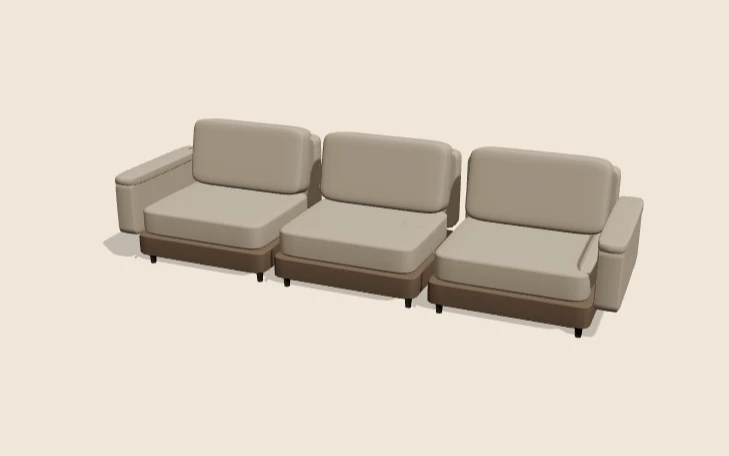
Instancing does not fix a scene full of unique parts. A custom sofa with unique arms, legs and seams still needs separate meshes for each piece. Look for real repeats first, then use instancing where those repeats genuinely exist. Document each instanced group, so a later change to one part does not quietly break every copy.
Measure the result on a real phone. The gain depends on how many copies exist and how the scene is built, so a number from a desktop test does not tell the whole story for shoppers on mobile.
Related terms
- Texture atlas: A texture atlas is one image that holds several smaller textures.
- Level of detail (LOD): Level of detail, or LOD, means keeping several versions of the same model at different polygon counts.
- Draw calls: A draw call is a request from the CPU to the GPU to draw one mesh with one material.
- React Three Fiber: React Three Fiber is a React renderer for Three.js.
- model-viewer: model-viewer is Google's open-source web component for showing 3D models on a web page.
- Baked lighting: Baked lighting calculates light ahead of time and stores the result in a texture, called a lightmap.
- Tone mapping: Tone mapping converts the wide range of light values in a 3D scene into the narrower range a screen can show.
- Environment map: An environment map is an image of the surroundings that a 3D scene uses for lighting and reflections.
- Rules engine: A rules engine is the logic inside a product configurator that decides which option combinations are allowed.
- CPQ: CPQ stands for configure, price and quote.
Browse all the definitions in the 3D commerce glossary.
Common questions
Is instancing the same as cloning a mesh?
No. A clone copies the object and usually keeps its own draw call. Instancing shares one geometry and one material, then draws every copy in a single call. Clones are simpler to set up, but instancing scales far better for hundreds of copies.
Can each instance have its own position?
Yes. Each copy has its own transform, so it can sit in a different place, face a different way or be scaled differently. The copies still share one geometry and one material, which is why they draw together in a single call.
When should I avoid instancing?
Avoid it when the copies must differ in shape or material, or when only a handful of copies exist. The setup effort then outweighs the gain. For varied parts, check whether merging or batching fits the scene better.