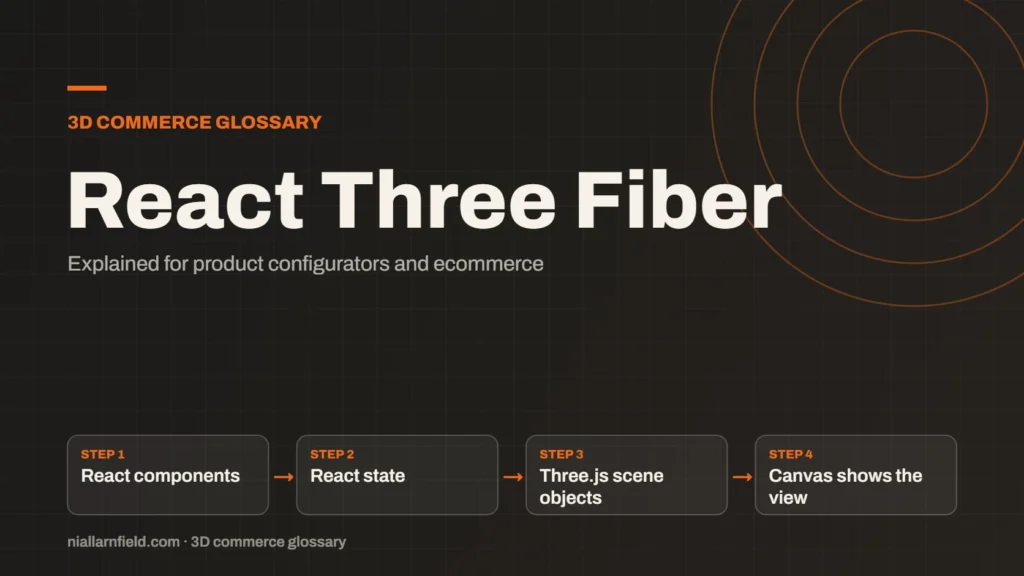
React Three Fiber is a React renderer for Three.js. It lets developers build 3D scenes as React components, so 3D sits inside the same code as the rest of a React site.
Discuss your product rangeTry the demos
What React Three Fiber is
React Three Fiber is a React renderer for Three.js. A renderer turns a description into output. Here, the description is a React component tree, and the output is a Three.js scene. The project is maintained by pmndrs, a group of open-source developers who build tools for React and 3D. Each part of the scene can be a component, and each component can be tested on its own.
The main benefit is that scenes become components. A lamp, a sofa or a watch can each be a component that takes props, such as colour or size. A prop is a value passed into a component. When state changes, React updates the 3D scene to match. The project’s docs say the components render outside React, so there is no extra overhead compared with plain Three.js.
React is a popular library for building user interfaces, and many shops already use it. React Three Fiber lets the same team work on the product page and the 3D viewer in one codebase. That shared skill set is often the main reason to choose it. The learning curve is still real, so plan time for it.
- React components
- React state
- Three.js scene objects
- Canvas shows the view
How it works with Three.js and React
Each element in the code maps to a Three.js object. React uses JSX, an HTML-like syntax, to describe those elements. A mesh element creates a mesh, and a material element sets its material. When a prop changes, the matching Three.js property updates, and the scene redraws. Your code stays declarative, so it reads like the design. A reviewer can read the scene tree and understand the product structure at a glance.
Because it is a renderer, React Three Fiber must match a major version of React, in the same way that react-dom does. Check the pairing notes in the docs before you start, and pin both versions in your project file.
Hooks are the React functions that connect components to state and to the frame loop. React Three Fiber provides hooks for scene access, such as the camera, and for per-frame updates. Using them keeps 3D logic close to the rest of the component code.
Why it helps product configurators
A configurator is mostly state. A shopper picks options, and each choice changes the model. React handles state well, and React Three Fiber maps that state onto the 3D scene. This keeps the option logic in one place, close to the buttons and labels that the shopper uses.
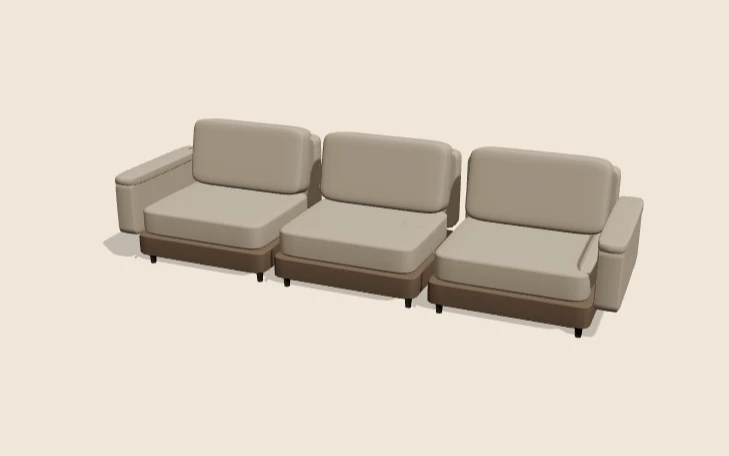
The React Three Fiber modular sofa demo on this site shows the idea. It offers two, three or four seats, three fabrics and an optional left or right chaise. A chaise needs at least three seats, which is a rule the React state can enforce. For the wider approach, see my product configurator service.
A configurator built this way can share one source of truth. The option data drives both the buttons and the 3D model. For a fuller comparison of this approach with the plain libraries and other engines, read my engine comparison.
Practical advice for React Three Fiber builds
Keep the 3D tree separate from the page layout. Put scene components in their own files, and keep option data in plain objects. This makes it easier to test rules, such as a chaise needing three seats, without loading a 3D scene. Shared option data also makes it easier to write tests for the business rules.
- Load each model once, and reuse it across views.
- Avoid creating new materials on every render.
- Keep options in one data file that both the interface and the 3D scene read.
- Pin the React and React Three Fiber versions together.
Measure before you optimise. Use the browser profiler to see whether the cost sits in React updates, in loading or in drawing. Fixing the wrong one wastes time, and small measured changes are easier to review.
Common mistakes and limits
A common mistake is re-rendering the whole scene on every small change. Use React state for options, but do not push every animation frame through React. Animation loops belong in the frame hooks that the library provides, not in the normal component update path.
React Three Fiber also adds a layer. You need to know both React and Three.js to debug problems. If your team has only one of those skills, plan time to learn the other before you start. Pair programming on the first scene can help a team learn the boundary between the two.
Related terms
- WebGL: WebGL is a web standard that lets a browser draw 3D graphics on a canvas, using the device's graphics chip.
- WebGPU: WebGPU is the newer web standard for using a device's graphics processor from a browser.
- Three.js: Three.js is a JavaScript library that makes 3D graphics on the web easier to build.
- Babylon.js: Babylon.js is a JavaScript engine for building 3D experiences in the browser.
- Material swatch: A material swatch is a sample of a finish, such as fabric, leather or metal, shown as a choice in a configurator.
- glTF: glTF is an open standard for 3D models, maintained by the Khronos Group.
- KTX2 textures: KTX2 is a container format for textures, the images that give 3D surfaces their colour and detail.
- Draco compression: Draco is an open-source compression library from Google for 3D mesh data.
- Meshopt compression: Meshopt compression shrinks glTF geometry, morph targets and animation data.
- HDRI lighting: HDRI lighting uses a high dynamic range image of an environment to light a 3D scene.
Browse all the definitions in the 3D commerce glossary.
Common questions
Do I need React to use React Three Fiber?
Yes. React Three Fiber is a React renderer, so your site or app must use React. If your shop uses a different framework, plain Three.js is a better fit, because it avoids a second layer of concepts.
Is React Three Fiber the same as Three.js?
No. Three.js is the 3D library. React Three Fiber sits on top of it and lets you write scenes as React components. The same Three.js features are available, but you write them in a different way.
Does React Three Fiber support WebGPU?
It depends on the Three.js renderer your project uses. React Three Fiber builds on Three.js, so the renderer choice affects what runs. The docs describe a v10 alpha that adds WebGPU support, so check the current docs before you rely on it.