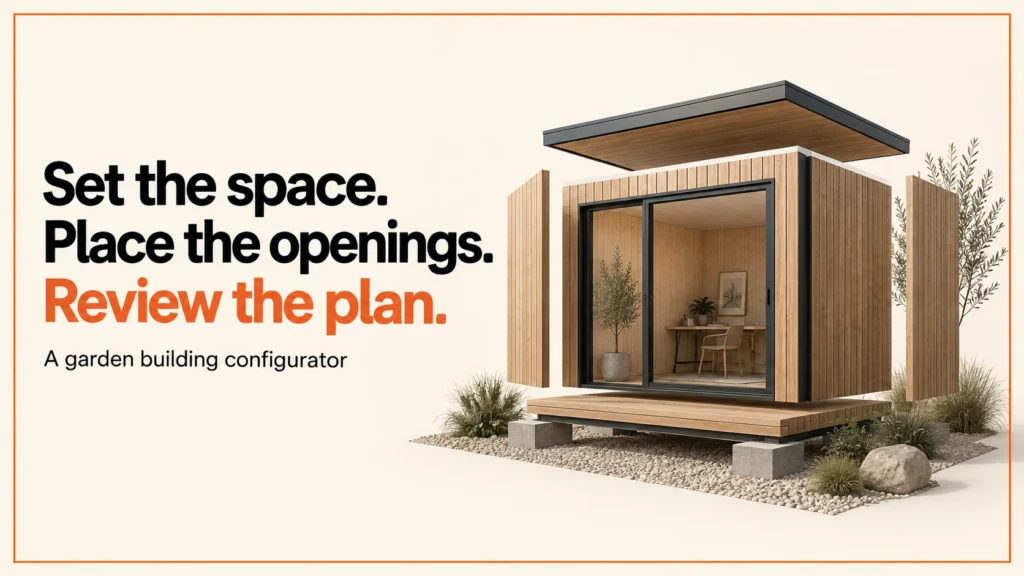
A garden building configurator turns a footprint, finish and opening layout into a specification that the supplier can review. The visual preview helps a customer understand the choices. An explicit product policy decides which combinations the range supports.
Discuss your product rangeTry the demos
This guide is for makers and retailers of garden rooms, sheds, summer houses and log cabins. It explains what a configurator should do, what customers usually choose and where the limits sit. The ideas carry across those building types, though each range has its own rules.
This original worksheet demonstrates a small fictional catalogue policy. It is not a structural design tool, site survey or planning assessment. Dimensions and limits below exist only to make the interface behaviour testable.
Who uses one
Garden room makers use a configurator to show their range online. Shed makers, summer house suppliers and log cabin companies have the same need. Customers want to see their options before they make a call.
Retailers and merchants use them too. A shop may sell several types of building from one catalogue. A configurator can help a buyer narrow the choice first. The salesperson then spends time on the options that fit.
Many visitors are early in their search. They may know roughly what they want. They may not know which sizes or openings suit their plot. A clear tool helps them sort the options. It also helps the supplier receive a better enquiry.
What customers usually choose
Most configurators ask for the same core choices. The exact list depends on the range, but the pattern is familiar.
- Size, usually as a width and a depth.
- Door and window positions, including how many openings to include.
- Cladding and finish, such as paint, stain or natural timber.
- Roof style and roof covering.
- Interior extras, such as lining or shelving.
Each choice affects the others. A wider footprint may change where a window can sit. Roof choices may be limited by size in some ranges. Your tool should show these links. It should not hide them.
The order of the questions matters too. Start with the choices that shape the whole building, such as size and layout. Leave the small extras until the end. A customer who has to answer many small questions before seeing a size may give up. A customer who sees the size first can judge the rest with more confidence.
Think about the words on screen as well. Use the names your customers use when they search. Someone looking for a summer house may not know the term your catalogue uses. A short plain description next to each option helps them choose with confidence.
Try a footprint and opening policy
Use the demonstration below. Change the footprint and the openings, then watch what the policy does.
The default footprint is 3 m × 3 m, so the area is 9 m². Select two windows, then reduce the width to 2.5 m: the demonstration retains your selection and explains why the fictional policy blocks it. It does not automatically delete a chosen opening.
Do not read the numbers as rules. The 2.5 m limit belongs to a made-up policy. Your own range will have its own limits.
Try a few changes of your own. Move a window from one wall to another. Change the width in small steps and watch when the policy speaks up. Notice whether your selection survives each change. Those checks show what a customer will experience, and they show where your rules need clearer wording.
Write the range policy before modelling
Write the range policy before you build any geometry. It is the list of what you sell and what you do not. It sets the footprints you offer, how many openings each size allows, and which finishes and extras are on the list. It also sets the installation details the supplier needs.
| Requirement | Data owner | Review question |
|---|---|---|
| Footprint choices | Product catalogue | Fixed module sizes or a constrained dimensional range? |
| Openings | Approved product specification | Which wall, position and combination is offered? |
| Finishes and interior options | Range and operations team | Which options alter assets, price or lead time? |
| Installation information | Supplier’s delivery process | What needs collecting before a quote is accepted? |
Do not treat a rectangular preview as the complete specification. A real supplier may need wall construction, roof form, insulation, opening details, delivery access and a separate site process. The configurator should distinguish an indicative selection from a supplier-approved proposal.
Planning, site and installation
The configurator does not check planning permission, building regulations or site suitability. A preview on screen cannot tell you whether a building is allowed on your land. It cannot tell you whether the ground, access or services suit the building.
Customers should check these points with their local planning authority or a qualified professional before they order. Suppliers should say this clearly on the page and in the quote. A demonstration policy is not advice on any of these matters.
Installation questions belong in the range policy too. Ask what the supplier needs to know about access and delivery. Ask who prepares the base and the site. These questions are easy to forget when the preview looks finished.
Some suppliers deliver and install. Others deliver only, and the customer arranges the rest. The configurator should make that split clear before the quote is sent. A customer who assumes installation is included may be surprised later. Write the answer down in the range policy, and show it on the page.
Model the changes customers can see
Define whether the geometry is assembled from fixed modules or generated from dimensions. That choice affects opening positions, material patterns and texture scale. A timber finish should not stretch unpredictably when the footprint changes. Keep the roof, walls and selected openings identifiable in the asset handover.
Use an agreed reference dimension and inspect exported assets with the GLB viewer. Test minimum, middle and maximum offered sizes in the final application. The footprint illustration above shows a plan only. It has no manufacturing geometry.
Make the quote hand-off reviewable
Include stable option identifiers, dimensions with units, opening positions, finish, policy version and any information still requiring review. A save-and-return link should restore the choices accurately. If it cannot, it should explain that the product policy has changed. You can read more about saving and sharing configurations.
Acceptance tests should cover several cases. Change the dimensions after selecting openings. Restore an older configuration. Check unavailable options. Reject a quote submission and see what the customer sees. Compare the visible summary with the data the supplier receives. A price shown in a preview should have a clear status and a defined source.
If the quote feeds a supplier system, the system integration example shows the wider picture.
Keep a human check in the flow where it matters. A supplier who reads every quote before it is sent will catch missing details early. The configurator then saves time without hiding problems. Make it clear to the customer that the quote is a proposal for review, and take advice if you are unsure of its legal status.
Common mistakes
Four mistakes come up often. Each one is easy to avoid if you plan for it. Check each one during testing, not after launch.
- Deleting choices silently. When a size change breaks a rule, the customer should see why. A chosen window should not vanish without a message.
- Stretched textures. A timber finish that stretches as the footprint changes looks wrong. It also misleads the buyer about the real product.
- A preview price shown as final. A preview price needs a clear status, such as indicative. It also needs a stated source. Otherwise the customer may treat it as a firm quote.
- Missing installation questions. A quote without access, delivery or base details means someone has to chase them. That can slow the sale.
Next step
Start with the project brief and worked example or discuss the product range through configurator development. For made-to-measure ranges, see made-to-measure product configurators. You can also browse configurator examples.
I led development of the Praxis Digital 3D configurator platform, used by 20+ UK businesses from 2021 to 2025. If you want to talk through your range, get in touch. The footprint illustration, fictional policy and worksheet on this page are original examples.
If you also sell doors or windows, the door and window configurator guide applies the same method to opening sizes and surveys.
Related reading: bike configurator guide and table and desk configurators.
Garden room configurator FAQ
Does the configurator check planning permission?
No. It does not check planning permission, building regulations or site suitability. Check with your local planning authority or a qualified professional before you order.
Is the preview price the final price?
Not unless the page says so. A preview price needs a clear status and a defined source. A supplier-approved proposal is the document to rely on.
What happens if a customer changes the size after choosing openings?
The tool should keep the customer’s selection and explain any conflict. It should not delete a chosen opening without a message. In the demonstration above, two windows stay selected when the width drops to 2.5 m, and the fictional policy blocks that width.