Pick a colour and a kit for an illustrative pocket gimbal camera, the kind people carry for travel clips and everyday vlogging. The demo shows four colours and lists the kit in a summary.
This product sits closer to lifestyle tech than to traditional camera gear. The buyer is often a creator, a traveller or a parent who wants smoother video than a phone gives, without carrying a rig. They choose colour the way they would for headphones, as a personal accessory. The second decision is the kit: whether the camera alone is enough, or whether the extras in a creator bundle will actually get used.
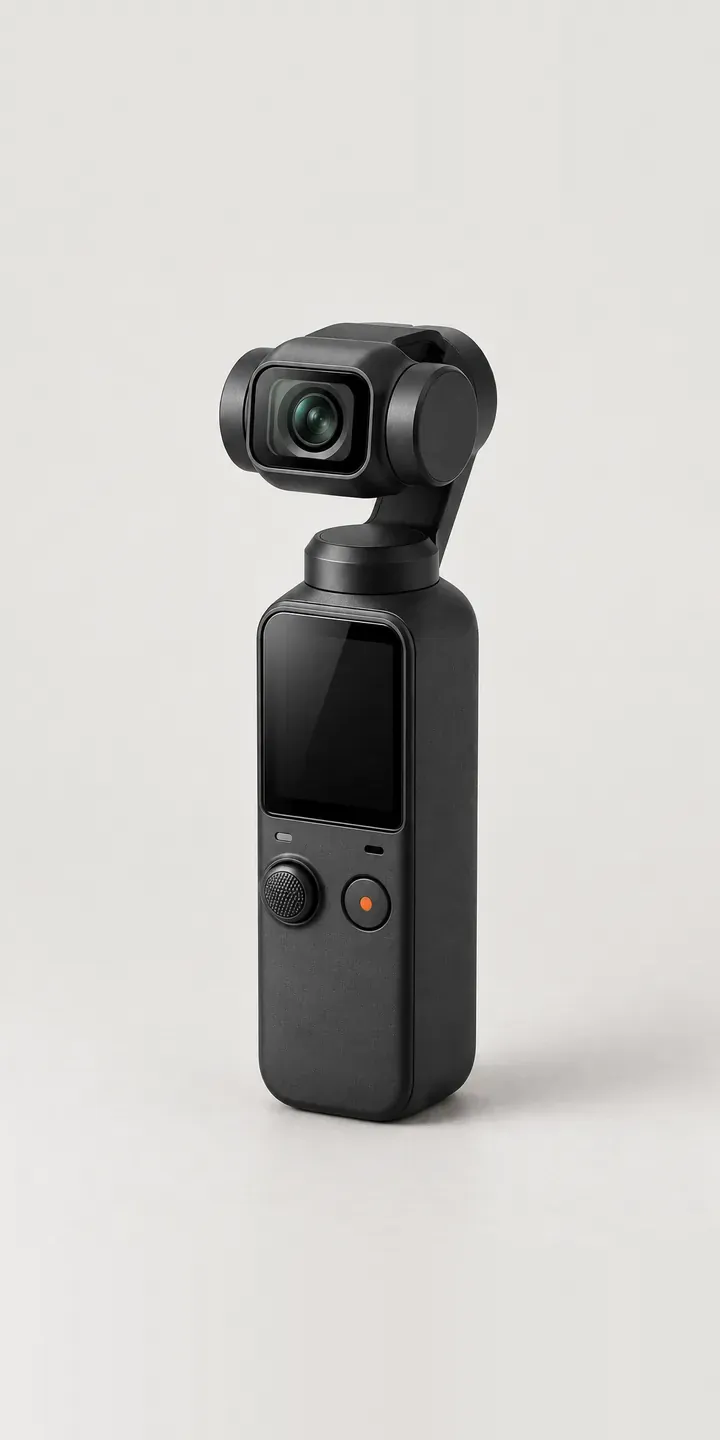
Cameras Configurator demo
Gimbal Camera
- Product
- Gimbal Camera
- Colour
- Matte Black
- Kit
- Standard
Illustrative product. The design and images are generated examples, not a real model for sale.
What you can configure
Four of six colours are shown: matte black, white, graphite and sage, with the camera head on its motorised arm and the touchscreen handle consistent across all four. The kit choice is Standard or Creator. Creator bundles in this category usually add items for recording and mounting, so retailers should list exactly what is included. The demo shows the kit in the summary rather than on screen.
- Colour: Matte Black, White, Graphite, Sage
- Kit: Standard, Creator
Why a configurator suits gimbal cameras
Twelve colour and kit combinations need showing. Pastel and neutral colours sell this camera, and they are hard to judge from small swatches. A configurator that swaps the full product image tells a buyer whether sage reads green or grey, which a coloured dot on a product listing cannot do.
The kit decision carries much of the margin. Buyers hesitate over Creator bundles when they cannot see what is inside. Laying out the extra items visually, next to the chosen colour, makes the upgrade easy to understand. If the extras come in matching colours, showing that pairing gives the buyer a strong reason to choose the bundle.
This camera is also a common gift and a common social media purchase. Many buyers arrive on a phone from a short video, decide quickly and expect the page to show the colour they just saw. A fast, image-based configurator on mobile, with a direct add-to-basket button, suits that buyer far better than a long specification page they will not scroll through.
How a production version would be built
A simple image swap per colour and kit is enough here. With twelve combinations, each can be shot or rendered directly, or the bundle contents can be layered beside the camera. The more important work is on mobile: images sized for quick loading, swatches large enough to tap and an add-to-basket button that stays in view. Colour names, kit contents and SKUs are all the data required. On Shopify, the configurator sets the variant, and the bundle contents can appear in the basket line so the buyer sees exactly what is coming.
Build sheet for this range
- Colours in the full range: 6 (4 shown in this demo)
- Kit choices: 2
- Combinations to support: 6 × 2 = 12
- Images for one photograph per combination at 3 angles: 36
- Images if kits can be shown as separate layers, at 3 angles: 24
- Data each of the 12 combinations needs: a SKU or variant ID, price, stock or lead time, and any dimensions or specification that change
Questions about gimbal camera configurators
How should we show what is in the Creator kit?
Visually, beside the camera. A flat-lay image of the kit contents, in the buyer's chosen colour where the items match, appears next to the main image when Creator is selected. A short list with each item's purpose helps buyers judge whether they will use it, which is the real question with any bundle.
Can the configurator load quickly enough for buyers coming from social media?
Yes, if the images are prepared properly. I use compressed, correctly sized images, load the first colour immediately and fetch the others in the background. The page stays usable on a mobile connection, and the swatches and basket button are sized for thumbs rather than a mouse.
Will pale colours like sage and dusty rose look right on phone screens?
Pale colours are sensitive to screen settings, so exact accuracy is not possible. Consistent lighting, calibrated images and a lifestyle shot in natural light all help. Showing the colour beside a neutral object, such as a white cup, gives the eye a reference point that a plain background does not.
Can we add seasonal colours without rebuilding the configurator?
Yes. Colours are data, not code. Adding one means supplying the new images and an entry with the name, SKU and availability. The configurator picks it up and places the swatch in the order you choose. Retiring a colour works the same way in reverse.
More camera configurator demos
A configurator for your gimbal cameras
This demo uses an illustrative product. If you sell gimbal cameras, I can build the same experience around your own range, photography and ordering process, connected to Shopify, WooCommerce or a quote workflow. I reply to enquiries within two UK working days.