
A WooCommerce product configurator should keep the customer’s choices after they leave the 3D view. The basket needs the right item to buy. The order needs the details your team will use to make and send it.
That requires three decisions: how options map to products or variations, which information belongs on a cart line, and how that information reaches the saved order. A working 3D preview does not demonstrate any of those handoffs.
Discuss a configurator for your product range, or use the tested reference example below to assess one part of the integration.
Start with the WooCommerce product model
Use a real variation when a choice changes which stocked or priced item is bought. Use extra order details for things like a project reference. A custom size, a build limit or a surcharge may need its own rules and pricing design.
The Store API cart documentation describes product or variation IDs and chosen attributes. Names matter here. Global attributes and per-product attributes are not named the same way. Map the configurator’s IDs directly. Don’t rely on labels that staff may rename later.
The store should always have the final say on price and stock. A reference sent from the browser comes from the customer. It should never quietly approve a price, a build instruction or an old quote. The configurator product-data guide helps separate those responsibilities.
A reference carried through cart and order
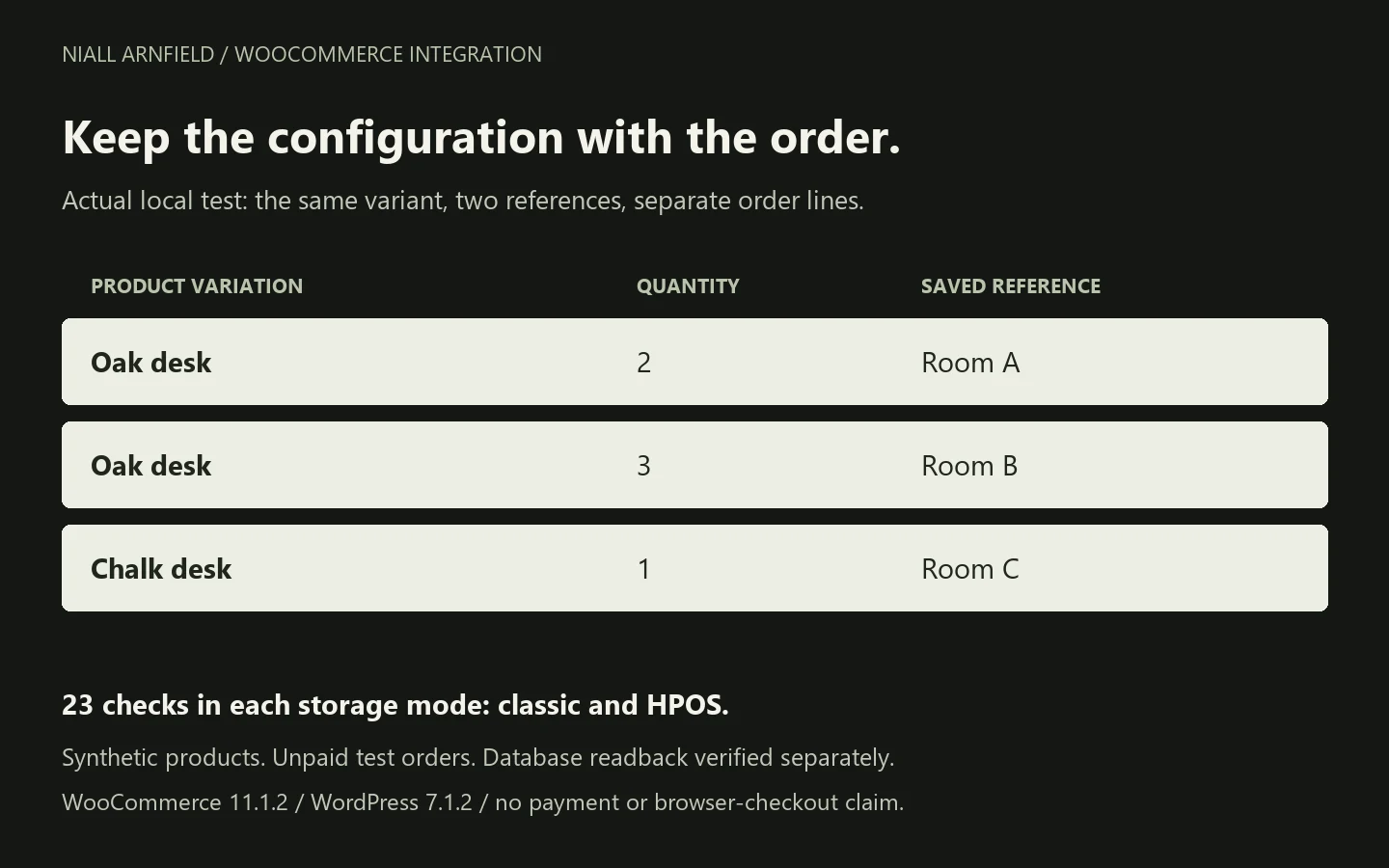
For this example, I created an isolated WordPress and WooCommerce installation with a synthetic desk in Oak and Chalk. A small PHP extension accepts an optional project reference on marked example products, shows it next to the cart item and copies it to the order line using WooCommerce’s normal hooks.
The example accepts up to 40 letters, numbers, spaces or hyphens. That narrow rule is my choice for this demo, not a WooCommerce limit. The example does not add prices, build a configurator screen or check build rules.
| Tested situation | Observed result |
|---|---|
| Same variation, different references | Separate cart lines retained Room A and Room B. |
| Same variation and same reference added again | The matching line’s quantity increased. |
| Quantity changed by cart-line key | Only the intended line changed. |
| Missing nonce, invalid reference or insufficient stock | The relevant request was rejected. |
| Client supplied a different price | The configured product price remained authoritative in the tested request. |
| Saved order reopened in a separate PHP process | All three references and quantities matched. |
23 checks passed in classic order storage, and the same 23 passed with High-Performance Order Storage (HPOS) enabled. Both saved orders were read back independently. These are 23 distinct checks exercised in two storage modes, not 46 different scenarios.
What the tests prove—and what still needs testing
The recorded environment was WordPress 7.1.2, WooCommerce 11.1.2, PHP 8.2.29 and MariaDB 10.6.23. Requests passed through WordPress’s Store API handlers in-process with native nonce checks. Order persistence used WC_Checkout::create_order and its line-item metadata hook.
This verifies the bounded cart-to-order data path. It is not a test of browser checkout, HTTP transport, payments, shipping, tax, email delivery or a client’s theme and extensions. External HTTP and mail were blocked in the lab. No WooCommerce installation or test order was added to this portfolio website.
Storage changes also have prerequisites. WooCommerce refused my first attempt to switch on HPOS because the sample orders were out of sync. Once I synced them using WooCommerce’s own tools, the switch and a second test run worked. On a live store, the move needs its own backup, plugin checks and testing.
Keep validation, display and persistence separate
The Store API’s nonce requirements protect relevant requests; do not disable them to make a configurator work. They do not replace checks that a chosen product or option is permitted.
Cart display metadata and saved order metadata are also separate responsibilities. The cart item documentation explains the display representation. This tested extension uses key/value fields and does not depend on the newer raw_key field described for WooCommerce 11.2.
Test the real checkout again, along with cart updates, returning sessions and the order screen your team uses. If the product needs a sales review before price or specification is confirmed, choose a quote-first workflow rather than presenting an unverified configuration as ready to purchase.
Once the store works, the next job is search visibility. My WooCommerce SEO service covers that side.
Before building a configurator, decide which choices are variations and which are add-ons. The WooCommerce product options guide walks through that decision.
Other platforms: Magento and BigCommerce.
Use the example to scope your integration
For the separate customer journey, the ecommerce launch checklist records a browser checkout and independent order readback, including coupon recovery and unpaid order status.
Download the WooCommerce configuration-reference example. It includes the PHP hooks, integration harness, results and separate-process persistence checks. The test script creates sample products and unpaid orders, so only run it on a fresh, separate test site, following the README. The package does not install WordPress or set up a live store.
For connections beyond WooCommerce, the system-integration example covers sending the order on to other systems. The Shopify cart-mapping guide explains how Shopify does it differently.
Bring a representative product, valid options and the order information your team needs. I can help define and test the configurator integration around that workflow.
For a full WooCommerce build around a configurator, see WooCommerce developer UK.