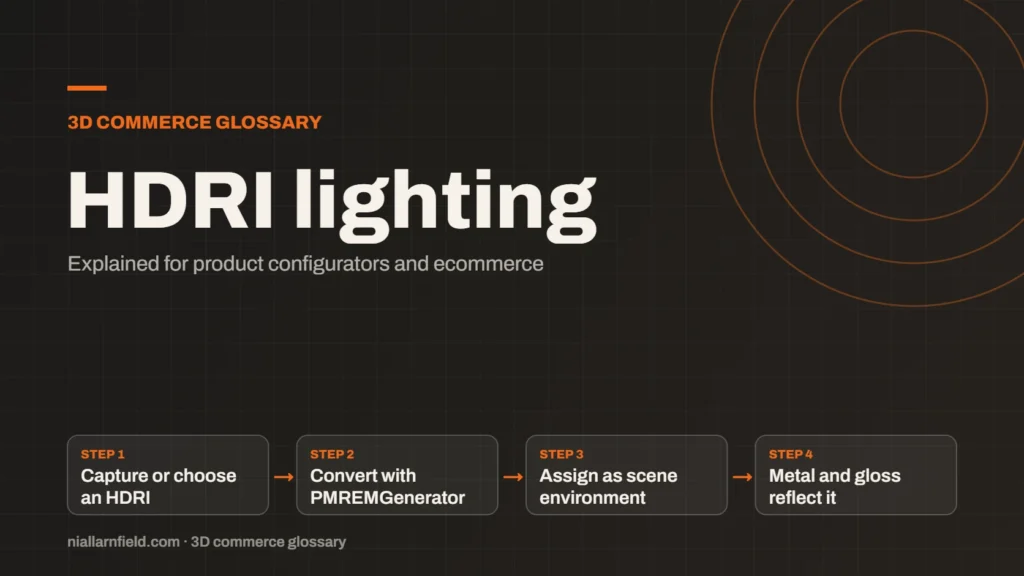
HDRI lighting uses a high dynamic range image of an environment to light a 3D scene. The image supplies light and reflections from every direction. Glossy and metal surfaces benefit most, because they show what they reflect.
Discuss your product rangeTry the demos
What an HDRI is
HDRI stands for high dynamic range image. Unlike a normal photo, it stores very bright and very dark values with real detail behind each one. A bright window or a lamp keeps its true strength, so it can light a scene accurately. Most HDRIs are panoramas that wrap around the object, which is why they work so well as a surrounding light source. A studio capture or a carefully made synthetic environment can serve equally well, provided the light looks plausible.
In a 3D engine, the HDRI becomes an environment map. The engine treats each pixel as light arriving from one direction. Together, those pixels act like many soft lights surrounding the product, and that is why the result looks natural. The product sits inside the environment rather than under a single lamp.
- Capture or choose an HDRI
- Convert with PMREMGenerator
- Assign as scene environment
- Metal and gloss reflect it
How three.js uses an environment map
In three.js, the PMREMGenerator converts the HDRI into a prefiltered, mipmapped map. The map stores blurred versions for different roughness levels. A rough surface samples a soft reflection, while a polished surface samples a sharp one. The prefiltering uses GGX importance sampling, which matches the model that physically based materials use, so the reflections behave consistently. That consistency matters when the shopper switches finishes, because each option should look as if the same environment is in use.
The steps are short and easy to repeat. You create a generator from the renderer, convert the equirectangular texture, then assign the result to scene.environment. Finally you can dispose of the generator to free its internal resources. The documentation says the ideal input size is 1k (1024 x 512), which matches its 256 x 256 cubemap output.
Why it matters for product configurators
Product shots depend heavily on reflections. A metal finish looks flat under a single directional light, because nothing around it gives it character. With an HDRI, the metal picks up the surroundings, which makes the finish read as real. Shoppers judge quality by cues like these, so the lighting matters a great deal to the sale.
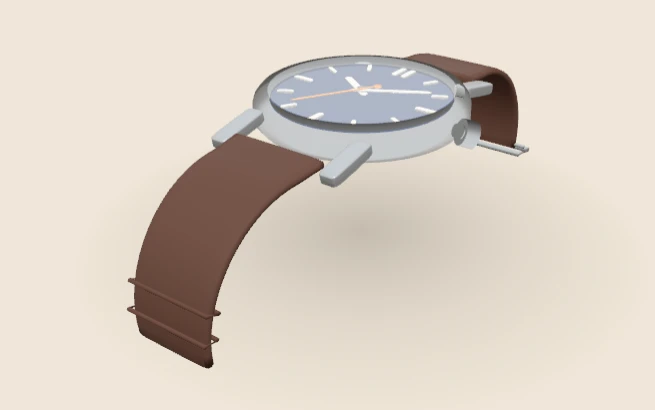
For example, a watch case in steel or gold needs something to reflect. A plain grey background gives a dull result. A studio-style HDRI gives highlights that run along the curves of the case, and those highlights move as the shopper orbits the watch.
- Metal and glossy finishes gain the most from a believable environment.
- One HDRI can light the whole product without a rig of many separate lights.
- Switching the HDRI can change the mood of a product quickly and cheaply.
These benefits suit a configurator well. The finish options change the surface, while the environment stays the same for every option the shopper picks. The 3D product configurator page explains how lighting fits into the wider viewer.
How I choose and prepare an HDRI
I choose the HDRI for the product, not for visual drama. A soft studio light suits a kitchen appliance, while a warm interior suits a lamp or a sofa. I check that the highlights fall where the product’s form needs them, because that decides how the object reads from every angle the shopper might choose.
I keep the resolution modest. A large file slows the first load, and the three.js PMREMGenerator documentation names 1k (1024 x 512) as its ideal input size, a sensible starting point for most products. I convert the file once, then reuse the environment for every option change, so the cost is paid only at load time.
I also check the background. An HDRI can be shown behind the product, but a busy photo may distract the shopper from the item. I often use a plain background and keep the HDRI for light and reflection only. HDRI lighting works best with physically based materials, which my guide to PBR explains in more detail. For whole projects, my product configurator service covers the lighting setup alongside the rest of the viewer.
Common mistakes and limits
- Skipping the prefiltering step, or setting the wrong mapping on the texture, so reflections look wrong on rough and smooth surfaces.
- Using a huge HDRI, which slows the first load on phones and tablets.
- Expecting sharp shadows from the environment alone, which it does not produce.
- Showing an HDRI background that clashes with the product’s colours.
An environment map does not cast directional shadows by itself. If a product needs crisp shadows, add a directional light and tune it against the environment so the two agree. Dark surfaces can still look flat when the environment lacks contrast, so I test each finish before I sign off a scene.
Colour handling matters too. Load the HDR file with a loader built for HDR files, not as a standard image. Otherwise its brightness can be wrong, and the whole scene will look off in a way that is hard to diagnose.
Related terms
- Baked lighting: Baked lighting calculates light ahead of time and stores the result in a texture, called a lightmap.
- Tone mapping: Tone mapping converts the wide range of light values in a 3D scene into the narrower range a screen can show.
- Environment map: An environment map is an image of the surroundings that a 3D scene uses for lighting and reflections.
- 3D asset pipeline: A 3D asset pipeline is the set of steps that turns source files into models a web viewer can load.
- Digital twin: In a product configurator, a digital twin usually means a 3D model that matches a real product's shape, materials and options.
- Configurator embed: A configurator embed is how a 3D configurator appears inside another website.
- Material swatch: A material swatch is a sample of a finish, such as fabric, leather or metal, shown as a choice in a configurator.
- Scene Viewer: Scene Viewer is Google's viewer for 3D and augmented reality (AR) models on Android.
- WebXR: WebXR is a web standard for augmented reality (AR) and virtual reality (VR) in the browser, published by the W3C.
- WebGL: WebGL is a web standard that lets a browser draw 3D graphics on a canvas, using the device's graphics chip.
Browse all the definitions in the 3D commerce glossary.
Common questions
What is the difference between an HDRI and a normal image?
An HDRI keeps a far wider range of brightness. Bright lights stay bright, and shadows keep their detail. A normal JPEG clips those values at the top and bottom. That wider range is what lets an HDRI light a 3D scene and produce believable reflections.
Do I still need lights with HDRI lighting?
Often you do. The environment gives soft, overall light and reflections. A directional light can still add crisp shadows. Many scenes use both, and I tune the balance for each product rather than assuming that one rule fits every case.
Why does my product look too bright or too dark?
Check the exposure and the colour space first. Confirm that the HDRI loaded as HDR data, not as a standard image. Then test with a different environment, because a bright sky can wash out a light finish on the product.