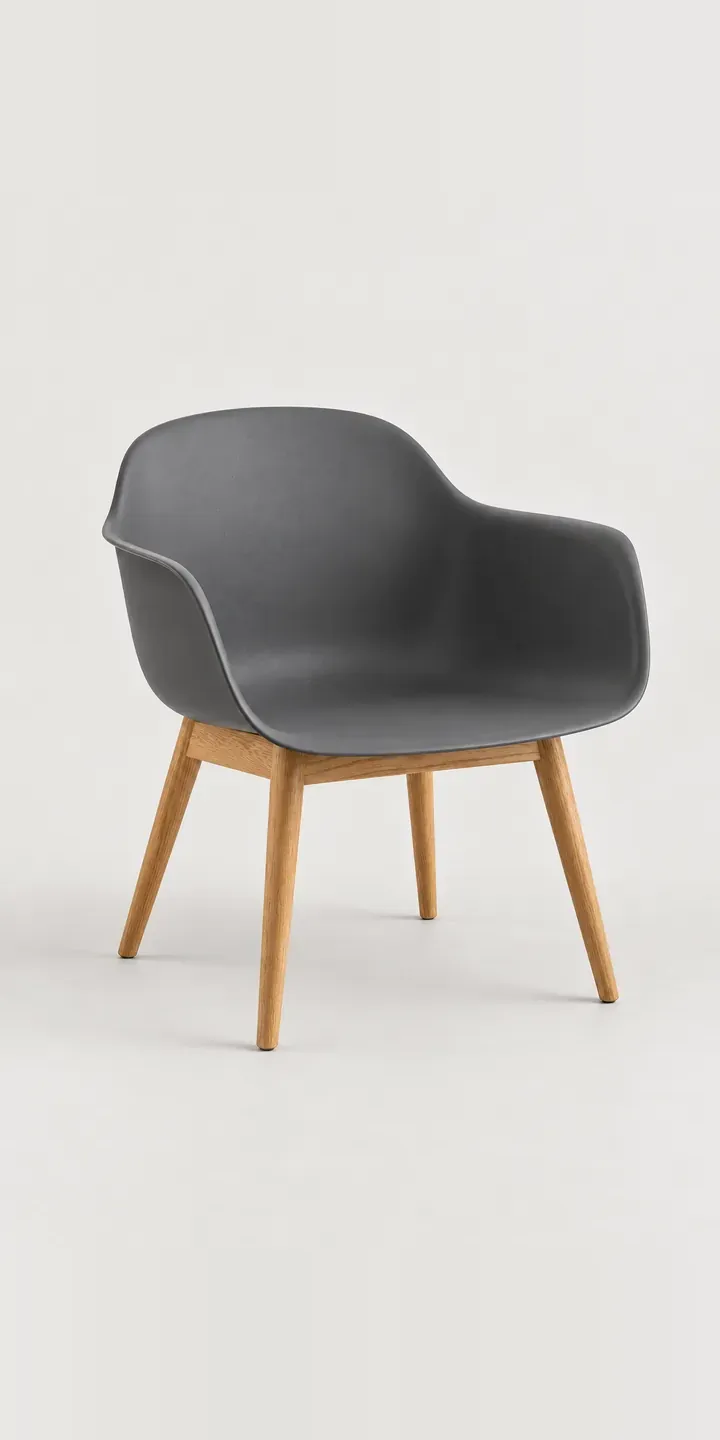
This example armchair pairs a moulded shell, curving up into its arms, with solid oak legs. In the configurator you choose the shell colour and decide between a plain or upholstered seat.
Chairs like this are bought in sets. A café owner or workplace designer may order twenty at once, so the decision is about how a colour reads across a whole room. Mustard around a meeting table is lively; dark grey or black recedes into the space. The seat option is about dwell time. A plain shell wipes clean between customers, while a padded seat suits longer meetings.
Furniture Configurator demo
Shell Armchair
- Product
- Shell Armchair
- Colour
- Dark Grey
- Seat
- Plain
Illustrative product. The design and images are generated examples, not a real model for sale.
What you can configure
Shell colour comes first: dark grey, white, black and mustard are four of six. Plain or upholstered seat is recorded in the summary, but the image shows the plain shell for now. In a production build that layer matters, because the upholstery can contrast with the shell, and anyone ordering in quantity will want to see the pairing before committing.
- Colour: Dark Grey, White, Black, Mustard
- Seat: Plain, Upholstered
Why a configurator suits armchairs
Contract suppliers usually sell chairs like this with a printed specification sheet and a sample chair. It works, but it slows every project, and specifiers wait for samples before they can present options. Six shells and two seat options already make twelve chairs, and once the upholstered seat comes in its own fabrics the count multiplies quickly.
A configurator lets the specifier build the exact chair, share it with the client and request a quote with the quantity attached. Shell and fabric references arrive in a form the supplier can process directly. For repeat orders from café groups or offices, the saved build becomes the reference that keeps later batches consistent. It also stops a second site ordering a slightly different mustard.
Retail buyers ordering two or four chairs for a dining room want the same clarity on a smaller scale. One configurator can serve both audiences, with quantity breaks and trade pricing visible only to logged-in trade accounts. Retail customers never see the trade view, and trade customers never lose their terms.
How a production version would be built
A layered build works well. The shell is photographed or rendered once per colour, the oak legs as a fixed base, and the seat pad as a separate layer per fabric. That keeps the image count close to shells plus fabrics, rather than shells multiplied by fabrics. I would need shell colours, fabric codes and any fire-rating or contract certification notes. Trade orders go to a quote with quantities, and retail orders to a Shopify basket with the shell and seat recorded as variant options.
Build sheet for this range
- Colours in the full range: 6 (4 shown in this demo)
- Seat choices: 2
- Combinations to support: 6 × 2 = 12
- Images for one photograph per combination at 3 angles: 36
- Images if seat options can be shown as separate layers, at 3 angles: 24
- Data each of the 12 combinations needs: a SKU or variant ID, price, stock or lead time, and any dimensions or specification that change
Questions about armchair configurators
Can the configurator show a contrasting seat pad on the shell?
A contrasting pad is straightforward, because the pad sits on its own image layer, so any fabric can appear on any shell colour without a separate photograph for each pairing. Rules can still restrict combinations if your range only offers certain fabrics with certain shells, and the buyer never sees the excluded ones.
Can trade customers see different pricing from retail buyers?
They can. Trade accounts log in and see their own price list, quantity breaks and a quote button, while retail visitors see standard prices and a basket. The configurator itself is identical for both; only the pricing and the final step change.
Where do fire ratings and contract certifications appear?
In the product data, attached to each fabric. When a specifier chooses an upholstered seat, the summary shows the relevant rating for that fabric. Hospitality and workplace projects often require this, so having it in the configured build saves a round of questions later.
How do we keep repeat orders from a café group consistent?
Save each project build with a reference. When the group reorders months later, the same shell, leg and fabric references load straight from that record. If a fabric has been discontinued in the meantime, the configurator flags it before the order is placed, not after delivery.
More furniture configurator demos
All furniture configurator demos
A configurator for your armchairs
This demo uses an illustrative product. If you sell armchairs, I can build the same experience around your own range, photography and ordering process, connected to Shopify, WooCommerce or a quote workflow. I reply to enquiries within two UK working days.