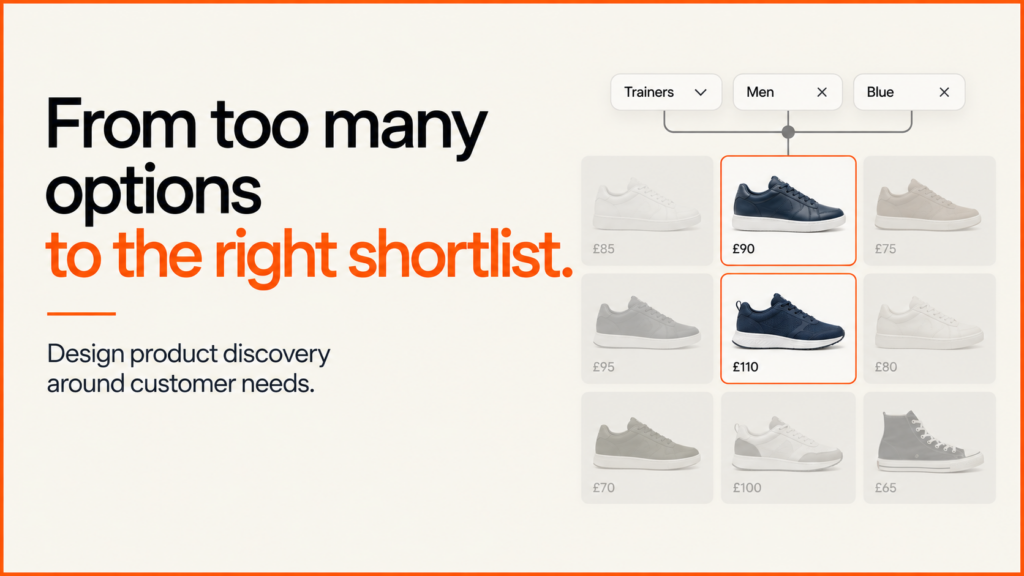
An ecommerce product finder turns a shopper’s requirements into a shortlist of existing products. It is useful when someone knows what they need to accomplish but does not know which catalogue attributes to select.
Discuss your product rangeTry the demos
The important part is the connection between each answer and the recommendation. A polished quiz is difficult to trust if it recommends an unavailable product, ignores a size limit or cannot explain why an item appears.
I build product-discovery journeys as part of ecommerce website development. The working example below shows how a small, explicit set of rules can support that journey.
Choose the right discovery route
| Customer’s task | Useful route |
|---|---|
| “I know the attributes I want.” | Product filters narrow a catalogue directly. |
| “I know what I need to do, but not which product fits.” | A product finder translates needs into product requirements. |
| “I have chosen a product and want to change its options.” | A product configurator controls valid combinations. |
| “I need more information before deciding.” | Contextual reading recommendations surface relevant guides. |
These approaches can work together. A finder might identify a suitable product family, after which a configurator lets the customer choose its finish or dimensions. Keep normal category browsing available for people who already know what they want.
Try the working product finder
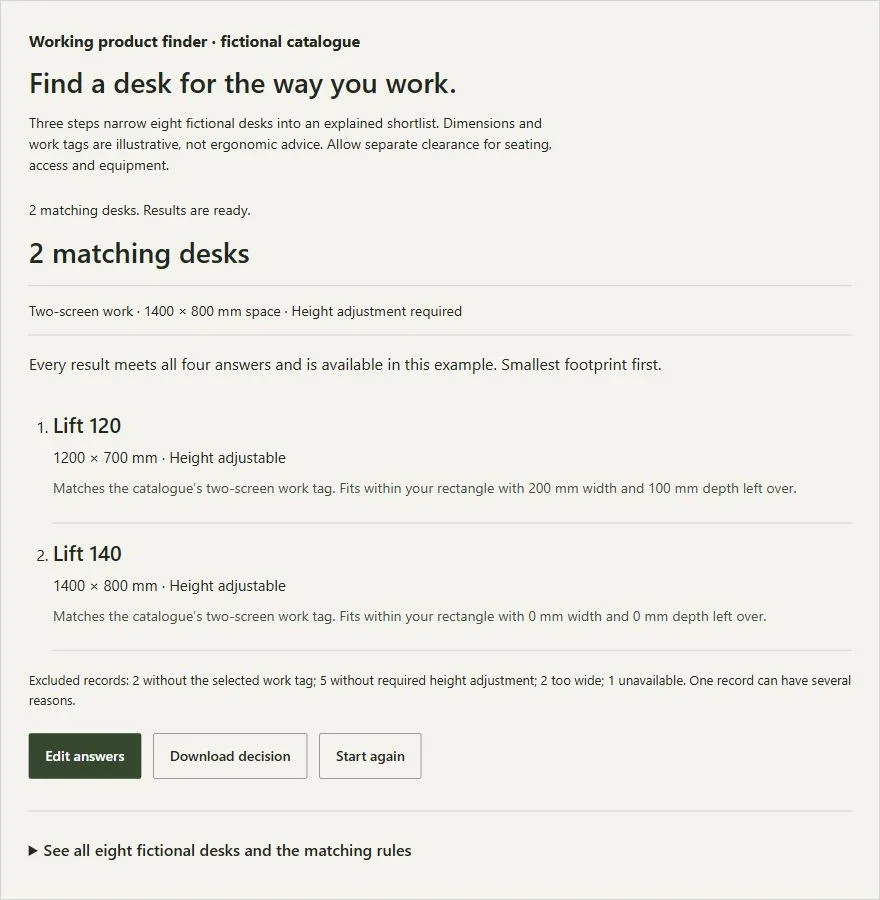
Choose a work type, enter a rectangle for the desk and decide whether height adjustment is required. The example checks eight fictional catalogue records and explains both the matches and the exclusions. It does not sell real desks or assess ergonomics.
Find a desk for the way you work.
Three steps narrow eight fictional desks into an explained shortlist. Dimensions and work tags are illustrative, not ergonomic advice. Allow separate clearance for seating, access and equipment.
See all eight fictional desks and the matching rules
A match must be available, fit both maximum dimensions, have the selected work tag and meet the height requirement. Matches sort by footprint, smallest first, with product ID as a stable tie-breaker. These tags do not certify a real desk’s suitability.
| Desk | Width × depth | Work tags | Height / availability |
|---|---|---|---|
| Compact 90 | 900 × 500 | Laptop | Fixed; available |
| Everyday 120 | 1200 × 600 | Laptop | Fixed; available |
| Deep 120 | 1200 × 800 | Laptop, Two screens | Fixed; available |
| Studio 140 | 1400 × 800 | Laptop, Two screens, Drawing | Fixed; available |
| Studio 160 | 1600 × 800 | Laptop, Two screens, Drawing | Fixed; available |
| Lift 120 | 1200 × 700 | Laptop, Two screens | Adjustable; available |
| Lift 140 | 1400 × 800 | Laptop, Two screens, Drawing | Adjustable; available |
| Lift 160 | 1600 × 800 | Laptop, Two screens, Drawing | Adjustable; unavailable |
For a reproducible result, select two-screen work, 1,400 × 800 mm and required height adjustment. Lift 120 and Lift 140 match. Changing the available rectangle to 1,000 × 600 mm produces no matches; the finder keeps those requirements instead of substituting a product that fails them.
Make the matching rules explicit
Separate eligibility from ordering. In this example, availability, width, depth, work tag and required height adjustment are eligibility rules. Failing any one excludes the record. Only eligible records reach the sorting stage.
The shortlist then sorts by the smallest footprint, with product ID resolving equal footprints consistently. This is an illustrative ordering decision, not a claim that the smallest desk is universally the best. Another business might use a customer-selected priority, documented compatibility or an approved merchandising rule.
A ranking score must not conceal an incompatibility. If a required connector, dimension or certification is missing, a high preference score should not make the product appear suitable. Write down which requirements are mandatory and which simply change the order.
Design backtracking and no-match recovery
The example shows three steps, preserves answers when going Back and allows editing after results appear. Editing hides the old shortlist and disables its download until the answers are submitted again. Start again restores the defaults.
W3C’s multi-step form guidance describes the importance of understandable progress and reviewing earlier answers. Here, keyboard focus moves to each new question and then to the result heading. Labelled native controls provide the inputs.
The result count also has a programmatic status message. W3C explains how status messages can expose changes to assistive technology. The recorded checks cover browser interaction and keyboard behaviour; screen-reader listening and physical-phone user testing remain separate acceptance work.
Keep product data and navigation reliable
Every recommendation depends on catalogue quality. Agree who owns each attribute, how missing values are handled and when availability updates. Use the product-data checklist before building a finder around inconsistent records.
The demo’s work tags are deliberately visible in its full catalogue. A real implementation needs approved suitability rules from the business or relevant specialists. Preserve a rule version with the decision so changed recommendations can be investigated later.
The finder should complement crawlable product and category pages. Google’s ecommerce site-structure guidance explains the role of normal links in discovering products. Do not make a questionnaire the only route to important catalogue pages.
Design filters for combinations, counts and recovery
If shoppers do not know which attributes to choose, a guided finder translates their needs into a shortlist. Keep filters available alongside it for people who already know the specification they want. Good filters let a shopper reach a useful shortlist and change their mind without starting again: they can pick two acceptable colours, see which choices are active, understand the result count and recover from an empty result.
Make the rules explicit. Within one group of ordinary alternatives, such as colour, multiple selections usually mean either, so choosing Sage and Ink means products in either colour. Across groups the rule is both, so adding Pouch means a pouch in one of those colours. Specialised requirements, such as a component needing several certifications at once, need their own stated rule. Baymard’s filtering research describes the difficulty of forcing shoppers to try acceptable values one at a time.
| Selection | Matching products |
|---|---|
| Pouch | 3: all three pouch colours. |
| Pouch + Sage or Ink | 2: the two acceptable pouch colours. |
| The same selection + in stock only | 1: the Sage pouch. |
| Tote + Sage | 0: no product has that combination. |
| Remove Sage, keeping Tote | 3: all three tote records return. |
- Keep selections visible on mobile. If filters sit in a collapsible section, show the applied choices above the products when it is closed, let each be removed separately, and offer Clear all. Give a search query its own removable label so a forgotten query does not silently constrain the list.
- Define what a count means. A count beside a value can show matches after applying the other groups, ignoring selections in its own group, so choosing Ink does not erase the count for Sage. Document the convention and check it on representative combinations, because counts that follow different rules in different groups mislead.
- Recover from empty results. Keep the shopper’s choices, say which combination found nothing and offer removal or reset. Never silently replace their choices or show unrelated products as matches. A production store may disable an impossible unselected option with an explanation.
- Test the controls. Use labelled native checkboxes and fieldsets, expose the result count in a status region, check focus after removing a filter, and test search, filters and sort together. Sorting should reorder the current matches, not drop filters. If results load remotely, check that an older response cannot overwrite a newer selection.
A useful customer filter does not deserve an indexable URL for every combination. Faceted navigation can create heavy crawling work, so decide which categories or curated selections have a distinct search purpose and enough relevant products, give those pages deliberate ownership, and treat transient combinations and sorting separately. The ecommerce SEO guide covers the wider page structure. Before redesigning controls, check that attributes are consistent using the product data checklist. The product filter example and acceptance checklist has eight fictional products, source code and tests; its blank checklist covers production work such as Back navigation, slower responses and assistive technology.
Recommendation widgets: keep them contextual and testable
Recommending something to read next is a different task from choosing a product. A related-reading module on your own site, a personalised recommendation system and a sponsored content network need different data, privacy and editorial controls. For most small sites a contextual widget is enough: score each candidate on shared topic group and subject tags, exclude the current page, unpublished items and anything already shown nearby, and sort by score with a stable ID order for ties. These points are editorial rules, not predicted click-through rates, and the advantage is that you can inspect and test every result before deciding a more complex system is needed.
- Decide eligibility first. Keep a maintained catalogue with stable IDs, accurate URLs and an explicit publication state. A relevant title is no use if the destination is unpublished or unavailable.
- Make the links usable. Use a clear heading such as related reading and descriptive link text, avoid a moving carousel, and show an explicit empty state instead of inventing a recommendation. Generate ordinary links on the server where possible so discovery does not depend on client-side code.
- Measure usefulness honestly. Define a visible recommendation, a click and a useful next action. A click alone does not show the reader found an answer. Record the traffic mix and period when comparing versions, and keep any tracking within your consent arrangements.
For a store, product recommendations also depend on availability, compatibility and commercial rules, not just similarity. The recommendation widget example and tests shows the contextual approach with a local catalogue.
Download the example and define success
Download the working finder, source code and test pack. Open demo.html after extracting the ZIP. It runs locally without an account or server. Download decision produces a JSON file containing the answers, rule version, matching IDs and exclusion reasons.
The pack contains 26 focused logic checks and a sampled grid of 1,080 answer combinations. Browser checks cover backtracking, invalid dimensions, matching and empty results, reset and download. These demonstrate implementation behaviour, not increased conversion.
For a live store, define successful product discovery before launch: suitable product-page visits, subsequent purchase or an accepted enquiry. Review no-match patterns and completion alongside those outcomes. The conversion optimisation guide explains how to test an improvement without treating interaction counts as proof of commercial value.
Discuss your catalogue and the decisions customers find difficult. A useful first scope is one product family, approved matching rules and a testable route from answers to the next action.