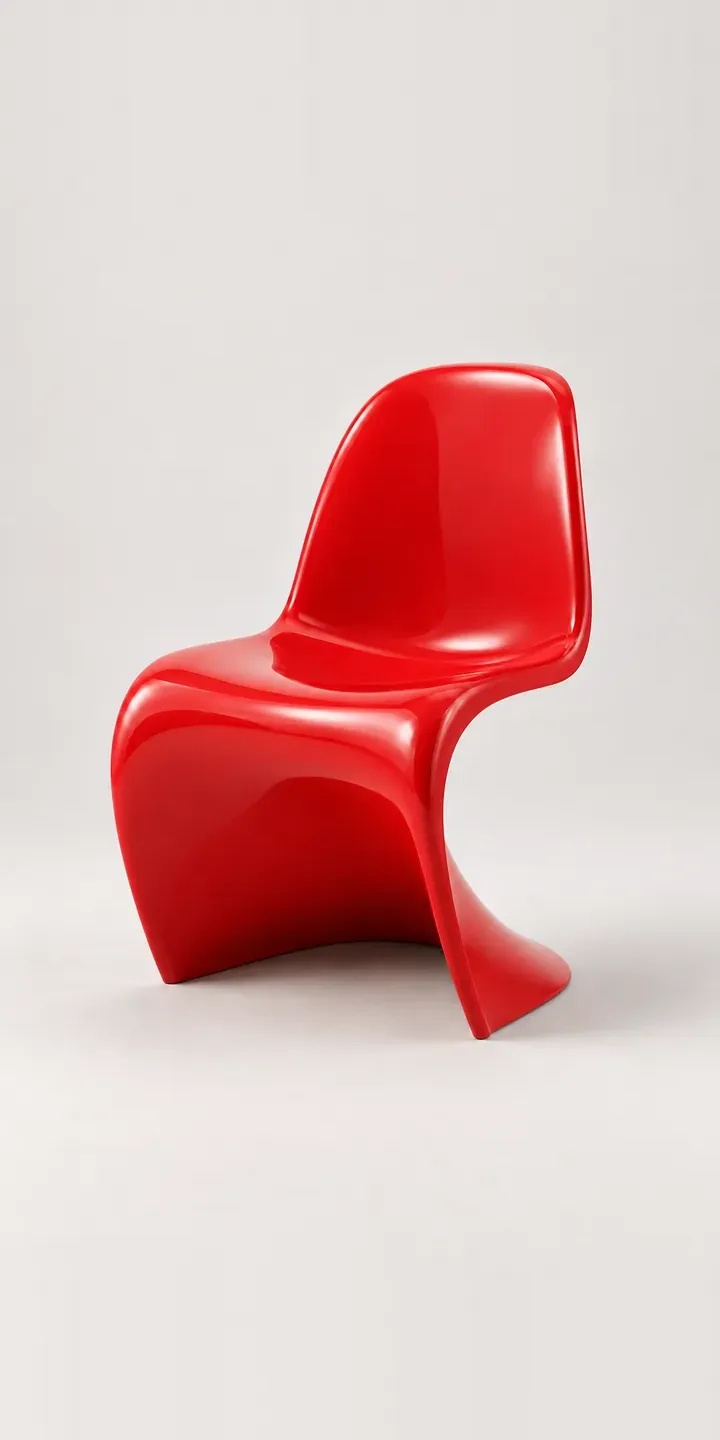
Moulded in one piece, the illustrative cantilever chair in this demo flows from seat to base in a single S-curve. Pick a glossy colour and an adult or junior size to build your quote request.
This chair is a colour statement first. People choose it because a red or deep blue shell around a white table changes a room, so the colour choice is rarely cautious. Dining chairs are also bought in sets, and the real decision is often how many of each colour. Some buyers want four in one shade, others mix colours around a table. The junior size adds a family question: matching chairs for children at the same table.
Furniture Configurator demo
S-Curve Chair
- Product
- S-Curve Chair
- Colour
- Glossy Red
- Size
- Adult
Illustrative product. The design and images are generated examples, not a real model for sale.
What you can configure
Shells switch between glossy red, white, black and deep blue, with sage and burnt orange in the wider palette. Adult or junior is noted for the quote, while every colour is photographed at one size. Gloss is the hard part of this product to show. The shell reflects its surroundings, and a dark colour can look quite different in a sunny room from one lit by lamps.
- Colour: Glossy Red, White, Black, Deep Blue
- Size: Adult, Junior
Why a configurator suits chairs
Chairs are a quantity purchase, and a configurator should treat them that way. A buyer choosing six chairs in two colours needs to see the set, adjust the mix and order it in one go. Colour and size alone give twelve chairs, but the real variety is in the mixes, and that is where a configurator does what a product page cannot.
Buyers who want the chair for a poolside terrace or garden ask whether the finish will stand up to sun and rain. That depends on the actual material and coating, which the configurator can state per colour from the product data. Answering at the point of choice saves an enquiry, and stops a buyer putting an indoor chair outside.
Contract buyers are part of this market too. Cafés, bars and hotel restaurants order chairs by the dozen, and a quote request with quantity per colour suits them better than a basket. The same configurator handles both routes. The junior size also opens the door to schools, nurseries and family restaurants.
How a production version would be built
For gloss, I would render rather than photograph. A glossy shell reflects the studio, the camera and the photographer, and keeping those reflections identical across six colours is far easier in a render. Each colour is rendered in both sizes, and a set view composites several chairs around a table so buyers can mix colours. The retailer supplies colours, sizes, dimensions, indoor or outdoor suitability, and stacking information if relevant. Single chairs and sets go to the basket, and larger contract orders route to a quote. My 3D product configurator page covers when a rotating view is worth adding.
Build sheet for this range
- Colours in the full range: 6 (4 shown in this demo)
- Size choices: 2
- Combinations to support: 6 × 2 = 12
- Images for one photograph per combination at 3 angles: 36
- Images if sizes can be shown as separate layers, at 3 angles: 24
- Data each of the 12 combinations needs: a SKU or variant ID, price, stock or lead time, and any dimensions or specification that change
Questions about chair configurators
Can buyers mix colours across a set of chairs?
Yes. A set builder lets the buyer pick a quantity of each colour, see them around a table, then add the whole set to the basket in one step. It suits colourful chairs especially, because many buyers want to try a mix before committing. The demo configures one chair at a time.
How do you stop gloss reflections looking different in each colour?
By rendering every colour in the same virtual studio with the same lights and camera. The reflections then fall in exactly the same places on the shell, so the only change between images is the colour. With photography, even small changes to the set show up on a glossy surface.
Can the junior chair be shown at its real scale next to the adult one?
Yes. A side-by-side view rendered at true scale shows how the junior chair relates to the adult chair and to a standard table height. For families and schools, that comparison answers whether children can sit at the same table, which is usually the reason for buying the junior size.
Can contract customers request a quote for a large order?
Yes. The quote request can collect quantity per colour and size, the venue type and the delivery date, then pass it to your CRM. Trade buyers can see trade pricing when logged in. For hospitality orders, the configured set can be exported as a PDF for the client's approval.
More furniture configurator demos
All furniture configurator demos
A configurator for your chairs
This demo uses an illustrative product. If you sell chairs, I can build the same experience around your own range, photography and ordering process, connected to Shopify, WooCommerce or a quote workflow. I reply to enquiries within two UK working days.