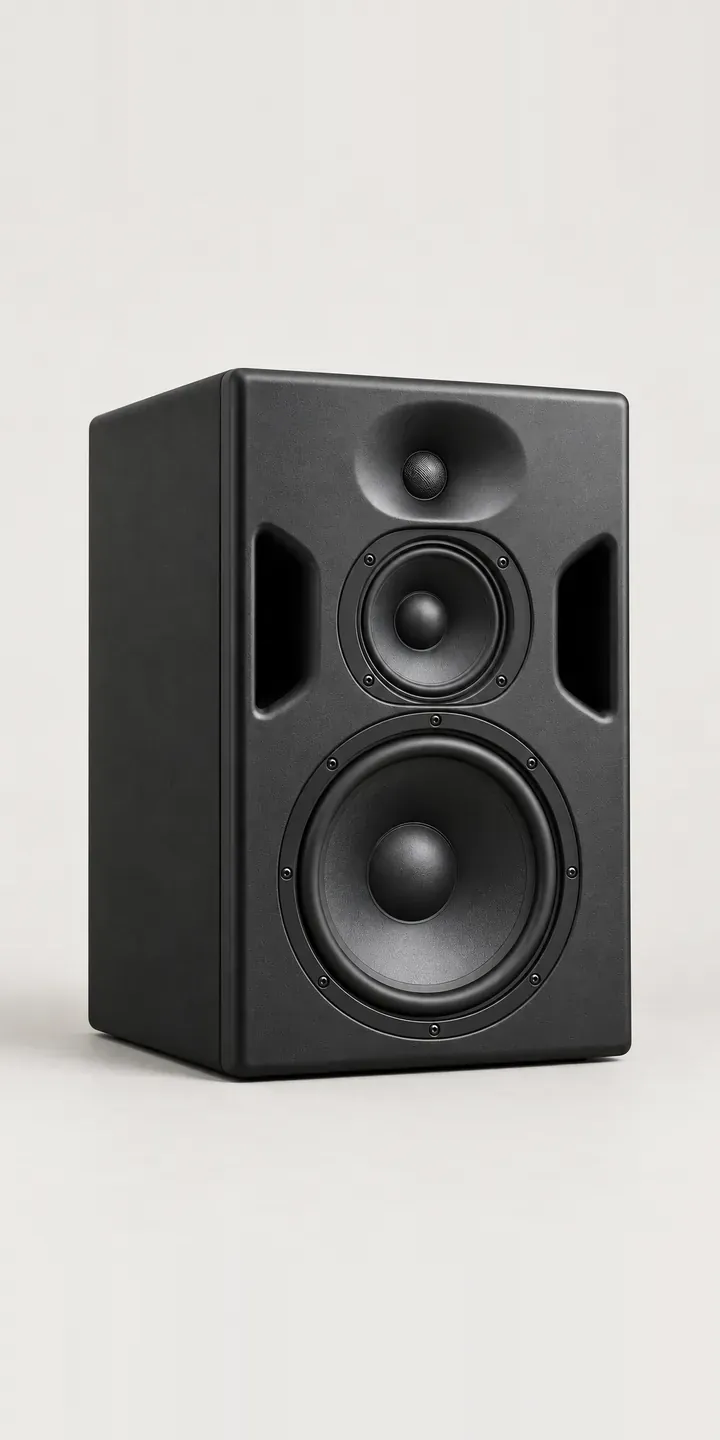
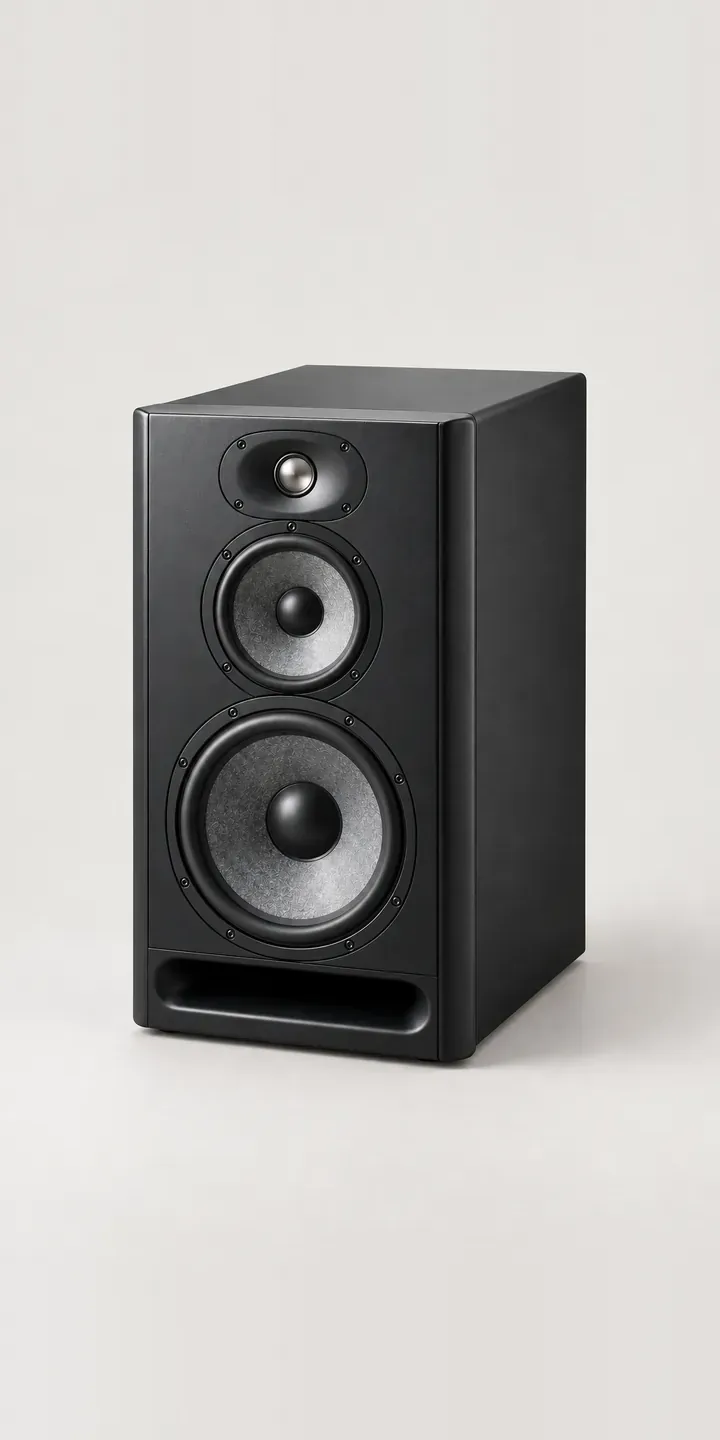
Use this demo to specify an illustrative three-way studio monitor. Choose a cabinet finish and a desk, stand or wall mount, and the result is a specification ready for a quote.
A three-way monitor is usually bought for a room designed around it. The buyer is an engineer, a studio owner or an acoustic consultant, and they have probably heard the speaker already. The decisions left are practical. They include how the cabinet is supported and how far it sits from the walls. The finish also has to suit a control room that clients will visit.
Audio Configurator demo
Three-Way Monitor
- Product
- Three-Way Monitor
- Colour
- Matte Black
- Mount
- Desk
Illustrative product. The design and images are generated examples, not a real model for sale.
What you can configure
The demo includes matte black, light grey, anthracite and white. Oak and forest green complete the six. Mounting is the second choice, and on a larger cabinet it is a serious one. A stand decouples the speaker from the desk, a wall mount needs a wall that can take the load, and desk placement brings reflections off the work surface. The mount appears in the summary, and the image does not change with it here.
- Colour: Matte Black, Light Grey, Anthracite, White
- Mount: Desk, Stand, Wall
Why a configurator suits speakers
Pro audio sales run through specialists. Studio installers and dealers quote complete systems: monitors, mounts, cabling and room treatment. Each quote is built by hand from price lists, and a missed bracket or wrong finish turns into a delay on an installation date. A configurator gives the installer a reliable starting point that already carries the right codes.
Eighteen combinations come from six finishes and three mounting options. That count rises quickly when one monitor is specified across several rooms in a facility, such as a teaching studio with a row of edit suites. Configuring one room type and repeating it with a quantity is faster and less error-prone than retyping a spec.
The rear panel matters too. Buyers want to see the inputs and level controls before they plan cable runs and rack positions. A configurator that offers a rear view alongside the finish choice answers a question that normally sends someone to a PDF manual. For a dealer selling to engineers, that level of detail builds trust in the listing.
How a production version would be built
I would render this monitor from a 3D model, front and rear, in each of the six finishes. The flat baffle and flush-mounted drivers render cleanly, and a model keeps the rear panel accurate for the technical view. Mounts become separate layers: stand, wall bracket and isolation pads. The manufacturer supplies finish codes, mount compatibility, cabinet weights for wall-load checks and rear panel details. Configured systems export as a quote with a parts list, which the installer can pass to the client or into their project management tool.
Build sheet for this range
- Colours in the full range: 6 (4 shown in this demo)
- Mount choices: 3
- Combinations to support: 6 × 3 = 18
- Images for one photograph per combination at 3 angles: 54
- Images if mounts can be shown as separate layers, at 3 angles: 27
- Data each of the 18 combinations needs: a SKU or variant ID, price, stock or lead time, and any dimensions or specification that change
Questions about speaker configurators
Can installers save a monitor specification and reuse it across several rooms?
That is the intended workflow. A configuration can be saved and duplicated, then given a room name and quantity. A facility with several edit suites ends up with one quote listing each room's monitors and mounts. If the client changes finish late in the project, editing the saved room updates every line.
Can the configurator show the rear panel as well as the front?
Yes. A second view of the rear panel can sit beside the main image, with inputs and controls labelled. On a three-way monitor, that view helps engineers plan cabling and placement. It follows the finish if the rear is painted to match, or stays fixed if it is not.
Will the configurator check whether a wall mount suits a heavy cabinet?
It can flag it. The cabinet weight and the bracket's rated load can sit in the product data. Choosing a wall mount can then bring up a note about fixing into a suitable wall. The configurator cannot inspect the wall itself, so the note should point buyers to a qualified installer.
What does a pro audio configurator need from us to get started?
Product codes, finish names, mount compatibility, prices and any 3D or CAD files you already hold. CAD saves the most time, because it can be turned into renders directly. If you only have photographs, an image-based build works well too. I reply to enquiries within two UK working days with an outline plan.
More audio equipment configurator demos


All audio equipment configurator demos
A configurator for your speakers
This demo uses an illustrative product. If you sell speakers, I can build the same experience around your own range, photography and ordering process, connected to Shopify, WooCommerce or a quote workflow. I reply to enquiries within two UK working days.