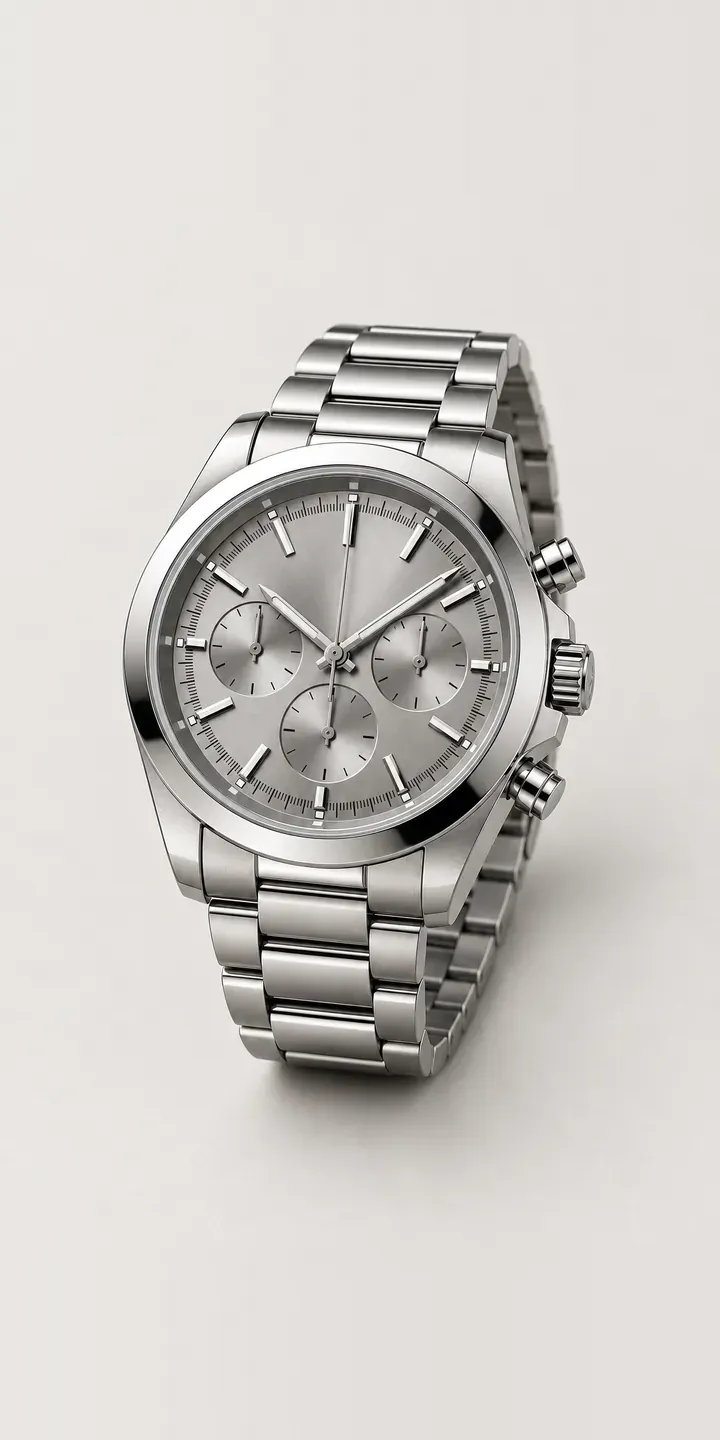
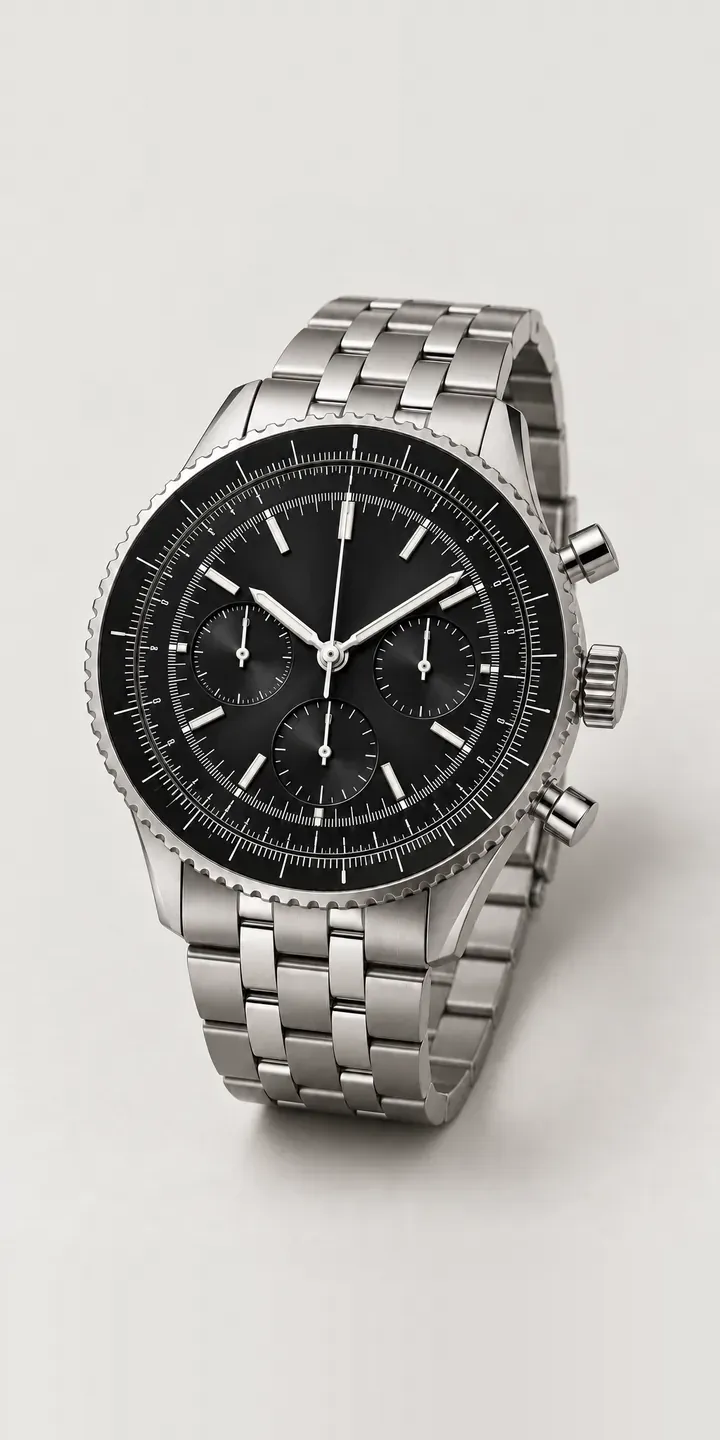
An illustrative sports chronograph with three subdials and pushers either side of a screw-down crown. Its dial colour and strap, bracelet or rubber, can be changed here, with the summary keeping track for a quote.
This is a watch bought to do two jobs. On a bracelet it goes to dinner; on rubber it goes to the tennis club. Buyers are deciding which side they lean towards, and dial colour pushes them one way or the other. Silver grey and black keep it versatile, while green and blue make a sportier statement that rubber only amplifies.
Watches Configurator demo
Sports Chronograph
- Product
- Sports Chronograph
- Colour
- Silver Grey
- Strap
- Bracelet
Illustrative product. The design and images are generated examples, not a real model for sale.
What you can configure
Silver grey, black, blue and green dials are selectable, from six that also include white and copper. Bracelet and rubber both appear in the summary, but the picture is the same for either in this demo. With three subdials on the face, colour also affects how quickly elapsed time can be read. Contrast between subdials and dial is worth judging closely.
- Colour: Silver Grey, Black, Blue, Green
- Strap: Bracelet, Rubber
Why a configurator suits chronographs
Most watch shops cannot hold every dial on every strap. Twelve variants of one chronograph is a lot of capital sitting in a display case, so a branch might stock three and order the rest. The customer who wants green on rubber is then asked to picture it from a brochure, or told to come back next week.
A configurator on a counter tablet closes that gap. Staff show the exact combination in a photoreal image, take the order with dial and strap recorded, and arrange delivery or a transfer. The same tool runs on the website. A customer who configured at home can walk in with the build on their phone, and the conversation starts at the right watch.
Reporting gets better too. Instead of a free-text note, every sale carries dial and strap as fields, which makes it simple to see which combinations sell in which branch. When the retailer plans next season's display stock, that per-branch view is more dependable than memory or a sense of what felt popular.
How a production version would be built
One build can serve the website and the shop floor. Dial images are composited with bracelet and rubber layers. The page is designed to run full-screen on a tablet as well as inside the online store. The retailer supplies references, dial and strap names, prices and stock by location. In store, the configured watch can go to the till as a reserved order; online it lands in the Shopify or WooCommerce basket. Order data can pass to the retailer's ERP, so stock transfers between branches start from the configured build.
Build sheet for this range
- Colours in the full range: 6 (4 shown in this demo)
- Strap choices: 2
- Combinations to support: 6 × 2 = 12
- Images for one photograph per combination at 3 angles: 36
- Images if straps can be shown as separate layers, at 3 angles: 24
- Data each of the 12 combinations needs: a SKU or variant ID, price, stock or lead time, and any dimensions or specification that change
Questions about chronograph configurators
Can staff use the configurator in store on a tablet?
Yes. The configurator is a web page, so it runs on any tablet with a browser. An in-store mode can hide prices, show stock by branch, or send the configured build to a sales associate's inbox. It lets a shop sell combinations that are not in its display case.
How do you keep three subdials legible at small image sizes?
With a sharp main image plus a dial crop that customers can zoom into. Subdial printing is fine detail, and it blurs quickly when images are compressed for mobile. I export dial images at a higher resolution and load the larger crop only when someone zooms, so the page stays quick without losing legibility.
Can bracelet and rubber versions carry different references and prices?
Yes. Each combination can map to its own reference and price, or the strap can be a priced option on a single reference. The configurator follows whichever structure your stock system already uses. Customers see the price for their exact build, and the order arrives with the correct reference.
Which platforms can a watch configurator connect to?
I integrate configurators with Shopify, WooCommerce, quote request forms and CRM or ERP systems. For a multi-branch watch retailer the usual links are product variants for price and stock, plus an ERP connection where branches share stock. Send me your current set-up and I will confirm what it supports within two UK working days.
More watch configurator demos
A configurator for your chronographs
This demo uses an illustrative product. If you sell chronographs, I can build the same experience around your own range, photography and ordering process, connected to Shopify, WooCommerce or a quote workflow. I reply to enquiries within two UK working days.