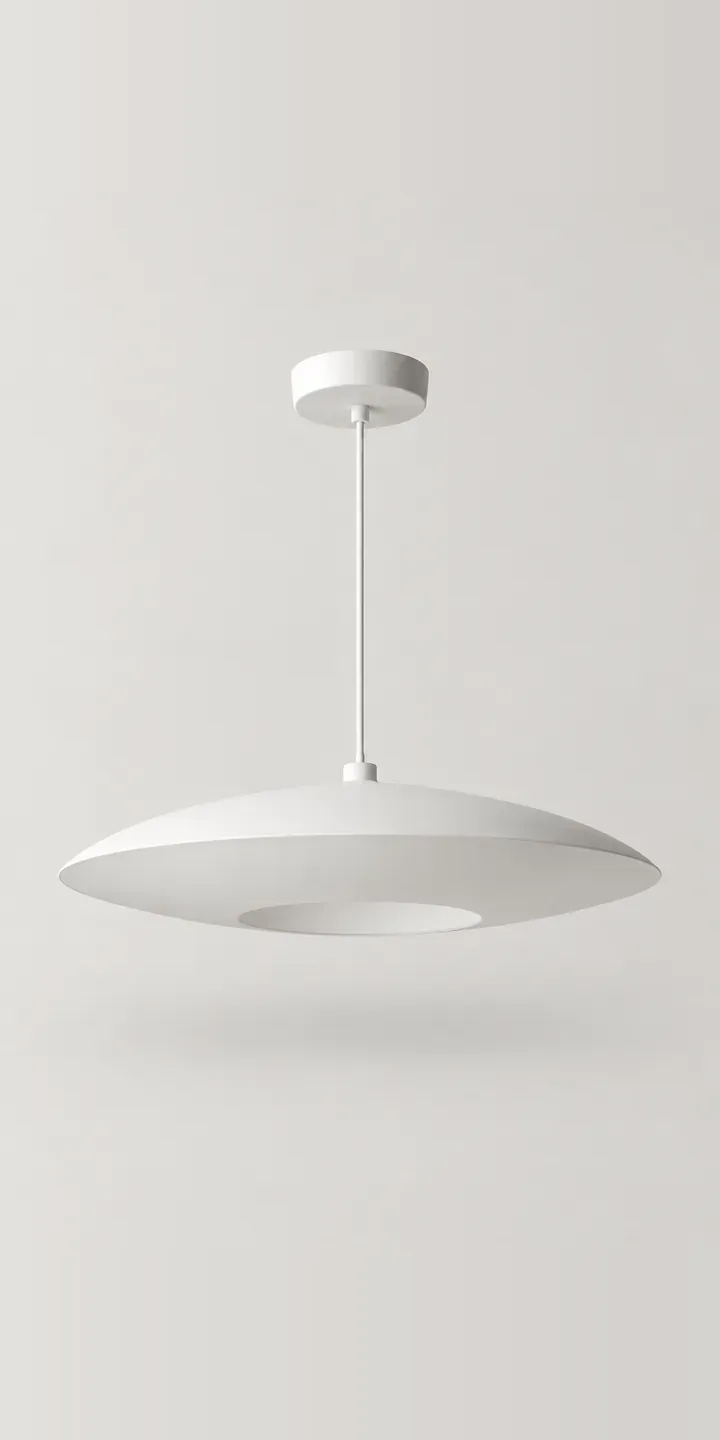
Here you can configure an illustrative saucer pendant with a finely ribbed shade. Choose one of the muted colours and one of three diameters, and the summary lists the exact version.
A shallow saucer spreads light wide and sits close to the ceiling line, so its diameter matters more than with a deep shade. Too small and it disappears above a sofa. Too large and it crowds a low room. Colour is the quieter decision. Sand, sage and charcoal are chosen to sit with walls and joinery, so buyers want to see the shade in a real interior before choosing.
Lighting Configurator demo
Saucer Pendant
- Product
- Saucer Pendant
- Colour
- Matte White
- Diameter
- 350 mm
Illustrative product. The design and images are generated examples, not a real model for sale.
What you can configure
Matte white, sand, sage and charcoal are shown, with clay and navy held back for the full range. The ribbing catches light differently on each, which is easiest to judge when every image shares one angle. Diameter is a three-way choice of 350, 500 or 700 mm. It appears in the summary, though the demo uses a single image for all three. Production would show each size against furniture.
- Colour: Matte White, Sand, Sage, Charcoal
- Diameter: 350 mm, 500 mm, 700 mm
Why a configurator suits pendants
Eighteen versions come from six colours across three diameters. For a shade with fine surface texture, each needs proper photography, because a flat render loses the ribs and a phone photo crushes the muted tones. Retailers usually show one colour in one size and rely on small swatches, which is where buyers stall.
Diameter is the most common reason a pendant goes back. People measure the table but not the room, or pick the middle size by default. A configurator can ask what the pendant hangs over, whether a dining table, a reading chair or an open space, and suggest a diameter with a short reason. That one prompt saves more returns than any amount of product description.
Muted colours bring a second problem: sage and sand look different on every monitor and under every bulb. Showing each colour in daylight and under warm evening light gives an honest range. Pair that with an easy sample request and the configurator supports the slower, considered purchase that interiors buyers actually make.
How a production version would be built
Eighteen images from a fixed camera is manageable for a shade this simple, though layering is more efficient. Shoot each colour once, then place it at the correct scale against a room background for each diameter, since the shape is the same. The retailer supplies colour names, diameters, drop length, lamp holder type and any combinations that are not offered. On WooCommerce each colour and diameter maps to a variation, so stock and pricing carry through to the basket as normal.
Build sheet for this range
- Colours in the full range: 6 (4 shown in this demo)
- Diameter choices: 3
- Combinations to support: 6 × 3 = 18
- Images for one photograph per combination at 3 angles: 54
- Images if diameters can be shown as separate layers, at 3 angles: 27
- Data each of the 18 combinations needs: a SKU or variant ID, price, stock or lead time, and any dimensions or specification that change
Questions about pendant configurators
Can the configurator recommend a pendant diameter for the customer's room?
Yes. A short question about what the pendant hangs over, and the size of the room or table, is enough to suggest a diameter. The rules come from your own guidance, so if your designers prefer a larger shade over dining tables, the recommendation follows that. Buyers can still override it.
How do you show subtle colours like sage and sand accurately?
Photograph each colour against a neutral grey card under controlled daylight, then calibrate the files against the physical shade. I also suggest a second view under warm light, since most pendants are used in the evening. That shows buyers the honest range rather than one flattering version.
Will the ribbed texture show up on a phone screen?
It will if the shade is lit from a low angle, which throws each rib into relief. A straight-on flash flattens it completely. A tap-to-zoom detail of the ribbing near the central fitting is worth adding, because texture is part of what buyers are paying for.
Can customers order a colour sample before buying the pendant?
Yes. A sample request can sit beside the colour swatches and go into the same quote or basket flow. It is useful for muted shades, where buyers want to hold a sample against paint or timber. The request records which colours they asked about, which also makes it a useful sales lead.
More lighting configurator demos
All lighting configurator demos
A configurator for your pendants
This demo uses an illustrative product. If you sell pendants, I can build the same experience around your own range, photography and ordering process, connected to Shopify, WooCommerce or a quote workflow. I reply to enquiries within two UK working days.