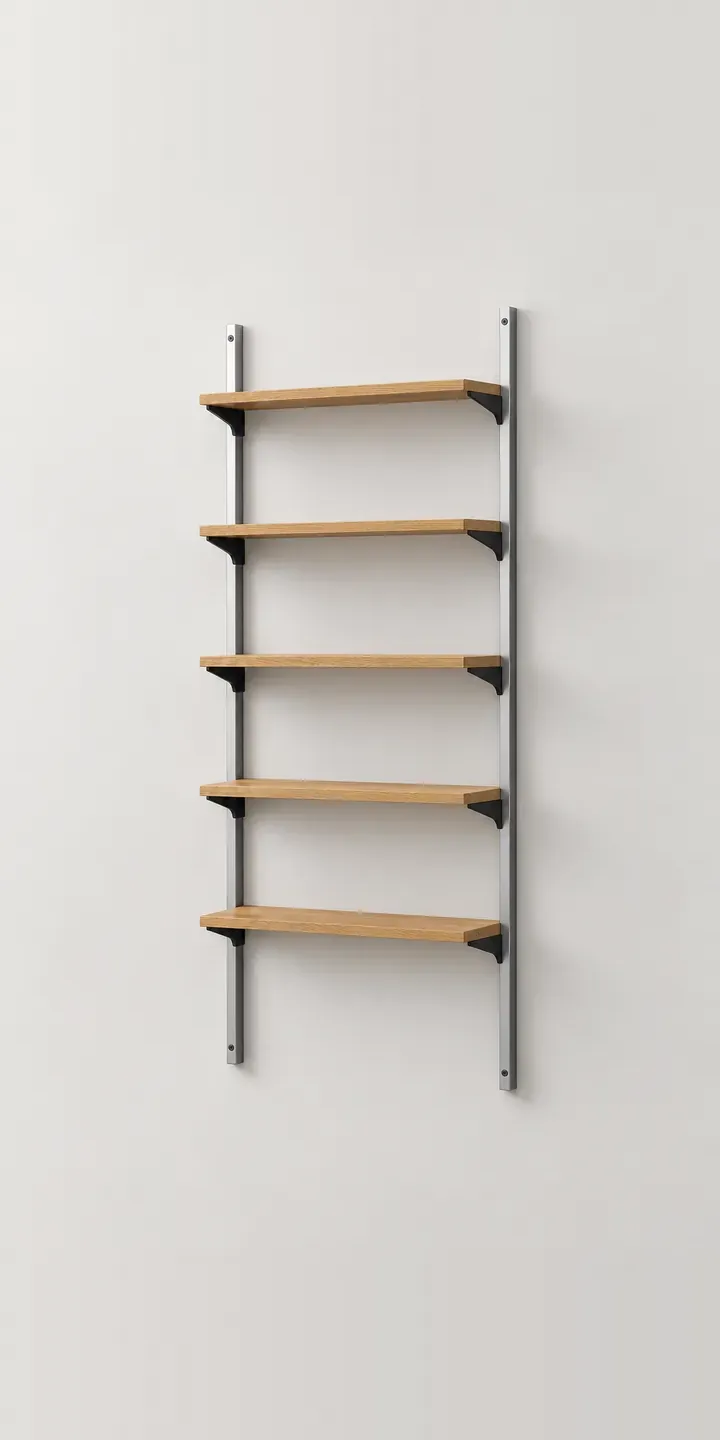
Shown here is an illustrative wall-mounted shelving system: slotted aluminium uprights carry clip-in brackets, and the shelves rest on those brackets with no screw heads visible. Choose a shelf finish and an upright height, and the summary records the build.
Modular shelving is sold as a system, but people buy a wall. They are working out how many uprights fit between a window and a corner, and how high the top shelf can sit. They also wonder whether a run of oak will feel heavy against white plaster. A buyer who cannot picture the finished wall tends to stall, or orders the parts and discovers a missing bracket on fitting day.
Furniture Configurator demo
Wall Shelving
- Product
- Wall Shelving
- Colour
- Silver Oak
- Height
- 1.2 m
Illustrative product. The design and images are generated examples, not a real model for sale.
What you can configure
The demo offers silver oak, white, walnut and black ash shelves, four of six finishes. The aluminium uprights and brackets stay constant, so only the shelf finish changes. Height, 1.2 m, 1.8 m or 2.2 m, is recorded in the summary but does not resize the image here. In a production build, height would set the upright length, the number of shelf positions and the parts list.
- Colour: Silver Oak, White, Walnut, Black Ash
- Height: 1.2 m, 1.8 m, 2.2 m
Why a configurator suits shelving units
Few product types generate parts lists like shelving. A single wall can need uprights in one height, brackets in two depths, shelves in several widths and perhaps a desk shelf or cabinet. Customers ordering by hand often miss a bracket or choose uprights that do not suit their ceiling. A configurator that builds the wall can also build the bill of materials, line by line.
That changes the retailer's workload. Instead of answering emails about which brackets go with which shelf, the shop receives a complete, valid order. Showrooms can use the same tool on a tablet with the customer, then send the design home with them. Fewer orders need a second delivery for a forgotten part.
Finish choice matters too. Shelving fills a wall, so a walnut run changes a room more than a walnut side table does. Seeing six finishes at the same scale, on the same wall, helps buyers commit. For brands with dealer networks, the configured wall becomes a shareable quote that any stockist can fulfil.
How a production version would be built
A production shelving configurator is usually layered rather than photographed per combination. Uprights, brackets and shelves are rendered as separate elements and placed on a grid, so any layout the rules allow can be drawn. It depends on good product data: component SKUs, sizes, finish availability, slot spacing and load guidance. Rules then stop invalid builds, such as a shelf wider than the bracket spacing allows. The output is a parts list, which can enter a Shopify or WooCommerce basket as separate items or go to a quote.
Build sheet for this range
- Colours in the full range: 6 (4 shown in this demo)
- Height choices: 3
- Combinations to support: 6 × 3 = 18
- Images for one photograph per combination at 3 angles: 54
- Images if heights can be shown as separate layers, at 3 angles: 27
- Data each of the 18 combinations needs: a SKU or variant ID, price, stock or lead time, and any dimensions or specification that change
Questions about shelving unit configurators
Can the configurator turn a wall design into a parts list?
Yes, and for shelving that is often the main reason to build one. Each upright, bracket and shelf has its own SKU, and the configurator counts them from the layout. The customer sees the list before ordering, and your warehouse picks from it. Fixings can be added automatically based on the number of uprights.
Can customers enter their wall width and ceiling height?
They can. The customer types in the wall dimensions, and the configurator suggests how many bays fit and which upright heights clear the ceiling. Obstacles such as a window or a radiator can be marked on the wall. It stops buyers ordering a 2.2 m upright for a room with a sloping ceiling.
How should wall fixings be handled for different wall types?
As guidance, not a configurable option. A short question about wall type, such as solid brick, plasterboard or timber stud, can add the right fixings to the order and link to fitting instructions. Load guidance from the manufacturer should sit alongside. The configurator should never promise a load the fixing cannot carry.
Do you build modular shelving configurators in 3D?
I do, and for shelving a 3D configurator lets buyers rotate the wall and check depth. Many brands start with a layered 2D version, which is faster and lighter on phones, then add 3D when the range justifies it. I built Praxis Digital 3D, a browser-based platform used by more than 20 UK businesses.
More furniture configurator demos
All furniture configurator demos
A configurator for your shelving units
This demo uses an illustrative product. If you sell shelving units, I can build the same experience around your own range, photography and ordering process, connected to Shopify, WooCommerce or a quote workflow. I reply to enquiries within two UK working days.