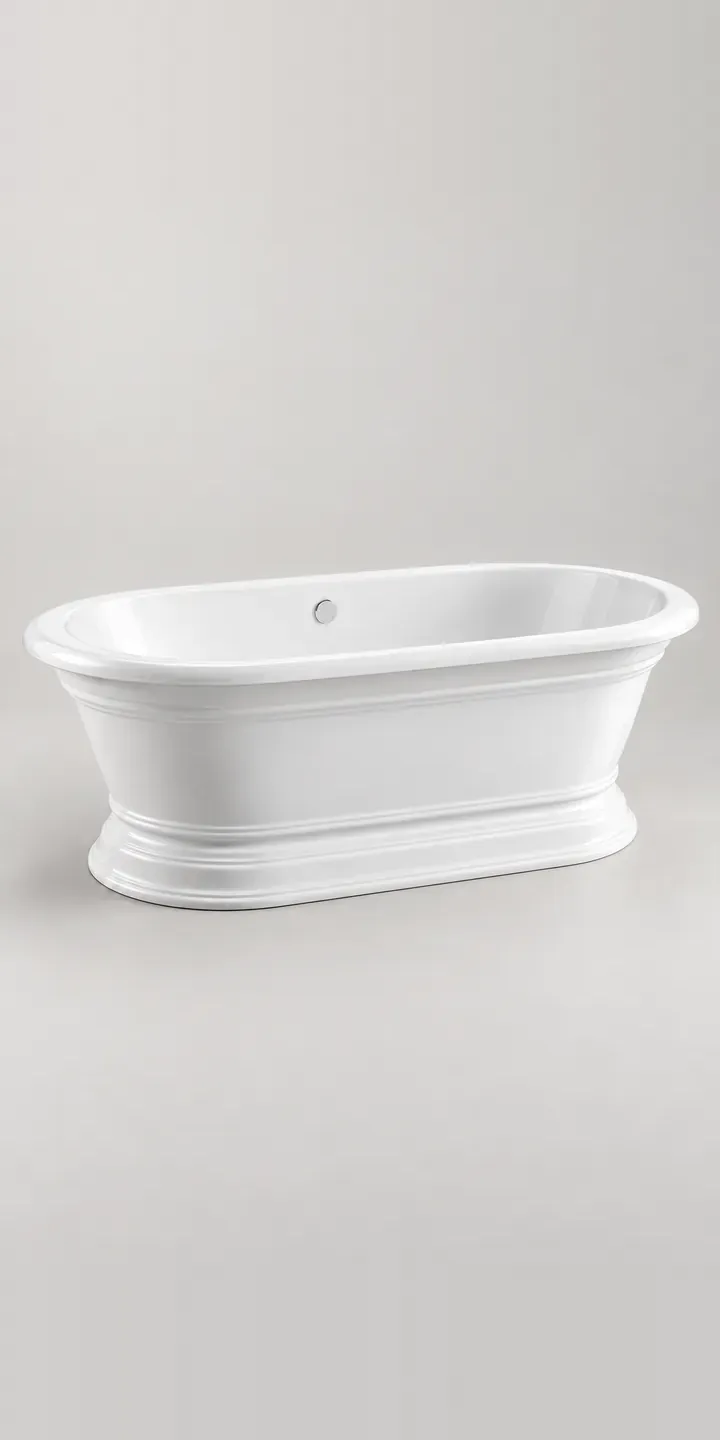
Period bathrooms are where bath colour gets difficult. This illustrative oval bath has crown-style moulding around the rim and a deep gloss cast resin shell. It is the kind of bath chosen for a Victorian or Edwardian townhouse.
Someone restoring a room like that is matching the bath to things that already exist: cornicing, painted joinery, floor tiles, sometimes a heritage paint colour chosen months earlier. They want to know whether charcoal will read as near-black against white marble, or whether navy will sit with the green on the walls. Those are judgements about tone and sheen, and a small swatch rarely settles them.
Bathroom Configurator demo
Moulded Oval Bath
- Product
- Moulded Oval Bath
- Colour
- Gloss White
- Length
- 1500 mm
Illustrative product. The design and images are generated examples, not a real model for sale.
What you can configure
Swatches change the shell between gloss white, pale grey, navy and charcoal, four of a six-colour range that also includes sage and oxblood. Length is 1500 or 1700 mm. The moulded rim is identical in every finish, so colour is the only visual variable in the demo. On a gloss shell that variable includes reflections, which is why every image uses the same lighting.
- Colour: Gloss White, Pale Grey, Navy, Charcoal
- Length: 1500 mm, 1700 mm
Why a configurator suits baths
Heritage colours sell on fine distinctions. Charcoal and navy can look almost identical on a phone at night, and oxblood can swing from brown to red depending on the light. When customers cannot tell finishes apart online, they order samples, wait, and often visit a showroom before committing. Each step adds weeks to a sale that was decided in principle.
Many baths like this are specified by interior designers rather than chosen by homeowners alone. A designer wants to configure a bath, save it, and send the exact build to a client for sign-off. A configurator that produces a shareable link or a PDF summary fits that process far better than a product page with a colour dropdown.
Cast resin baths in coloured finishes are commonly made to order, so mistakes are expensive. A configured specification states colour, length and any waste or tap choices plainly, and the supplier can confirm it before the shell is cast. That written record also protects the retailer if a client later disputes the colour.
How a production version would be built
A deep gloss shell needs careful image work. I would render each finish from one fixed camera with controlled studio reflections. A close-up of the moulded rim follows, where colour and gloss show most clearly. Layering is less useful here than full renders per finish, because the reflections change with the colour. The retailer provides finish names and reference codes, both lengths, compatible wastes, and lead times per colour. Designers can save and share a configuration with a client, and the final build goes to a quote.
Build sheet for this range
- Colours in the full range: 6 (4 shown in this demo)
- Length choices: 2
- Combinations to support: 6 × 2 = 12
- Images for one photograph per combination at 3 angles: 36
- Images if lengths can be shown as separate layers, at 3 angles: 24
- Data each of the 12 combinations needs: a SKU or variant ID, price, stock or lead time, and any dimensions or specification that change
Questions about bath configurators
Can the configurator show the bath against a client's own floor or wall colour?
Partly. A production build can let the user pick a backdrop from a short list of floor and wall finishes, so the bath is judged in context. Matching a client's exact paint colour is less reliable on screen, so I would pair the configurator with a sample request. Context helps a decision, but it should never be presented as a colour match.
How do you stop charcoal and navy looking the same on screen?
Through lighting and a reference. Each finish is shot under identical light with a neutral grey and a white element in the frame, so the eye has something to calibrate against. A close-up of the rim helps too. No screen is perfectly accurate, so I always recommend offering a physical sample alongside.
Can interior designers get trade pricing inside the configurator?
They can. Logged-in trade accounts can see their own prices, while the public sees retail prices or none at all. On Shopify that usually means customer tags or a B2B catalogue; on WooCommerce, role-based pricing. The configured build then carries the right price into the quote or order.
Can the configurator handle sage and oxblood if they are made to order?
Each finish can carry its own lead time and status. Made-to-order colours can show an estimated delivery window, require a deposit, or route to a quote instead of the basket. The rules sit in the product data, so changing a lead time does not need a developer.
More bathroom configurator demos

All bathroom product configurator demos
A configurator for your baths
This demo uses an illustrative product. If you sell baths, I can build the same experience around your own range, photography and ordering process, connected to Shopify, WooCommerce or a quote workflow. I reply to enquiries within two UK working days.