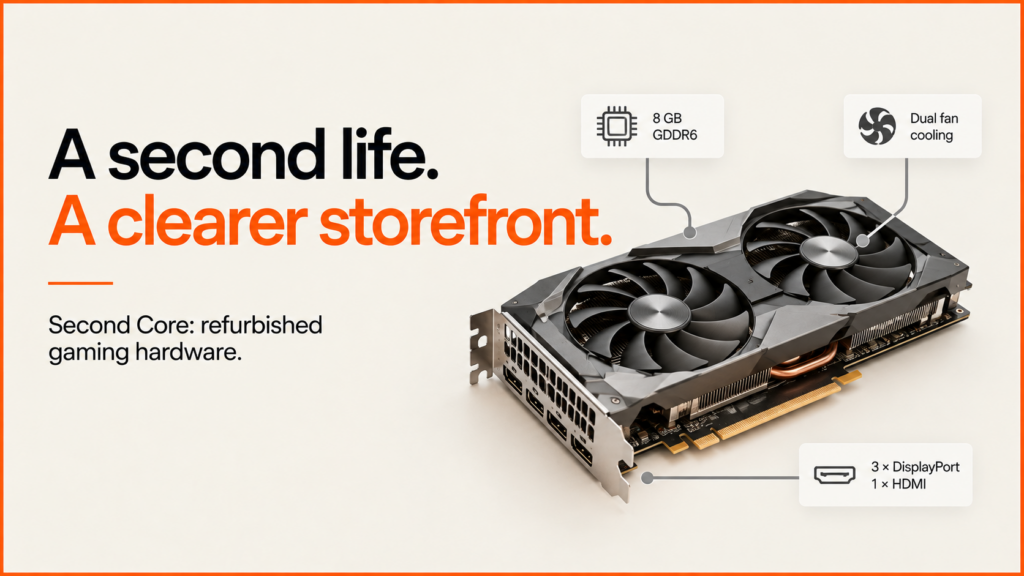
A WordPress and WooCommerce redesign bringing a clearer identity, more useful product browsing and a more considered shopping experience to a UK refurbished-hardware retailer. This is a pre-launch look at the design direction.
Discuss your projectSee selected work
A specialist retailer needs more than a product grid
Buying a refurbished graphics card involves a different kind of scrutiny from buying a familiar everyday product. A shopper may already know the chipset they want, but the manufacturer, memory capacity, condition, dimensions and price still matter. The same model family can contain several products that are easy to confuse in a small catalogue card.
So this is as much about organising information as about branding. The shop needs enough character to feel like a specialist. It also needs simple ways for visitors to narrow the range and judge one part. Trust comes from how well the look and the detail fit together.
My work has focused on those linked choices: the look, the homepage, how the catalogue is organised, the product pages and the help around buying. The concepts are built in WordPress and WooCommerce, so the design can be examined through real page structures and shopping interactions.
The comparisons below explain the design choices. They do not show that the concept has raised sales, search visibility or live-site speed. Those can only be judged once the site is live and in use.
The homepage: introduce the retailer before listing the stock
The rebuilt “before” version opens like a typical computer-parts catalogue. A boxed layout, a department sidebar and a small welcome panel lead quickly into rows of products. It is familiar, and you can start browsing at once. But it gives little room to the shop’s identity or why it focuses on refurbished hardware.
In the later concept, I give the opening a more deliberate sequence. A large hardware image, a short headline and a clear route into graphics cards establish the offer first. The next sections make the wider component range visible, so the campaign opening leads into useful shopping choices.
The visual change is substantial: condensed display type, a bright yellow-green accent and a more open layout replace the small blue header and compact catalogue presentation. The accent belongs to the opening campaign; quieter surfaces around the products keep the specifications and prices readable.
The aim is to make the retailer feel more considered without making shoppers work harder to reach the catalogue. Someone who knows what they want can still search or use the navigation, while a visitor arriving without a particular model has a clearer introduction to the store.
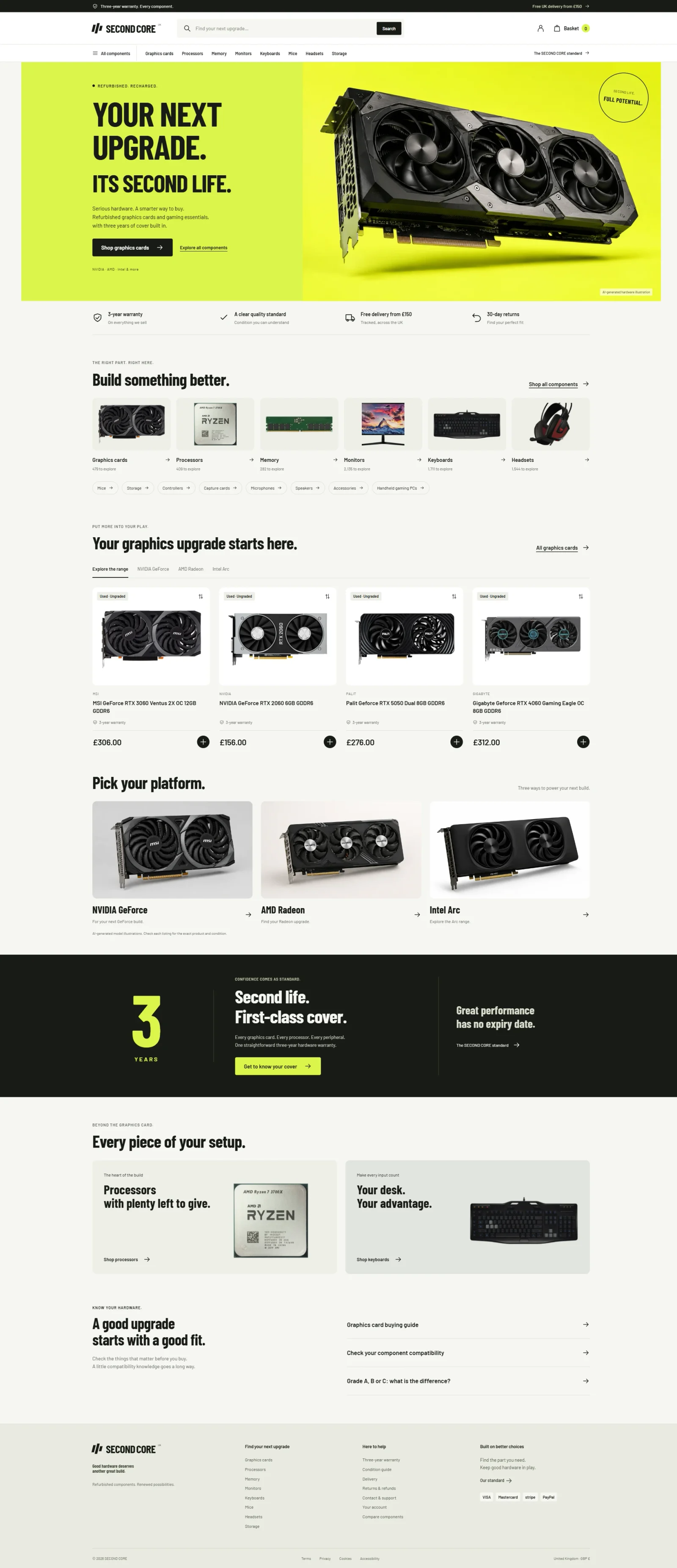
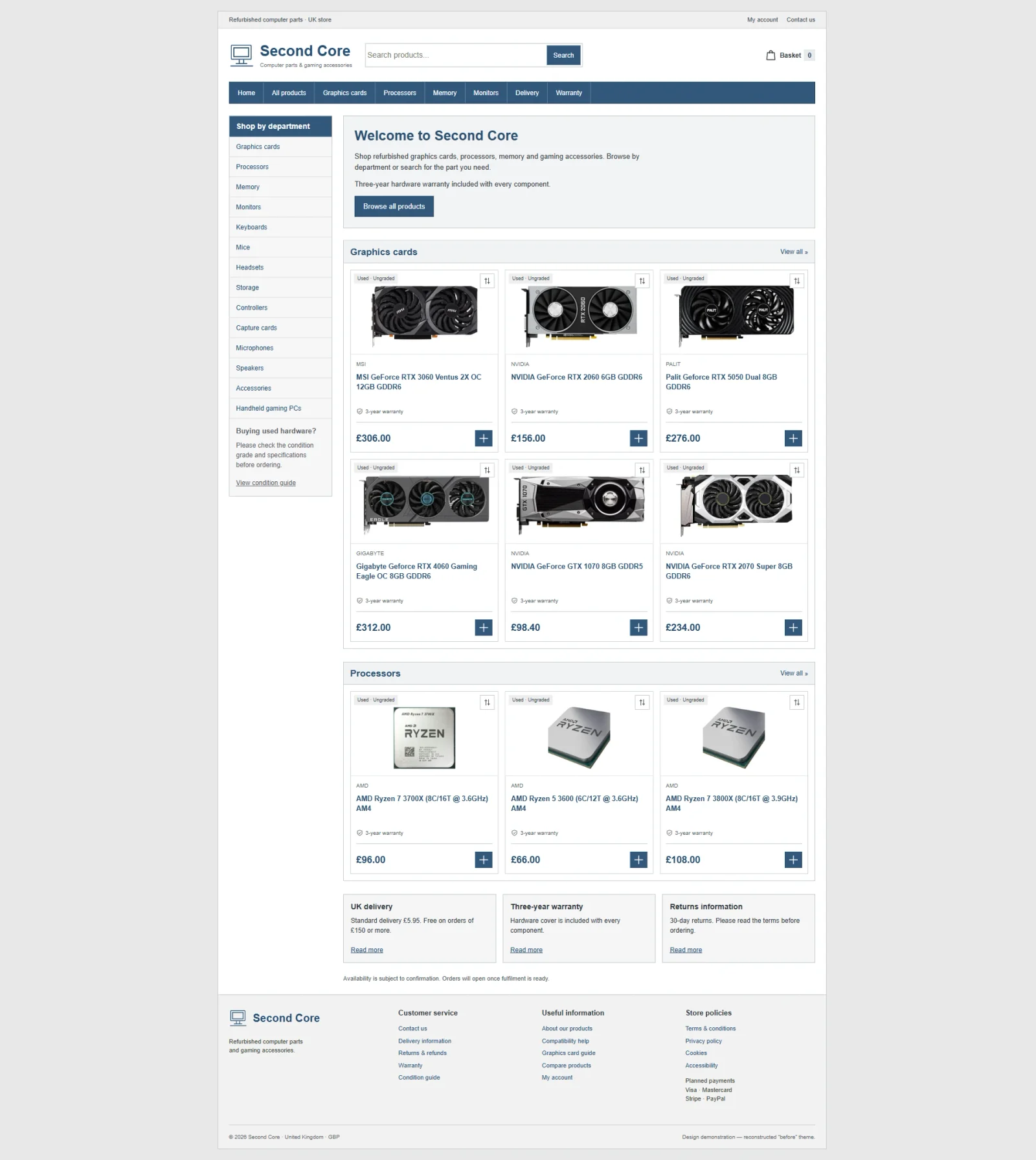 Before · reconstructionAfter · concept
The catalogue: help people narrow a large range
A hardware catalogue needs to support several starting points. Some visitors search for a specific graphics card. Others know their budget, their preferred manufacturer or the condition they are prepared to accept. A department name alone cannot resolve all of those needs.
The concept brings search, condition, brand and price filters into a consistent catalogue layout. Result counts and sorting sit above the product grid, giving the visitor a way to understand the range they are looking at and change its order. The department list remains useful for moving between graphics cards, processors, memory and peripherals.
The product cards then have a limited, repeatable job: identify the component, show its condition and price, and offer a next step. Larger images and more generous spacing give individual listings more room than in the compact reconstruction. Product names still need to carry meaningful model details, even when that means allowing more than one line.
I also included a comparison action alongside the usual route into a product. It gives shoppers a way to keep a small shortlist together while they evaluate alternatives. The design intention is a more manageable decision process; the screenshots alone cannot demonstrate how real customers will use it.
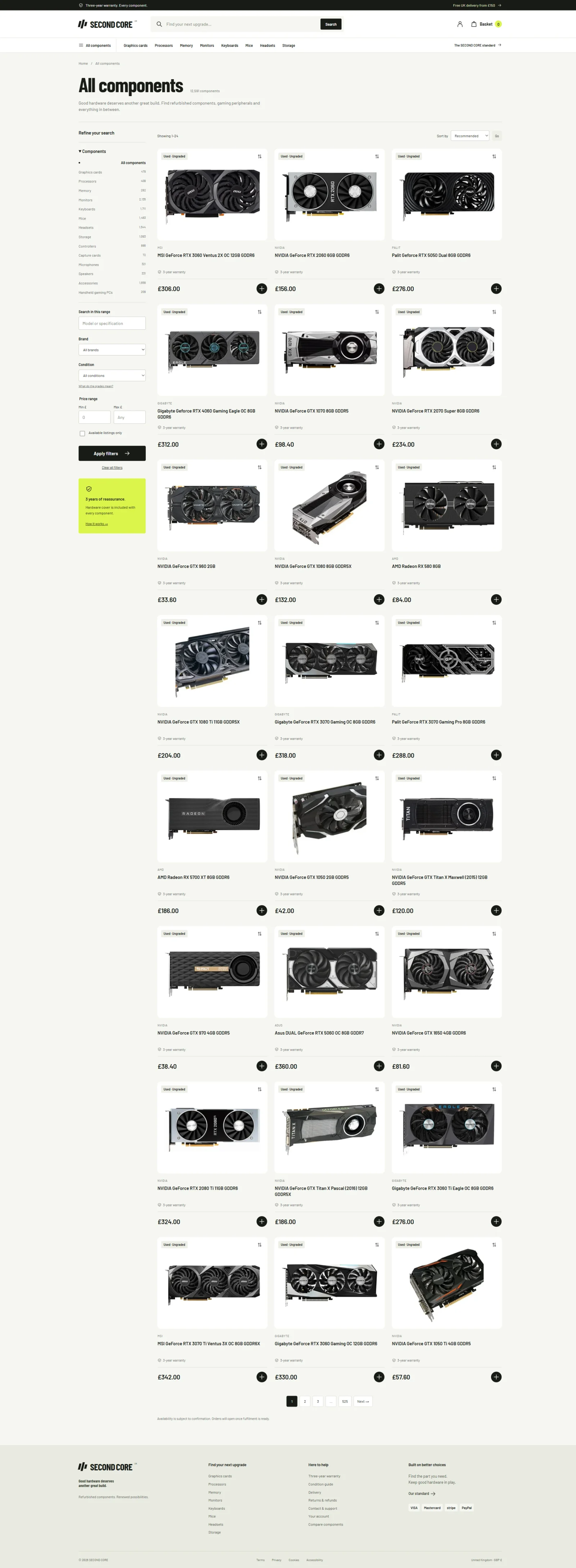
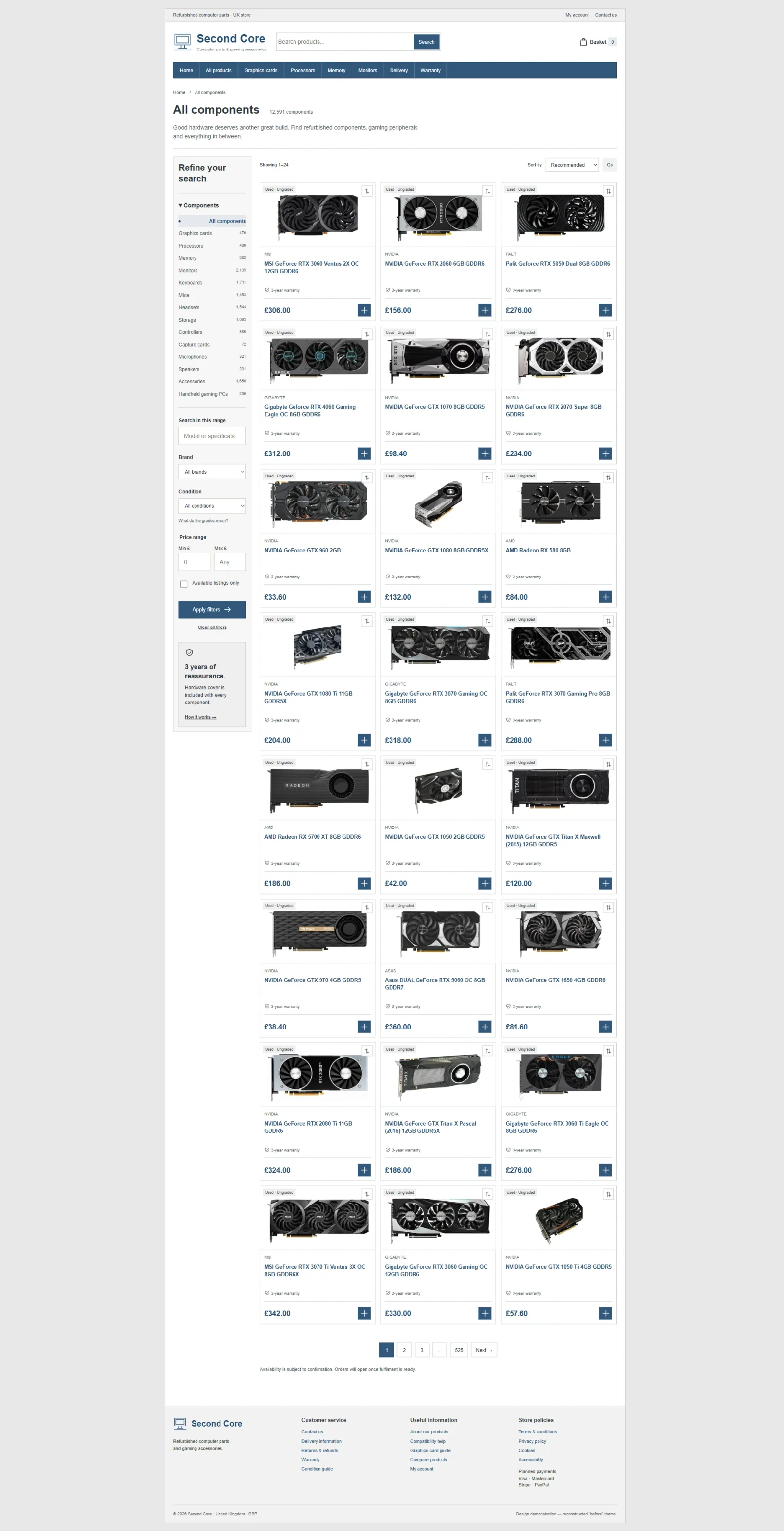 Before · reconstructionAfter · concept
Product pages: make the exact component the centre of the decision
The product comparison uses the same MSI GeForce RTX 3060 Ventus 2X OC 12GB listing in both layouts. Keeping the component consistent makes it easier to inspect the treatment of the page itself: the scale of the image, the product title, the price, the purchase controls and the supporting information.
In the reconstructed version, those elements sit inside a narrow, conventional store frame. The later concept gives the product more space and a stronger hierarchy. The model image and purchase summary form the opening, with the fuller description and specifications continuing below.
For refurbished hardware, reassurance needs to be specific. Condition, warranty information, delivery and returns should be easy to locate around the decision, while the detailed terms remain available to read. A prominent warranty message is useful only when the customer can find out what it means.
The page also distinguishes reference imagery from the individual used item. A model photograph helps someone identify the hardware, but it does not establish the exact cosmetic condition or included accessories. Keeping that distinction visible is part of making the product page useful rather than simply making it look more convincing.
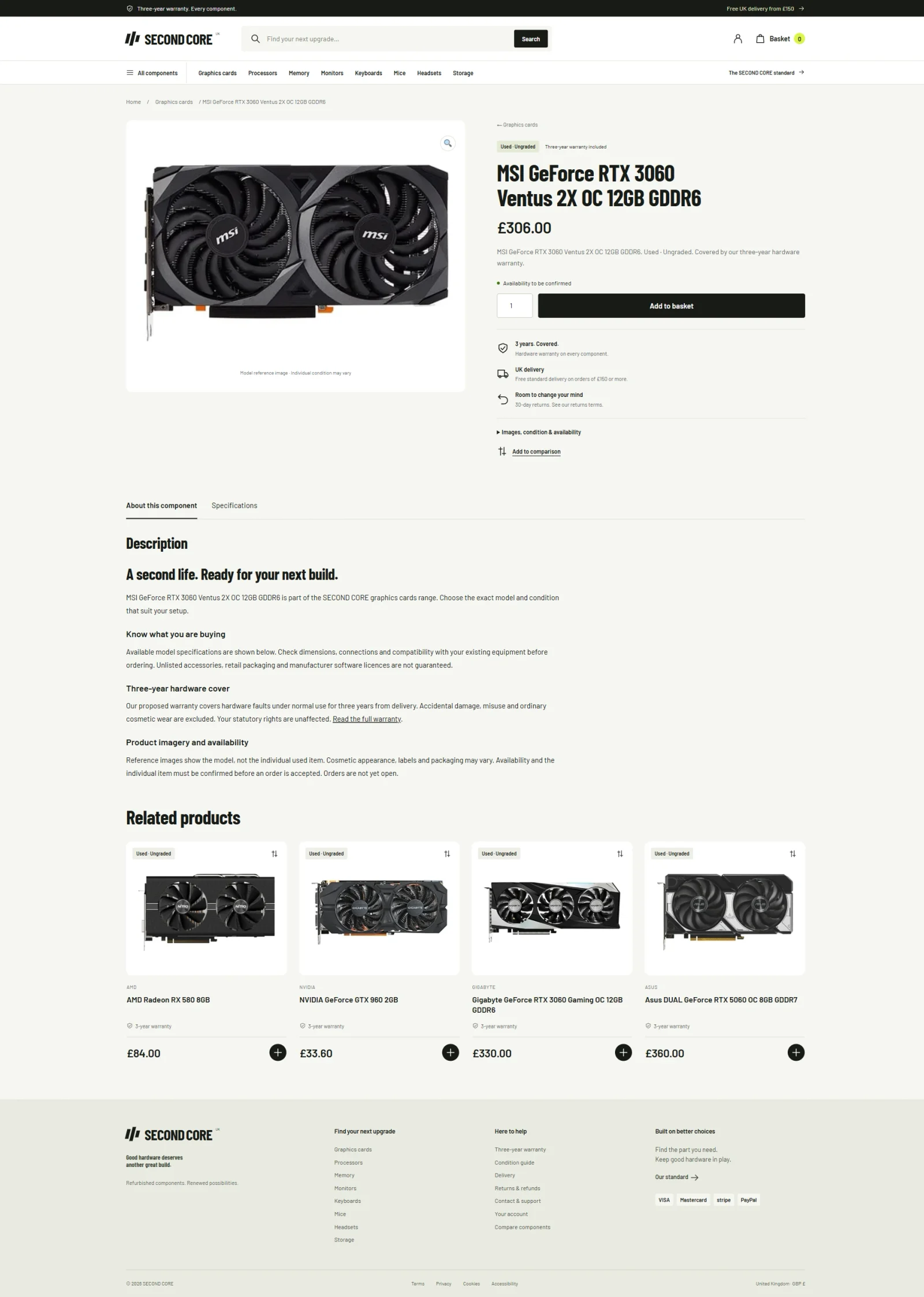
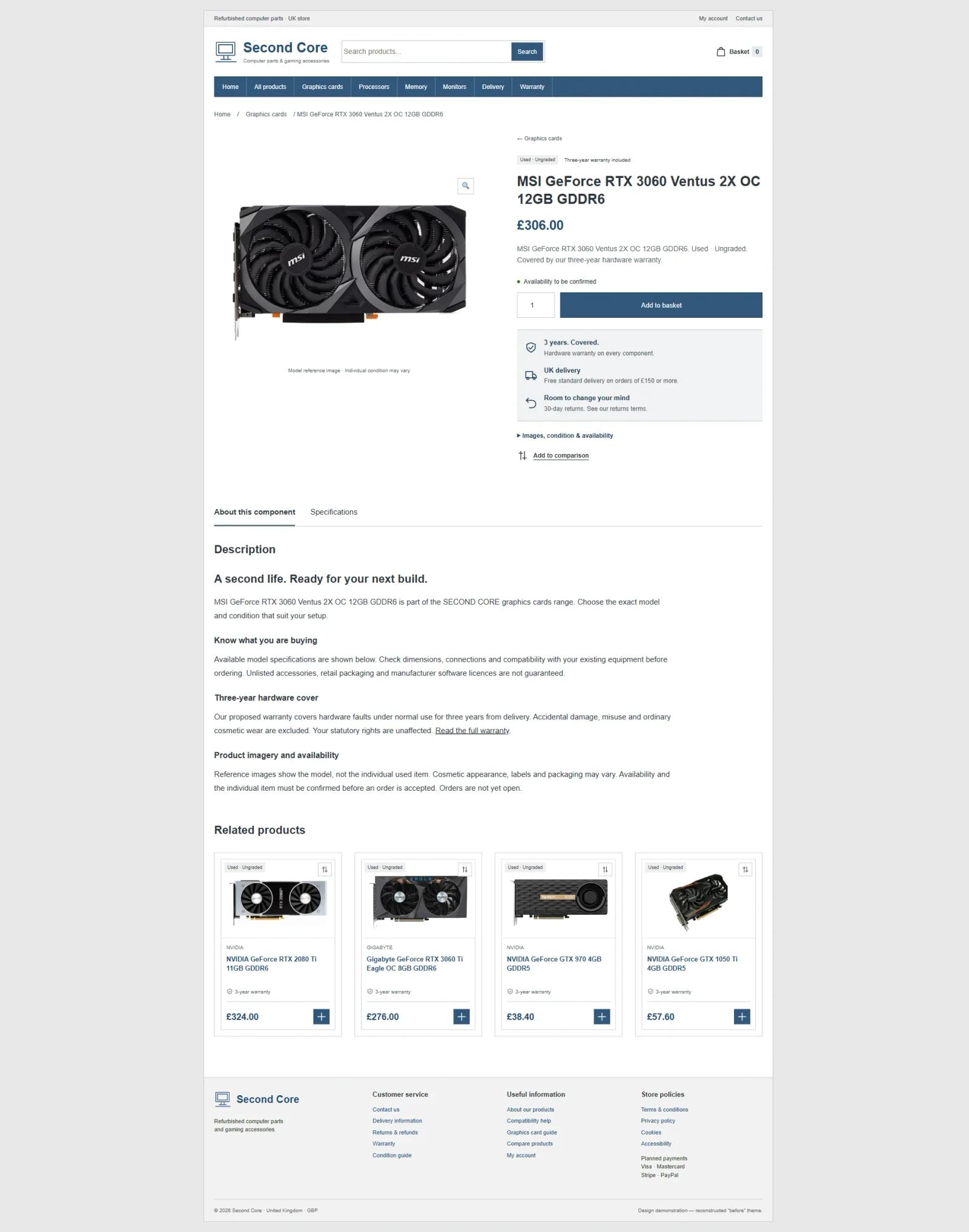 Before · reconstructionAfter · concept
Warranty information: carry the design into the questions that matter
A retailer’s visual identity should not disappear when someone leaves the product catalogue. Warranty details are part of the decision, especially for used hardware. They deserve the same care as the more visible pages.
The basic comparison uses the same restrained typography and boxed frame as the rest of the reconstruction. The later concept carries the larger heading, stronger spacing and clearer page hierarchy into the warranty page. The difference is about how the information is introduced and read, rather than using decoration to make a policy seem more generous.
I want a visitor to recognise where they are, understand the purpose of the page and work through the details without the layout getting in the way. That includes returning easily to the catalogue or finding a route to ask a question.
The terms visible here are part of the concept-stage material. The launched store will need to present the business’s confirmed policy and operational commitments. This article will be updated to reflect that final position when the new theme goes live.
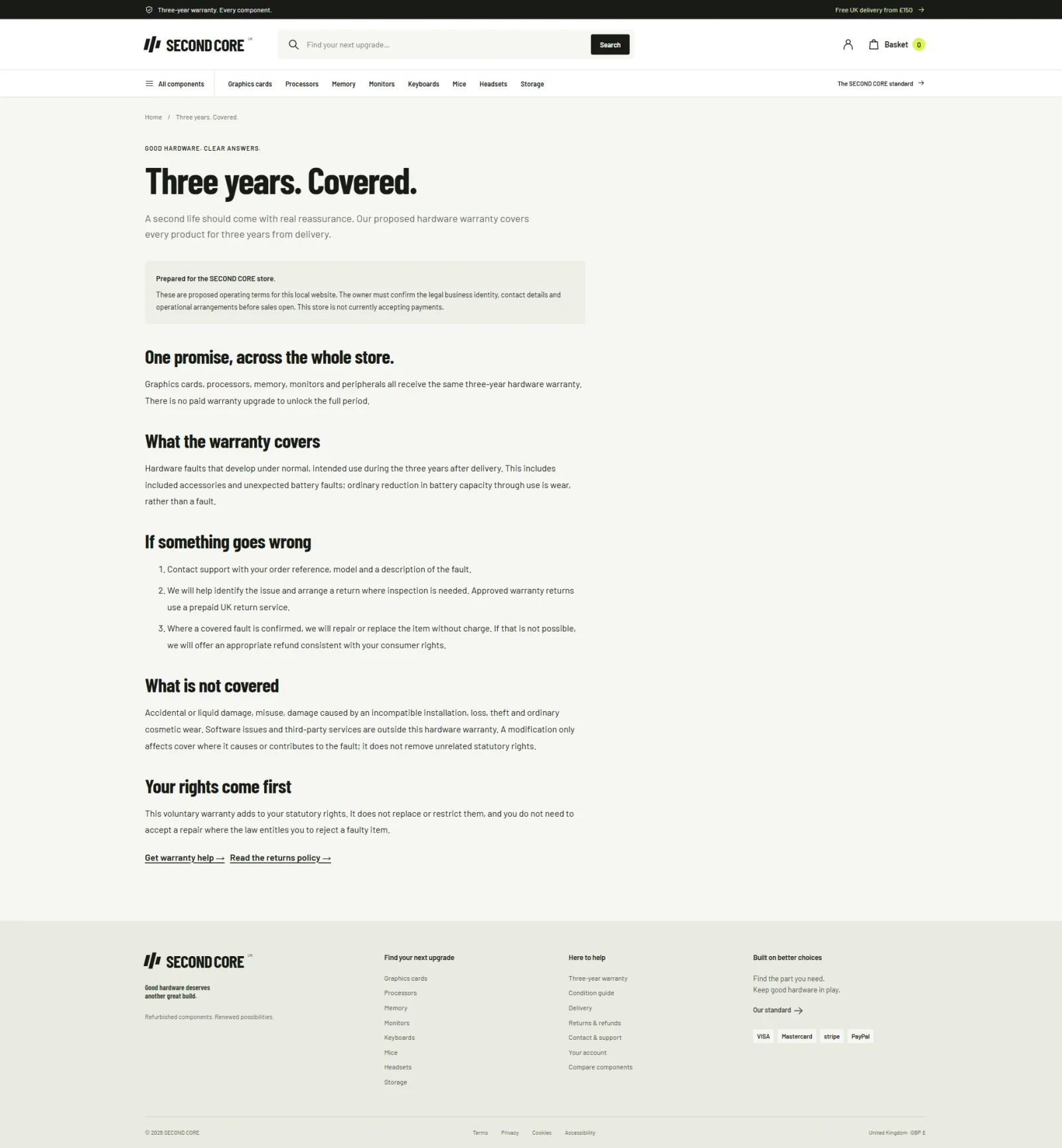
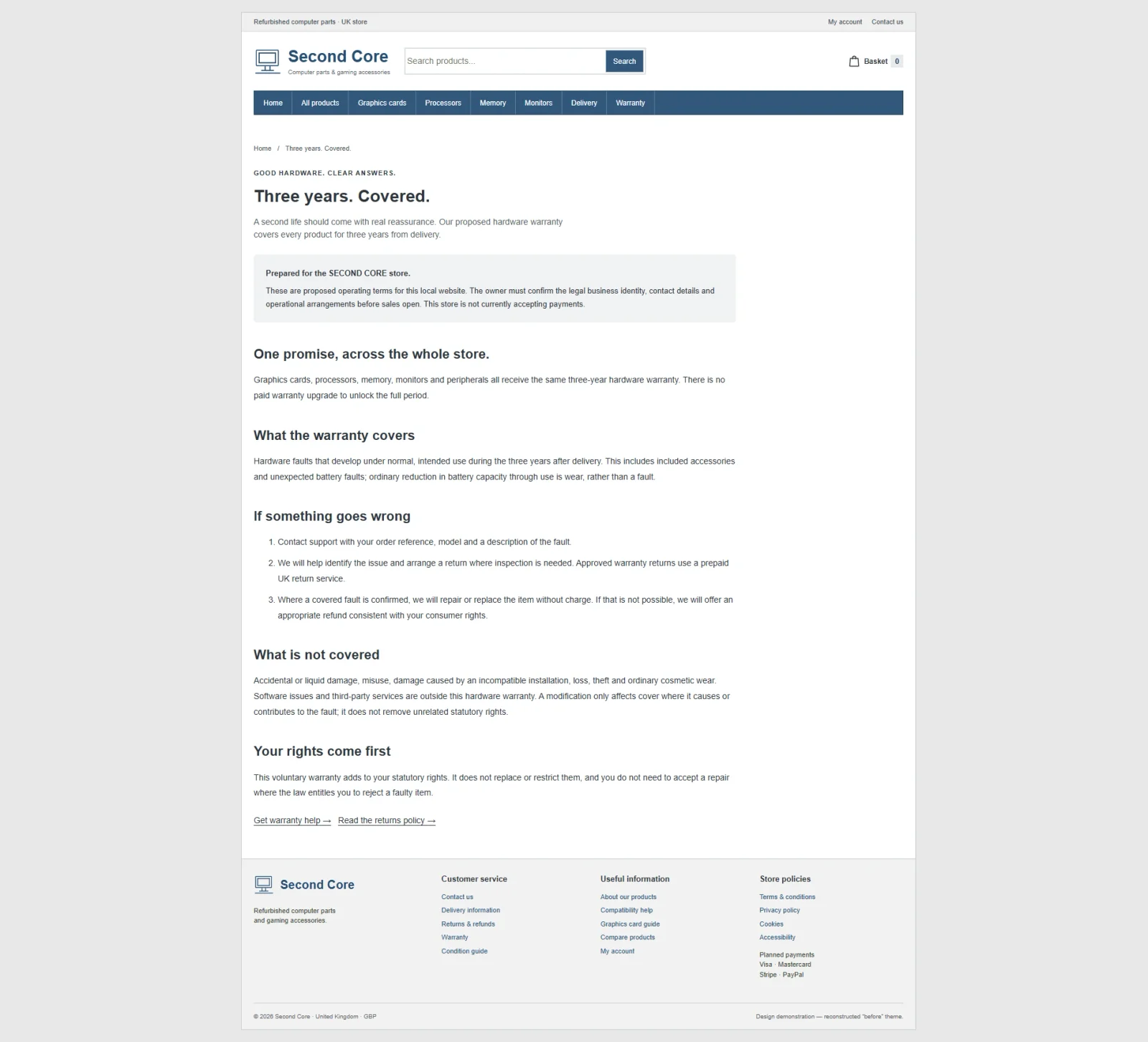 Before · reconstructionAfter · concept
Contact and support: make the next step easy to find
The contact page provides another useful test of the design system. It has fewer product images and less selling, so the order of importance has to come from how the content is laid out: the intro, the form, the extra details and the links to related help.
The later concept gives those elements more room and a clearer relationship to the rest of the storefront. It should feel like part of the same retailer, with familiar navigation and typography, rather than a generic form appended to the shopping experience.
The practical requirement is straightforward. Someone with a compatibility, condition or delivery question should be able to find an appropriate next step before deciding whether to buy. The final contact details and customer-service process will need to match how the business actually operates at launch.
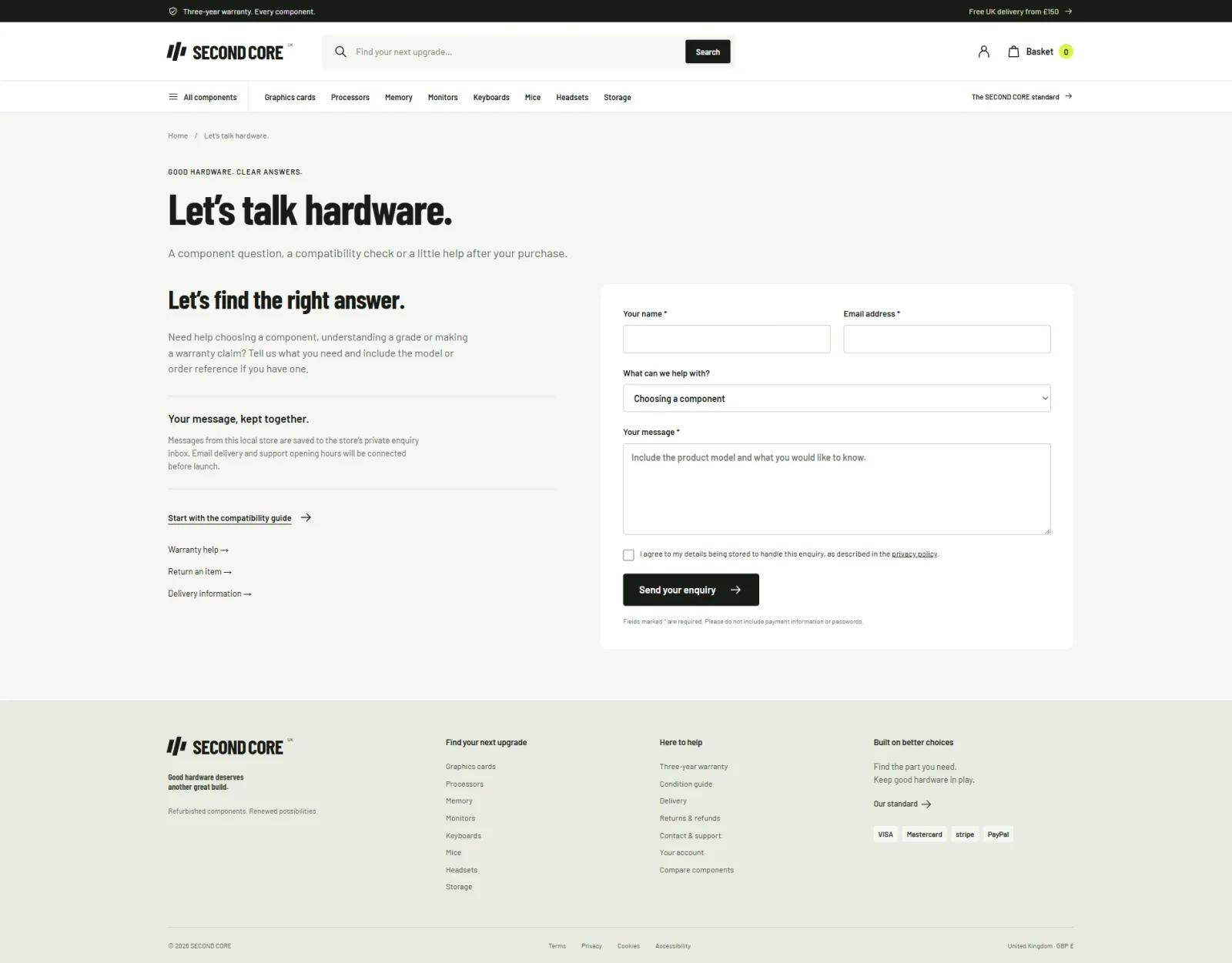
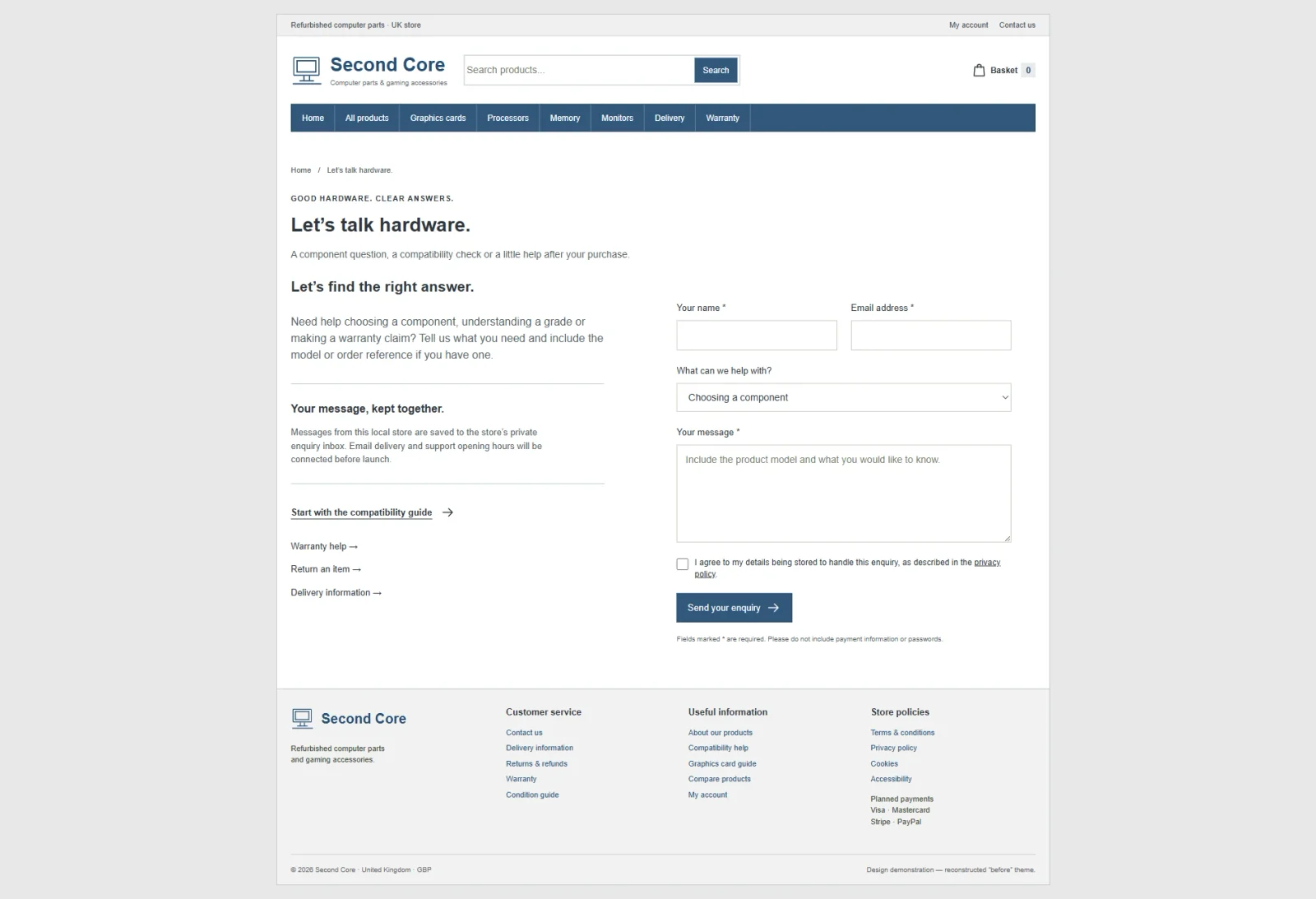 Before · reconstructionAfter · concept
Building and checking the whole shopping journey
The work extends beyond the five page comparisons. The local build includes account pages, search results, empty states, product comparison, basket and checkout. These less prominent screens matter because a strong homepage cannot compensate for a confusing transition later in the journey.
During local verification, I checked search and condition filtering, product selection for comparison, adding an item to the basket, the basket count and the checkout layout. I also checked the mobile navigation and filter panels. A separate set of full-page captures records the wider design across departments, representative products, information pages and shopping states.
Those checks show what was tested in the local build. They are not a full launch test. No live payment or real customer order was used to make a success claim. Payment configuration, fulfilment, final content and release verification remain part of taking the actual retailer’s theme online.
This is the part of ecommerce website design and development that links the look of the store to how it runs. Every route a customer takes should feel the same, and the details and controls underneath should still work.
What will change when the store launches
The later concepts show where the redesign is going. They give the shop a stronger identity, clearer ways to find products, and more room for the details that matter when buying refurbished parts. The comparison shows those design choices while keeping the retailer’s name private.
Once the actual store updates and launches its new theme, I will revisit this article. The update will show the released pages, explain any changes made between concept and launch, and identify the retailer when it is ready to be named publicly.
Any discussion of results will be separated from the design presentation and supported by evidence from the live website. For now, this is a view of the work before launch, with the distinction between a concept, a reconstruction and a released storefront kept explicit.
For another example of how I approach a complete retail journey, see the Soinvogue redesign case study.
See more projects on my work page.
For how I approach a full redesign project, see website redesign.