A customer should not need a designer’s imagination to understand a configurable product. My Knowledge Transfer Partnership with Manchester Metropolitan University explored how game-development technology could make that understanding practical: by turning complex 3D production into a clear, image-based shopping experience.
This is the university research project. The customer interface combined pre-rendered images; it did not run a live 3D scene in the browser.
The interface taking shape
01. The research brief: make choice visible
The starting point was a familiar commercial problem. A furniture product could be available in several finishes, with different materials on different sections and optional components that changed its appearance. The catalogue could explain those choices, but a customer still had to mentally assemble the finished result. The more choice the product offered, the more work that customer had to do.
For a sales conversation, that gap matters. A person may understand each swatch individually without being able to picture how two finishes sit together on a substantial object. A technical description can be accurate and still leave the central buying question unanswered: what will my version actually look like?
The KTP brought that problem into a programme of commercial research into ecommerce and 3D visualisation. I needed to investigate a production method, build a usable configurator and evaluate the result. My MSc-by-Research thesis documented that work at Manchester Metropolitan University in 2020. The thesis was first deposited in the university repository in October 2020; the current repository record was posted in May 2026.
The question was more demanding than whether I could produce an attractive render. Could I create and maintain enough accurate visual material to make configuration practical? Could a single developer deliver it? Could the result work through ordinary web browsing on computers, tablets and phones? And could it support product changes without restarting an enormous manual image-production exercise?
Those requirements shaped the project from the beginning. The output needed to be an approachable customer experience, but the research problem sat behind that experience: the cost, structure and repeatability of producing the images it depended on.
02. My contribution, from research to release
I was the sole developer of the project. I carried the work across the research, asset-production and implementation stages: investigating the approach, rebuilding product geometry, preparing UV maps and materials, programming the rendering system, designing and developing the 2D web configurator, and documenting the findings.
That breadth was central to the result. A decision about how a model was divided affected which parts could change independently. That affected the rendering process, the image library and, eventually, the controls a customer could use. Owning those connected decisions allowed me to design the production workflow and the interface as parts of the same system.
The work took place within a 30-month Knowledge Transfer Partnership, with academic supervision and input from people who understood the physical products. Sole development does not mean working without support. The thesis acknowledges that support, and it remains an important part of the project’s context. My responsibility was to turn the research question and commercial requirements into the working solution.
The configurator was released on 1 April 2019, ahead of the July deadline described in the thesis. Research and evaluation continued beyond that release, contributing to the completed dissertation. Keeping those dates visible gives a more accurate account than describing the entire project as a single launch moment.
This was applied research with a tangible output. I was not only proposing that game technology might help: I had to make an asset pipeline work, connect it to a customer interface and examine the practical limits of the approach.
From a product viewer to explicit material choices
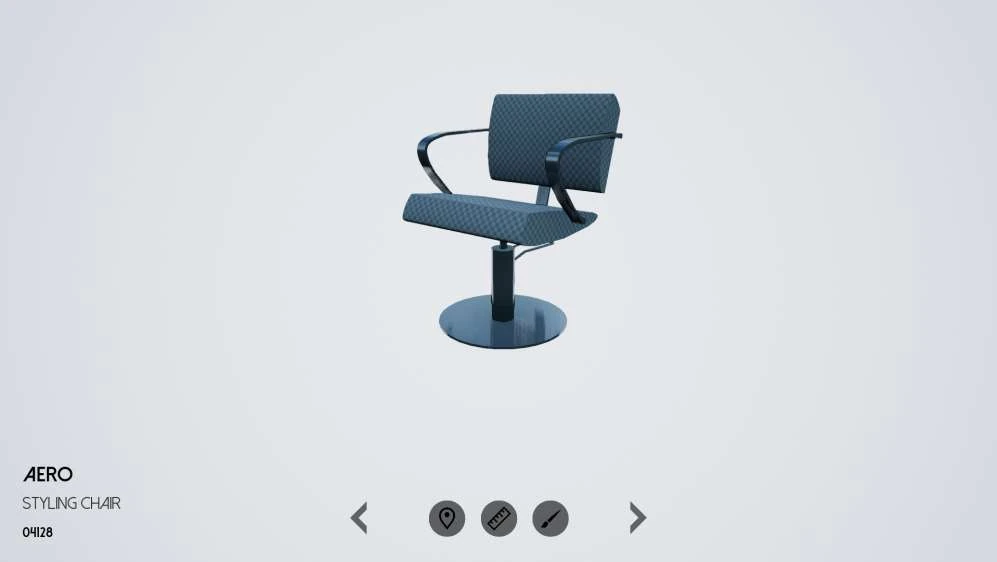
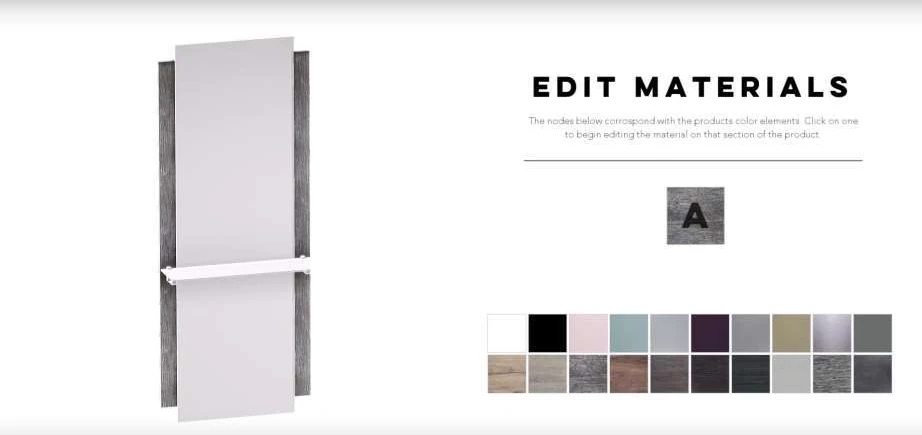
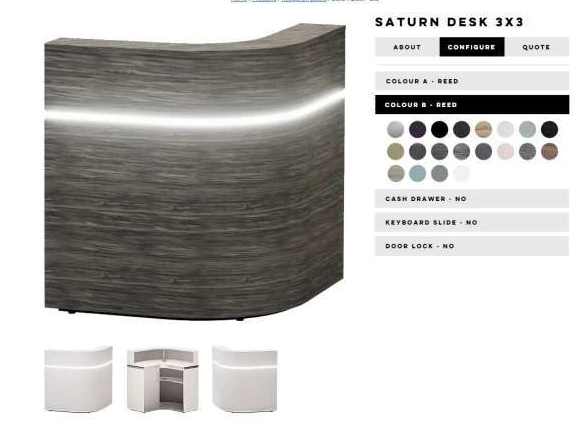
The dated screens in my project-summary presentation make that development more tangible. The February 2017 view gives most of the space to the product, with a compact row of icons below it. By February 2018, the material-selection view explicitly pairs a product region with a panel of swatches. The November 2018 screenshot brings the image and region-specific selectors into a wider website layout. These are development snapshots, not evidence that every visible control reached the final release.
Seen together, they explain a design problem I was working through: the product needs enough space to be understood, while the controls need enough explanation to make their effect predictable. A clean screen is only useful if someone can connect the choice they make to the region that changes. The archive records different ways of organising that relationship.
03. The difficult part was the number of images
A straightforward way to build an image-based configurator is to create one complete picture for every possible configuration. When the customer makes a choice, the application selects the corresponding picture. The interface can be simple, but the content requirement grows quickly as independent choices multiply.
Consider an illustrative product with four independently configurable regions and twenty finishes for each region. That produces 160,000 finish combinations before adding another camera view or any optional geometry. The example is a mathematical explanation of the problem, not a claim that every product in the research had that exact configuration.
My approach separated the visible regions into reusable image layers. In the same simplified example, four regions with twenty finishes require eighty region-and-finish layers per view. The browser can assemble the chosen layers instead of demanding a complete image for every possible combination.
The distinction is between multiplying complete states and adding reusable components. It only works when the geometry, camera and image composition have been prepared for that method. Shadows, overlap and alignment still need consideration; layers are not automatically interchangeable simply because they depict the same product.
This was the significant design decision. A faster renderer could reduce the time spent producing individual images, but changing what needed to be rendered reduced the amount of content itself. The research brought those two advantages together: more efficient production, and a representation designed to avoid unnecessary repetition.
One region, three material states
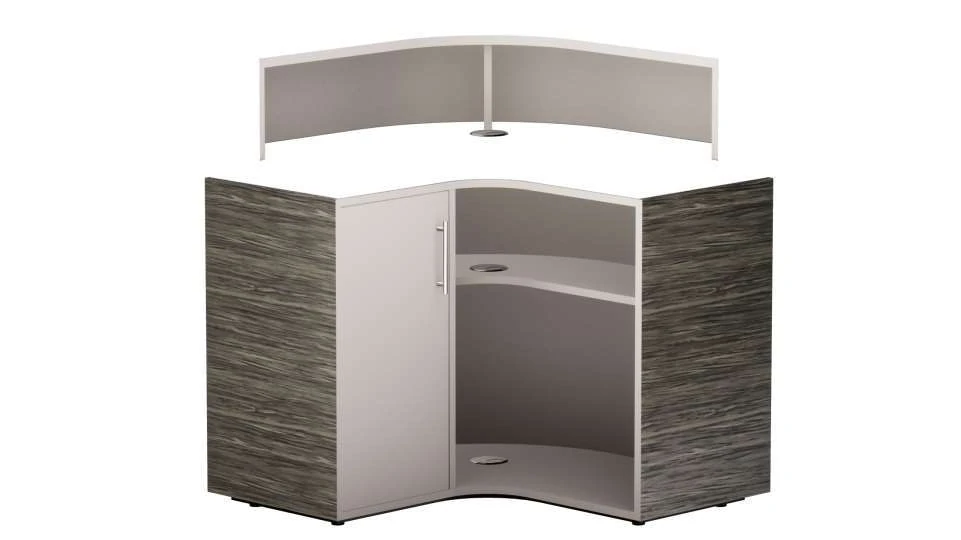
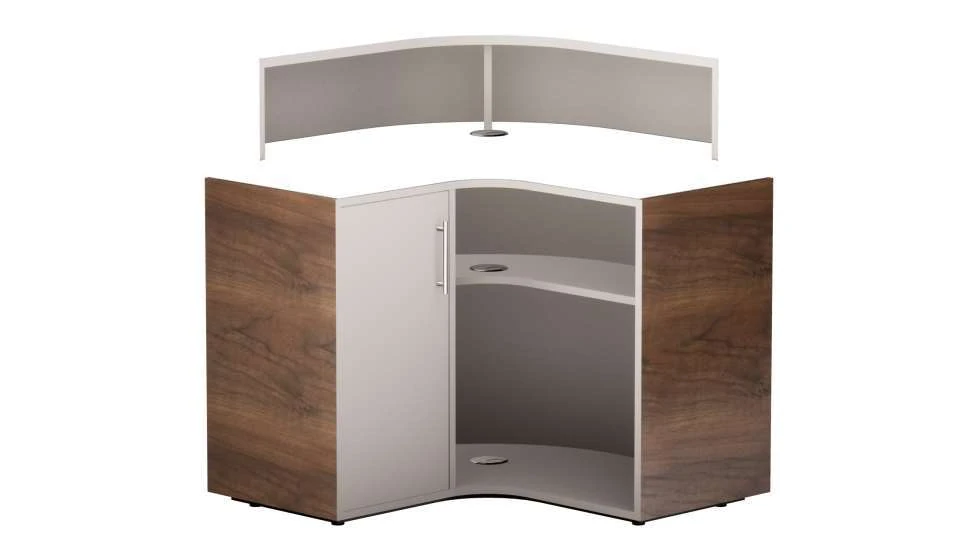
04. Building assets that matched the physical products
Before automation could be useful, the source assets had to be dependable. Existing technical drawings provided a starting point for some products, but they were not ready-made, efficient 3D assets. The thesis describes exported geometry that was incomplete or unnecessarily complex for the next stage of production.
I rebuilt the relevant shapes, simplifying the topology while retaining the features needed to represent the product. For hard surfaces, that meant careful control of panels, edges and proportions. For upholstered forms, the process used scan data as a reference and reconstructed the surfaces where captures were incomplete or obscured.
The distinction matters because a scan is evidence about a shape, not necessarily a finished asset. Hidden surfaces, holes and excessive geometric detail can all create work further down the pipeline. The modelling stage had to produce something that could be textured, separated into controllable parts and rendered consistently.
I grouped geometry according to the way the product needed to behave. A surface that could change finish independently needed to remain addressable. Fixed metallic components and optional elements had different responsibilities. This sometimes introduced additional rendering overhead, but it made controlled configuration possible.
That is a useful example of a trade-off within the project. The simplest mesh was not automatically the most useful product model. I needed a representation that balanced visual accuracy, manageable complexity and the ability to change the right part without disturbing everything else.
The work also established a practical limit to automation: the renderer could repeat a prepared process, but it could not decide whether the model accurately represented the furniture. That judgement still belonged in asset production and review.
Different surfaces. The same standard of care.
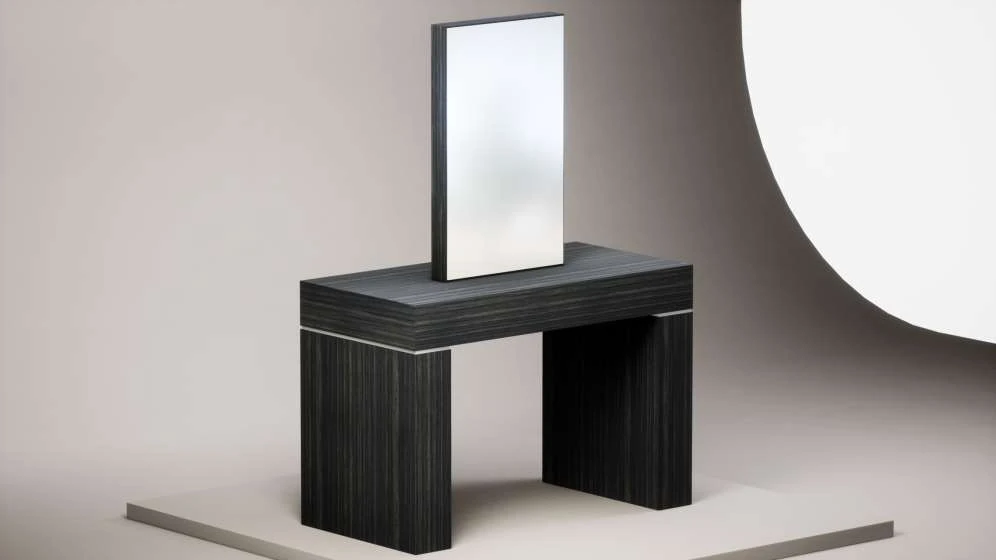
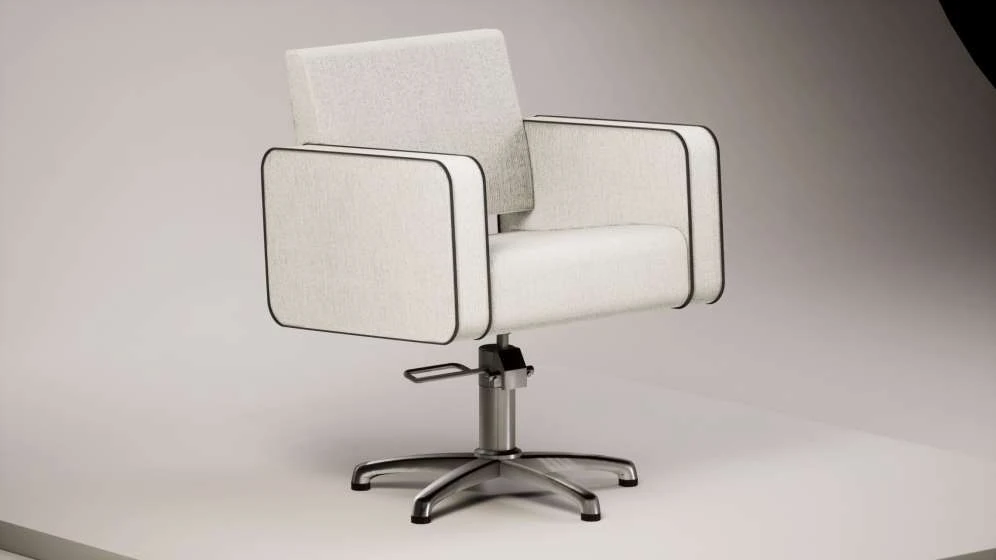
05. Why grain direction and material scale mattered
Material accuracy required more than applying an appealing texture. The same wood finish can look convincing in isolation and still be wrong on the product if its grain runs in the wrong direction or appears at the wrong scale. Those details affect whether the visualisation corresponds to the object someone expects to receive.
I prepared UV maps for the separate geometric elements and adjusted their direction, position and scale. The thesis shows this process before and after correction. A UV map is the flattened relationship between a 3D surface and its texture; changing it changes how the material is placed on the object.
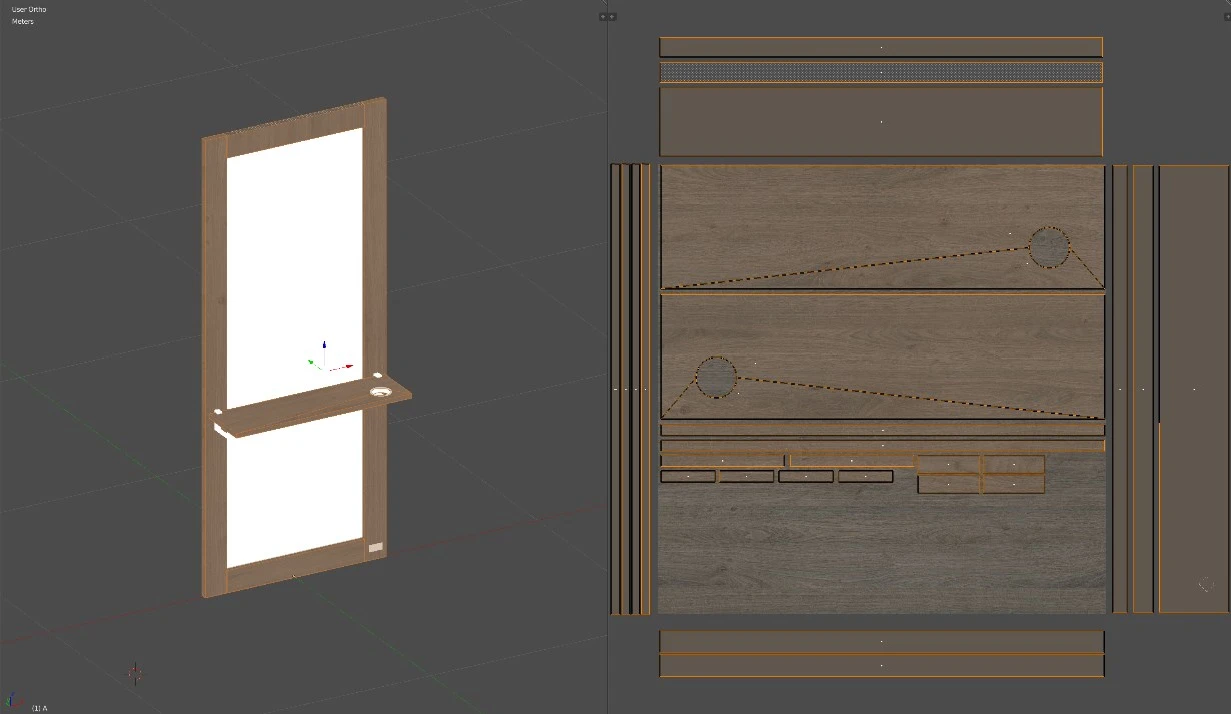
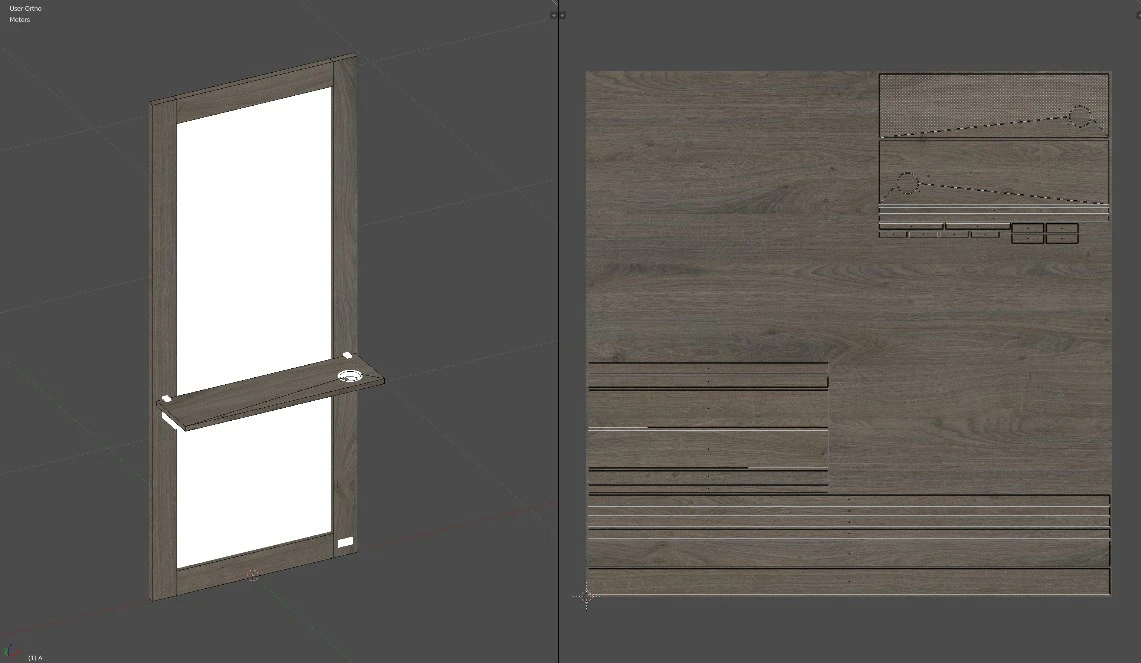
The material-capture process used one-metre samples photographed in a purpose-built booth. Even lighting and consistent camera positioning gave the source images a controlled starting point. Those known sample dimensions also provided a reference when scaling the textures across the product surfaces.
I prepared colour textures and corresponding normal maps. The colour texture carried the visible finish; the normal map supplied the impression of small surface variations without requiring all of that detail to exist as geometry. Used together, they allowed the material to read as a surface rather than a flat colour substitution.

The visual ambition was grounded in the buying task. A customer needed to compare finishes and understand relationships between product regions. Consistent material scale and placement made those comparisons more trustworthy. The craft was in getting the details coherent across the range, not in giving every item a different dramatic treatment.
This remains one of the project’s most useful lessons for me: an automated image library inherits every weakness in its source material. Repetition makes consistency valuable, but it also makes small mistakes repeatable.
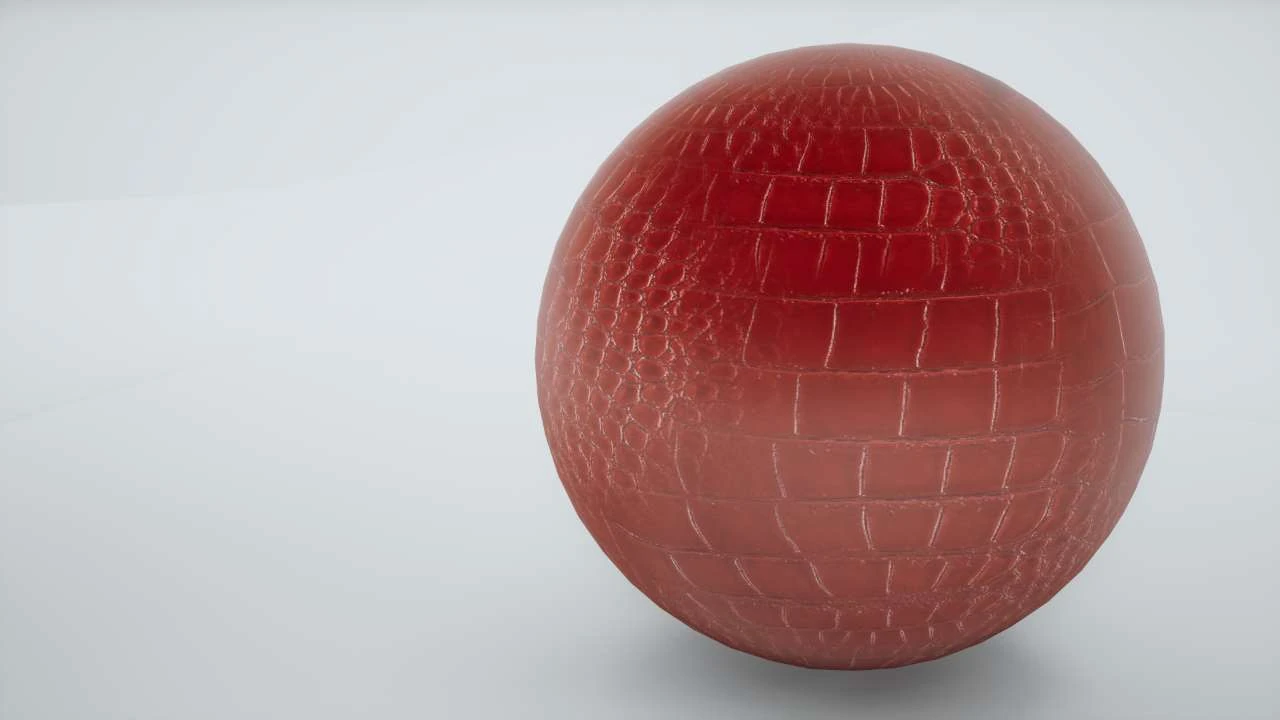
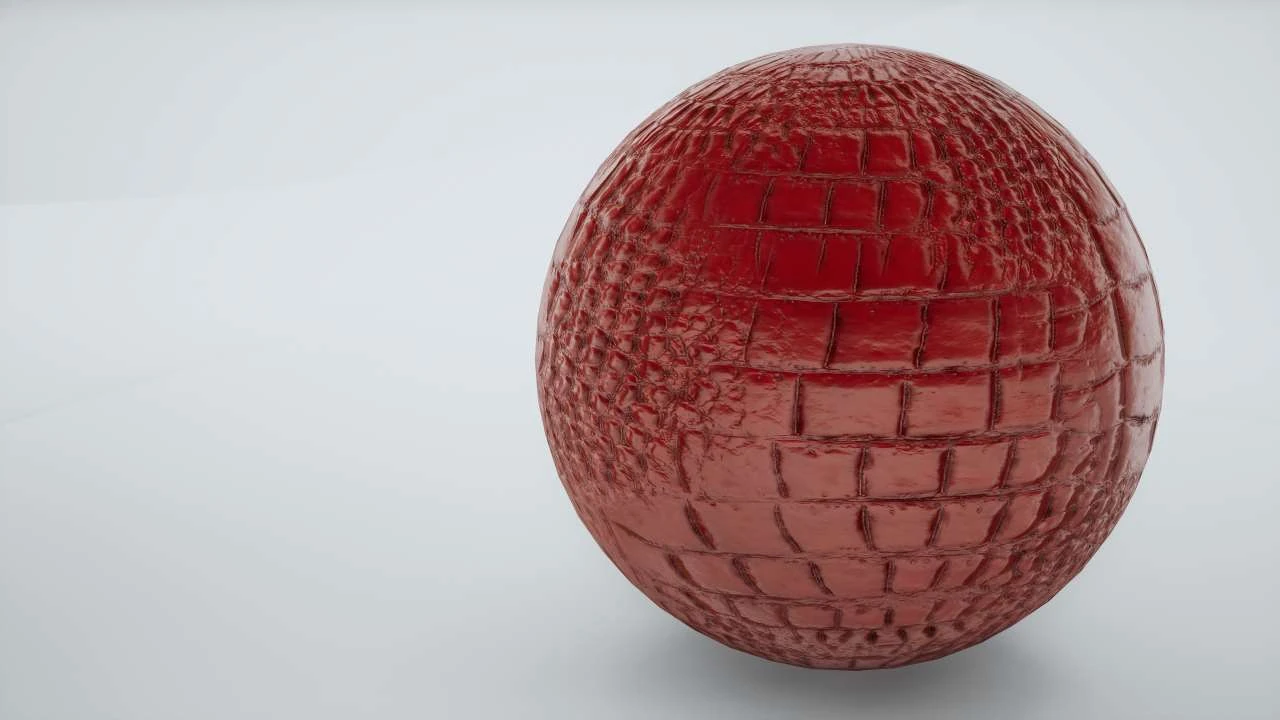
In the project-summary presentation, I also used a material sphere to explain why a colour image was only the beginning. Normal maps describe small changes in surface direction; roughness maps control how sharply or broadly a surface reflects light; ambient-occlusion maps describe local crevice shading. The comparison below shows that teaching example. Its purpose was to make the contribution of the extra surface information visible, rather than to present a new product option.
A material needs more than colour
06. Giving every configuration a shared language
The next challenge was describing a chosen product precisely enough for the system to reproduce it. A collection of unrelated visual settings would have made the renderer and the customer interface difficult to keep aligned. I needed a compact representation that could identify the product, its materials and its optional components.
The research called this representation a render code. It combined a product identifier, material choices assigned to particular regions, and values indicating whether optional components were present. Each part had a defined meaning, allowing a single configuration to be broken back down into actionable choices.
Product
Which object?
Materials
Which finish, on which region?
Options
Which components are present?
A repeatable instruction for the production system
The rendering system resolved the product identifier, found the relevant materials and applied them to their designated geometry. Optional elements could be shown or hidden. This made configuration a repeatable instruction rather than a scene that someone had to adjust manually for every image.
The same structure also gave the production process a way to request specific outputs. Once the renderer could interpret a configuration, a loop could generate a sequence of configurations and pass them through that process. The automation reused a working operation instead of inventing a separate manual procedure for each variant.
The important idea is the shared description, rather than the exact notation used in the original implementation. It linked what the product was, how it should appear and which output needed to be created. In this article the diagram is deliberately schematic: it explains the relationship without reproducing the commercial partner’s internal identifiers.
07. Turning a game engine into a digital product studio
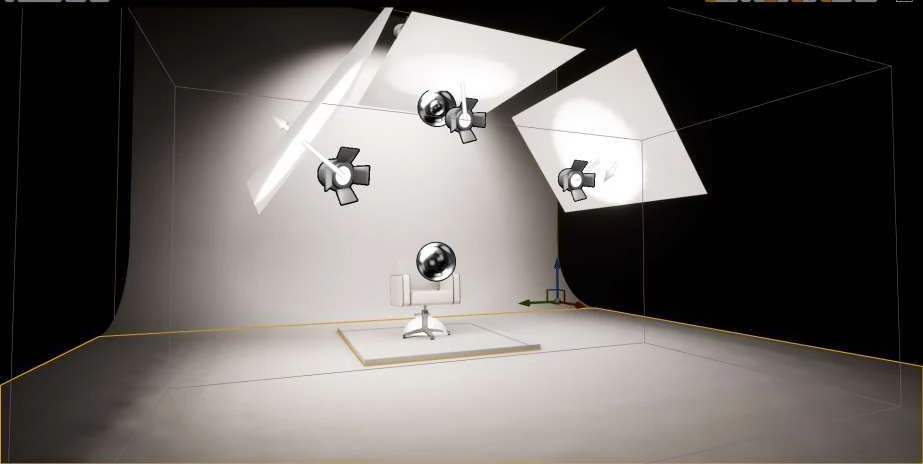
I used game-development technology as a production environment. The research implementation used Unreal Engine 4, with visual scripting and custom functionality where required. Its job was to prepare product states and generate images. It was not the engine running a 3D customer experience in the browser.
Each product was placed in a controlled digital studio. The scene used a continuous backdrop and a consistent product position. Lighting was prepared in advance, while camera settings were kept consistent across products, with distance adjusted to accommodate differences in size.
Those choices served both appearance and engineering. Visually, a restrained studio treatment made the shape and finish the main information. Technically, stable positioning and framing made the output suitable for composition. A layer could not drift between renders without undermining the illusion of one coherent object.
The rendering process cycled through material choices for the available regions, captured the corresponding output and stored it systematically. A naming and organisation method made the generated images predictable enough to retrieve later. Producing a large number of files was only useful if the rest of the system could reliably identify them.
Not every action was automated indiscriminately. The thesis records an adjustment to camera handling: automatic progression through views created unnecessary work when a user only needed to repeat a particular view, so view selection remained under operator control. That detail matters. The aim was a practical production tool, with automation applied where it removed repetition and manual control retained where it helped correction.
This gave the project a repeatable visual-production process. The studio was both an image-making environment and a component of the wider configuration system.
The studio behind the product image
08. Designing the 2D customer experience
The customer-facing result was a web-based, two-dimensional configurator. It displayed pre-rendered product imagery, combining the appropriate layers when someone changed a material. The 3D work had already happened during production.
Scroll the diagram to follow all three stages →
Customers could choose finishes for different regions and switch between prepared views. The research also developed optional-component controls, but the thesis records that these were excluded from the released configurator. A view change selected another image arrangement; it was not free movement around a live three-dimensional object. That distinction explains both the experience and the asset requirements.
The interface separated these types of choice. Material selection answered what a particular region should look like. The proposed component controls answered which parts should be present. View controls answered which prepared perspective the customer wanted to inspect. Keeping those jobs distinct made the relationship between an action and its visible effect easier to follow.
A useful constraint was the intended tablet experience. The thesis describes a landscape visualiser displaying higher-resolution source images, with transparency preserved so individual regions could be combined. That choice connected image production to an actual viewing context. It also supported one dynamic page structure that could load the resources for the selected product, rather than requiring a separately designed page for every item.
There was also a hierarchy within the image itself. The product remained the focal point, with the controls supporting comparison around it. A neutral starting configuration gave the customer a consistent baseline. From there, changes could be understood as deliberate choices rather than a sequence of unrelated promotional pictures.
As a design approach, this gave the project a clear visual purpose: help people recognise the product, compare alternatives and maintain their understanding while making changes. It did not depend on the novelty of spinning an object or exploring an elaborate scene.
The implementation was available through normal web browsing, making it usable on desktop, tablet and mobile devices. That supported both independent exploration and assisted sales conversations. The same basic product representation could be useful wherever someone needed to explain a configuration.
09. How a layered image becomes one product
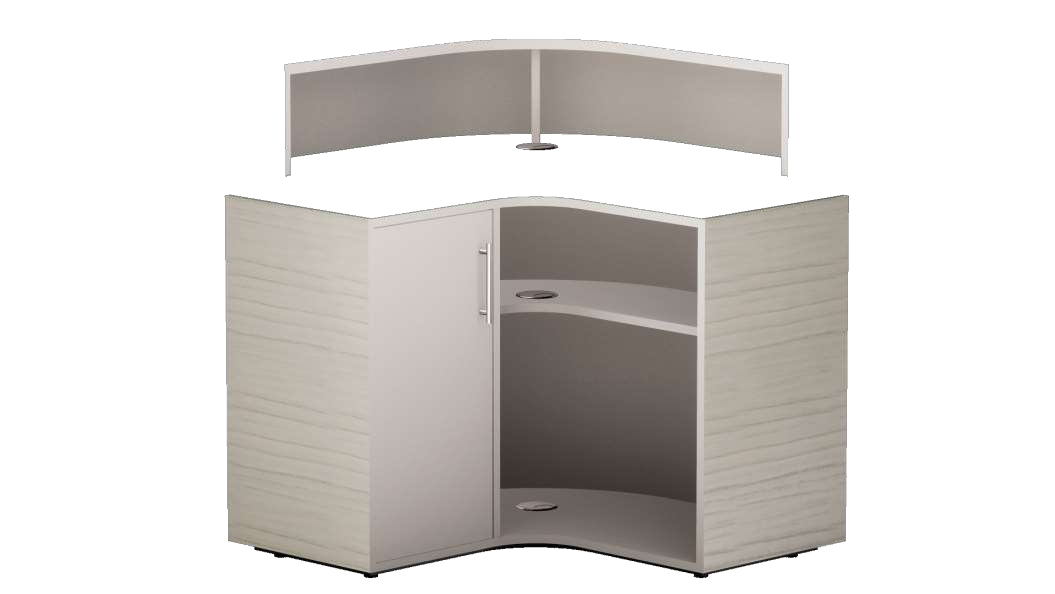
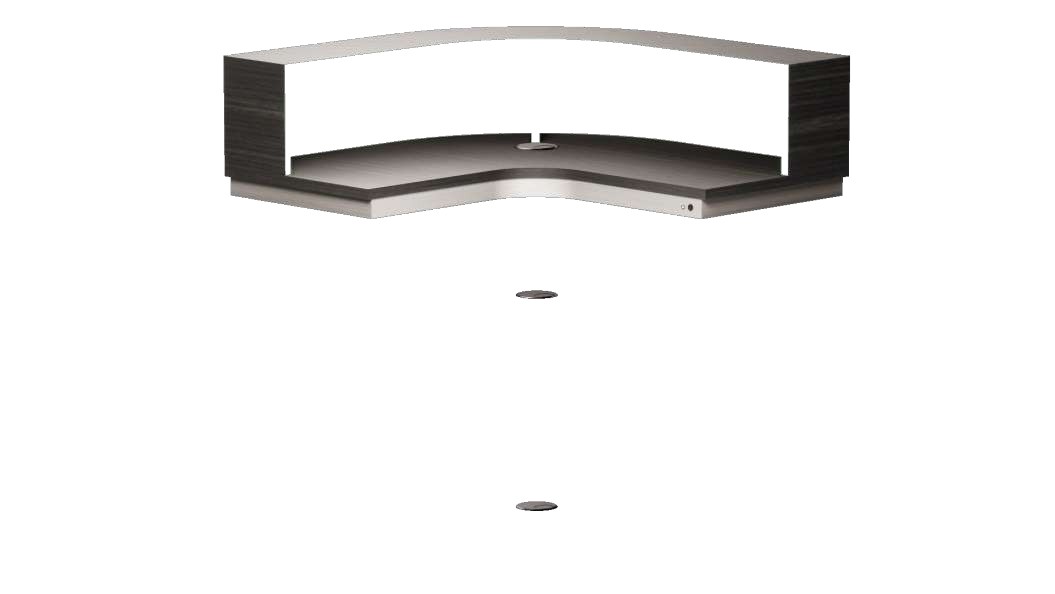
Imagine a product with a body, a contrasting front section and a fixed base. Each configurable region has a set of prepared image layers, captured from matching viewpoints. Choosing a new finish for the front section changes that section’s layer while the other regions retain their current choices.
To the customer, the result should read as one object. Behind the interface, it is a composition of independently selected visual elements. The effectiveness of the method depends on consistent framing and correct ordering, so that the parts sit together without exposing the construction.
The diagram is a new explanatory illustration, not a recreation of the original interface. It makes the production logic visible by separating the layers, then bringing them into alignment. In the actual customer experience, that separation was hidden: the customer saw their selected product.
This division of responsibilities also explains why the project still needed careful frontend development. The image library did not constitute a configurator by itself. The interface needed to interpret a choice, obtain the appropriate visual material and update the displayed composition.
For someone assessing the project today, this is the essential distinction between the production innovation and the final experience. The research used 3D tools to make content efficiently, then used that content in a deliberately constrained 2D interaction model.
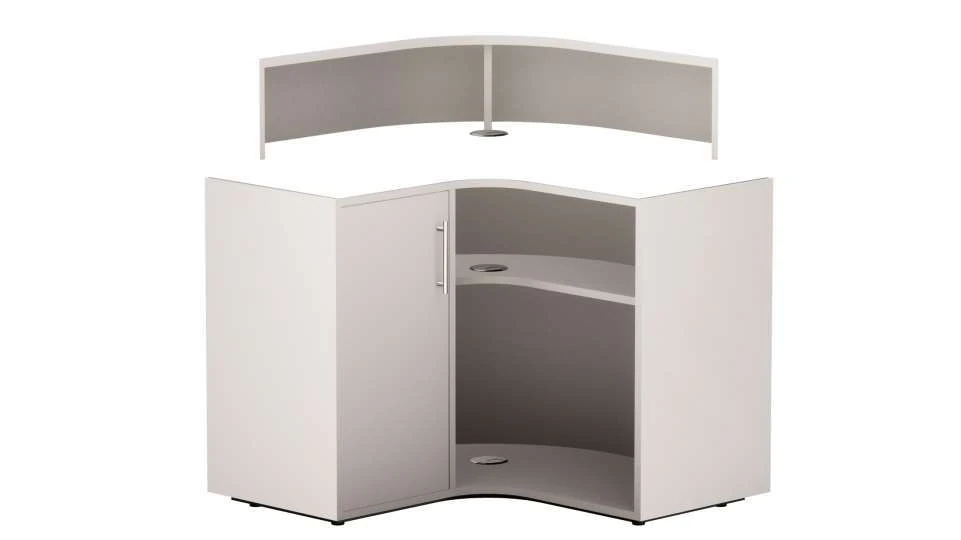
The original presentation preserved two separate transparent images of the same desk. Their identical image dimensions and alignment allow them to be recombined directly. The figure below uses those source images, with new inspection controls so you can reveal each layer. Unlike the schematic above, these are actual project assets. The figure demonstrates one recorded combination; it does not recreate the original application or its full range of finishes.
Inspect the original image layers
10. What the research demonstrated
The dissertation reports that the implemented method required 4,840 images, with a recorded rendering time of 310 seconds. Those are historical results from the research implementation. They describe the image-generation stage, not the duration of modelling, material preparation, development, uploading or the complete project.
The development effort behind the rendering pass
The earlier production proposal discussed in the thesis had anticipated 282,320 complete product images. The implemented approach changed how the imagery was represented, using reusable layers. That comparison is useful evidence of the change in production strategy, but it is not a controlled, identical-scope benchmark between two rendering engines.
The results chapter also records 43 days for programming the rendering solution and 39 days for configurator development. Those figures underline that automation required substantial development work. The benefit was not that an engine removed the need to build a system; it made a different, repeatable system possible.
Automatic naming and organisation removed the separate image-administration task described in the earlier proposal. However, putting the imagery into the delivery system still required significant manual work. That distinction prevents an attractive rendering result from being mistaken for a fully automated end-to-end operation.
The project also demonstrated a practical release: a working 2D configurator developed by one person and made available through the web. The thesis describes use in both websites and showroom settings. Those observations support the relevance of the output beyond the research environment, without needing to disclose the partner’s commercial figures.
I regard the strongest outcome as the connection between these pieces. A structured product description, controlled visual assets, automated image generation and an understandable interface were made to work together. The result was a usable application and a documented investigation of the process that made it possible.
11. What the findings do—and do not—prove
The project’s conclusions are strongest when read alongside its limits. The dissertation compares the implemented work with an earlier proposed approach. Estimates and recorded project timings are different kinds of evidence, so I would not present the difference as a universal speed multiplier.
The thesis also states that some products were not included because of time constraints. Included products offered their full colour combinations, but that is different from claiming complete catalogue coverage. The research demonstrated the method and delivered a working application; it did not satisfy every original scope objective without qualification.
Optional-component visualisation is another clear boundary between development and release. The research describes how those controls would work, but the feature did not ship because the available representations were not considered sufficiently faithful to the changing physical components. It would be misleading to list that capability as a released customer feature. The decision illustrates a useful quality threshold: showing an option is only helpful when the image gives someone dependable information about it.
Likewise, a fast rendering pass did not guarantee that every annual update would be trivial. New geometry still required modelling, materials needed preparation and the delivery system needed its own work. The scale of a future catalogue change would influence the effort involved.
The post-launch evaluation included informal questionnaires and usage observations. These provided useful feedback about reception and practical use. They were not controlled experiments isolating the configurator’s effect on revenue, search rankings or purchasing behaviour. I therefore avoid turning them into causal conversion claims.
There is also a historical boundary. The work was completed in the context of the tools and requirements of that period. Its value is not a claim that one particular engine will always outperform every alternative. It is evidence that the production method, representation of product choices and customer interface should be designed together.
Those qualifications strengthen the case study. They show where the engineering worked, where human effort remained and what evidence would be needed to make a broader claim.
12. What I took from the project
This project changed how I think about visual commerce. An interface can make choice look simple only when the underlying product representation is sufficiently clear. The apparent ease of changing a finish depends on modelling decisions, material accuracy, configuration data and reliable image composition.
It also reinforced the importance of choosing an appropriate interaction model. A 2D configurator can be a deliberate solution to a particular viewing and comparison task. A live 3D experience has different possibilities and responsibilities. The right starting point is the customer’s decision, followed by the assets and delivery method needed to support it.
Most of all, the KTP gave me experience of carrying a difficult problem through its full sequence: commercial brief, research, visual production, software development, release and evaluation. I had to connect the design details with the engineering decisions and then explain what the evidence actually showed.
There is a personal lesson in that responsibility too. Working across disciplines meant that I could not treat an inaccurate finish as somebody else’s problem, or dismiss a delivery bottleneck because the rendering code was fast. The measure of progress was whether the next stage could use the output reliably. That perspective still influences how I scope and build digital products.
The lasting achievement was not simply a collection of renders. It was a method for making complex product choices visible, repeatable and usable—and a working configurator that demonstrated that method in practice.
If you are considering a similar project, my configurator development service explains how I approach the work today. The separate Praxis Digital case study explores my later real-time 3D platform.
What the project partners said
The completed Knowledge Transfer Partnership received a formal Grade B — Very Good assessment on 10 September 2019.
“A true transfer of knowledge, in a true partnership, supporting both the individual associate in their career path and the Corporate entity in its endeavour to grow.”
“In this case, the project was to assist REM with a more interactive way of visualising their products, something unique to their industry. We used game development expertise to make this possible.”
“So for all parties, the project has been a great success and exceeded expectations.”
The business forecast
In its 2019 final report, REM forecast an additional £850,000 in annual turnover within three years attributable to the partnership. This was REM’s projection during rollout, not a measured sales result. At the time of reporting, REM recorded no attributable turnover increase and said it was too early to assess that impact.
Named comments: partner promotional statements, final report pages 9–10 and 13. University assessment: page 12. REM forecast: pages 5–6. The formal project grade is a separate assessment; it is not an individual award.
UKRI partnership funding record · MMU’s original project announcement
Read the original research
Niall Arnfield, How Game Development Technology Can Assist in Visualization Challenges. Manchester Metropolitan University, MSc by Research, completed 2020. First deposited in the university repository on 27 October 2020; the current repository record was posted on 28 May 2026. DOI: 10.83056/mmu.32477802.v1.
Open the university research record ↗
This retrospective draws on the thesis’s printed pages 8–11, 28–36, 37–60 and 61–66. Page references use the dissertation’s printed numbering, not the PDF viewer’s count. The article also draws on my 2019 Configurator Project Summary 1 presentation: dated interface iterations (slides 5, 8–9), studio and product imagery (15–17), material demonstrations (18–21), and image composition (28–29, 45–47). These slides document work in progress as well as production methods; the dissertation remains the source for release details and measured results. Source images are identified in their captions; new diagrams and inspection controls are explanatory additions. The commercial partner was REM UK Limited. The linked public dissertation provides the original research context.