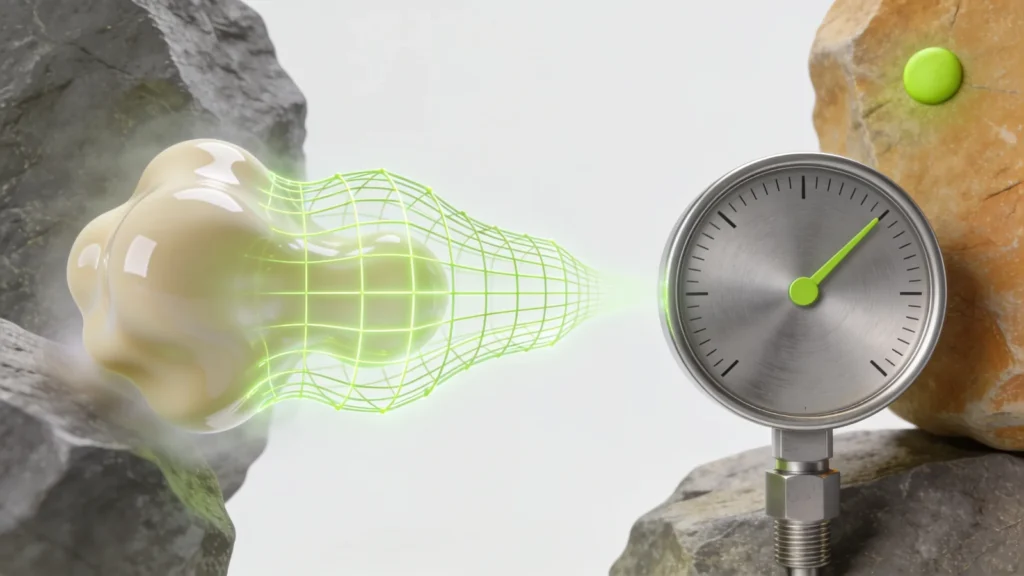
Budget to hit: LCP under 2.5s · First interaction: under 100ms · Mobile texture memory: the real ceiling · Assets: the actual product
A practitioner’s account of building a product 3D configurator that converts — and why almost every failure I have inherited was decided before a single line of shader code was written.
The demo always looks the same. A hero product spins on a neutral studio floor, swatches change the finish instantly, and someone in the room says “we need this.” What the demo never shows is the second week: the model that takes six seconds to appear on a mid-range Android, the finish picker that drops frames, the Core Web Vitals regression that quietly costs more organic traffic than the configurator ever earns back. If you are scoping a product 3D configurator, the useful questions are not about which library to use. They are about budgets you have to hold before you start.
A product 3D configurator is a performance budget, not a 3D model
The model is the part everyone looks at and the part that matters least to whether it ships successfully. The constraint that decides the outcome is the performance envelope of the page the configurator lives on. A product detail page has a job — get the visitor to add to cart — and a WebGL canvas is a large, main-thread-hungry guest on that page.
The number I anchor everything to is Largest Contentful Paint. If the configurator delays the LCP element, or if its scripts block the main thread during the first interaction, you have traded measurable conversion and search performance for a feature that only a fraction of visitors will ever touch. The lazy, correct pattern is almost always the same: render a fast static hero image first, hold the LCP with that image, and only initialise the 3D scene on an explicit interaction or when the canvas scrolls into view. The 3D experience becomes an enhancement, not a tax every visitor pays on load.
The asset pipeline is the actual product
Vendors sell the runtime. The thing that actually determines whether a configurator is usable is the asset pipeline that feeds it, and that is unglamorous, repetitive work that no demo covers. A raw model exported from a DCC tool is not a web asset. It becomes one after geometry decimation, sane UVs, compressed textures, and a delivery format that a browser can stream without stalling.
In practice that means glTF with mesh compression, texture sizes chosen for a phone rather than a 4K studio monitor, and a hard budget on total download and GPU memory. Mobile is where configurators die, and they die on texture memory long before they die on polygon count. A configurator with fifty finish options is fifty pipeline problems, not one modelling problem — and if the pipeline is manual, it will not survive the first catalogue update. Build the pipeline to be repeatable before you build the fifth product, or you are signing up to rebuild every asset by hand forever.
Where configurators actually lose the sale
Assume the thing loads fast. It can still fail, and it usually fails at the second interaction. The first rotation feels magic. Then the visitor tries to change a material and there is a beat of latency, or the swatch they picked does not visibly change anything because the difference is subtle on a small screen, or they cannot work out how to get back to the plain product photo they trust. Each of those is a small withdrawal of confidence, and confidence is what a product page is trying to build.
The fixes are boring and they work: pre-warm the materials the visitor is most likely to choose, make every state change instant and obvious, keep a visible route back to conventional photography, and never trap the customer inside the 3D view. A configurator should lower the perceived risk of buying. If it adds a moment of “how does this work,” it is doing the opposite of its job.
What I check before agreeing to build one
Before the interesting engineering starts, three cheaper questions decide most of the outcome. Does this product category actually benefit from configuration — genuine visual variation the customer cares about, not variation for its own sake? Is there a repeatable asset pipeline, or a plan to build one, so the configurator survives contact with the catalogue? And is there performance headroom on the product page to add a WebGL scene without regressing the numbers that already drive revenue and rankings?
If the answer to any of those is no, the honest recommendation is often to spend the budget on better conventional photography instead — a point I have made at length about the wider 3D commerce boom being mostly demoware. When the answers are yes, a product 3D configurator is one of the few genuinely differentiating things you can put on a product page. But it earns that by respecting the page it lives on, not by being the most impressive thing in the room during the demo.
The build that converts is the one that treats the configurator as a performance and pipeline problem first and a 3D problem second. Get those two right and the spinning model takes care of itself.